Removing Duplicate Songs
Music collections often end up containing more than one copy of the same song or album.
SongKong’s Delete Duplicates task can find these duplicate files and either remove the unwanted copies or move them to a separate folder.
Fix your music first
For the most accurate results, it is best to run Fix Songs before running Delete Duplicates.
Fix Songs can identify your music and add MusicBrainz identifiers that let SongKong distinguish between different songs and different versions of the same album. This is more reliable than comparing artist, title and album names alone.
A typical workflow is therefore:
- Run Fix Songs
- Check the Fix Songs results
- Run Delete Duplicates
What counts as a duplicate?
This is an important question because two files containing the same song are not necessarily duplicates.
For example, you may have the same song on:
- The original album
- A greatest-hits album
- A compilation
- A different edition of the same album
You may want to keep all of these.
SongKong therefore lets you choose how strictly duplicates should be identified. For example, you can look for multiple copies of the same song on the same particular album, or use less restrictive rules if you only care about having one copy of each song.
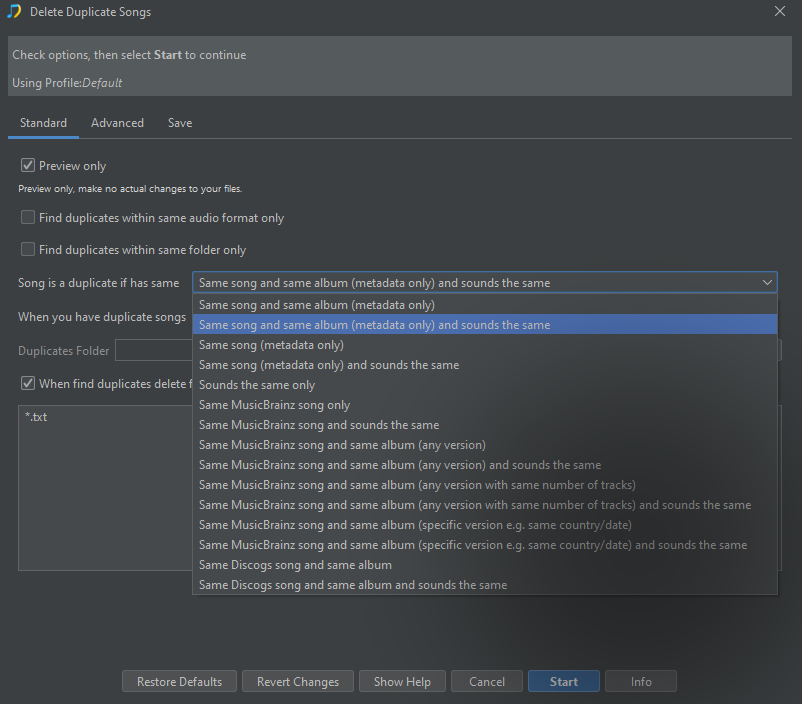
For most users who keep their music organized as albums, looking for duplicate copies of the same song on the same album is the safest starting point.
SongKong can also compare how the files sound
Some duplicate options include sounds the same .
This uses an audio fingerprint to provide another check that the files really contain the same recording, rather than relying only on their metadata.
You do not need to understand audio fingerprinting to use this option; it is simply another way for SongKong to be more confident that two files represent the same recording.
Which copy does SongKong keep?
Finding duplicates is only half of the job.
If SongKong finds two or more copies, it also has to decide which copy to keep .
The Advanced tab contains a list of preferences used to make this decision. SongKong checks them in order until it can decide which file is preferable.
For example, you may prefer to keep the copy with:
- The highest-quality audio format
- The highest bit depth
- The highest bitrate
- The most complete album
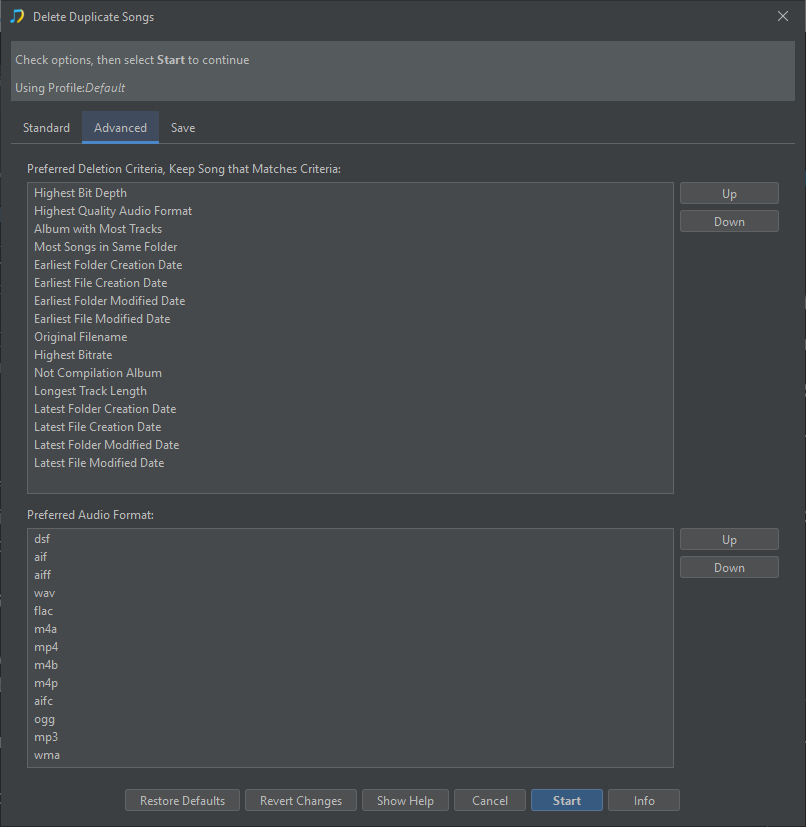
The default order is suitable for many users, but the detailed Delete Duplicates section explains how to change it if you have particular requirements.
Preview the results first
When using Delete Duplicates for the first time, we recommend running it in Preview mode.
This lets you see which files SongKong considers duplicates and which copy it intends to keep without removing anything.
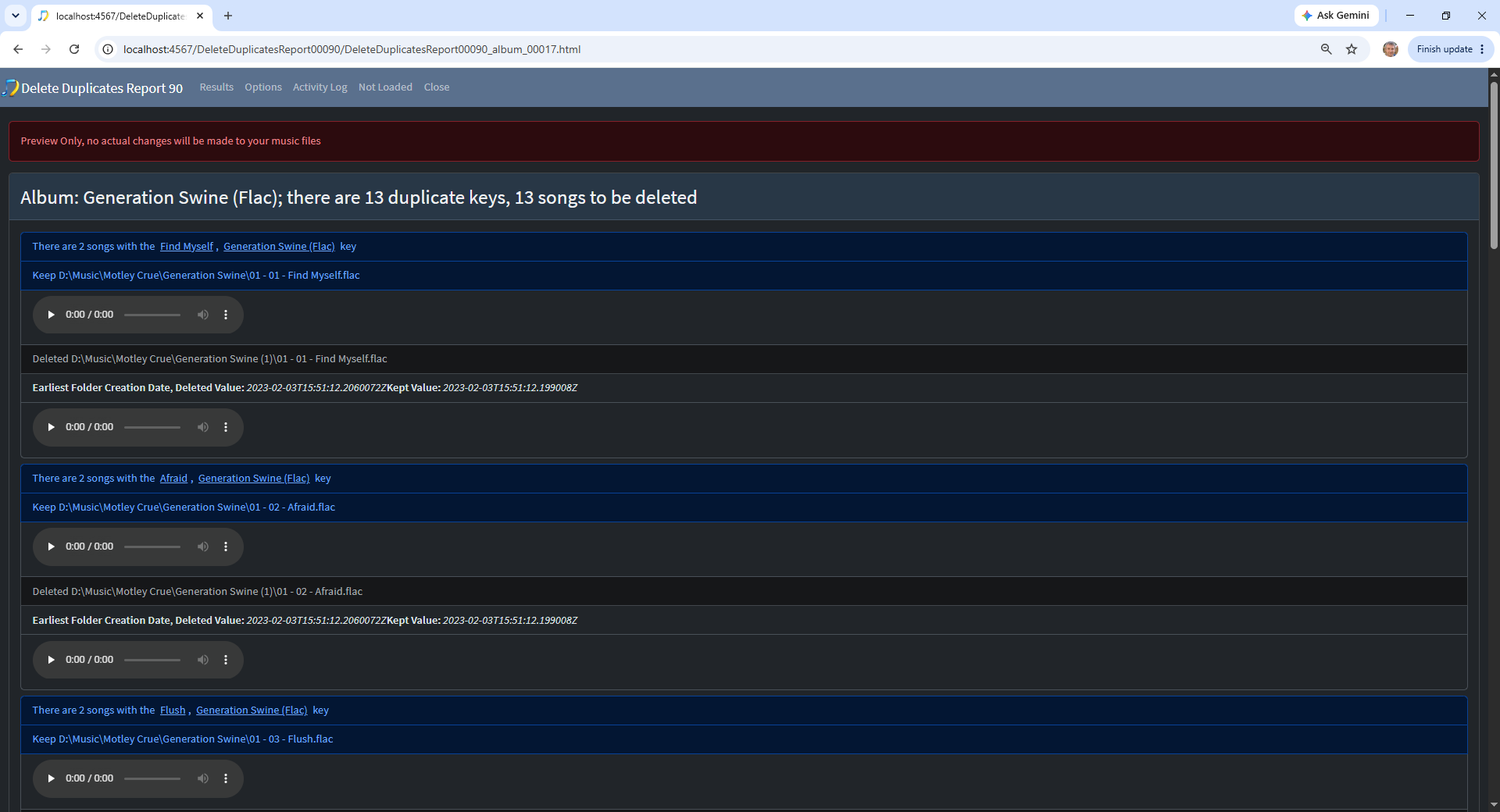
Check a few duplicate groups and make sure that:
- The files really are duplicates
- SongKong has selected the copy you want to keep
- Different album versions that you want to retain are not being treated as duplicates
Delete or move duplicates?
SongKong can either delete unwanted duplicate files or move them to a separate Duplicates folder .
If you are using Delete Duplicates for the first time, moving the duplicates can give you an additional opportunity to check them before deleting them permanently.
Once you are confident that your settings are correct, you may prefer to have SongKong delete them directly.
What happens to empty folders?
Removing duplicate music can leave empty album or artist folders behind.
SongKong has an option to remove folders that become empty, including folders that only contain specified files such as artwork that you no longer need.
You can leave this disabled if you prefer to tidy up folders yourself.
A safe way to start
For your first Delete Duplicates task:
- Run Fix Songs first
- Select a small section of your collection
- Use a conservative duplicate-matching option
- Run in Preview mode
- Check the duplicate groups
- Check that SongKong is keeping the correct files
- When you are satisfied, run the task again to move or delete the duplicates
Once you are comfortable with the results, you can run Delete Duplicates across a larger part of your collection.
The Delete Duplicates section of this guide explains the different duplicate matching methods and the options for deciding which files should be kept.