Sometimes Roon shows albums as “Unidentified” even though the music files already contain metadata. This is quite common with rare releases, classical music, bootlegs, or files downloaded from different sources, but it can also occur with well-known albums that we would normally expect Roon to identify, we details the reasons here.
Running SongKong on your library will increase the number of albums that Roon can find and improve your Roon experience.
How to Run SongKong Safely with Roon
If you’re using Roon with a large music library, it’s important to run SongKong carefully to avoid accidental changes while still improving your metadata. Here are best practices to ensure everything stays safe.
1. Use a Backup
For complete peace of mind before running SongKong:
- Make a backup of your music files or the entire library.
- Use Roon’s backup tools or simply copy the folder structure to an external drive.
This way, if anything goes wrong, you can always restore your original files as a last resort.
2. Run a Status Report
Before making changes, run a Status Report:
- Creates an accurate record of all metadata, grouped by folder, Album Artist/Album, Composer/Work.
- Generates a spreadsheet with all information in a single file.
Review the Inconsistencies section in the Summary to identify potential problem areas before making any changes.
3. Start Small
Especially for very large libraries:
- Run SongKong on a small test folder first.
- Check how Roon reacts to the changes.
- Once confident, scale up to your full library.
This is particularly useful if you have unusual albums, multi-disc releases, or classical collections.
4. Always Preview Changes
Run Fix Songs using the Roon profile with Preview Only enabled. This will match your songs to MusicBrainz, Discogs, and Acoustid without making changes yet.
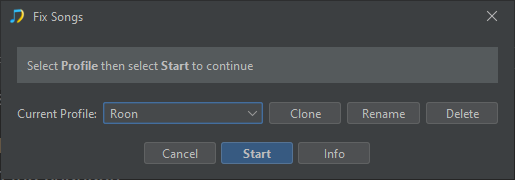
Review the generated report:
- Which tracks will be modified
- Album matches
- Inconsistencies detected
Then only if you are happy with the results, run the Apply Preview task to apply the changes for real.
5. Match to Bandcamp
If you have self-released albums, they may exist in Bandcamp — often for rare or independent music.
- Run Bandcamp Match with Preview Only first.
- Check the results.
- If satisfied, run the Apply Preview task.
6. Re-scan Roon After Updates
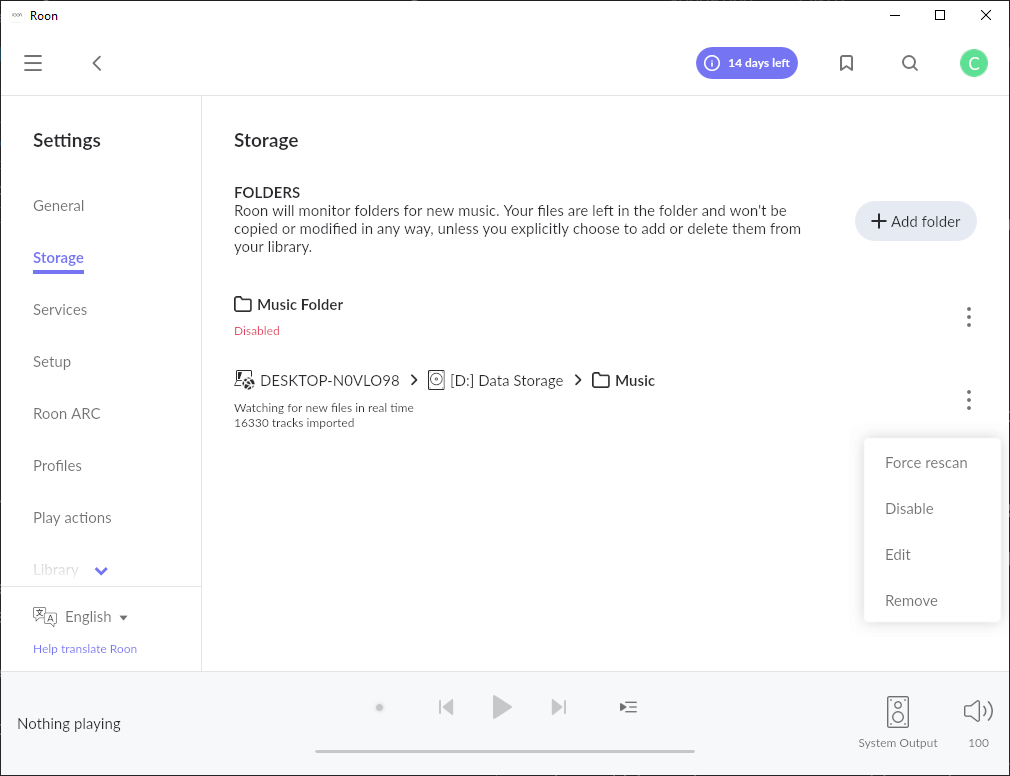
Roon does do periodic checks of file changes but when we modify lots of files it is best to ask it to force a rescan.
- Open Roon
- Select Settings:Storage
- To the right of the Music Folder click on the Three Dots icon and select Force Rescan
7. Check Results in Roon
Check that the number of previously “Unidentified” albums are now reduced.
- Select Albums
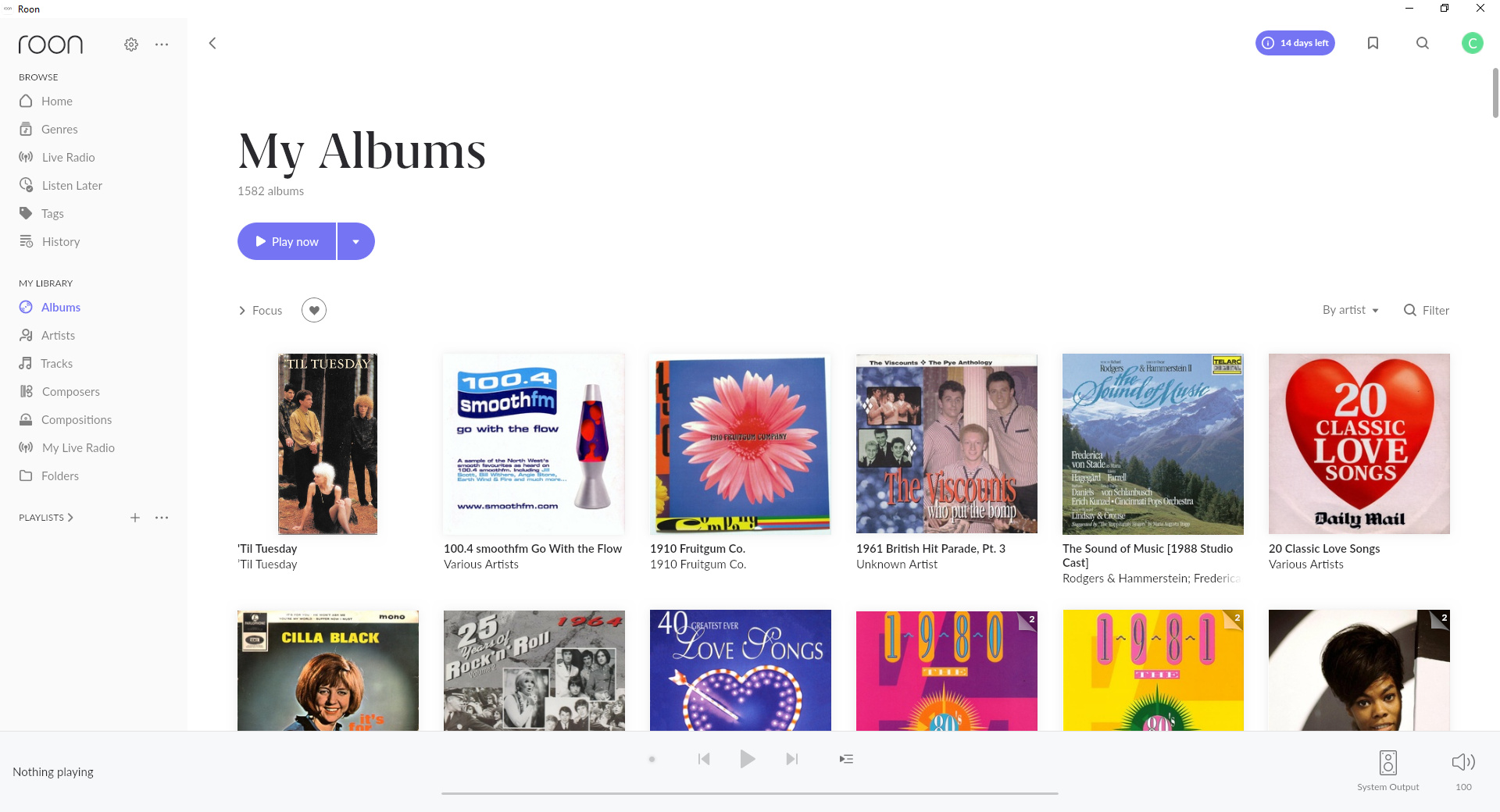
- Open Focus
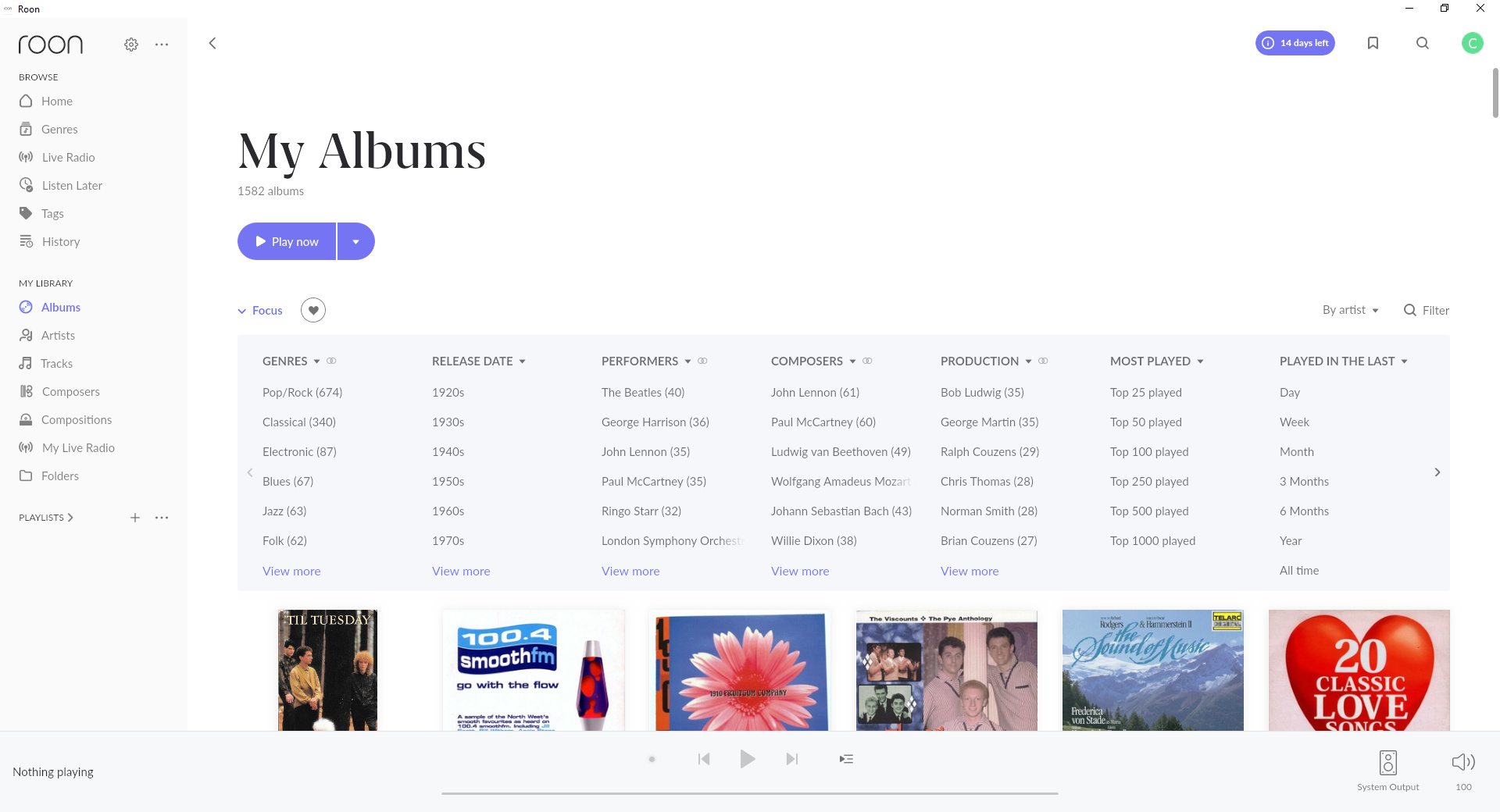
- Navigate to the Inspector column using the right arrow
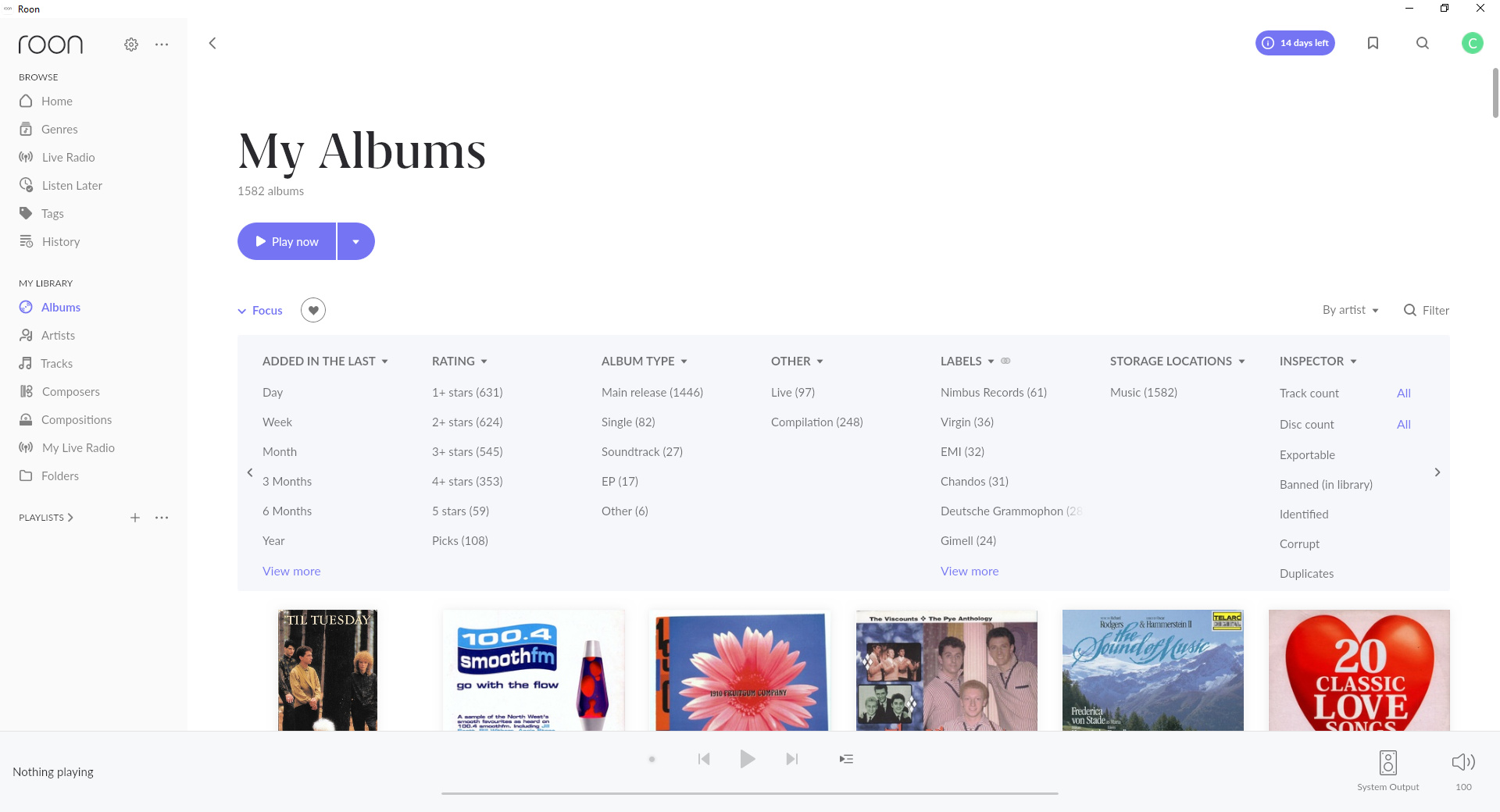
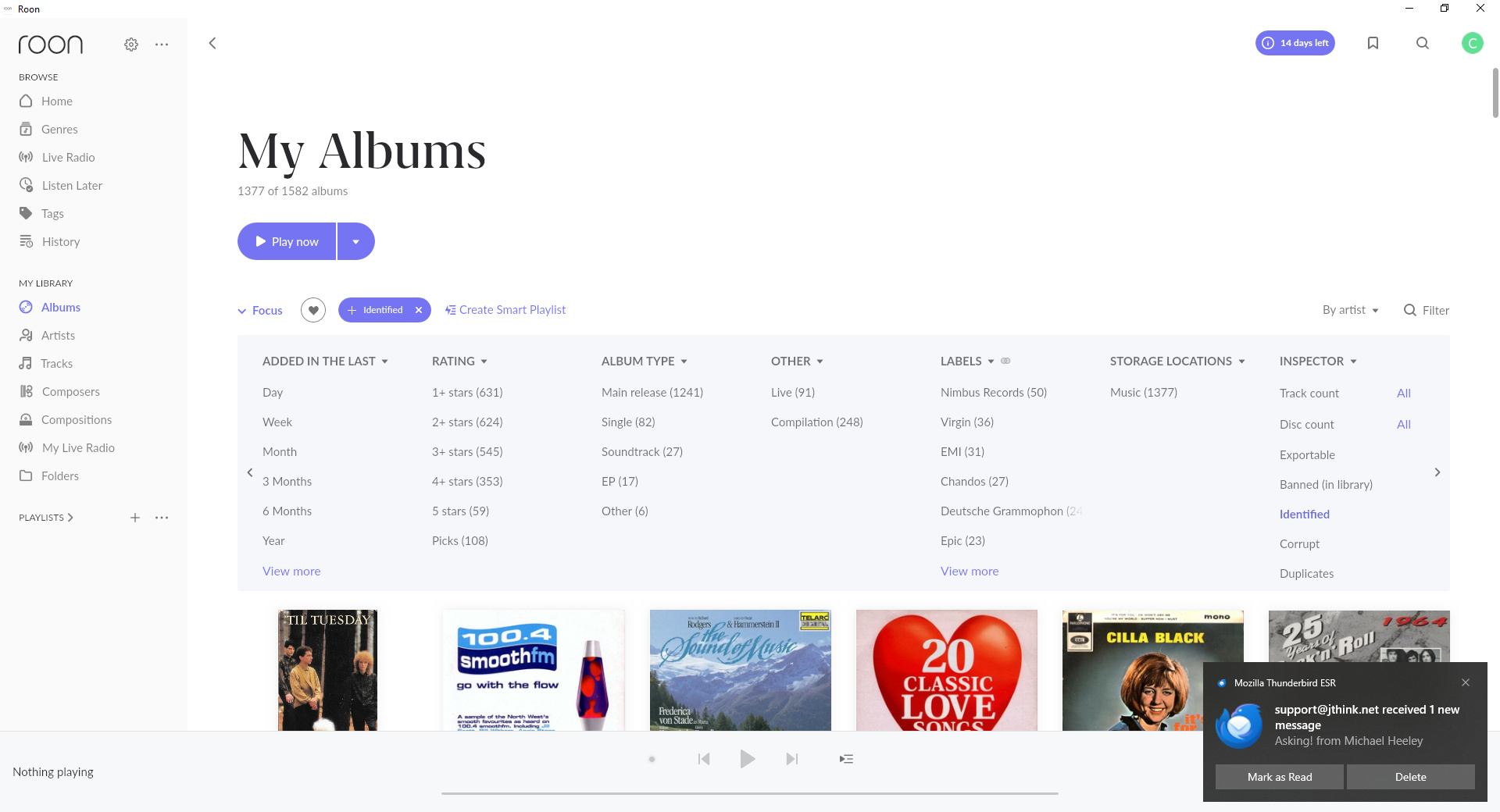
- Select the Identifed option listed under the Inspector column, notice that now under My Albums it says 1377 of 1572 Albums showing how many albums are identified
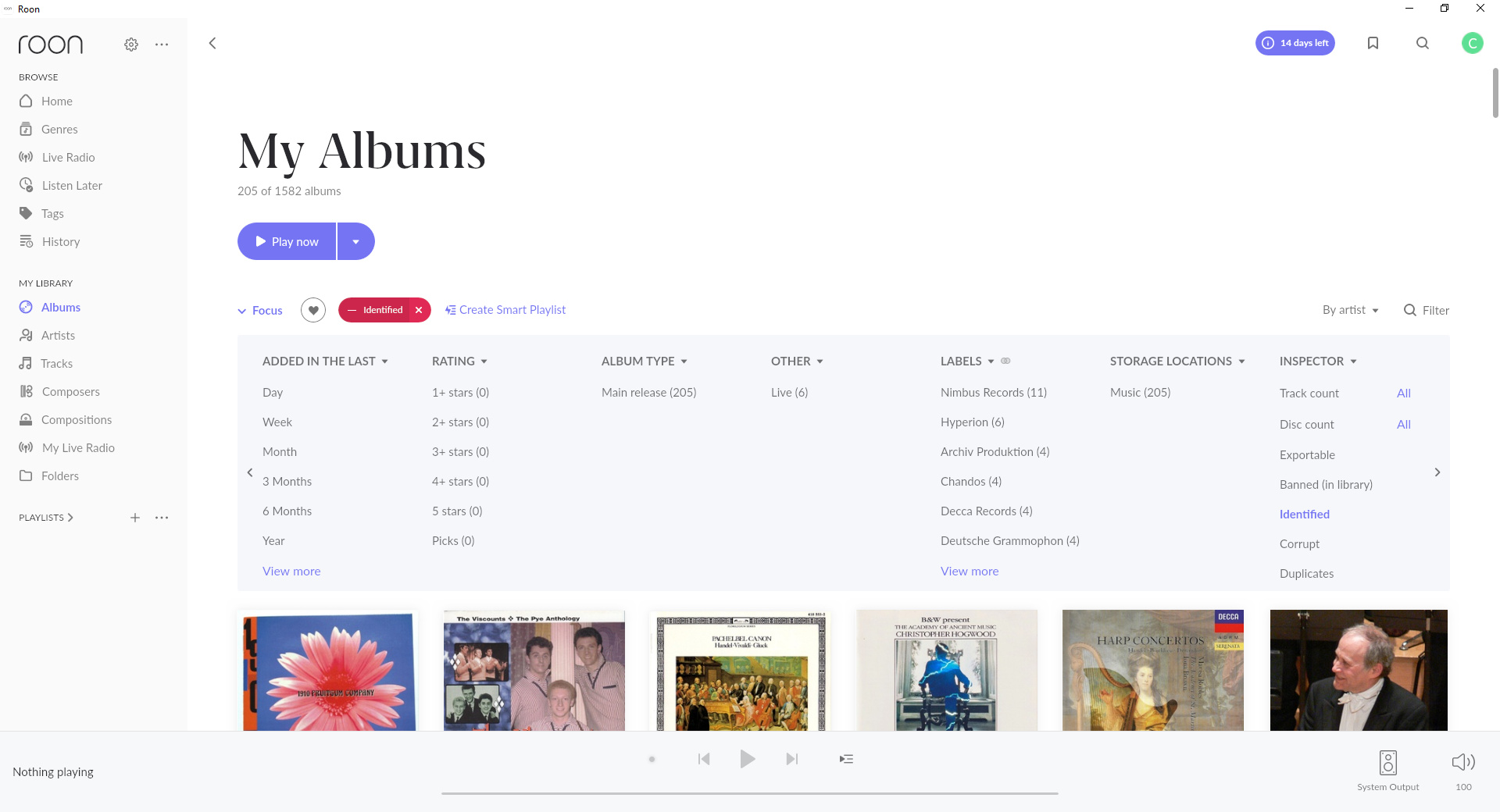
- We can also click on the Identified badge next to Focus to show unidentified albums, the badge goes red and under My Albums it says it says 205 of 1572 Albums showing albums not identified.
- If anything looks wrong, you can undo changes using SongKong’s Undo Changes task, this can be done at folder level
8. Additional Steps
Rename Files
Are you happy with your folder structure, you may want to run Rename Files task for two reasons
- So the folder names accurately reflect the newly improved metadata
- To change the whole folder structure, for example as your library grows may want to add an alphabetical album artist level e.g A/Aerosmith/Rocks instead of /Aerosmith/Rocks
However, this may confuse Roon, if you have a large library consider starting with an empty Roon database.
Delete Duplicates
Do you have unwanted duplicates, if so the Delete Duplicates task can remove them. But ensure you have configured SongKong to only removing album based duplicates rather than song based duplicates.
By this we mean a song should only be considered a duplicate if have two copies of the same song on the same album, not the same song on two different albums such as an original album and a compilation.
This is important because Roon works best when you have complete albums
Tip: SongKong is designed to work safely with Roon. A careful, step-by-step approach greatly improves your library while keeping everything organized and identifiable.