Why Roon Can’t Identify Some Albums (and How to Fix It)
Sometimes Roon shows albums as “Unidentified” even though the music files already contain metadata. This is quite common with rare releases, classical music, bootlegs, or files downloaded from different sources, but it can also occur with well-known albums that we would normally expect Roon to identify.
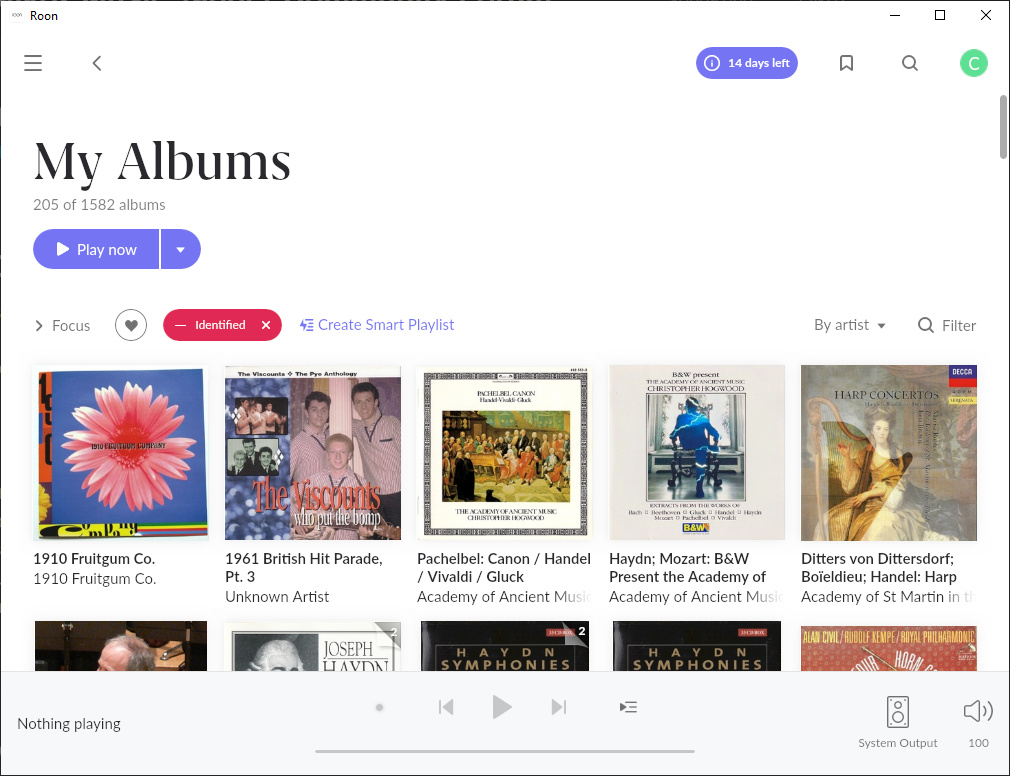
The most common reasons for unidentified albums are:
- Inconsistent metadata within the files
- Missing or incorrect track numbers
- Albums not stored in proper album folders
- Missing or duplicate tracks
- Releases that do not exist in the Roon database
To understand why this happens, it helps to understand how Roon identifies albums in the first place.
How Roon Identifies Albums
Firstly, Roon groups tracks into clusters representing possible albums. It does this using a combination of folder structure and file metadata .
The simplest case would be a single-disc album where all songs exist in one folder and the album metadata matches the folder name.
Once Roon has created a cluster, it has three main ways to identify the album.
Album Checksum
If the tracks have contiguous track numbers — or if the track numbers can be derived from the filenames — Roon creates a checksum based on the order and length of each track .
It then looks up this checksum in its internal database. If a unique match is found, Roon can identify the album.
This method is similar to the Disc IDs used by tools such as DbPoweramp, but there are some differences. Disc IDs are calculated from the original CD structure, whereas Roon’s checksum works directly from the audio files and is album-based rather than disc-based .
Existing Metadata
Roon can also use the metadata already stored in your music files.
Even if the album checksum does not produce a match, Roon may still be able to identify the album by checking fields such as Album Artist, Album and the number of tracks to find potential candidate releases.
It can then compare the Artist, Title and Track No fields in your files against tracks in those candidate albums.
This track-level matching is particularly important when multiple versions of the same album exist with slightly different track listings.
Roon maintains its own combined metadata database based largely on MusicBrainz and AllMusic, and it can match our albums against either source.
Existing MusicBrainz IDs
If another application has already matched an album to MusicBrainz and written the MusicBrainz identifiers into the files, Roon will usually trust this information.
In that case, Roon can identify the album directly from these IDs instead of trying to find a match itself.
Why Album Identification Sometimes Fails
There are a number of reasons why Roon may fail to identify an album.
Clustering Stage Failures
Inconsistent Metadata
If the metadata within an album is inconsistent, Roon may split the tracks into multiple clusters instead of recognising them as a single album.
For example, if songs within the same folder have different values in the Album field, Roon may not know whether to trust the metadata or the folder structure.
No Album Folders
If songs are not stored in album folders at all, it becomes much harder for Roon to cluster them correctly.
This can happen when:
- music is organised for DJ use where individual tracks matter more than albums
- a collection has never been properly organised
- files were restored from a backup that did not preserve folder structure
Without clear folder groupings, Roon has very little information to work with.
Incorrect Multi-Disc Folder Structure
For multi-disc albums, tracks for each disc should normally be placed in their own disc folder underneath a parent album folder.
For example:
Pink Floyd/The Wall/Disc 1
Pink Floyd/The Wall/Disc 2
Instead of:
Pink Floyd/The Wall Disc 1
Pink Floyd/The Wall Disc 2
The correct structure helps Roon understand that the discs belong to the same album.
Album Checksum Failures
For the checksum method to work correctly, Roon needs the tracks to be complete and in the correct order.
Missing Songs
If tracks are missing from the album, the checksum will not match the expected track sequence.
Duplicate Songs
If additional duplicate tracks are present, the checksum will also be incorrect.
Missing Track Numbers
Roon needs to process tracks in the correct order, so the Track No field should ideally be present and consistent for all songs.
Duplicate Checksums
For short releases such as singles and EPs, checksums are less reliable because there are fewer tracks available to create a unique signature.
For example, many different releases could contain:
- Track 1 – 3:30
- Track 2 – 3:45
Since the checksum is based only on track lengths and order , multiple releases may produce the same checksum.
Even with full albums, a checksum can sometimes match several candidate releases. In those cases, Roon relies on the existing metadata to determine the correct match. If the metadata is not clear enough, Roon may not be able to decide.
Track Duration Fuzziness
The checksum approach is similar to how Disc IDs work, but there is an important difference.
Disc IDs are calculated from the original CD block structure, which is extremely precise.
When Roon calculates a checksum from audio files, it only has access to the track duration , which is less precise. Durations are typically rounded to the nearest second.
Different encoders and formats can also produce slightly different track lengths when ripping a CD, which can prevent the checksum from matching exactly.
Album Not Present in the Database
If an album simply does not exist in the Roon database, it cannot be identified automatically.
This is more likely with:
- rare releases
- bootlegs
- private recordings
- newly released albums that have not yet been added to the metadata databases
Existing Metadata Failures
Incorrect Metadata
Manually maintaining perfect metadata is difficult. If key fields such as Artist , Title , Album Artist , Track No , or Album contain incorrect or inconsistent values, Roon may not be able to find a match.
Classical Music Challenges
Classical albums present additional challenges because there is no universally accepted tagging approach.
For example:
- some users store the Composer in the Album Artist field
- others use the performers or orchestra instead
- some include everyone credited on the album cover
- others include only the performers involved in each track
Because of these differences, even though the metadata is essentially correct the metadata stored in your files may not closely match the metadata stored in the Roon database, which reduces the chance of a successful match.
MusicBrainz Identifier Issues
Missing MusicBrainz IDs
Well-behaved MusicBrainz taggers such as SongKong and Picard write MusicBrainz identifiers directly into the files.
However, some taggers match against MusicBrainz but do not store the IDs in the files. From Roon’s perspective, these files are not MusicBrainz-tagged and must be matched using textual metadata instead.
Incomplete MusicBrainz IDs
For Roon to fully trust an existing MusicBrainz match, it normally requires several identifiers:
- MusicBrainz Release ID
- MusicBrainz Release Group ID
- MusicBrainz Track ID
If some of these fields are missing, Roon may not be able to rely on the MusicBrainz match and may attempt to identify the album itself.
Next Steps
Roon provides some solutions for these difficult albums:
- Identify Album manually
- Edit metadata
- Reimport library
But manually fixing albums inside Roon can become time-consuming, particularly for large music libraries .
In the next section we look at practical ways to fix unidentified albums and improve matching results with SongKong
Why SongKong Identifies More Albums Than Roon Alone
Like Roon, SongKong also does album checksums (we call them Albunack Disc Ids), and matching based on existing filepaths and metadata, and it also uses MusicBrainz. But it has some additional features that give it an edge:
- Acoustid Matching
- Duplicate File Detection
- Discogs and Bandcamp Integration
- Subtle Differences in Matching Algorithms
Acoustid Matching
SongKong can actually “listen” to songs and identify them using the Acoustid database. Acoustid contains tens times more songs than the MusicBrainz database, so SongKong can usually identify a song even if it cannot determine the correct album.
When this happens, SongKong can still add Song-Only metadata, improving the information Roon can use. This can then help Roon match albums to its AllMusic database more accurately.
Duplicate Files
If SongKong fails to find a match for an album, it will check for duplicate files in the folder. It moves duplicates into a separate cluster and tries again.
This is especially effective for collections with many duplicates, and it increases the chance of matching albums to MusicBrainz and other databases.
Discogs and Bandcamp Integration
Both Discogs and Bandcamp contain more album releases than MusicBrainz. By improving metadata matches from these sources, SongKong increases the likelihood that Roon can identify more albums in your library from its AllMusic database even when they are not in MusicBrainz.
Subtle Differences in Matching Algorithms
Some albums may be identified by Roon but not SongKong, and vice versa. This is due to slight differences in how the two systems work.
Using SongKong in addition to Roon generally increases the total number of albums that get correctly identified.
Better Metadata for “Unidentified” Albums
Even if an album remains unidentified in Roon, SongKong can still improve the metadata by matching it to a release in Discogs or Bandcamp.
This means that while Roon may not recognize the album itself, the enhanced metadata from SongKong will improve your overall Roon experience, making album browsing, sorting, and playback much better.
For example here is an unidentified Classical album in Roon before we had run SongKong
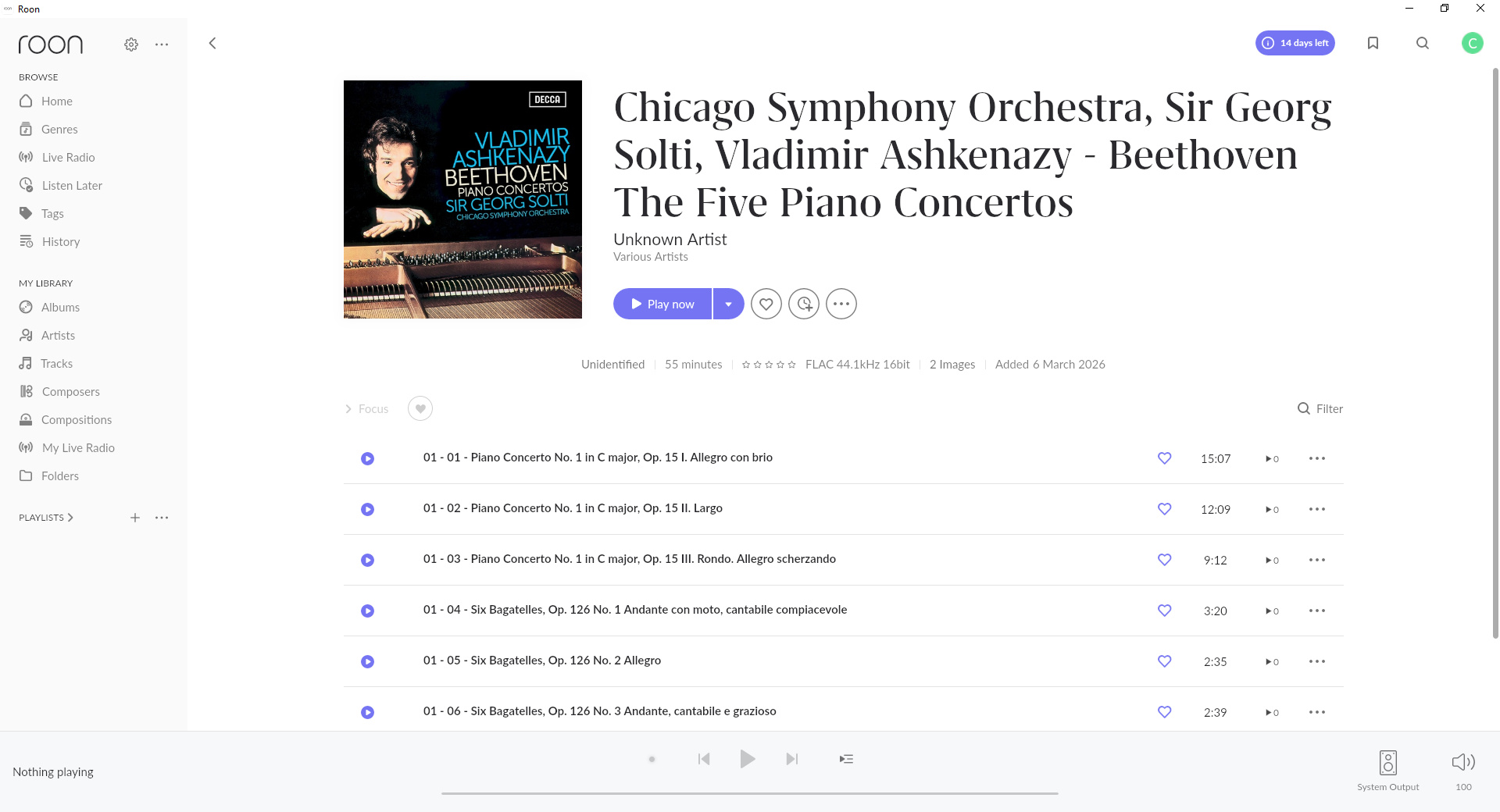
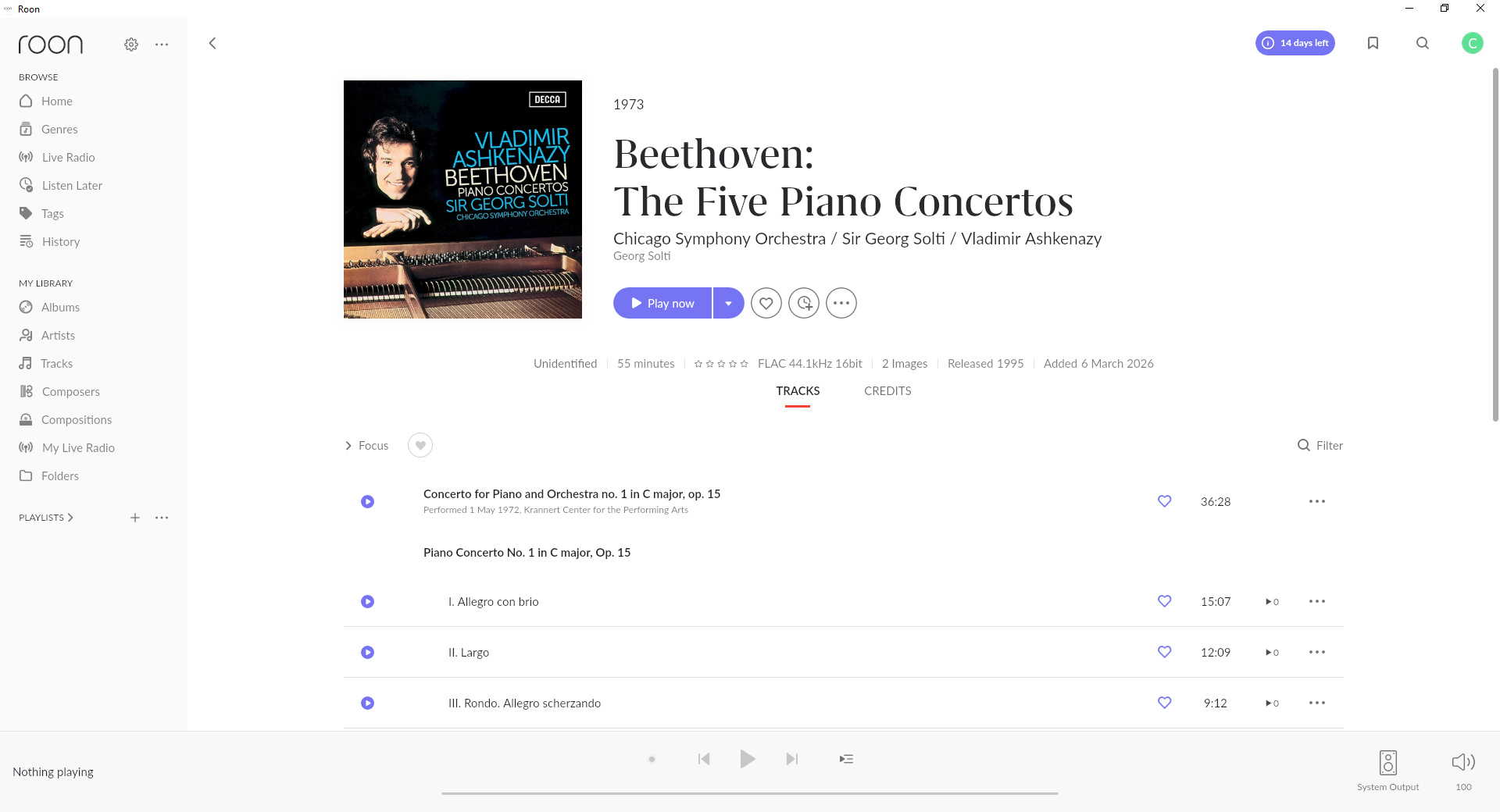
After running SongKong even though the album is still marked as Unidentified things look alot better.
- Album title is now correct
- Album Artist is split into three clickable artists
- Tracks are now grouped into Works
How to Fix a Single Album with SongKong
Match To One Album
If we just want to fix one album we can use the Match To One Album task:
- Select album folder
- SongKong will look for matches ordered by best match first, ensuring only matches that allow all songs to match are listed.
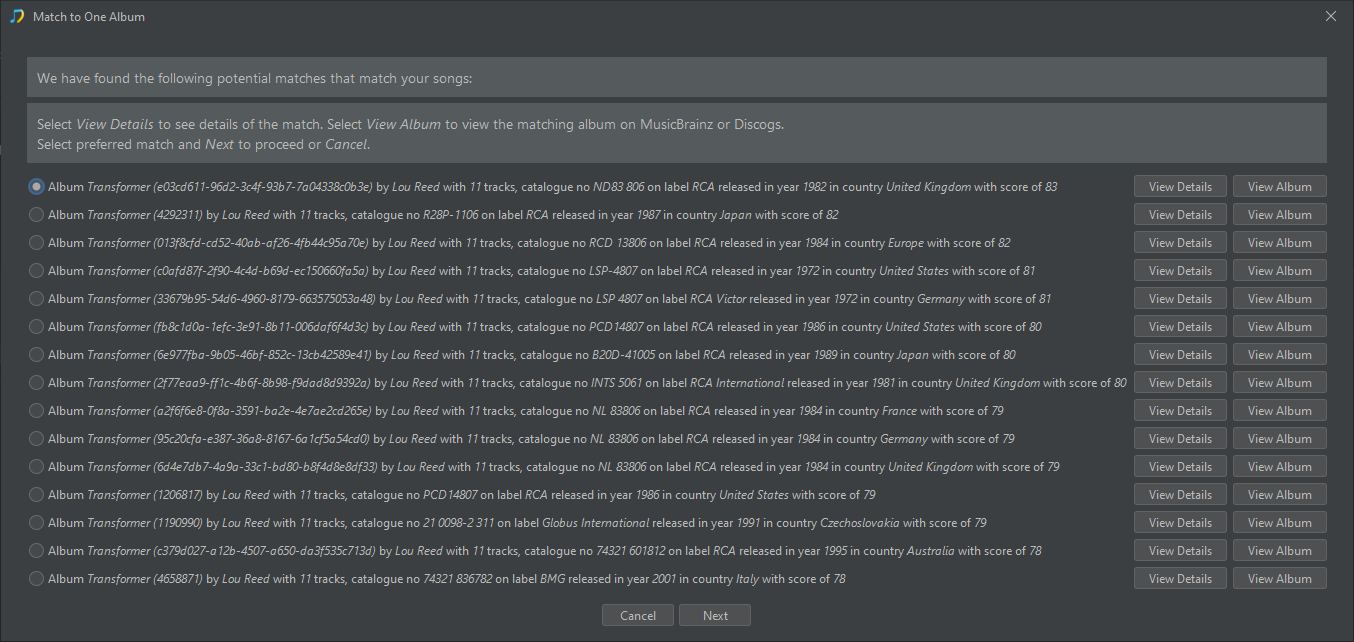
- Check the match to see if it correct or pick alternative better one
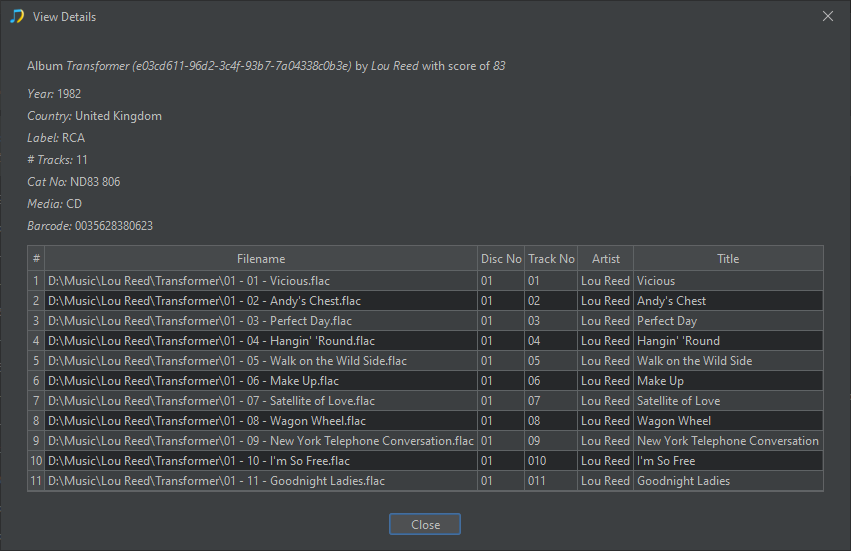
- Accept the match and SongKong will update the files
Update Roon
After applying changes check the album in Roon, Roon monitors changes to files so should automatically have noticed the folder has changed and updates the details accordingly.
But if you have many unidentified albums SongKong is most powerful when it is used on your whole collection in one go, there is no need to work an album at a time
See this article on How to Clean Up Your Roon Music Library Without Breaking Roon Matches