Sometimes Roon doesn’t match an album, even popular ones, or it is identified incorrectly.
Symptoms of Bad Metadata
Examples include:
- Roon shows the album as Unidentified
- Tracks appear as multiple albums
- Roon matches the wrong release
- Disc numbers or track order look incorrect
This can be for a number of reasons but often it is due to inconsistent metadata.
One very useful technique is:
In Roon, use Edit → Identify Album
If Roon suggests matches but won’t auto-identify, it usually means:
- metadata mismatch
- track count mismatch
- track length mismatch
This article explains the critical metadata and how to easily detect issues.
Album
The Album field needs to be the same for all songs on the album, most of us would know this but it is easy if manually editing to make a simple typo, sometimes the errors aren’t that obvious such as using standard apostrophe versus typographic apostrophe.
More problems arise when the album is a multi disc album, there are many tools out there that append the Disc No or Disc Subtitle to the Album field instead of using the Disc No and Disc Subtitle fields.
Album Artist
Just as importantly, the Album Artist needs to be same the for all tracks, even if an artist is not involved in every single track they still need to be part of the Album Artist field for every track or not be in the Album Artist field for any tracks.
Remember the Artist field details artist details at track level
Title
All songs should have a value in the Title - this helps Roon match up each song to the right track on the release
Track No and Disc No
These fields should be entered for every song, ths makes it much easier for Roon to match up your songs to the tracks on the release. It supports title matching, but it is easier for Roon to match by Disc No and Track No then Title because there is no ambuity in what is the correct value whereas slight differences in the title between our songs and the Roon database can prevent matching by title.
Ideally Disc No should set for all songs, including single disc albums
For multi disc albums remember that Track No is the number of the track on that disc, it is reset for each disc
This is Correct
| Disc No | Track No |
|---|---|
| 01 | 01 |
| 01 | 02 |
| 01 | 03 |
| 02 | 01 |
| 02 | 02 |
| 02 | 03 |
This is Incorrect
| Disc No | Track No |
|---|---|
| 01 | 01 |
| 01 | 02 |
| 01 | 03 |
| 02 | 04 |
| 02 | 05 |
| 02 | 06 |
How Do I Find These Issues
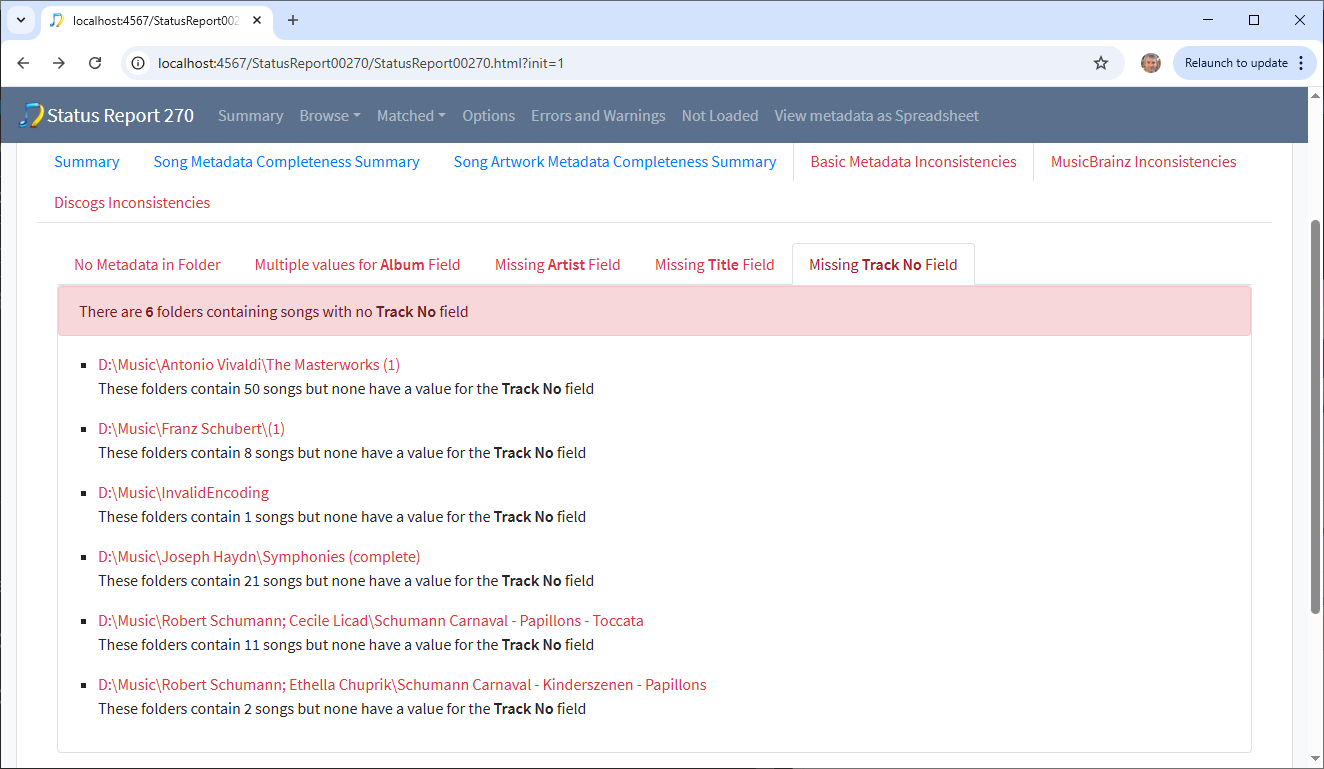
Luckily this is very easy, the free Status Report task that comes with SongKong Lite can check all your files and list these in the Basic Metadata Inconsistencies section of the report
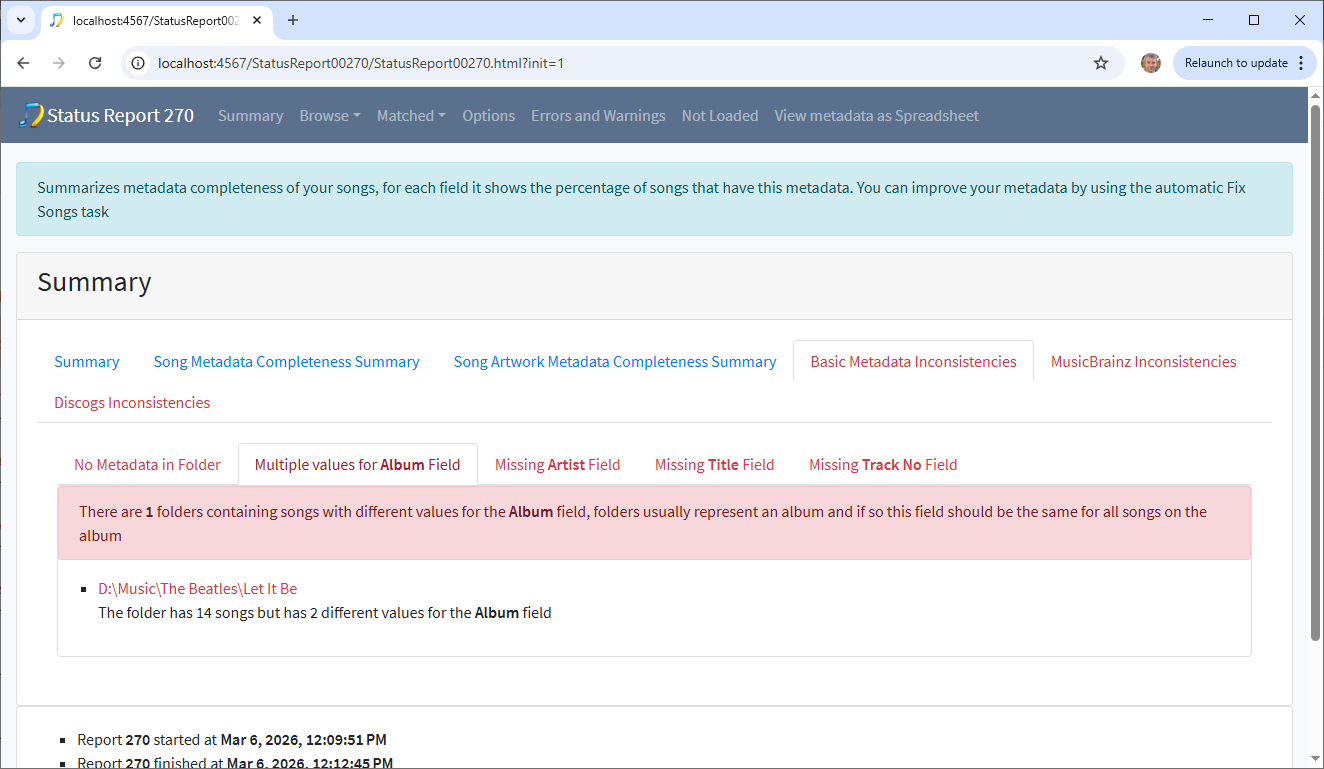
Multiple values in Album Field
The Multiple values for Album Field tab shows those folders that contain songs with different values for the Album field, since a folder should usually represent one album this is usually wrong
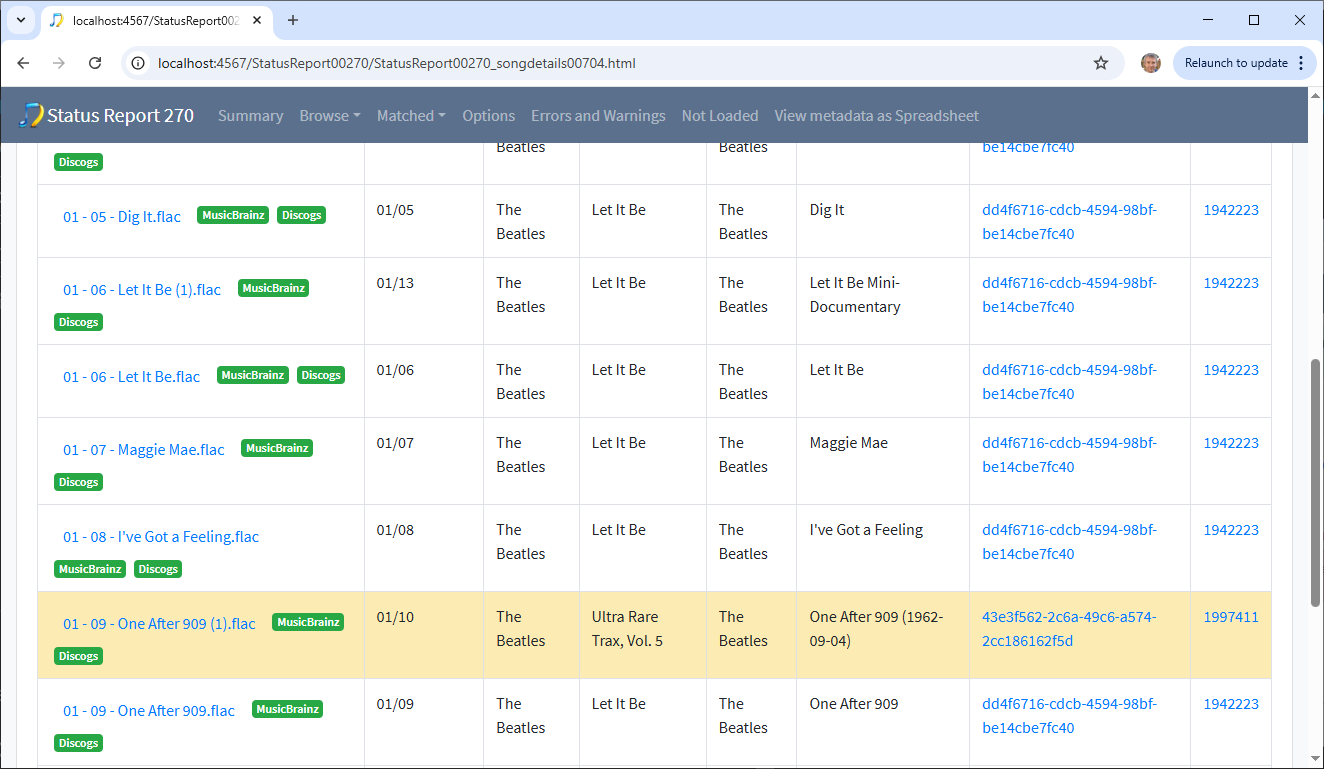
Multiple values in Album Artist Field
The Multiple values for Album Artist Field tab shows those folders that contain songs with different values for the Album Artist field, since a folder should usually represent one album this is usually wrong
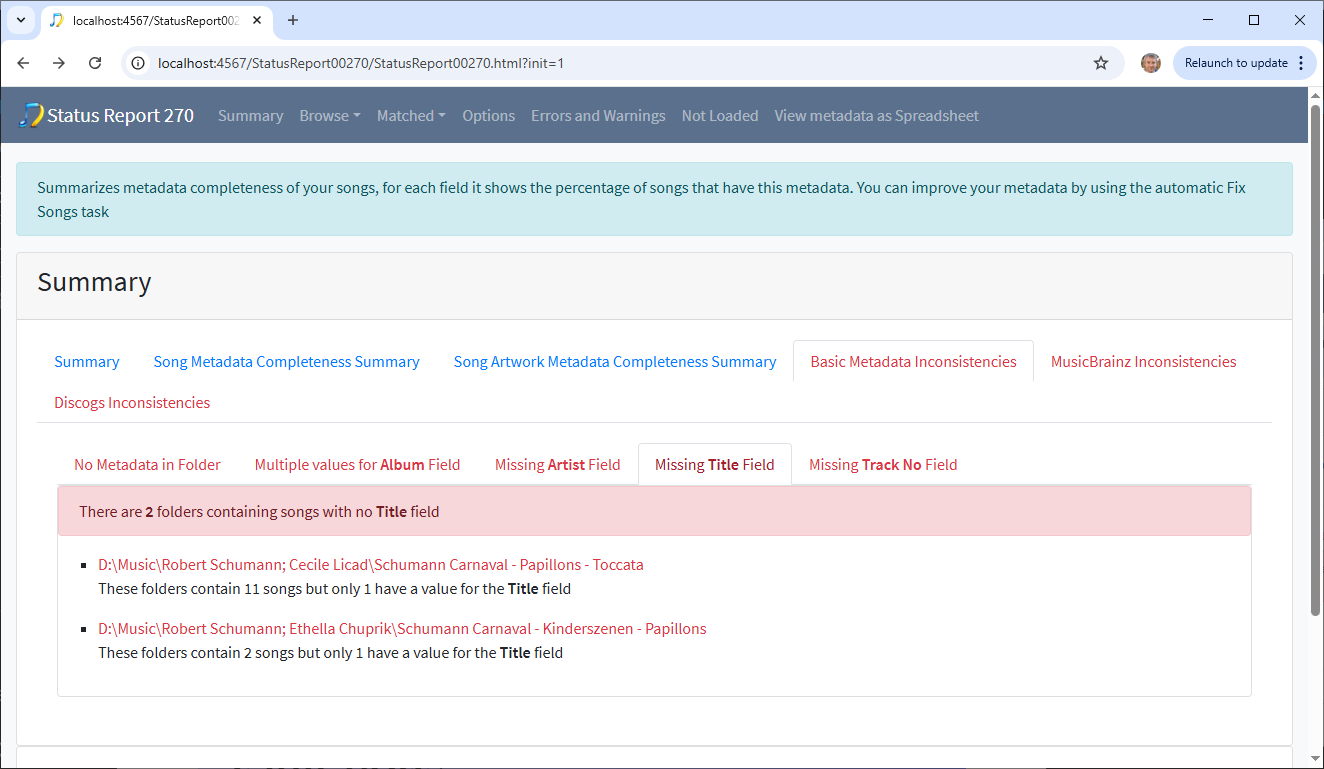
Missing Title Field
All songs should have a value for the Title field for the best chance of a match
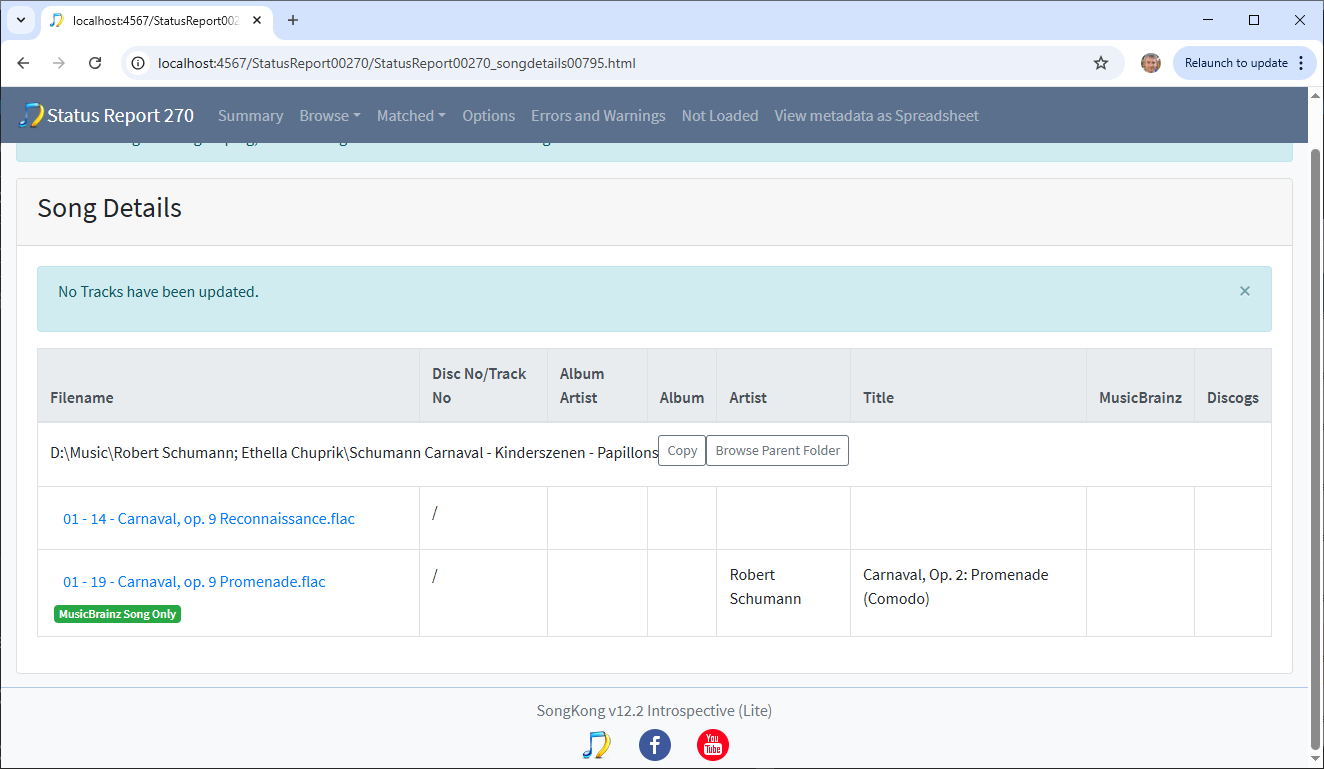
Missing Track No Field
All songs should have a Track No for the best chance of a match
Next Steps
With this information you can now manually fix them using the free Manual Edit task or alternatively use SongKong to automatically improve your metadata by matching albums against MusicBrainz, Discogs, and Acoustid ensuring Roon receives consistent metadata for identification.
FAQ
Why does Roon split albums into multiple albums?
Usually because track metadata is inconsistent between files.
Can Roon identify albums without metadata?
Sometimes, but identification is much more reliable when metadata is consistent.
Does fixing metadata cause ptroblems for Roon?
No. Roon simply rescans the files and updates the library.