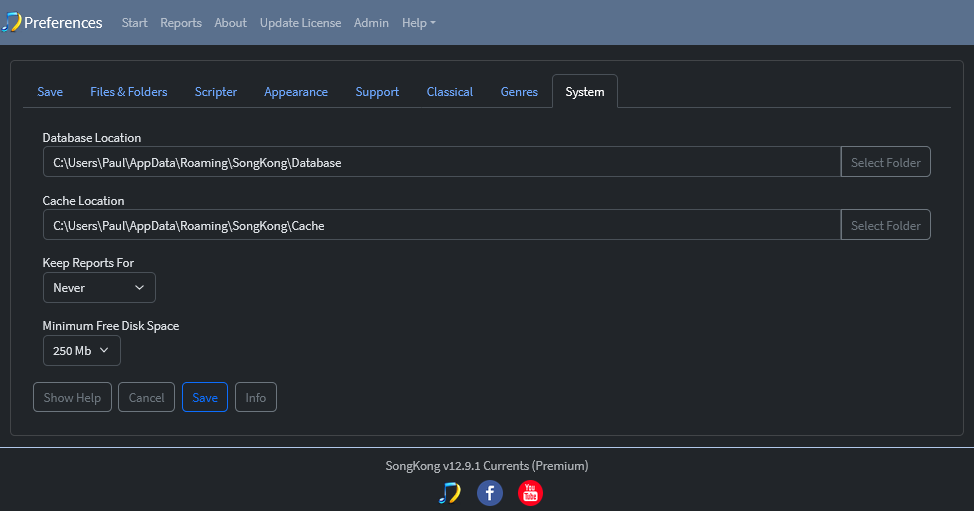
Database Location
The Database Location option allows us to choose where SongKong stores our internal database. This can be useful if our system drive has limited free space or if we prefer SongKong’s data files to be stored on a different disk. If the database location is changed, the existing database will be deleted and a new empty database will be created in the selected location.
The database stores the metadata held in our music files, and changes that SongKong has made. If the database is recreated we can retrieve all the metadata from the files themselves, but the Undo Changes task can no longer be used to undo any changes made to this point.
Cache Location
The Cache Location option allows us to choose where SongKong stores its cache files. This can be useful if our system drive has limited free space or if we prefer temporary data to be stored on a different disk. If the cache location is changed, the existing cache will be deleted and a new cache will be created in the selected location. Cached data can be recreated automatically by SongKong as required.
Cache only stores downloaded artists and releases from MusicBrainz and Discogs - it is only required for optimal performance
Keep Reports For
The Keep Reports For option controls how long SongKong reports are retained before being automatically deleted. Reports can be useful for reviewing changes made during a task, but over time they can consume a significant amount of disk space. Reports older than the selected period will be automatically removed, while newer reports are retained. Select Never to keep all reports indefinitely.
Minimum Disk Space
SongKong actively monitors disk space and if disk space in any of the disks being used by SongKong falls below the value of Minimum Free Disk Space the task will be cancelled.