Songkong stops after many hours of running in an endless loop, before that it stopped completely stating there was a lack of memory
Songkong stops after many hours of running in an endless loop, before that it stopped completely stating there was a lack of memory
Hi, yes the problem is that it is running out of memory, why you are having this issue is not clear and i will have to do some performance analysis to see if there is a an issue. But in the meantime you can increase the max amount of memory that SongKong has to hopefully avoid the issue.
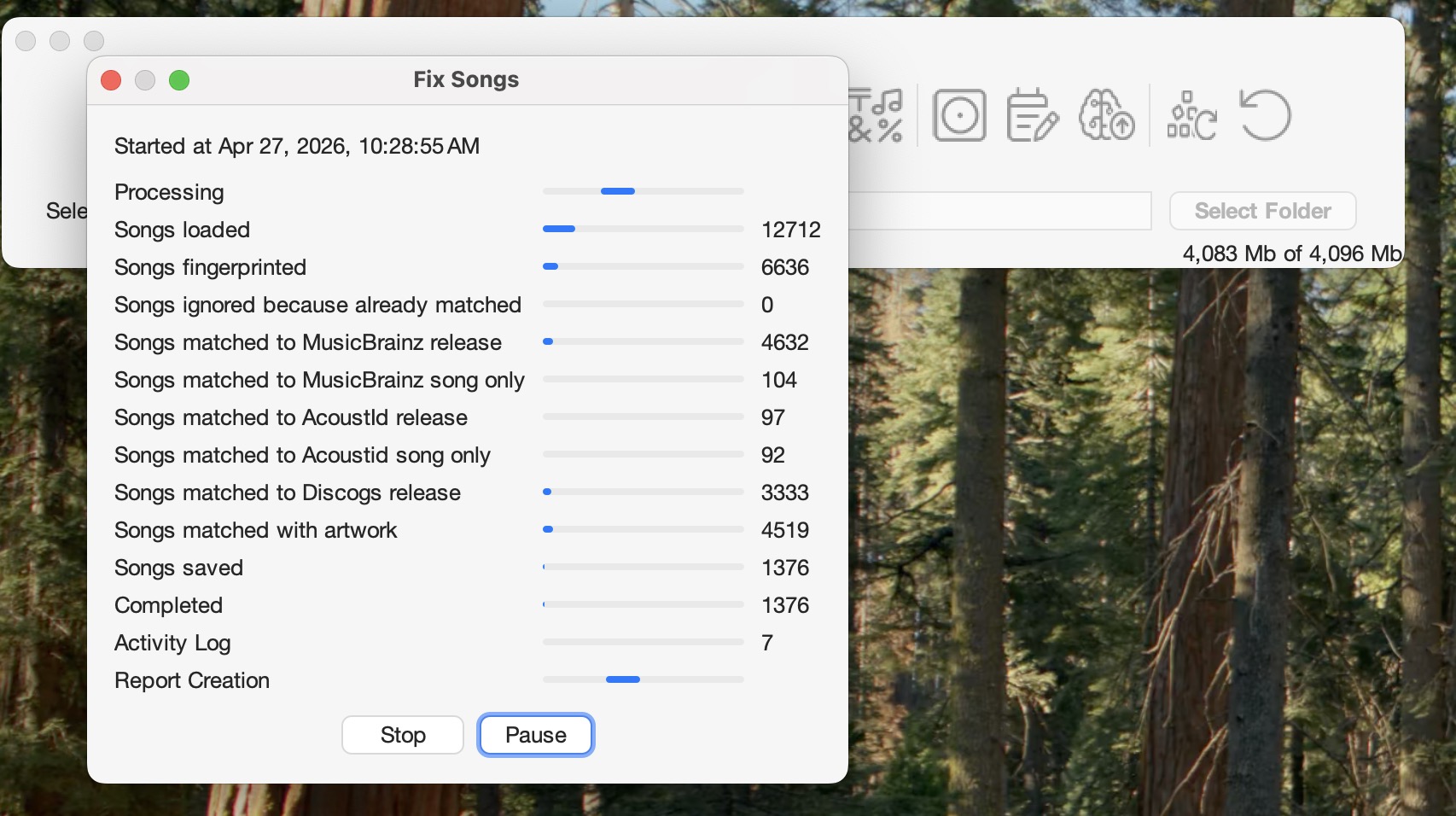
Your computer has 16 Gb of memory, the maximum we use by default is only a quarter of that (4 Gb), and if you look at your screenshot above in the right hand corner you can see it says it is using 4,086 Mb of 4,096 Mb so it is hitting the max
We can double this to 8GB (it is not usually a good idea to go higher than 50% of total memory) as follows
Close SongKong
In Finder click on Applications:SongKong and select Show Package Contents
Select Contents folder, then right click on Info.plist and select with Open with TextEdit
Within TextEdit find this line
<string>-XX:G1HeapRegionSize=8m</string>
Add following line below to set max memory usage to 8Gb
<string>-Xmx8G</string>
Within TextEdit select Save
Restart SongKong, in the bottom right hand corner of window it should now say 8,192 Mb for the second figure.
I did as you asked, now SongKong does not start anymore.I have apdf file with the new plist,can i attach it somewhere?
If I remove the new line it works again
hmm, try it again if doesn’t work you can make a copy of file, rename it to .txt file and then upload to forum for me to check.
As far as I can see it is not a memory problem, I reverted to the original plist and I got again an error, see attached screenshot. The modified plist is akso attached.
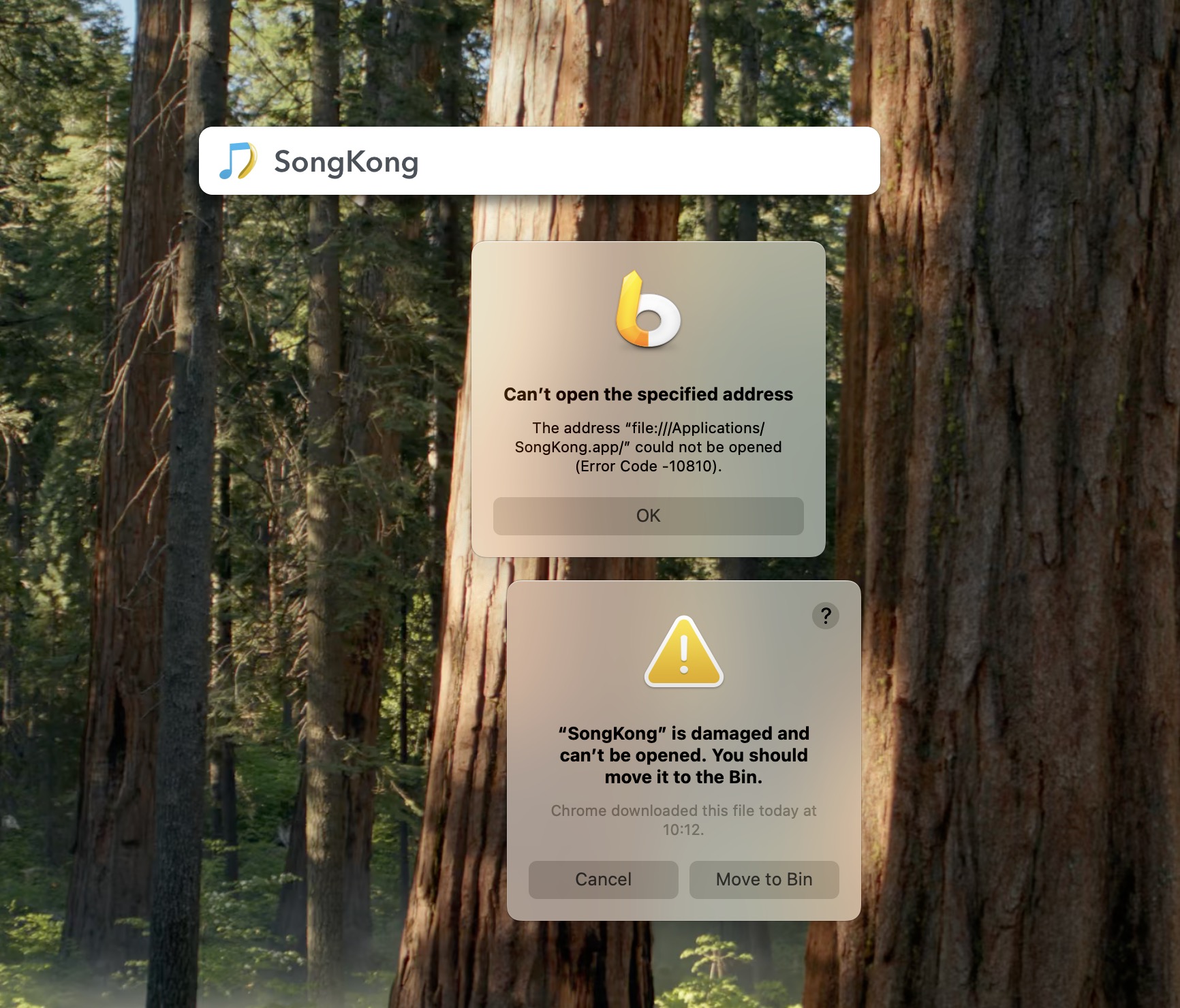
Do you supply 2 version of the app, one for Silicon and the other for Intel? If yes maybe I have the intel version?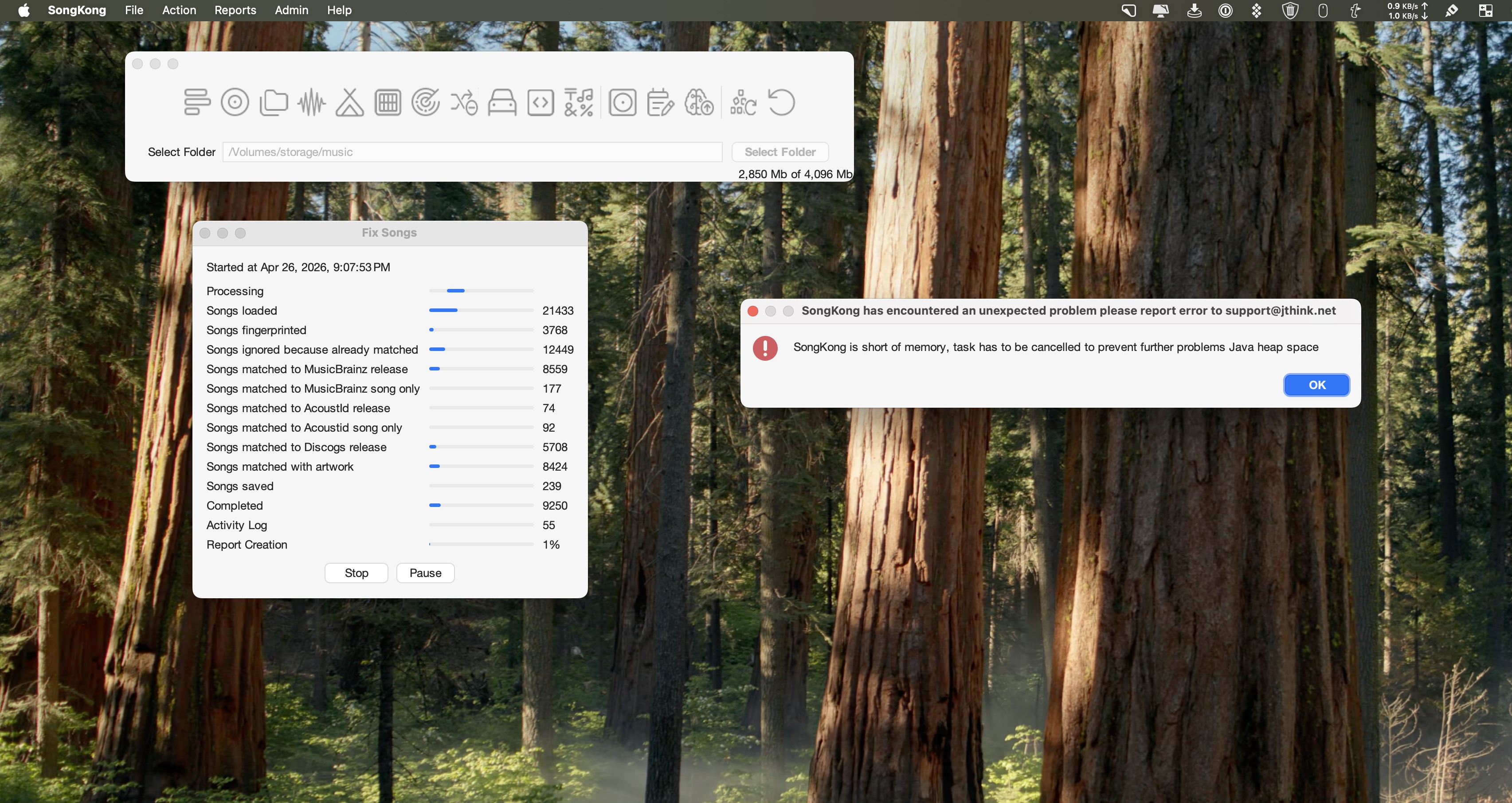 Txt files are not permitted. I will try via email
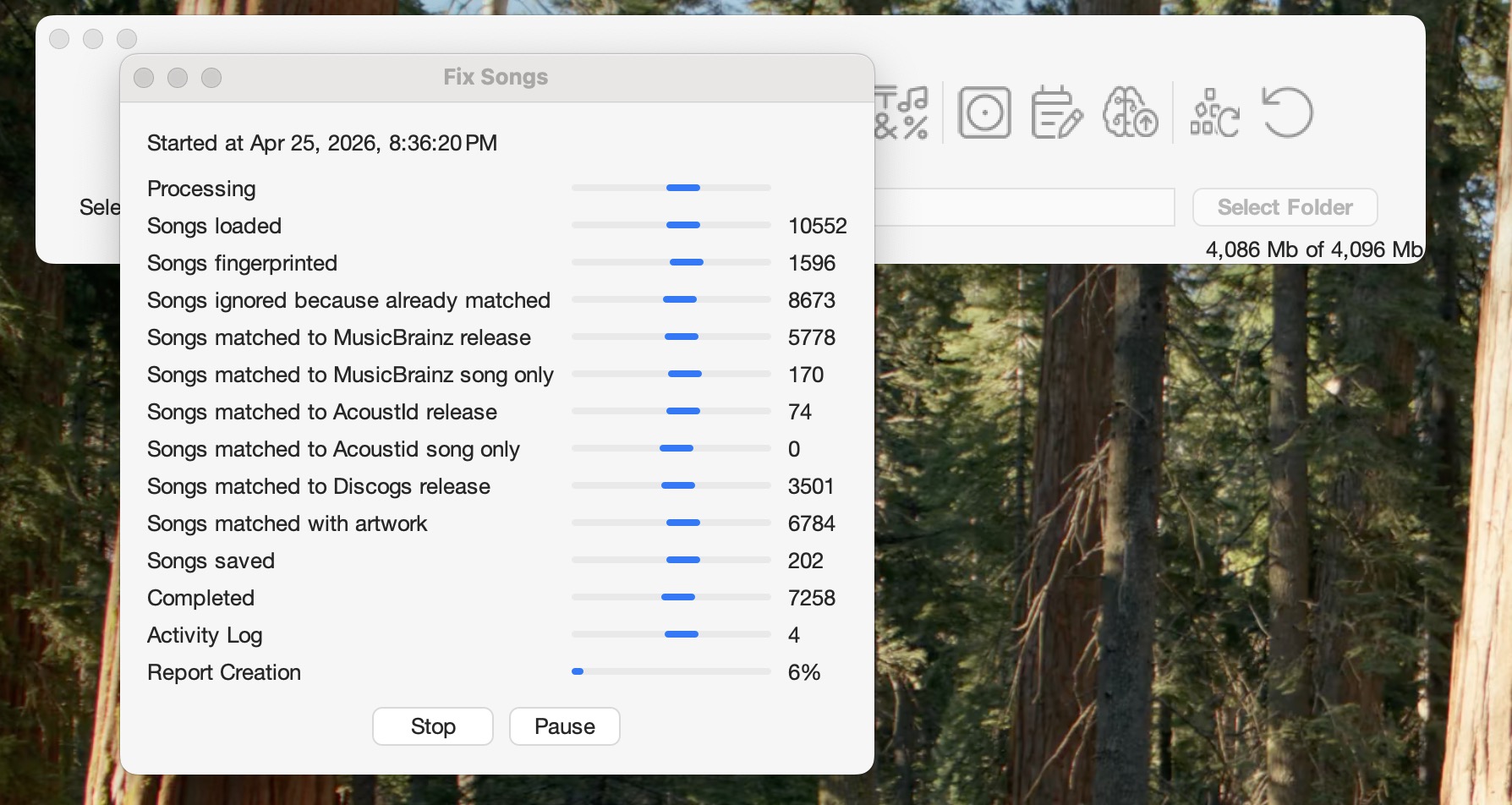
I uninstalled Songkong and downloaded a fresh copy of the M1 version. After reinstalling this version the app stopped again after the memory was full see screenshot.
It certainly is a memory problem, why you are having this memory problem is not clear but this is why it is getting stuck.
What did you use to edit the .plist file because you have extra backslashes at the end of each line which is why it is not working
e.g
My File
<array>
<string>-Dcom.mchange.v2.log.MLog=com.mchange.v2.log.jdk14logging.Jdk14MLog</string>
<string>-Dorg.jboss.logging.provider=jdk</string>
<string>-Djava.util.logging.config.class=com.jthink.songkong.logging.StandardLogging</string>
<string>-Dapple.laf.useScreenMenuBar=true</string>
<string>-Dapple.awt.brushMetalLook=true</string>
<string>-Dsun.java2d.metal=true</string>
<string>-Dapple.awt.application.appearance=system</string>
<string>-XX:+HeapDumpOnOutOfMemoryError</string>
<string>-XX:+UseG1GC</string>
<string>-XX:G1HeapRegionSize=8m</string>
<string>-Xmx8G</string>
</array>
Your File
<array>\
<string>-\
Dcom.mchange.v2.log.MLog=com.mchange.v2.log.jd\
k14logging.Jdk14MLog</string>\
<string>-Dorg.jboss.logging.provider=jdk</\
string>\
<string>-\
Djava.util.logging.config.class=com.jthink.son\
gkong.logging.StandardLogging</string>\
<string>-Dapple.laf.useScreenMenuBar=true</\
string>\
<string>-Dapple.awt.brushMetalLook=true</\
string>\
<string>-Dsun.java2d.metal=true</string>\
<string>-\
Dapple.awt.application.appearance=system</\
string>\
<string>-XX:+HeapDumpOnOutOfMemoryError</\
string><string>-XX:+HeapDumpOnOutOfMemoryError</\
string>\
<string>-XX:+UseG1GC</string>\
<string>-XX:G1HeapRegionSize=8m</string>\
<string>-Xmx8G</string>\
</array>\
Please re-edit using TextEdit, increasing the memory is very likely to solve this problem for you.
I did as you instructed. Result: Unable to load Java Runtime Environment.
Here is the new plist which gives the java runtime error
XXx<?xml version="1.0" ?>
CFBundleDevelopmentRegion English CFBundleExecutable SongKong CFBundleIconFile songkong.icns CFBundleIdentifier com.jthink.songkong CFBundleDisplayName SongKong CFBundleInfoDictionaryVersion 6.0 CFBundleName SongKong CFBundlePackageType APPL CFBundleShortVersionString 12.4 CFBundleVersion 1.0 CFBundleHelpBookFolder SongKongHelp CFBundleHelpBookName com.jthink.songkong.Help CFBundleAllowMixedLocalizations CFBundleSignature sgkg NSHumanReadableCopyright LSMinimumSystemVersion 10.7 LSApplicationCategoryType public.app-category.music LSUIElement NSHighResolutionCapable NSSupportsAutomaticGraphicsSwitching IgnorePSN NSRequiresAquaSystemAppearance JVMRuntime temurin-21.jdk JREPreferred JDKPreferred JVMMainClassName com.jthink.songkong.cmdline.SongKong JVMDebug CFBundleDocumentTypes CFBundleTypeExtensions mp3 wma ogg flac wav aif aiff aifc LSTypeIsPackage CFBundleTypeName Music Files CFBundleTypeRole Editor LSArchitecturePriority LSEnvironment LC_CTYPE UTF-8 JVMOptions -Dcom.mchange.v2.log.MLog=com.mchange.v2.log.jdk14logging.Jdk14MLog -Dorg.jboss.logging.provider=jdk -Djava.util.logging.config.class=com.jthink.songkong.logging.StandardLogging -Dapple.laf.useScreenMenuBar=true -Dapple.awt.brushMetalLook=true -Dsun.java2d.metal=true -Dapple.awt.application.appearance=system -XX:+HeapDumpOnOutOfMemoryError -XX:+UseG1GC -XX:G1HeapRegionSize=8m -Xmx8G JVMDefaultOptions JVMArguments AppleWindowTabbingMode manual NSAppleEventsUsageDescription SongKong uses AppleEvents to update your Music.app library,In your version you have added XXx to start of file!
Thanx, I installed a fresh version of SK and replaced the plist with your plist befor running it fot the first time. seet what happend (attached file)
I don’t know why you reinstalled it, but it seems something else must have changed for this to happen.
Finally succeeded in a working songkong. I wil start it asap. Thanx sofar for your help. I will iet you know
Great, does it show higher value in bottom right hand corner of window now?
It is not going well. Consuming memory and very slow. See attached file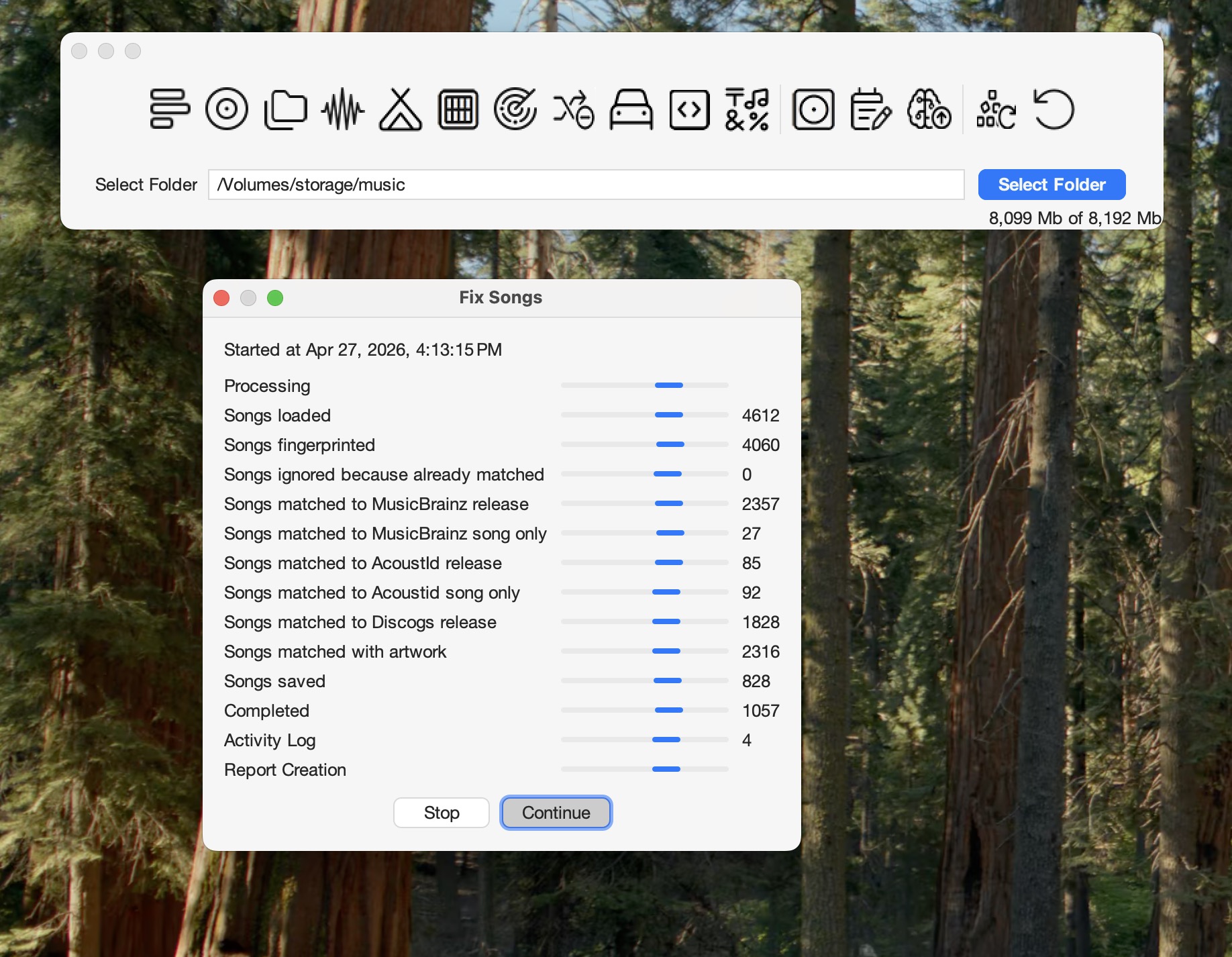
Slowness seems to be saving changes to the files since the Songs saved count is much lower than Songs matched to MusicBrainz count, where are the files stored?
If the numbers stop going up please press Stop once, wait for it to create report and then run Create Support Files, maybe there is some file that is causing SongKong to just consume all available memory.
The files are located on a smb network connected SSD in my Antipodes server.
Support files have been uploaded
Ok thanks, I have a theory why this is happening, can you try something for me please.
Restart SongKong, then re-run but enable Preview Only option so that it doesn’t actually write changes to the files.