SongKong Jaikoz

SongKong and Jaikoz Music Tagger Community Forum

SongKong - is it possible to skip building the final report entirely?

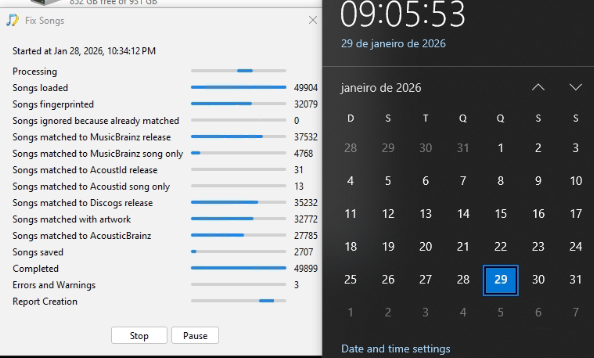
I am processing a LOT of files, and SongKong crashes even with even under 50k files. I have about 1.7 MILLION to go through…

It does seem to process the files, but when it’s time to build the report, it hangs forever (I waited almost 12h):

2026-01-29 09_05_54-Minibrain - AnyDesk

Is it possible to completely skip this report building step?

Should not take that long, did it create report at all ? If not I think there was an issue since I can see from screenshot that 49,904 were loaded but only 49,899 completed and there were three Errors and Warnings, could you please run Create Support Files so I can check this.

When I stopped it (by pressing the stop button) - it did stop, so it’s not like the app was unresponsive.

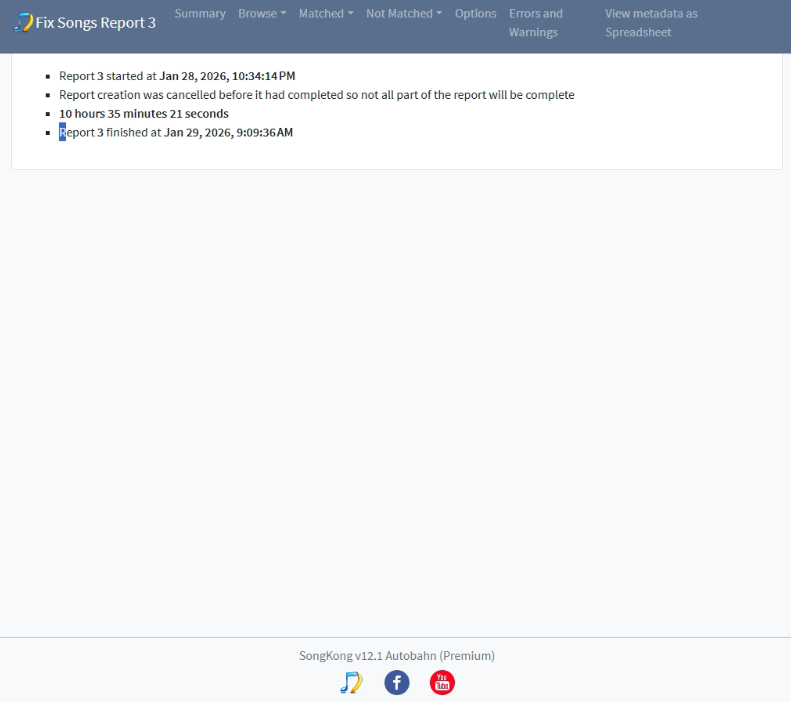
The report looks like this:

image

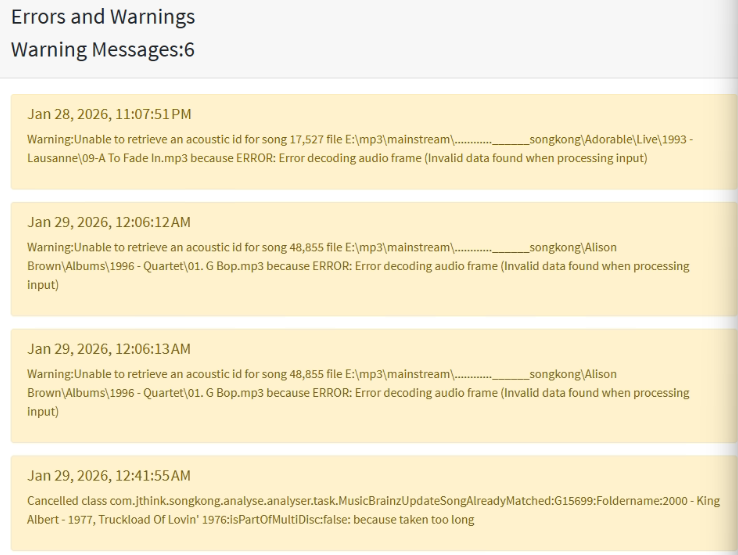
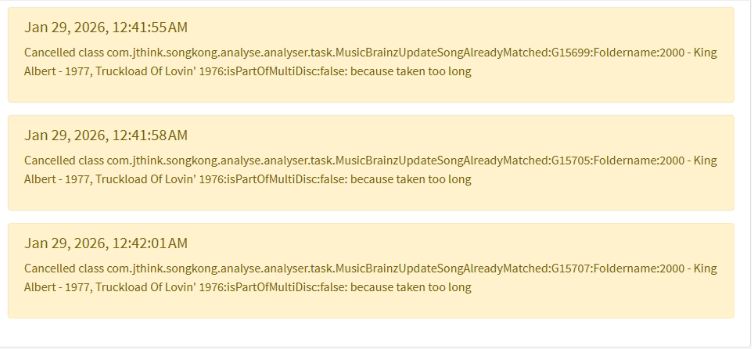
Errors:


Sending support files in a sec.

Support files sent. Please not that I have ran two other smaller batches to test things out. The one who is failing with just 50K files is report 4 I believe.

Btw - you will see another problem I have in report 3 - I have mentioned it in a separate thread.

So interestingly Fix Songs 1 actually stopped doing any useful processing at Jan 29th 00:19:00 (just after midnight) and it was stuck trying to retrieve data from AcousticBrainz which is a service provided by MusicBrainz but is now defunct and no longer being added to.

29/01/2026 00.19.14:WET:MonitorExecutors:outputTraceForThread:SEVERE: java.base@21.0.4/java.io.InputStreamReader.read(InputStreamReader.java:188)
29/01/2026 00.19.14:WET:MonitorExecutors:outputTraceForThread:SEVERE: java.base@21.0.4/java.io.Reader.read(Reader.java:265)
29/01/2026 00.19.14:WET:MonitorExecutors:outputTraceForThread:SEVERE: app//org.apache.http.util.EntityUtils.toString(EntityUtils.java:227)
29/01/2026 00.19.14:WET:MonitorExecutors:outputTraceForThread:SEVERE: app//org.apache.http.util.EntityUtils.toString(EntityUtils.java:308)
29/01/2026 00.19.14:WET:MonitorExecutors:outputTraceForThread:SEVERE: app//com.jthink.songkong.analyse.acousticbrainz.AcousticBrainz.readMultiHttpsUrlResultAsString(AcousticBrainz.java:426)
29/01/2026 00.19.14:WET:MonitorExecutors:outputTraceForThread:SEVERE: app//com.jthink.songkong.analyse.acousticbrainz.AcousticBrainz.readLowLevelData(AcousticBrainz.java:365)
29/01/2026 00.19.14:WET:MonitorExecutors:outputTraceForThread:SEVERE: app//com.jthink.songkong.analyse.acousticbrainz.AcousticBrainz.getAcousticBrainzDataForTheseRecordings(AcousticBrainz.java:49)
29/01/2026 00.19.14:WET:MonitorExecutors:outputTraceForThread:SEVERE: app//com.jthink.songkong.analyse.acousticbrainz.AcousticBrainz.updateRecordingsFromAcousticBrainzWebsite(AcousticBrainz.java:102)
29/01/2026 00.19.14:WET:MonitorExecutors:outputTraceForThread:SEVERE: app//com.jthink.songkong.analyse.acousticbrainz.GetAcousticBrainz.update(GetAcousticBrainz.java:53)
29/01/2026 00.19.14:WET:MonitorExecutors:outputTraceForThread:SEVERE: app//com.jthink.songkong.analyse.musicbrainz.MusicBrainzUpdateSong.updateSongsFromMusicBrainz(MusicBrainzUpdateSong.java:1281)
29/01/2026 00.19.14:WET:MonitorExecutors:outputTraceForThread:SEVERE: app//com.jthink.songkong.analyse.analyser.task.MusicBrainzUpdateSongAlreadyMatched.call(MusicBrainzUpdateSongAlreadyMatched.java:235)
29/01/2026 00.19.14:WET:MonitorExecutors:outputTraceForThread:SEVERE: app//com.jthink.songkong.analyse.analyser.task.MusicBrainzUpdateSongAlreadyMatched.call(MusicBrainzUpdateSongAlreadyMatched.java:50)
29/01/2026 00.19.14:WET:MonitorExecutors:outputTraceForThread:SEVERE: java.base@21.0.4/java.util.concurrent.FutureTask.run(FutureTask.java:317)
29/01/2026 00.19.14:WET:MonitorExecutors:outputTraceForThread:SEVERE: java.base@21.0.4/java.util.concurrent.ThreadPoolExecutor.runWorker(ThreadPoolExecutor.java:1144)
29/01/2026 00.19.14:WET:MonitorExecutors:outputTraceForThread:SEVERE: java.base@21.0.4/java.util.concurrent.ThreadPoolExecutor$Worker.run(ThreadPoolExecutor.java:642)
29/01/2026 00.19.14:WET:MonitorExecutors:outputTraceForThread:SEVERE: java.base@21.0.4/java.lang.Thread.runWith(Thread.java:1596)
29/01/2026 00.19.14:WET:MonitorExecutors:outputTraceForThread:SEVERE: java.base@21.0.4/java.lang.Thread.run(Thread.java:1583)

Now , when i try to access the url through a browser it seems to work but it is just hanging here hours later.

9/01/2026 04.44.14:WET:MonitorExecutors:outputTraceForThread:SEVERE: java.base@21.0.4/sun.nio.cs.StreamDecoder.read(StreamDecoder.java:171)
29/01/2026 04.44.14:WET:MonitorExecutors:outputTraceForThread:SEVERE: java.base@21.0.4/java.io.InputStreamReader.read(InputStreamReader.java:188)
29/01/2026 04.44.14:WET:MonitorExecutors:outputTraceForThread:SEVERE: java.base@21.0.4/java.io.Reader.read(Reader.java:265)
29/01/2026 04.44.14:WET:MonitorExecutors:outputTraceForThread:SEVERE: app//org.apache.http.util.EntityUtils.toString(EntityUtils.java:227)
29/01/2026 04.44.14:WET:MonitorExecutors:outputTraceForThread:SEVERE: app//org.apache.http.util.EntityUtils.toString(EntityUtils.java:308)
29/01/2026 04.44.14:WET:MonitorExecutors:outputTraceForThread:SEVERE: app//com.jthink.songkong.analyse.acousticbrainz.AcousticBrainz.readMultiHttpsUrlResultAsString(AcousticBrainz.java:426)
29/01/2026 04.44.14:WET:MonitorExecutors:outputTraceForThread:SEVERE: app//com.jthink.songkong.analyse.acousticbrainz.AcousticBrainz.readLowLevelData(AcousticBrainz.java:365)
29/01/2026 04.44.14:WET:MonitorExecutors:outputTraceForThread:SEVERE: app//com.jthink.songkong.analyse.acousticbrainz.AcousticBrainz.getAcousticBrainzDataForTheseRecordings(AcousticBrainz.java:49)
29/01/2026 04.44.14:WET:MonitorExecutors:outputTraceForThread:SEVERE: app//com.jthink.songkong.analyse.acousticbrainz.AcousticBrainz.updateRecordingsFromAcousticBrainzWebsite(AcousticBrainz.java:102)
29/01/2026 04.44.14:WET:MonitorExecutors:outputTraceForThread:SEVERE: app//com.jthink.songkong.analyse.acousticbrainz.GetAcousticBrainz.update(GetAcousticBrainz.java:53)
29/01/2026 04.44.14:WET:MonitorExecutors:outputTraceForThread:SEVERE: app//com.jthink.songkong.analyse.musicbrainz.MusicBrainzUpdateSong.updateSongsFromMusicBrainz(MusicBrainzUpdateSong.java:1281)
29/01/2026 04.44.14:WET:MonitorExecutors:outputTraceForThread:SEVERE: app//com.jthink.songkong.analyse.analyser.task.MusicBrainzUpdateSongAlreadyMatched.call(MusicBrainzUpdateSongAlreadyMatched.java:235)
29/01/2026 04.44.14:WET:MonitorExecutors:outputTraceForThread:SEVERE: app//com.jthink.songkong.analyse.analyser.task.MusicBrainzUpdateSongAlreadyMatched.call(MusicBrainzUpdateSongAlreadyMatched.java:50)

So nothing happens, and that is why Completed doesnt match Songs Loaded, so it is not trying to create a report it is just waiting for a response form AcousticBrainz that never happens.

So on my side SongKong should ensure there is a timeout on all calls to external services so that issue cannot occur, and it should not be calling this method anyway as service is defunct and we already have the data that is in AcousticBrainz stored with our Albunack database anyway.

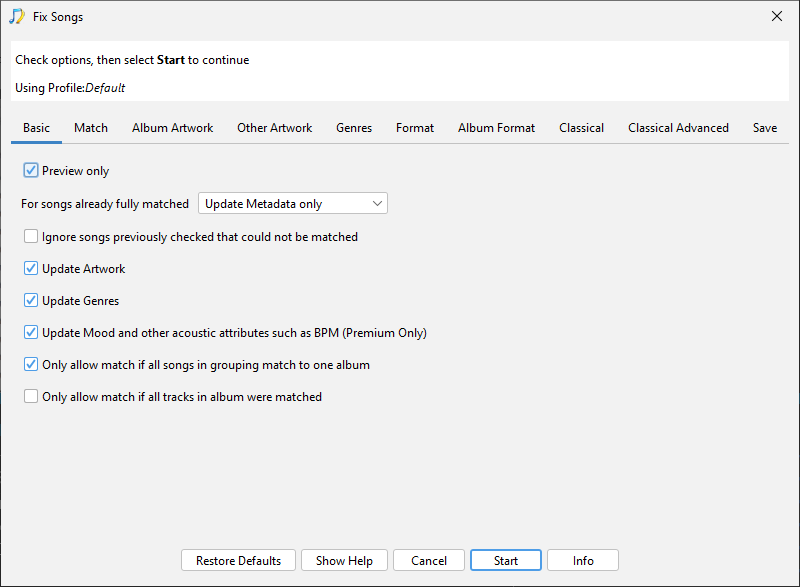
On your side the reason you are hitting this issue is because you have enabled the Update Mood and other acoustuc attributes such as BPM which is disabled by default.

So I would suggest a few things:

  1. It’s not clear to me that you dont have enough disk space, but that may well be the case so please check how much disk space you have and if low I would recommend moving the database/whole config to a disk with more space as described here

  2. Before you start using Fix Songs I would recommend first using Status Report so you have a nice report showing exactly the status of your metadata BEFORE modifying with SongKong

  3. Then rerun Fix Songs again but disable the Update Mood and other acoustic attributes such as BPM option to avoid this issue until I have fixed in next release.

  4. Regardless of if this works or not rerun Create Support Files to let me know the results.
Raised issue and fixed for next release.

I re-ran the fix files with about 50k, and everything went smooth. It’s super slow though - 5 hours for 50k files means ≈ 7.4 days of nonstop processing assuming I would magically run the script exactly when the previous batch ended. Is this speed normal?

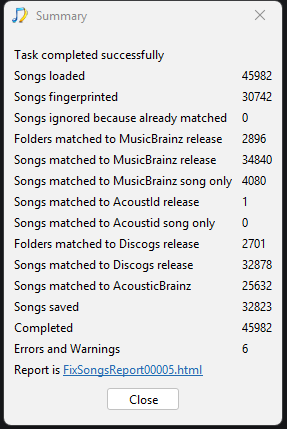
Another thing I find strange is there is only one match with AcousticId release?

image

I have just sent the support files - it’s report 5.

Hi, you didnt actually uncheck the Update Mood and other acoustic attributes such as BPM options as requested. This means it could have failed as before and even though it didn;t fail it may have spent a long amount fo time trying to communicate with the defunct AcousticBrainz server. So if you ran with this option disabled it may well be quicker.

It does seem a bit slow, I can usually process about 20,000 songs an hour or a decent but aging PC with not particularly fast internet, so that is about double your speed. But it is worth remembering it is fixing your songs here so even at this speed SongKong should be able to fix a large chunk of your 1M songs library in about a week, that is still pretty good.

You say you are running in batches, but awkward to start next batch when previous batch finishes but since you can store the database on a different drive and I have identified the problem (The update Mood option) that caused the failure it should be possible to run without batches.

I would still advise running a Status Report first which would do what you originally wanted to do.

There is a sliding quality scale from MusicBrainz Release match to Acoustid song only match. So ideally we match songs to MusicBrainz release, sometimes we cannot match a group of songs to a release but we can match individual songs to a MusicBrainz Recording (songs matched to MusicBrainz song only). Sometimes we can identify the song by Acoustid but cannot find a match to corresponding MusicBrainz songs so can just add basic information from Acoustid. Note the Acoustid database is a lot larger than the MusicBrainz database.

So one match with AcoustId release does not mean that only song has been matched to Acoustid, it means only one song has been matched to Acoustid only and hasn’t been matched to MusicBrainz. Any songs can only be in one of the four groups:

  • Songs matched to MusicBrainz release
  • Songs matched to MusicBrainz song only
  • Songs matched to Acoustid release
  • Songs matched to Acoustid song only

Hi are you getting on, and did you originally post on musichoarders?

hi Paul - yes, that’s me :grin:

I am currently doing batches of 750 on an old laptop with just USB 2 . Each batch takes about 15h to process but so far so good, after symlinking the DB to another HDD and disabling the Mood thing (which was kind of neat to have, but it’s fine) things are working.

Let me know if you need to test anything - as you know my catalogue is huge (~20TB mp3) and I am an experienced developer so I might be able to help debug stuff.

Hi, so usb2 is for connecting your labtop to an external drive, does the external have the music or the database, or both ?
Do you mean 750 albums, still tiny it should not be super slow like that, as I say I dont think there is a need to run in batches anymore.

I still think it would be a good idea for you to run a Status Report so you have a clear record of your collection before using SongKong, perhaps you could run Create Support Files again because im a bit unclear on the situation.

Laptop is USB 2 and the DB is symlinked to the laptop’s “D” drive (HDD, not SSD). I don’t have enough space on the SSD unfortunately.

The 20TB drive is external, connected via USB.

I mean 750 artists, which is like 150K releases.

I know you mentioned the status report, but to be honest I dread how much time it will take to create the report for 20TB of data (eventually crashing and having to start over) :sleepy:what would be the advantage?

Ok, so the advantage of you running a Status Report first is then you would have an exact record of the status of your music library in one report before any changes made by SongKong, which I think would have been a sensible first step (and was what you originally requested on reddit)

If you run now then of course some changes have already been made by SongKong but it should still be a useful report.

Now, Status Report is much quicker than Fix Songs report because everything is local (no calls to MusicBrainz/Disocgs etc) and no modifications to your music files. It will take some time, it is in two stages, firstly it processes each files and extracts the required details, then once all the songs have been processed it generates the report pages from the extracted details.

Now you could run the task. leave it overnight, and if not completed and taking too long for you select cancel only once, then it will start generating report based on the songs processed so far and leave to complete report. You asked if you could test anything, and for me it would be useful to see if status report can be generated for such a large library on old computer or not.

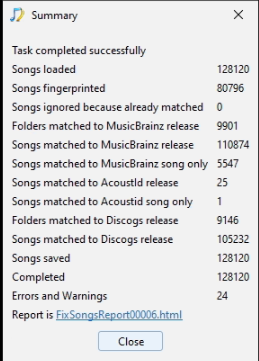
OK so the 750 artist scan just finished, it took 17 hours 44 minutes:

image. I am sending the support files.
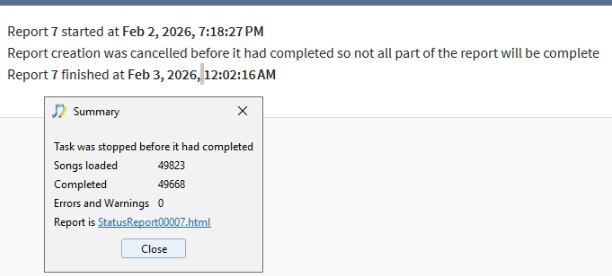
I will stop the metadata fixes and leave it running the full drive’s status report and let you know once it’s finished :ok_hand:

Okay thankyou for that.

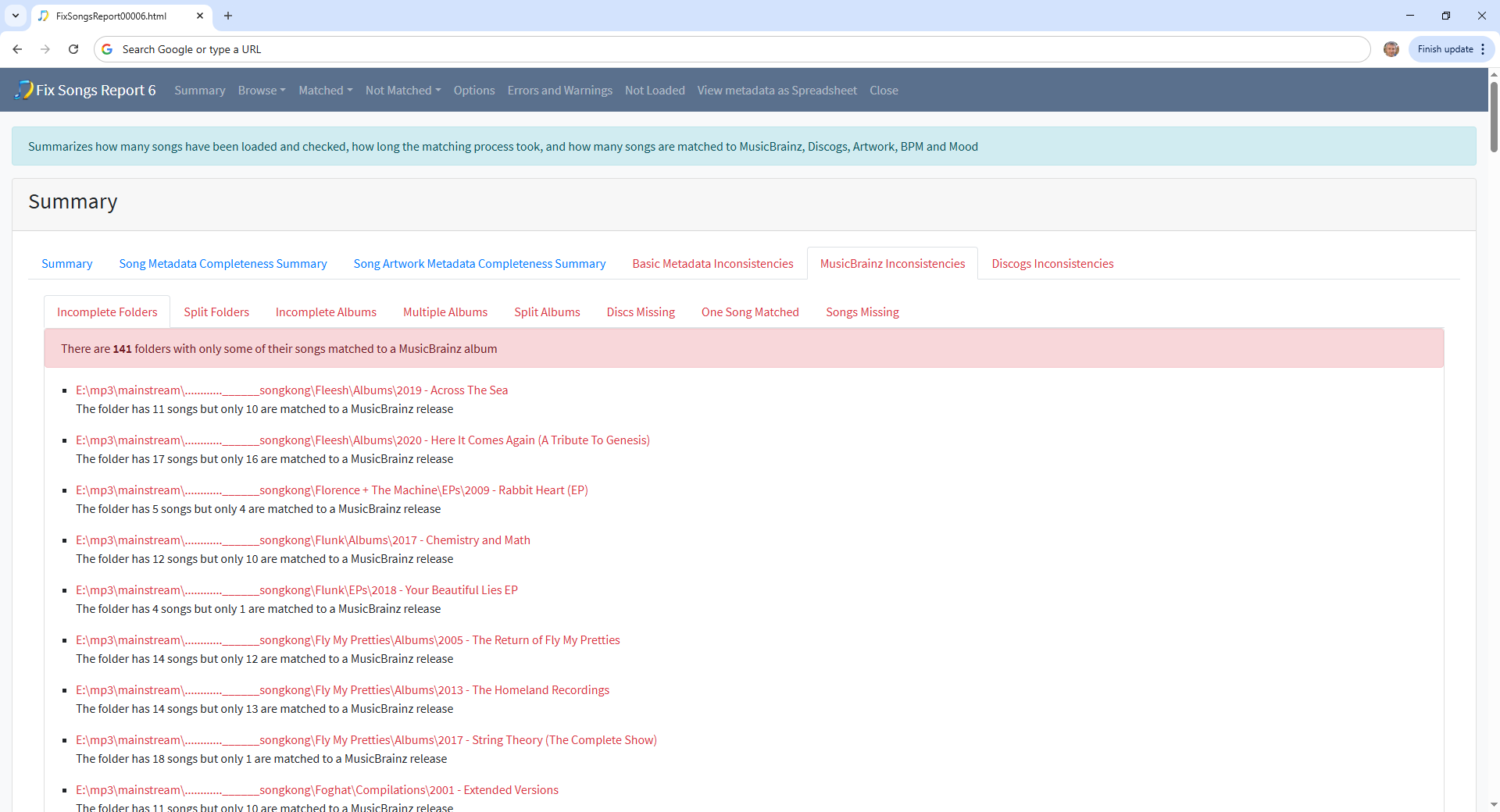
If you want to improve your tagging further a good place to start is the MusicBrainz Inconsistencies:Incomplete Folders section of report here you’ll see folders that have not been fully matched to a MusicBrainz release

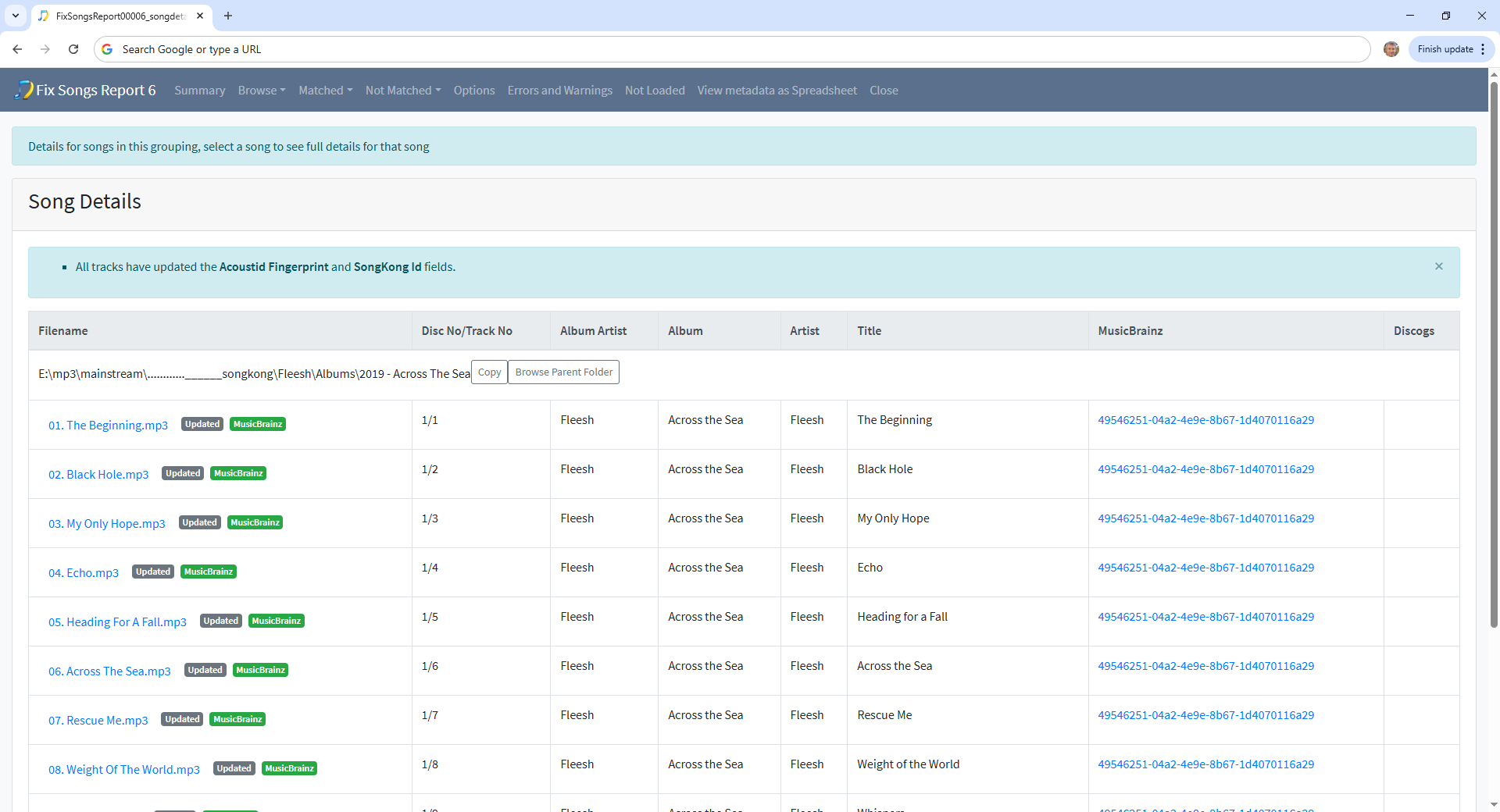
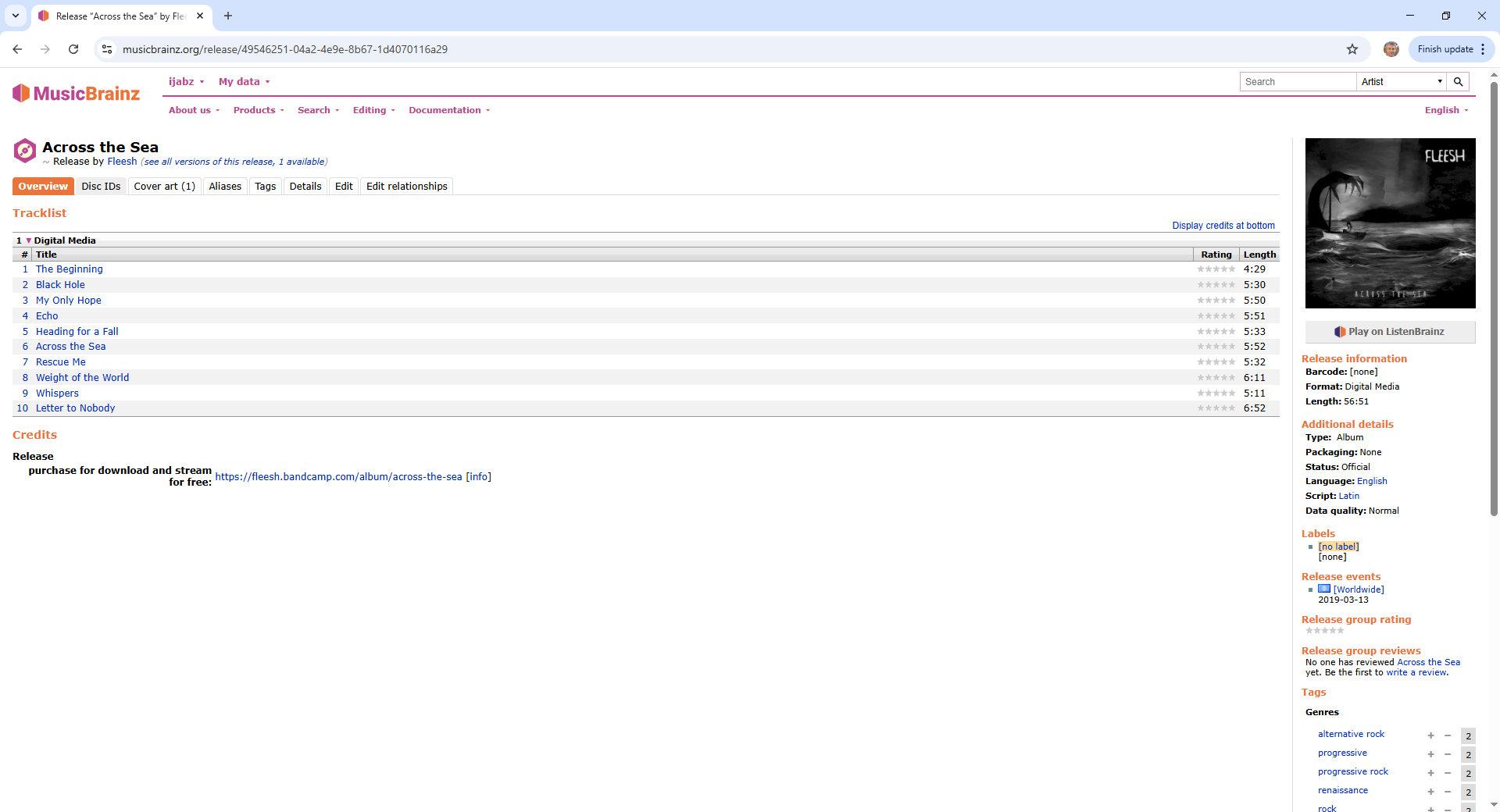
For example if we select the first one we see track 11 has not been matched to MusicBrainz

And if we look at the release the others have been matched to we see it only has 10 tracks, so impossible to match all 11 tracks

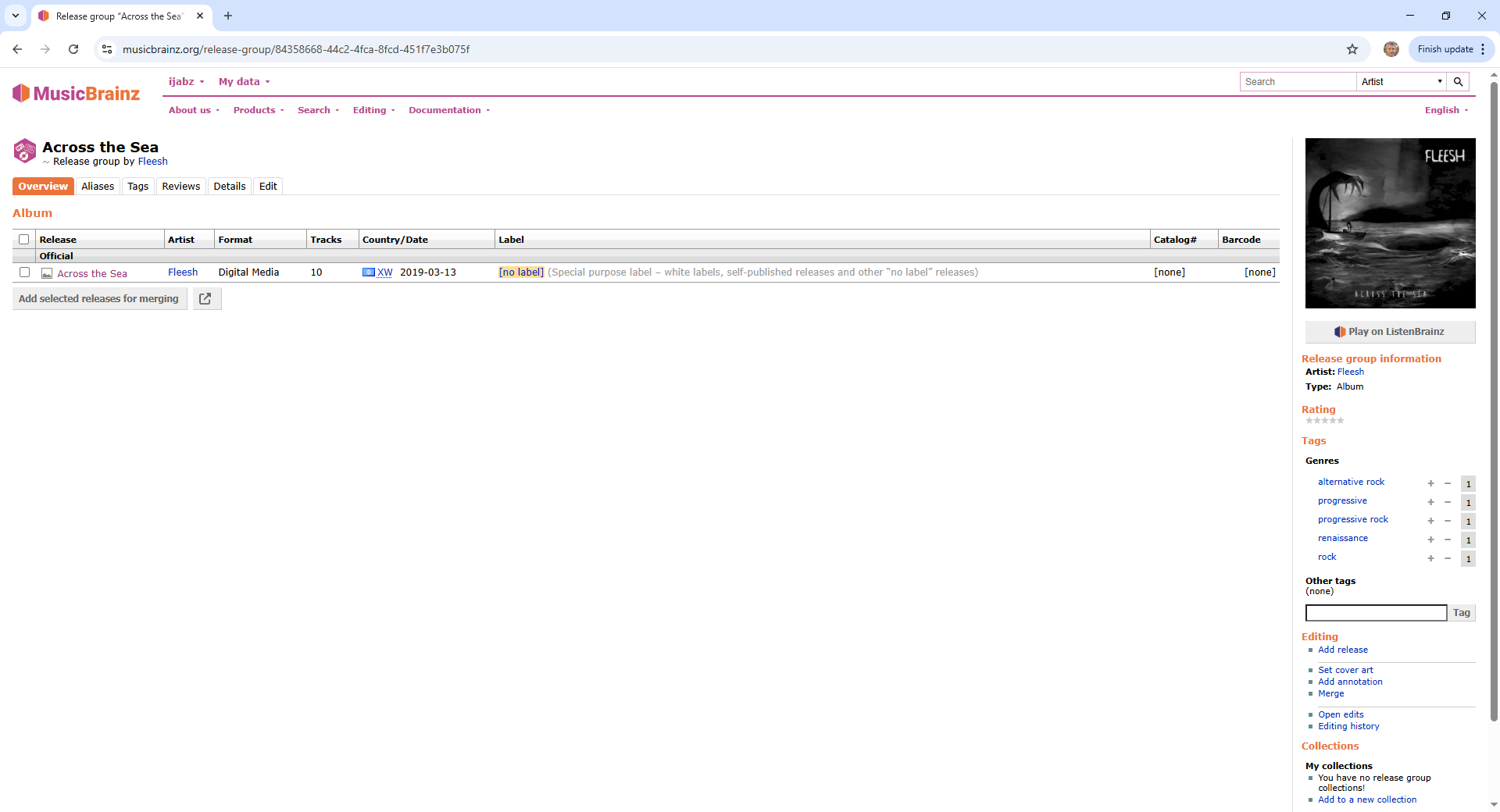
And if we look at the release group for the release we see it is the only release in that release group and that MusicBrainz does not have the 11 tracks version.

image

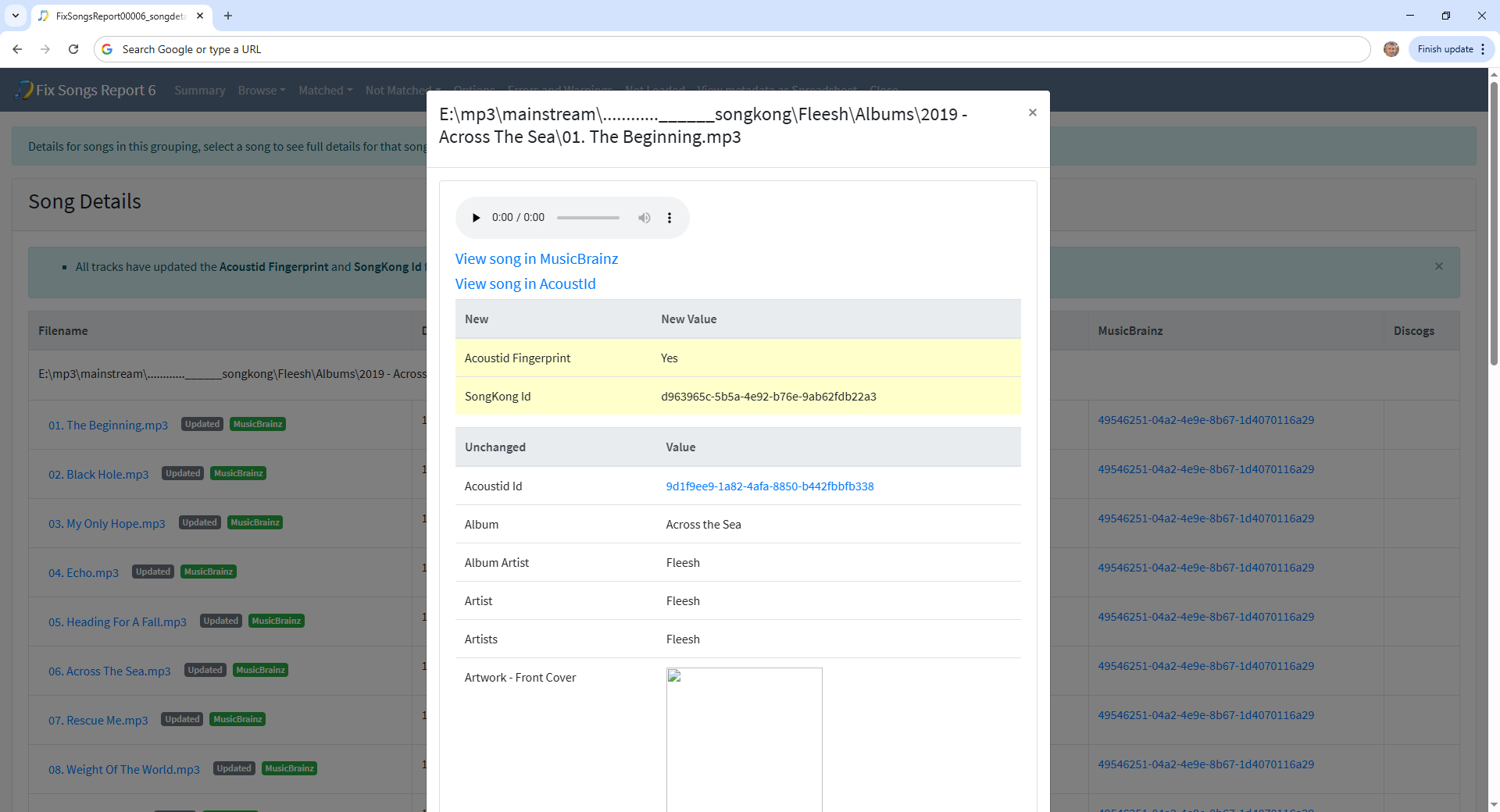
Note these tracks were not matched by SongKong, with standard options SongKong only matches to an album if all songs in grouping could be matched to album. By looking at the details of the first track on the album we can see the only thing added by SongKong is the Acoustid fingerprint, the other details were already added (by Picard?)

When SongKong encounters these partial folder matches the default of having For songs already fully matched set to Rematch if only Partial Match means it does try and rematch the folder to MusicBrainz, but in this case the correct version of release was not available so it just reverts to updating the existing match.

So in summary it is likely that the correct version of releases in this list do not currently exist in MusicBrainz, and they would be good candidates to add to MusicBrainz.

A bit of an update. I tried to run the Status Report, but it ran 49k files in 5 hours. It would take me around 180 hours to run the whole behemoth, so I think I’ll prioritize the actual tagging for now :joy:

image

Ok thanks shouldn’t be that slow, I will do some performance analysis to see if I can find bottleneck.

One thing I’ve been noticing is that the script actually goes through a bunch of tracks relatively fast, but then halts for what sometimes are full minutes. If I had to guess, I’d say it’s probably throttling the APIs (MB, for example) - is that the case?

Maybe it would be a good UX improvement to have a short sentence at the bottom of the panel explaining in a more verbose way what exactly is happening as the script goes through the files. Even for debugging, that would be really helpful IMO!

Hi, first thing to note is that SongKong is actually working on multiple folders at the same time loosely based on how many cpus you have.

Showing what it is doing could be useful, we do this already when you run Create Support Files but concerned since there are multiple things running may confuse user.

Api is throttled, this may be the limiting factor, bit may also be file I/O writing changes back to file, or just cpu cycles calculating matches, generation of acoutids is especially cpu intensive.

You say using old laptop, since you have a super large library is there a faster computer you can use?