SongKong Jaikoz

SongKong and Jaikoz Music Tagger Community Forum

Docker CLI license verification fails after update; web UI works

After updating SongKong, my Docker command-line Fix Songs task fails with:

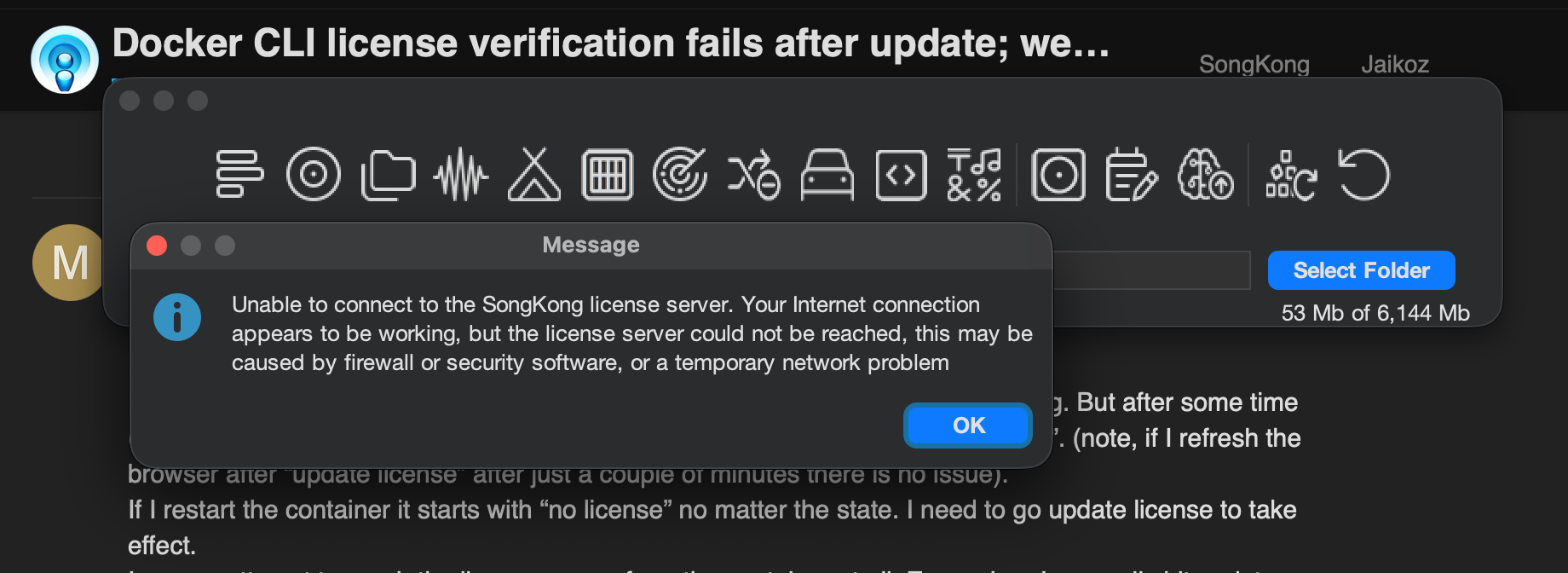
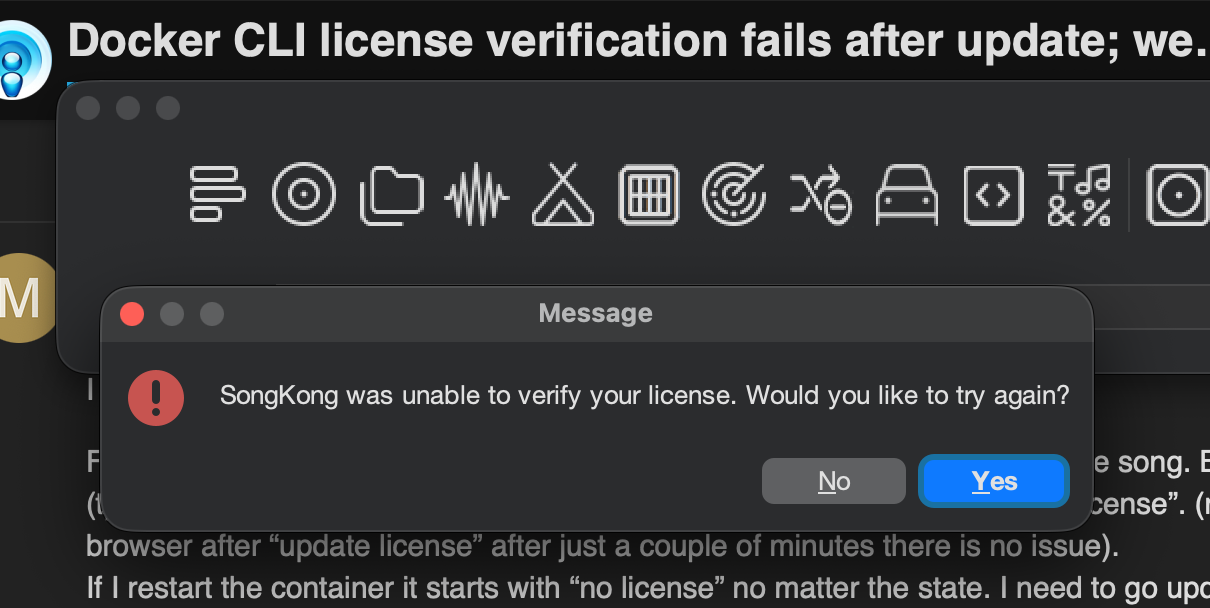
Unable to connect to the SongKong license server. Your Internet connection appears to be working, but the license server could not be reached...
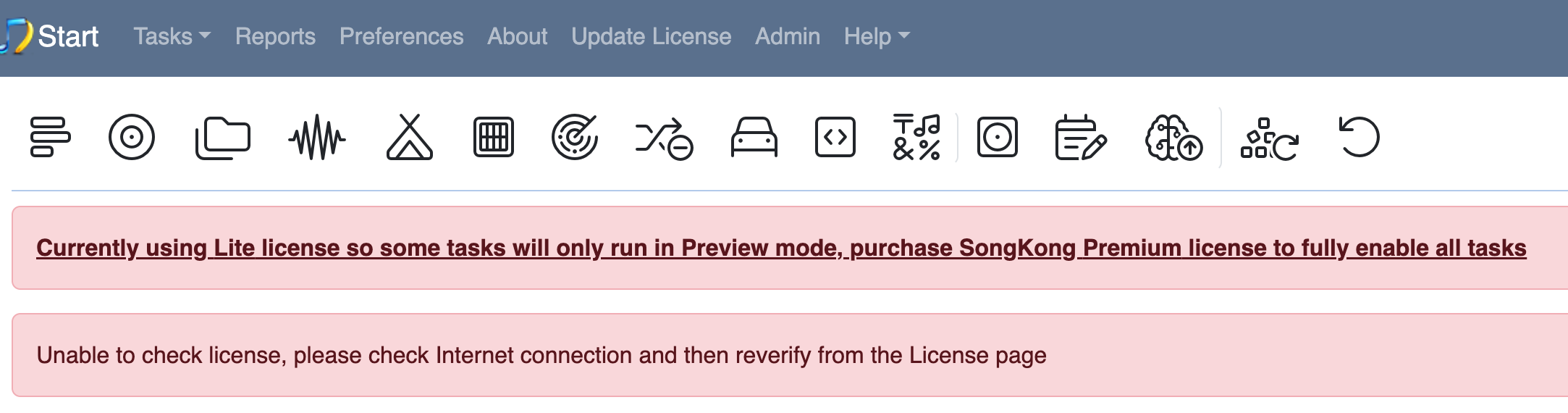
Unable to check license, please check Internet connection

My license is valid and works when using SongKong through the web UI.

The CLI service uses songkong/songkong with:

command: ["-m", "-p", "songkong_fixsongs6.properties", "/music/inbox"]
volumes:
  - ./config4fix:/songkong:rw
  - /usik/inbox:/music/inbox:rw

Checks so far:

  • From the container, HTTPS to www.jthink.net connects successfully, validates the certificate, and returns HTTP 200.
  • Java is Temurin OpenJDK 21.0.12.
  • Debug/user logs contain no matching license exceptions.
  • Enabling Java TLS diagnostics revealed no apparent errors.
  • Switching from an explicit songkong.sh entrypoint to the image’s default entrypoint with command made no difference.
  • The service is configured to use DNS 1.1.1.1 .

Is there a known issue with CLI license verification, or something else I should check?

Can you run a task from the cmdline that doesn’t need a license such as Status Report and see if that works from cmdline.

do mean?

command: ["-s", ā€œ/music/inboxā€]

… I get the same error.
Even using an unknown switch shows the same error

command: ["-tt"]

Seems like a bug, but I have checked command line in a non docker environment and that worked without problem, I’m away from office and cannot check actual docker instance at the moment.

Okay I looked at this, this error only occurs if unable to communicate with server but seem to have valid internet connection, its throws either UnknownHostException or SocketTimeoutException but the stack trace is not logged (it will be in next version)

The license check happens early on before tries to even parse command arguments so that is why it gives this error even for unknown switches

Interestingly if run in remote mode, if the error occurs it doesn’t immediately exit so it maybe because using the WebUI it is failing but just not shown until try to run a task that requires a license, or it maybe that your configuration is different for cmdline/web and the difference is causing an issue

Can you try running this within the cmdline container

curl -v --connect-timeout 10 --max-time 20 http://www.jthink.net/songkong/action

Here is the output of the curl from inside the container. The endpoint answered correctly with the curl but I don’t see any requests coming from the app.:

% Total % Received % Xferd Average Speed Time Time Time Current
Dload Upload Total Spent Left Speed
0 0 0 0 0 0 0 0 --:–:-- --:–:-- --:–:-- 0* Trying 198.72.117.89:80…

  • Connected to www . jthink . net (198.72.117.89) port 80 (#0)

GET /songkong/action HTTP/1.1
Host: www.jthink.net
User-Agent: curl/7.81.0
Accept: /

  • Mark bundle as not supporting multiuse
    < HTTP/1.1 200
    < Date: Thu, 08 Oct 2026 12:47:38 GMT
    < Server: Apache/2.4.6 (CentOS) OpenSSL/1.0.2k-fips mod_fcgid/2.3.9 PHP/5.4.16
    < Content-Type: text/plain;charset=UTF-8
    < Content-Length: 16
    <
    { [16 bytes data]
    100 16 100 16 0 0 46 0 --:–:-- --:–:-- --:–:-- 46
  • Connection #0 to host www . jthink . net left intact
    Unknown Request
    — curl exit: 0 —

Note, the tile of this thread says CLI License fails but it also fails from the webUI. If I go to update license and hit save it gets premium and I can successfully do writes for about 20min until it goes back to failing the license check at that point writes don’t work.

Yeah, I think the initial title confused me and i thought it was a cli/docker issue, it looks like was actually an issue on the server, I believe I have now fixed this - please retry.

Still the same. I investigated, that it is not only a CLI issue.
If I ā€˜docker-compose down’ my container and put it up again, I get
image
I have to do ā€œUpdate Licenseā€-ā€œSaveā€ to get Songkong running with my license again.
Never had this issue before.
Maybe a timing issue?

I have the exact same issue.
Tried now and same as McO it gets working with ā€œUpdate licenseā€ but it goes away after about 20minutes.
I logged all traffic from SongKong docker and I see no attempts to reach jthink server from inside docker container. There is 0 traffic to the server.

When I first tried your license running on Windows with desktop UI there was an error waiting for results from the server

java.net.SocketTimeoutException: Read timed out
	at java.base/sun.nio.ch.NioSocketImpl.timedRead(NioSocketImpl.java:278)
	at java.base/sun.nio.ch.NioSocketImpl.implRead(NioSocketImpl.java:304)
	at java.base/sun.nio.ch.NioSocketImpl.read(NioSocketImpl.java:346)
	at java.base/sun.nio.ch.NioSocketImpl$1.read(NioSocketImpl.java:796)
	at java.base/java.net.Socket$SocketInputStream.read(Socket.java:1099)
	at java.base/java.io.BufferedInputStream.fill(BufferedInputStream.java:291)
	at java.base/java.io.BufferedInputStream.read1(BufferedInputStream.java:347)
	at java.base/java.io.BufferedInputStream.implRead(BufferedInputStream.java:420)
	at java.base/java.io.BufferedInputStream.read(BufferedInputStream.java:399)
	at java.base/sun.net.www.http.HttpClient.parseHTTPHeader(HttpClient.java:827)
	at java.base/sun.net.www.http.HttpClient.parseHTTP(HttpClient.java:759)
	at java.base/sun.net.www.protocol.http.HttpURLConnection.getInputStream0(HttpURLConnection.java:1690)
	at java.base/sun.net.www.protocol.http.HttpURLConnection.getInputStream(HttpURLConnection.java:1599)
	at java.base/java.net.HttpURLConnection.getResponseCode(HttpURLConnection.java:531)
	at com.jthink.songkong.licensing.LicenseVerifier.checkLicenseOnline(LicenseVerifier.java:205)
	at com.jthink.songkong.text.License.checkLicense(License.java:221)
	at com.jthink.songkong.text.License.checkLicenseOnStartup(License.java:238)
	at com.jthink.songkong.cmdline.SongKong.guiStart(SongKong.java:1294)
	at com.jthink.songkong.cmdline.SongKong.finish(SongKong.java:1415)
	at com.jthink.songkong.cmdline.SongKong.main(SongKong.java:1462)

and this was resolved by restarting the server, and hence thought there had been an issue built up over time on server (e.g low memory availability) and had resolved issue.

There is a 10 second read time, so if after contacting server it hasn’t responded after 10 seconds that would generate this exception and the message you are seeing, but I don’t understand why in particular you are hitting this issue and others are not.

However, you say still having issue:

If I ā€˜docker-compose down’ my container and put it up again, I get

I’m getting confused about the flow here. If you start SongKong in WebUI, update license and do a task does it work or does the task fail, does the problem only occur after restarting SongKong or does it occur during the initial session?

Paul,
I think we are 2 people having the same issue McO and McO1.

From my side if I update the license and do a task it works and it writes to the song. But after some time (typically after 15-20min) if I refresh the browser I get the ā€œunable to check licenseā€. (note, if I refresh the browser after ā€œupdate licenseā€ after just a couple of minutes there is no issue).
If I restart the container it starts with ā€œno licenseā€ no matter the state. I need to go update license to take effect.
I see no attempt to reach the license server form the container at all. Even when I manually hit update license.
I’m at a loss here. I don’t know what else to try.

Okay, it would be useful if yo could confirm that SongKong works okay on a regular computer and is a Docker only issue, is it possible for you to try that?

I installed SongKong on macOS and did encounter the error message once, but I haven’t been able to reliably reproduce the issue.

Would it be possible to get an older version of the SongKong Docker image so I can test the behavior with a previous release? Unfortunately, only the latest version is available on Docker Hub.

Ok, with a little help of ChatGPT I wrote a LicenseProbe diagnose program.

First run:

docker-compose run --rm
–entrypoint /opt/java/openjdk/bin/java
-v ā€œ$PWD/LicenseProbe.class:/tmp/LicenseProbe.class:roā€
songkong-fix
-cp /tmp
LicenseProbe
Container songkong-songkong-fix-run-4fc0a744058e Creating
Container songkong-songkong-fix-run-4fc0a744058e Created
License file: /songkong/Prefs/license.properties
Platform: LINUX (2); MAC present: true
Failure stage: connect/response headers; elapsed 10949 ms
Exception: java.net.SocketTimeoutException
Message: Read timed out

Second run with higher timeout (30s!):

docker-compose run --rm
–entrypoint /opt/java/openjdk/bin/java
-v ā€œ$PWD/LicenseProbe.class:/tmp/LicenseProbe.class:roā€
songkong-fix
-cp /tmp
LicenseProbe 30000
Container songkong-songkong-fix-run-b262107bdf49 Creating
Container songkong-songkong-fix-run-b262107bdf49 Created
License file: /songkong/Prefs/license.properties
Platform: LINUX (2); MAC present: true
HTTP status: 200; headers after 24634 ms
First line after 24636 ms: ok (signature hidden)
Creation date line present: true
Expiry date line present: true

It takes about 24s to get an answer of the license server. That’s the issue.

Some additional measures:

LicenseProbe v2; UTC: 2026-10-10T22:26:58.296613452Z
Java: 21.0.12; connect/read timeout: 30000 ms each
preferIPv4Stack: default; preferIPv6Addresses: default
HTTP proxy configured: false; system proxies: false
License file: /songkong/Prefs/license.properties
Platform: LINUX (2); MAC present: true
Selected interface: eth0 (MAC hidden)
Target: http://www.jthink.net/songkong/action (query hidden)
DNS preflight (warms Java DNS cache; not part of request timing):
IPv4: 198.72.117.89
DNS lookup: 799 ms
Connection establishment: 128 ms (may include proxy/DNS; not a pure TCP measurement)
Wait for response headers after connect: 23646 ms
Date: Sat, 10 Oct 2026 22:27:28 GMT
Server: Apache/2.4.6 (CentOS) OpenSSL/1.0.2k-fips mod_fcgid/2.3.9 PHP/5.4.16
Content-Type: text/plain;charset=UTF-8
Transfer-Encoding: chunked
Connection: Keep-Alive
HTTP status: 200; headers after 23777 ms
First line read: 1 ms; characters: 4
First line after 23779 ms: ok (signature hidden)
Creation date line read: 0 ms; total: 23779 ms
Creation date line present: true
Expiry date line read: 0 ms; total: 23779 ms
Expiry date line present: true
Expected response read completed: 23780 ms (signature not validated)

Okay, thankyou for that I will spend some time on this tomorrow verifying your results and working out why it is taking so long on server to check results.

Okay I checked server, and there was a missing index and also a table with alot of temporary data that we no longer need had got large. So I added index and cleared out the table so can you try it again and see if now quicker.

But the weird thing is I added some debugging to SongKong and it was returning within a second even before I made these changes

The issue is resolved by assigning a fixed MAC address on a dedicated Docker bridge network:

services:
  songkong-fix:
    image: songkong/songkong
    command: ["-m", "-p", "songkong_fixsongs.properties", "/music/inbox"]
    networks:
      songkong_bridge:
        mac_address: "02:42:ac:11:00:10"
    # Existing volumes and other settings retained

networks:
  songkong_bridge:
    driver: bridge

Before this change, license requests took around 25 seconds, exceeding SongKong’s 10-second timeout. With the fixed MAC, the request completed in 323 ms and the CLI task works.

This suggests changing container MACs may trigger a slower server-side path. Logging the original timeout exception would also make the current firewall message easier to diagnose.

So was the issue caused by your docker taking a long time to assign Mac Address rather than SongKong taking a long time to respond ?

Are you using the Intel ore Arm32 version, we did change the Intel docker build from this rather messy Dockerfile

FROM eclipse-temurin:21-jdk-alpine AS build

RUN /opt/java/openjdk/bin/jlink --module-path=/opt/java/openjdk/jmods \
--add-modules java.desktop,java.datatransfer,java.logging,java.management,java.naming,java.net.http,java.prefs,java.scripting,java.sql,jdk.management,jdk.unsupported,jdk.jcmd,jdk.crypto.ec,jdk.dynalink \
--output /opt/songkong/jre

RUN apk --no-cache add \
      curl \
      tini
 
RUN mkdir -p /opt \
 && curl http://www.jthink.net/songkong/downloads/current/songkong-linux-docker.tgz?val=1206.1| tar -C /opt -xzf - \
&& find /opt/songkong -perm /u+x -type f -print0 | xargs -0 chmod a+x

RUN rm -fr /opt/java

FROM alpine:3.11

ENV LANG='en_US.UTF-8' LANGUAGE='en_US:en' LC_ALL='en_US.UTF-8'

RUN apk add --no-cache --virtual .build-deps curl binutils \
    && GLIBC_VER="2.31-r0" \
    && ALPINE_GLIBC_REPO="https://github.com/sgerrand/alpine-pkg-glibc/releases/download" \
    && GCC_LIBS_URL="https://archive.archlinux.org/packages/g/gcc-libs/gcc-libs-9.1.0-2-x86_64.pkg.tar.xz" \
    && GCC_LIBS_SHA256="91dba90f3c20d32fcf7f1dbe91523653018aa0b8d2230b00f822f6722804cf08" \
    && ZLIB_URL="https://archive.archlinux.org/packages/z/zlib/zlib-1%3A1.2.11-4-x86_64.pkg.tar.xz" \
    && ZLIB_SHA256=17aede0b9f8baa789c5aa3f358fbf8c68a5f1228c5e6cba1a5dd34102ef4d4e5 \
    && curl -LfsS https://alpine-pkgs.sgerrand.com/sgerrand.rsa.pub -o /etc/apk/keys/sgerrand.rsa.pub \
    && SGERRAND_RSA_SHA256="823b54589c93b02497f1ba4dc622eaef9c813e6b0f0ebbb2f771e32adf9f4ef2" \
    && echo "${SGERRAND_RSA_SHA256} */etc/apk/keys/sgerrand.rsa.pub" | sha256sum -c - \
    && curl -LfsS ${ALPINE_GLIBC_REPO}/${GLIBC_VER}/glibc-${GLIBC_VER}.apk > /tmp/glibc-${GLIBC_VER}.apk \
    && apk add --no-cache /tmp/glibc-${GLIBC_VER}.apk \
    && curl -LfsS ${ALPINE_GLIBC_REPO}/${GLIBC_VER}/glibc-bin-${GLIBC_VER}.apk > /tmp/glibc-bin-${GLIBC_VER}.apk \
    && apk add --no-cache /tmp/glibc-bin-${GLIBC_VER}.apk \
    && curl -Ls ${ALPINE_GLIBC_REPO}/${GLIBC_VER}/glibc-i18n-${GLIBC_VER}.apk > /tmp/glibc-i18n-${GLIBC_VER}.apk \
    && apk add --no-cache /tmp/glibc-i18n-${GLIBC_VER}.apk \
    && /usr/glibc-compat/bin/localedef --force --inputfile POSIX --charmap UTF-8 "$LANG" || true \
    && echo "export LANG=$LANG" > /etc/profile.d/locale.sh \
    && curl -LfsS ${GCC_LIBS_URL} -o /tmp/gcc-libs.tar.xz \
    && echo "${GCC_LIBS_SHA256} */tmp/gcc-libs.tar.xz" | sha256sum -c - \
    && mkdir /tmp/gcc \
    && tar -xf /tmp/gcc-libs.tar.xz -C /tmp/gcc \
    && mv /tmp/gcc/usr/lib/libgcc* /tmp/gcc/usr/lib/libstdc++* /usr/glibc-compat/lib \
    && strip /usr/glibc-compat/lib/libgcc_s.so.* /usr/glibc-compat/lib/libstdc++.so* \
    && curl  -LfsS ${ZLIB_URL} -o /tmp/libz.tar.xz \
    && mkdir /tmp/libz \
    && tar -xf /tmp/libz.tar.xz -C /tmp/libz \
    && mv /tmp/libz/usr/lib/libz.so* /usr/glibc-compat/lib \
    && apk del --purge .build-deps glibc-i18n \
    && rm -rf /tmp/*.apk /tmp/gcc /tmp/gcc-libs.tar.xz /tmp/libz /tmp/libz.tar.xz /var/cache/apk/*
    
RUN mkdir -p /opt

COPY --from=build /opt/songkong /opt/songkong

RUN apk --no-cache add \
      ca-certificates \
      curl \
      fontconfig \
      msttcorefonts-installer \
      tini \
 && update-ms-fonts \
 && fc-cache -f
    
EXPOSE 4567

# Config, License, Logs, Reports and Internal Database
VOLUME /songkong

# Music folder should be mounted here
VOLUME /music

WORKDIR /opt/songkong

ENTRYPOINT ["/opt/songkong/songkong.sh"]
CMD ["-r"]

to a much simpler build

FROM eclipse-temurin:21-jre-jammy

RUN apt-get update \
&& apt-get install -y --no-install-recommends \
    tini \
    fonts-dejavu-core \
    fonts-liberation \
&& rm -rf /var/lib/apt/lists/*

RUN mkdir -p /opt \
&& curl -fsSL "https://www.jthink.net/songkong/downloads/current/songkong-linux-docker.tgz?val=1206" \
   | tar -C /opt -xzf - \
&& rm -rf /opt/songkong/jre \
&& ln -s "$JAVA_HOME" /opt/songkong/jre \
&& find /opt/songkong -perm /u+x -type f -print0 | xargs -0 chmod a+x

EXPOSE 4567

# Config, License, Logs, Reports and Internal Database
VOLUME /songkong

# Music folder should be mounted here
VOLUME /music

WORKDIR /opt/songkong

ENTRYPOINT ["/opt/songkong/songkong.sh"]
CMD ["-r"]

Does that explain the issue?

I am logging it now for next release.
No. The build change - in my opinion - doesn’t explain the measurements. A slower server-side path for a different MAC is a possibility, but I cannot proved that. Server-side caching for known MACs?

I came to the same conclusion yesterday.
I was using SongKong CLI for some automation but CLI and WebUI don’t run concurrently so I was starting/stopping the container every 30min. Docker will by default assign a new MAC every re-start and this was causing the license to drop.
I did not measure delays in this condition. But if the new MAC was causing delay in network connection wouldn’t the app wait for connection before sending a request?
Does SongKong rely on MAC for license? Or will it send a request before internet network is up?

Anyhow, I fixed the MAC address in the container and it has been up since yesterday.
So I would say this issue is resolved.