Hello,
Did a first run of SK, and though it finished after around 13 hours, the report states:
" 53,728 songs checked against MusicBrainz and Discogs before task cancelled by SongKong because of unreported error"
Thank you for any advice.
Hello,
Did a first run of SK, and though it finished after around 13 hours, the report states:
" 53,728 songs checked against MusicBrainz and Discogs before task cancelled by SongKong because of unreported error"
Thank you for any advice.
Hi, SongKong fixes song as it goes along so it should have processed those 53,000 songs ok but seems it did hit an error with some files that stopped it finishing totally cleanly. Please run Admin:Create Support Files so I can check the logs and reports for you.
Thank you, admin files uploaded to this forum entry.
Thanks so of 53,795 files it processed 53,728 ok (although for some of these it gave up processing) and the changes have been made to the files and can be seen in the report.
Sometimes (especially with boxsets) the matching take too long, and we cancel processing of that folder but sometimes it doesn’t tidy itself up properly, I already have an issue raised for this .
This happened for a few of your folders, but im not entirely this was the cause of your issue, and it is not clear what the missing 67 files are. Unfortunately because the log files are circular and this was alot of files processed i cant see the logs for the start of this FixSongs run.
So, nothing to worry about and the vast majority already processed. But if you have time it would be worth rerunning FixSongs (it will run considerably quicker second time round because it wont seek to rematch albums matched first time round, and it will already have albums matched to cached) for a number of reasons:
Thank you for taking the time to do this.
I’m going through the detailed report of albums without various metadata (very useful!), and will run fix songs again afterwards.
I can’t find a recommended workflow: After running fix songs again, would I run Rename (to move audio to new artist/album folders for plex), or is there something else to do?
Could I suggest an option to show titles under each of the toolbar icons (unless I haven’t seen this option)?
Thanks again.
Fix Songs and then Rename Files is the standard basic worflow that does most of the work.
A more involved and complex workflow might be:
We have tooltips when you hover over the icon, but there is not enough space under each icon to put their name, all tasks are also available from the Actions menu.
I’ve run fix songs again after correcsting some metadata manually, and it has progressed, though seems to have stuck at this point for at least 30 minutes (4 hours total):
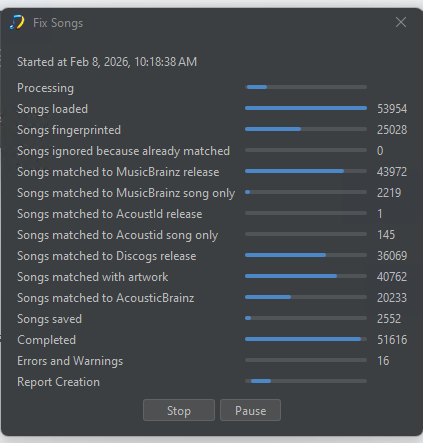
The progress bars at the top and bottom are moving though no numbers are changing.
Should I leave it?
Thanks.
If still not doing anything maybe select Cancel just once, this then allows it to move on to create a report for what is has processed. Then run Admin:Create Support Files so I can investigate.
Thanks, will rename the files afterwards to isolate unmatched audio that is likely causing the issue, I presume, then play around with it and come back if there’s an issue.
Great software! Love that you can submit to musicbrainz - will try that out.
Hello,
Tried the bandcamp option - seemed to get stuck 2/3 in, the top and bottom bars were moving for hours with no progress.
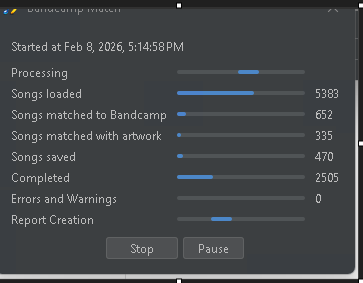
Wonder if particular files are clogging up the program. The PC is a Ryzen 9 3900x, with an Nvidia 970 and 64 gigs of RAM.
Report submitted, thank you. (btw it has taken over an hour to submit the report)
Hi, thanks for the reports
It was actually still processing before you cancelled but it seems to have got confused over the 31 files directly within E:\Music E\Untagged\Soulseek folder, not sure why but looking into it. But if you move those files somewhere else and retry might get success, although it is worth noting that because unlike the MusicBrainz/Discogs searches we are directly using Bandcamps basic and heavily throtlled api the Bandcamp task does run slowly.
The report loads the logs and upto the last five reports for each task, so in your case this meant uploading a 600Mb zip file.
If you no longer need the current reports you could delete them using Admin:Delete Reports, or if you need just some you could selecting delete by going to the Reports folder in your file manager and deleting them yourself, this is what the folder looks like on Windows
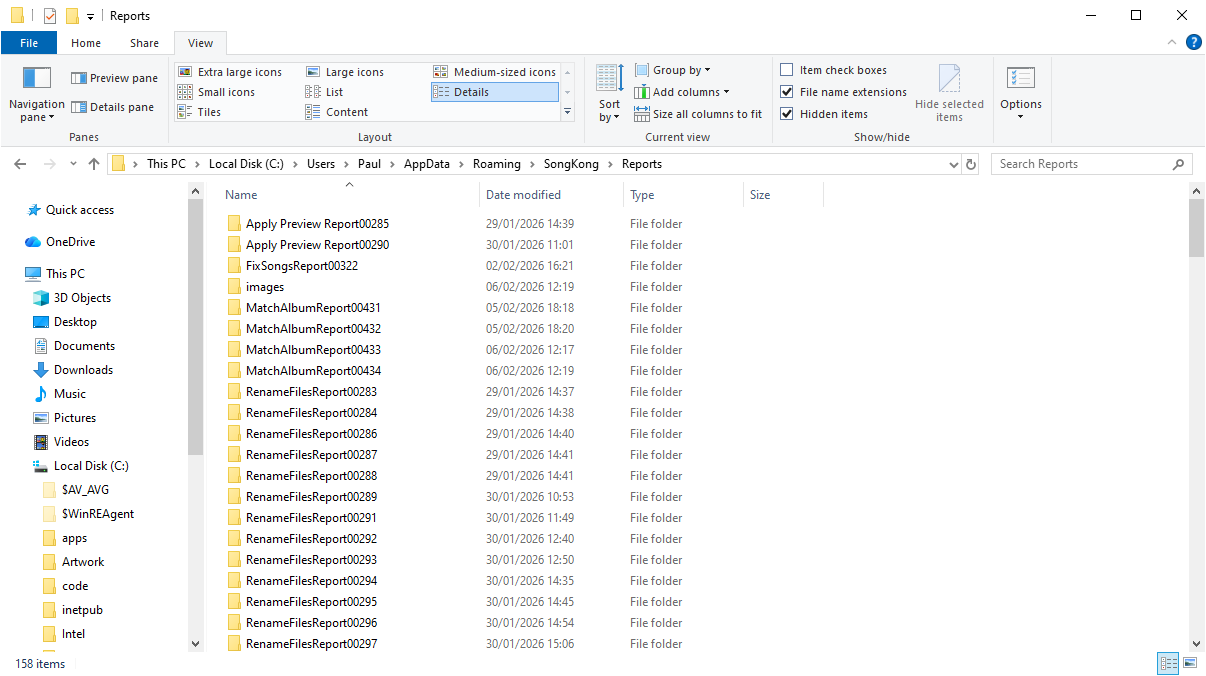
Then when you run Create Support Files next time it wil have to upload less
Seems like you have got the hang of SongKong with your Fix Songs and Rename Files runs. There was some issue with Fix Songs 4 that you eventualy cancelled. The culprit seems to be the huge E:\Music E\RED\Mozart_225 release thast just about all tools struggle with, but SongKong was actually still processing so unclear if it would have eventually completed if left alone.
What would be good would be the following if you would like would be to:
Thank you for your time and help. Will tinker.
Great software! Thanks!