SongKong Jaikoz

SongKong and Jaikoz Music Tagger Community Forum

SongKong - is it possible to skip building the final report entirely?

Hi, so usb2 is for connecting your labtop to an external drive, does the external have the music or the database, or both ?
Do you mean 750 albums, still tiny it should not be super slow like that, as I say I dont think there is a need to run in batches anymore.

I still think it would be a good idea for you to run a Status Report so you have a clear record of your collection before using SongKong, perhaps you could run Create Support Files again because im a bit unclear on the situation.

Laptop is USB 2 and the DB is symlinked to the laptop’s “D” drive (HDD, not SSD). I don’t have enough space on the SSD unfortunately.

The 20TB drive is external, connected via USB.

I mean 750 artists, which is like 150K releases.

I know you mentioned the status report, but to be honest I dread how much time it will take to create the report for 20TB of data (eventually crashing and having to start over) :sleepy:what would be the advantage?

Ok, so the advantage of you running a Status Report first is then you would have an exact record of the status of your music library in one report before any changes made by SongKong, which I think would have been a sensible first step (and was what you originally requested on reddit)

If you run now then of course some changes have already been made by SongKong but it should still be a useful report.

Now, Status Report is much quicker than Fix Songs report because everything is local (no calls to MusicBrainz/Disocgs etc) and no modifications to your music files. It will take some time, it is in two stages, firstly it processes each files and extracts the required details, then once all the songs have been processed it generates the report pages from the extracted details.

Now you could run the task. leave it overnight, and if not completed and taking too long for you select cancel only once, then it will start generating report based on the songs processed so far and leave to complete report. You asked if you could test anything, and for me it would be useful to see if status report can be generated for such a large library on old computer or not.

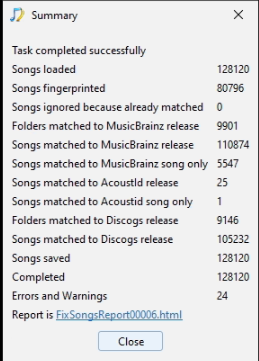
OK so the 750 artist scan just finished, it took 17 hours 44 minutes:

image. I am sending the support files.

I will stop the metadata fixes and leave it running the full drive’s status report and let you know once it’s finished :ok_hand:

Okay thankyou for that.

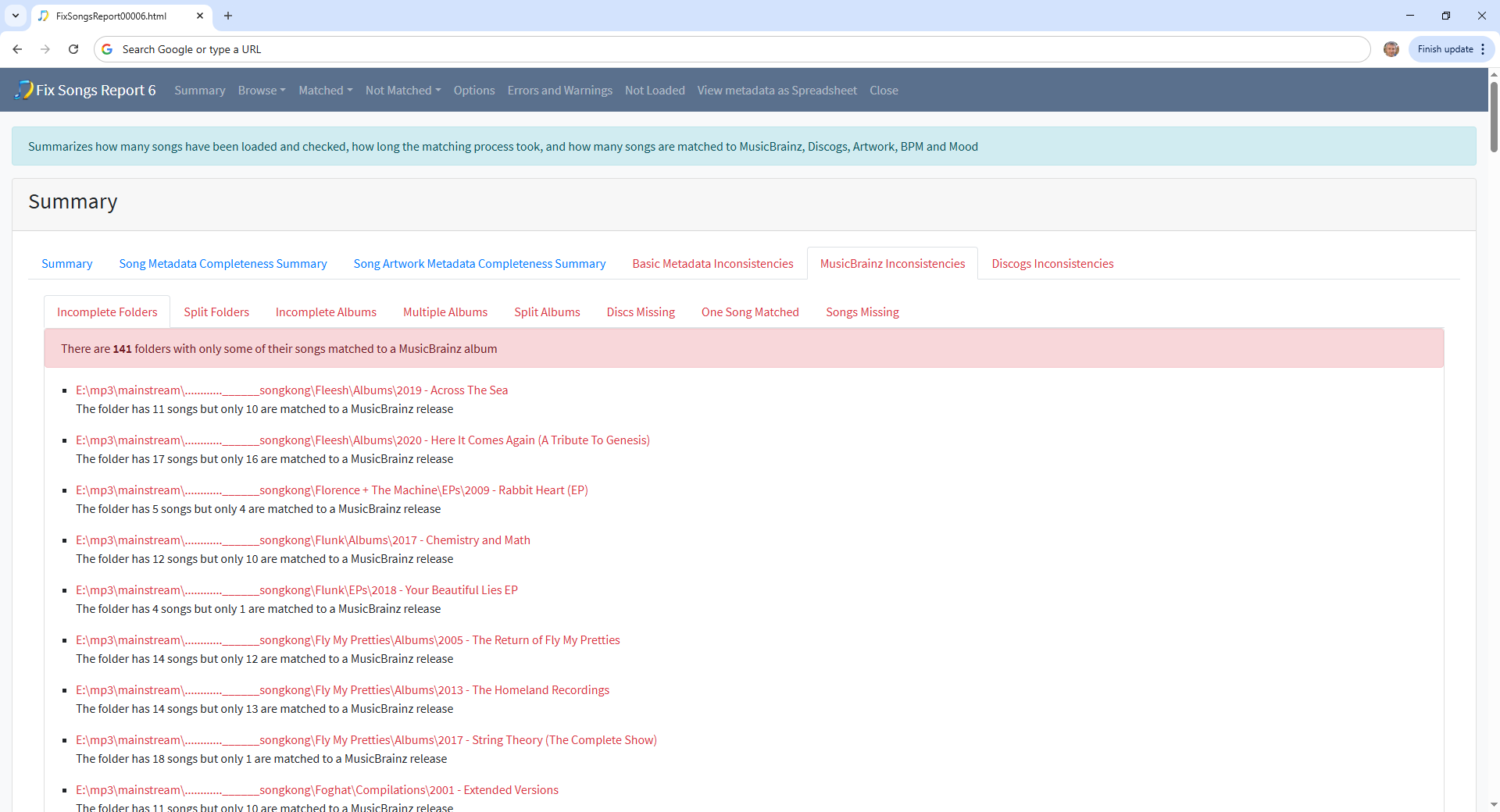
If you want to improve your tagging further a good place to start is the MusicBrainz Inconsistencies:Incomplete Folders section of report here you’ll see folders that have not been fully matched to a MusicBrainz release

For example if we select the first one we see track 11 has not been matched to MusicBrainz

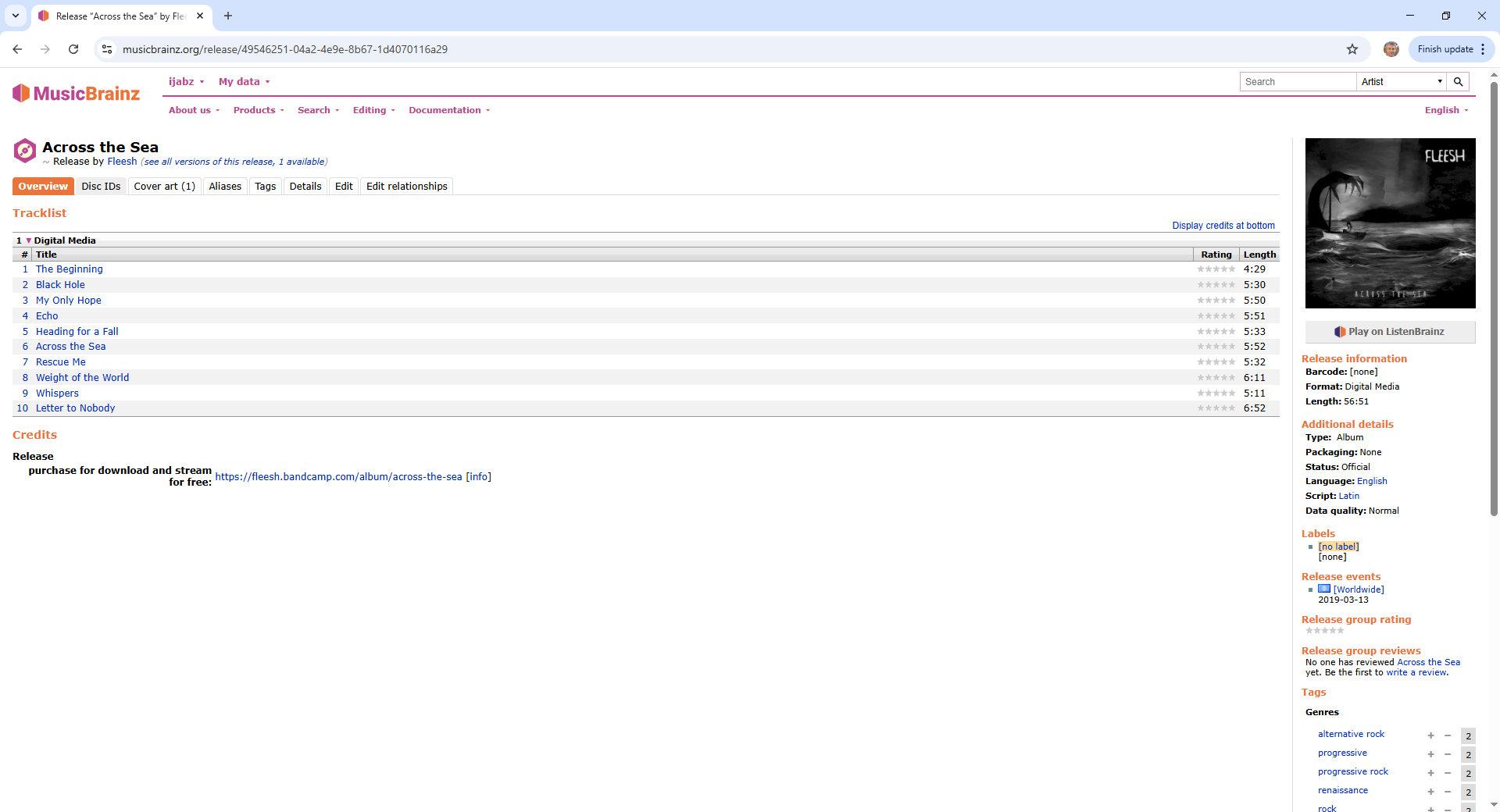
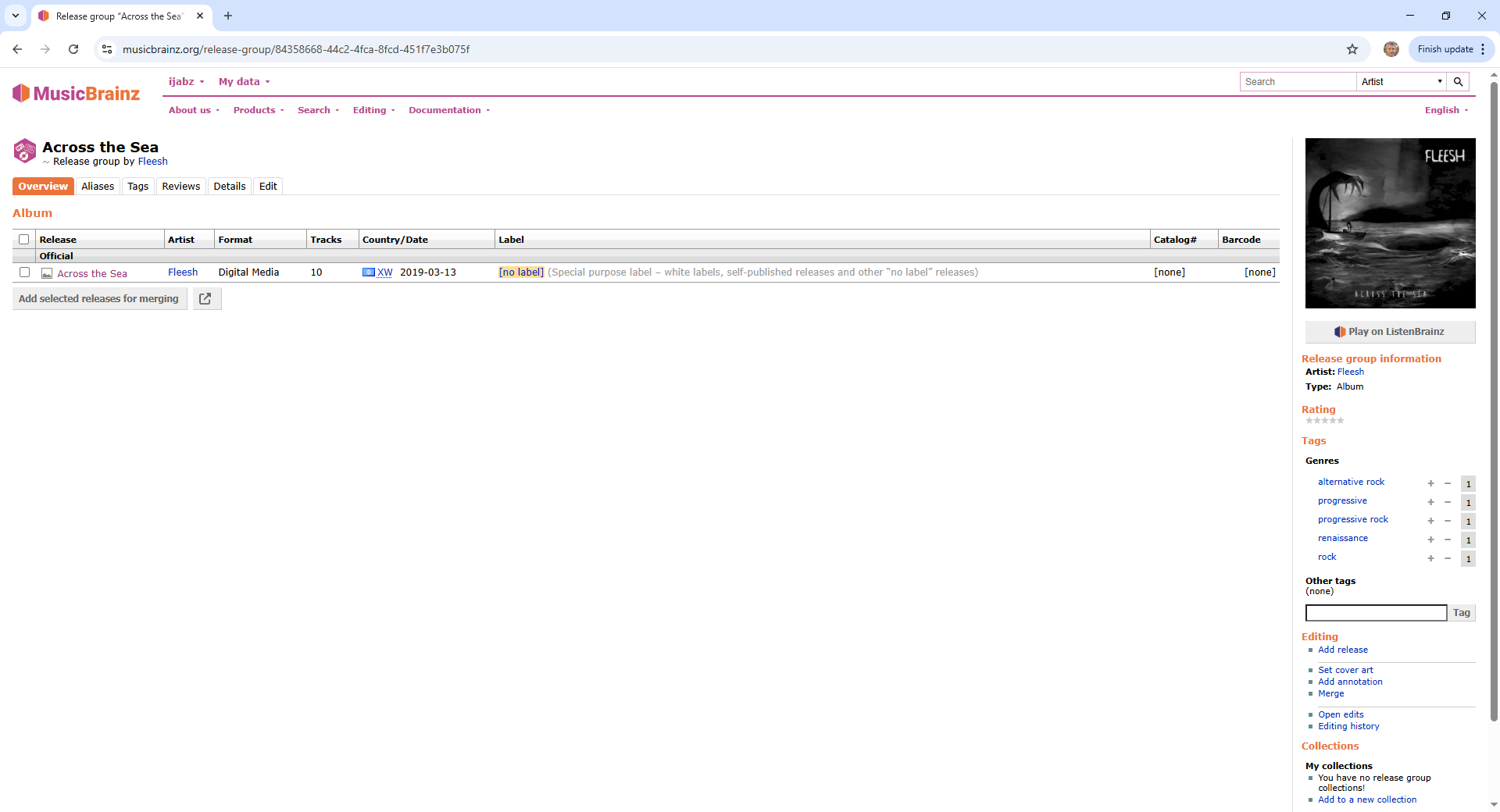
And if we look at the release the others have been matched to we see it only has 10 tracks, so impossible to match all 11 tracks

And if we look at the release group for the release we see it is the only release in that release group and that MusicBrainz does not have the 11 tracks version.

image

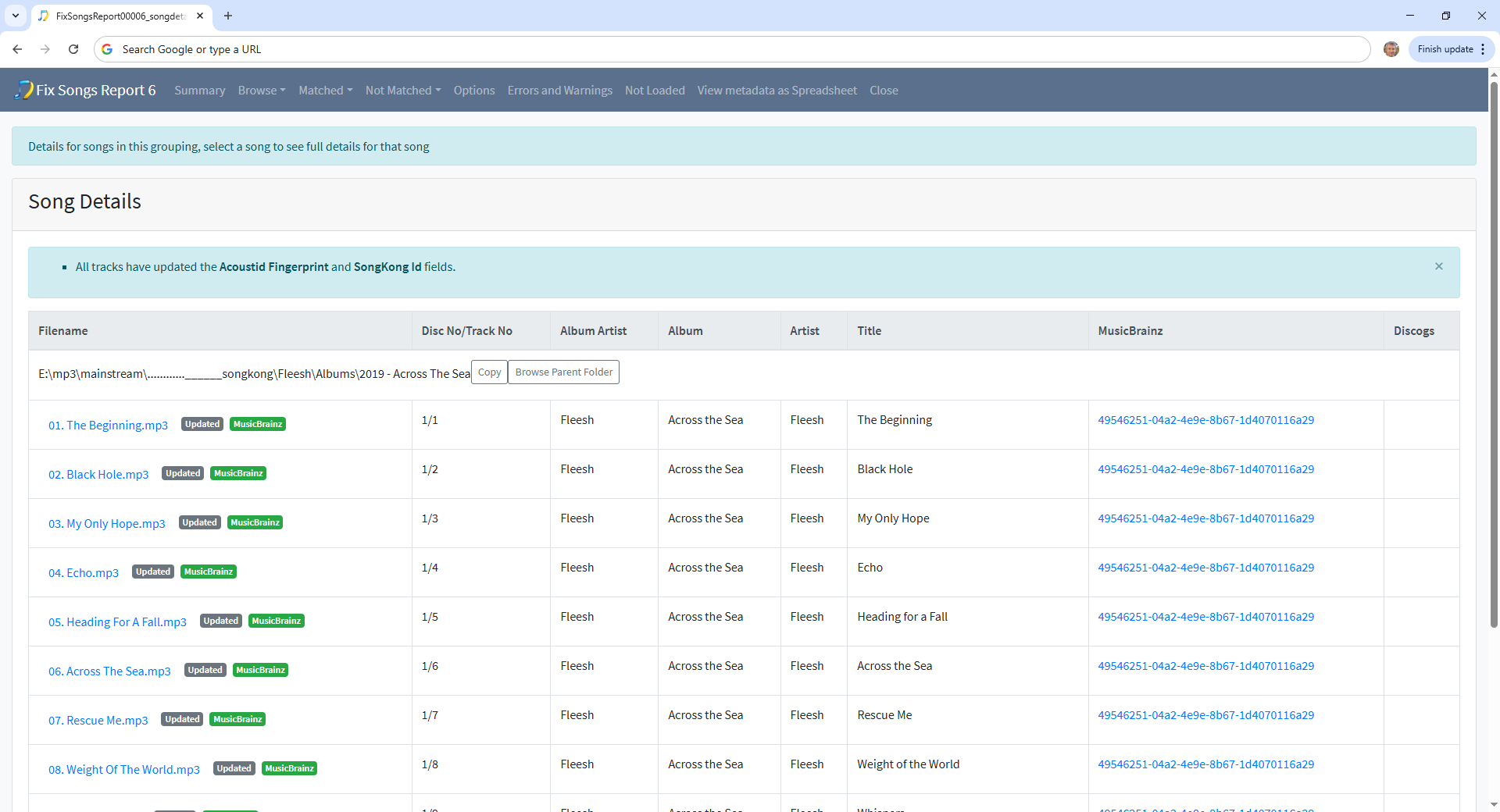
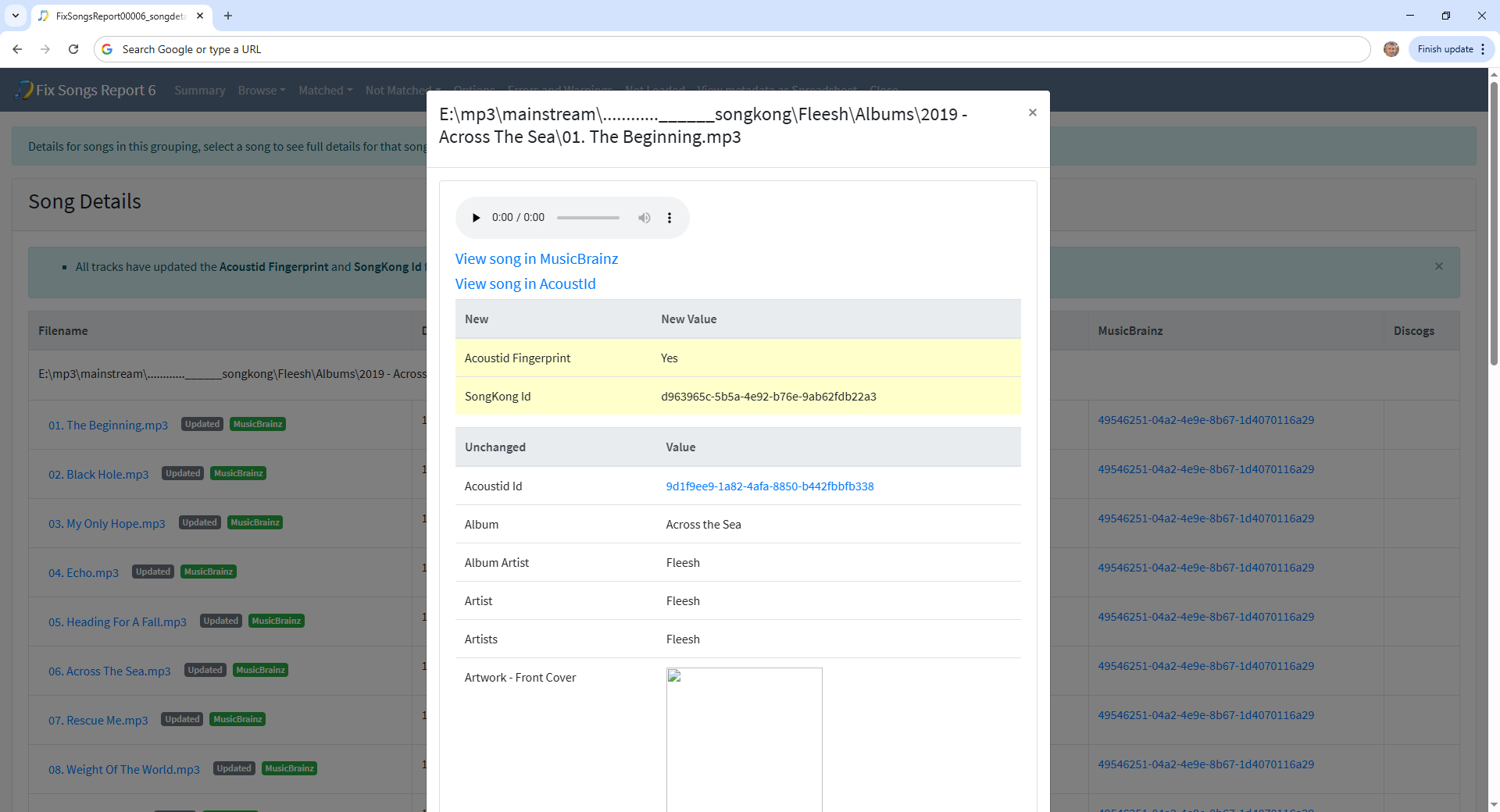
Note these tracks were not matched by SongKong, with standard options SongKong only matches to an album if all songs in grouping could be matched to album. By looking at the details of the first track on the album we can see the only thing added by SongKong is the Acoustid fingerprint, the other details were already added (by Picard?)

When SongKong encounters these partial folder matches the default of having For songs already fully matched set to Rematch if only Partial Match means it does try and rematch the folder to MusicBrainz, but in this case the correct version of release was not available so it just reverts to updating the existing match.

So in summary it is likely that the correct version of releases in this list do not currently exist in MusicBrainz, and they would be good candidates to add to MusicBrainz.

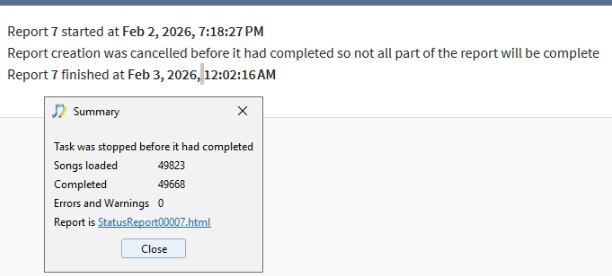
A bit of an update. I tried to run the Status Report, but it ran 49k files in 5 hours. It would take me around 180 hours to run the whole behemoth, so I think I’ll prioritize the actual tagging for now :joy:

image

Ok thanks shouldn’t be that slow, I will do some performance analysis to see if I can find bottleneck.

One thing I’ve been noticing is that the script actually goes through a bunch of tracks relatively fast, but then halts for what sometimes are full minutes. If I had to guess, I’d say it’s probably throttling the APIs (MB, for example) - is that the case?

Maybe it would be a good UX improvement to have a short sentence at the bottom of the panel explaining in a more verbose way what exactly is happening as the script goes through the files. Even for debugging, that would be really helpful IMO!

Hi, first thing to note is that SongKong is actually working on multiple folders at the same time loosely based on how many cpus you have.

Showing what it is doing could be useful, we do this already when you run Create Support Files but concerned since there are multiple things running may confuse user.

Api is throttled, this may be the limiting factor, bit may also be file I/O writing changes back to file, or just cpu cycles calculating matches, generation of acoutids is especially cpu intensive.

You say using old laptop, since you have a super large library is there a faster computer you can use?

Hi Paul, resurrecting this post to ask about the ‘Status Report’.

I have been running it for a while, still at about 70%. I will provide the full final report for you guys if you’d like, feels like it could be a good test case.

The question is: I’ve noticed something quite interesting. If the report is running with the window open, all my 12 cores fire to 100%, and it feels like it’s faster (might be placebo). If I minimize SongKong, CPUs go quiet to about 10-20%.

Is this intended? Why the difference?

Hi, have actually been working on Status Report performance expect some improvements in the next release.

No certainly not intended, its possible that Windows is doing something

Apparently Windows 10/11 may lower CPU frequency for background apps and apply EcoQoS to background threads, especially on Laptops or if using balanced power plans

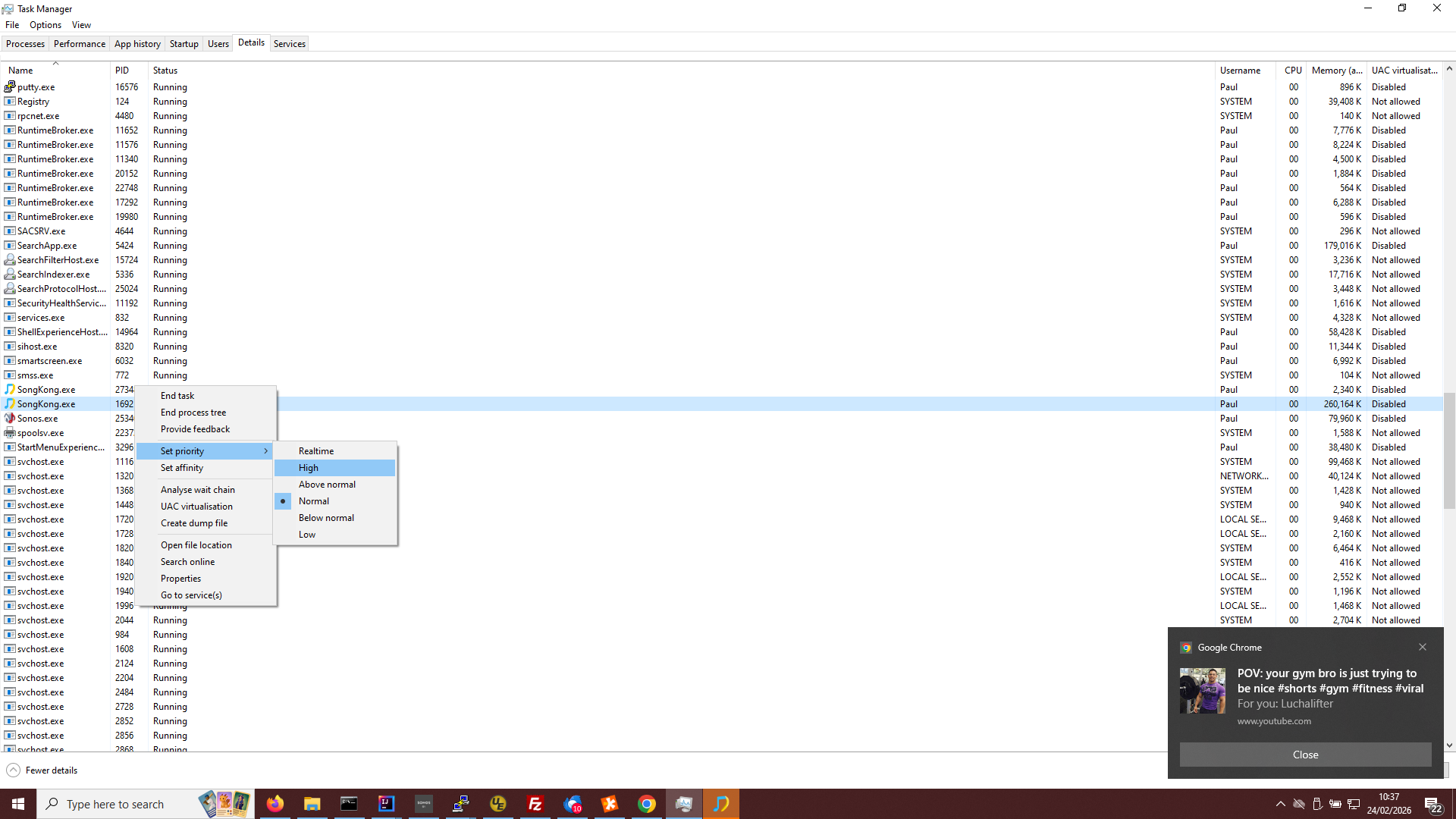
You could force the task to be high priority by:

  • Opening Task Manager
  • Switch to Details tab
  • Find SongKong (if there a re two select th eone with the higher value in Memory Column)
  • Right click, select Priority and change to High

Raising the priority to high (even real time) makes a HUGE difference when Song Kong is in focus and maximized - however, if it’s not, it seems like Windows is downgrading its priority on its own because the CPU goes down again. I guess it’s dynamically prioritizing memory / processing power to what you’re using.

Maybe you could add a dropdown at the bottom left of the window where you could set this priority? Not sure if it’s doable because of W11/10 internal permissions but that would help a lot.

It seems it is possible, I will consider this idea further, would not want it on by default as will slow everthing else down but I can see would be useful if using your computer as a workhorse to get the task done and want it done as fast as possible.

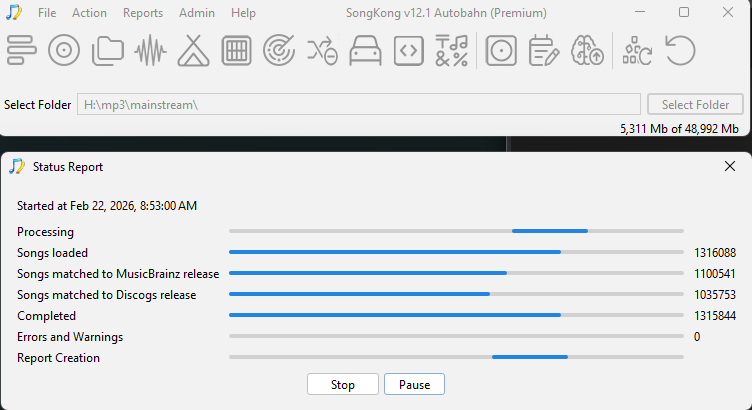
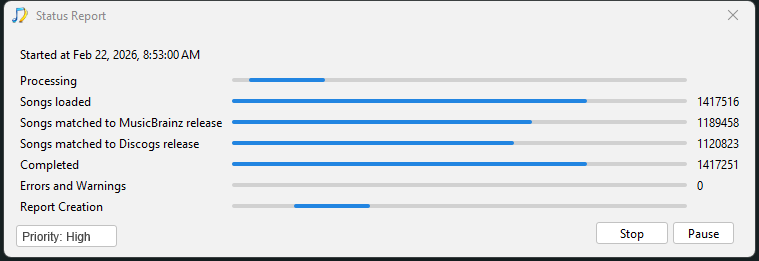
Looking forward to seeing the report. I should warn you once Completed bar is full the process has not finished, its mean all the files have been processed but then we have to actually generate the report pages (Report Creation bar) which cannot be started until all the songs have been processed so that will take some additional time.

I’m sending you the colossal 3 day report :grin:

Some interesting data:

  • Report 30 started at Feb 22, 2026, 8:53:01 AM
  • Report 30 finished at Feb 25, 2026, 4:08:07 AM
  • 1,797,888 songs checked
  • Analysed 158732 folders
  • Analysed 158383 albums in Musicbrainz
  • Analysed 158383 albums in Discogs

In the meantime, I’d like to understand your vision on the flow for a catalogue this vast.

Right now I have a pretty extensive report on which things are missing, but what would the workflow be? Ideally:

  • I’d identify a problem from the report
  • I would go and fix it (e.g. add missing metatags that prevent SongKong to match the song)
  • I would trigger a “re-evaluation” of said track / release / artist
  • I would not need to wait 3 days for a full report to be compiled again just because I fixed one song

But as I see it this poses 3 main issues:

  • It might not be super trivial to communicate back and forth from the web server to the app
  • The report seems to be seen like a “checkpoint in time”, so, the somewhat obvious solution - just refresh the data that’s been re-evaluated - might not work
  • We could in theory copy the whole thing to a new report, but given the sheer amount of files and DB weight, this would not scale well at all

What should the thought process be?

Hi, i just recieved your report on the server, downloading locally and extracting it now.

So whenever you run any task (Fix Songs/Rename Files etcera) it always creates a report so if you just fixed one album the report would be just consist of that one album. The Status Report task is different in that it only creates a report without doing anything else, but I was advising it would be good to run it at the start so you have a snaphot of your music collection before making any changes with SongKong

If I remember correctly you had already processed some of your music with SongKong, what percentage do you think ?

So, wherever you run any task you have the changes recorded in the report created at the end of the task, if not making many changes then the report will not take long to create.

If at some point you want a status report of your whole collection then you would have to rerun the Status Report and this will take a while, but hopefully for you in next version of SongKong this will go down from 3 days to maybe 2 days!

As you say the report is a “checkpoint in time” acting as an audit record, so therefore modifying the report would corrupt that. Also it is worth noting that modifying just one file could affect many sections of the report not just one page, such as:

  • Song Details section
  • Browse By Folder structure
  • Browse By Artist/Album structure
  • Browse By Composer/Work structure
  • Summary section
  • Browse By Folder structure
  • Matched to MusicBrainz section
  • Matched to Discogs section

so the idea is not really a goer

One idea for your collection is to partition alphabetically so you have 27 top level folders A,B…, Z and names starting non-alphabetically then works on things a letter at a time.

This is worth checking on your system - Tutorial: Performance. Virus Checker

I actually usually disable the AV but when doing this operation I only noticed halfway into the process :unamused:

Was the report any good for your analysis and does it help in any way with the development and improvements?

Yes thanks, there were a few obscure errors logged that I am investigating, I haven’t really looked at the results yet because I have been busy with other things, but can you tell me what percentage of the files have been processed with Fix Songs because Im not clear if the majority of the results are from SongKong or already existed with another tool such as Picard?