SongKong Jaikoz

SongKong and Jaikoz Music Tagger Community Forum

SongKong hanging and crashing during Fix Songs operation

Hello,
I am running SongKong Premium via the official Docker container “songkong/songkong-arm32” through Container Manager on Synology DSM 7.3.2-86009. I installed using the official installation instructions.

I am unable to complete a “Fix Songs” operation on my working directory. The /fixsongs.check_progress page appears to hang after a few hundred songs. It hangs for some time, then, my DSM becomes unresponsive, and then eventually the SongKong container crashes.

I have tried reinstalling SongKong, and have tried running on a smaller batch of files, with no success. I am new to Linux so there is a distinct possibility of user error.

I will upload the most recent container error log and an image of the webUI progress screen in its hanging state.

I love the concept of the software and would love to get this working! Please advise.Screenshot 2026-03-09 091349
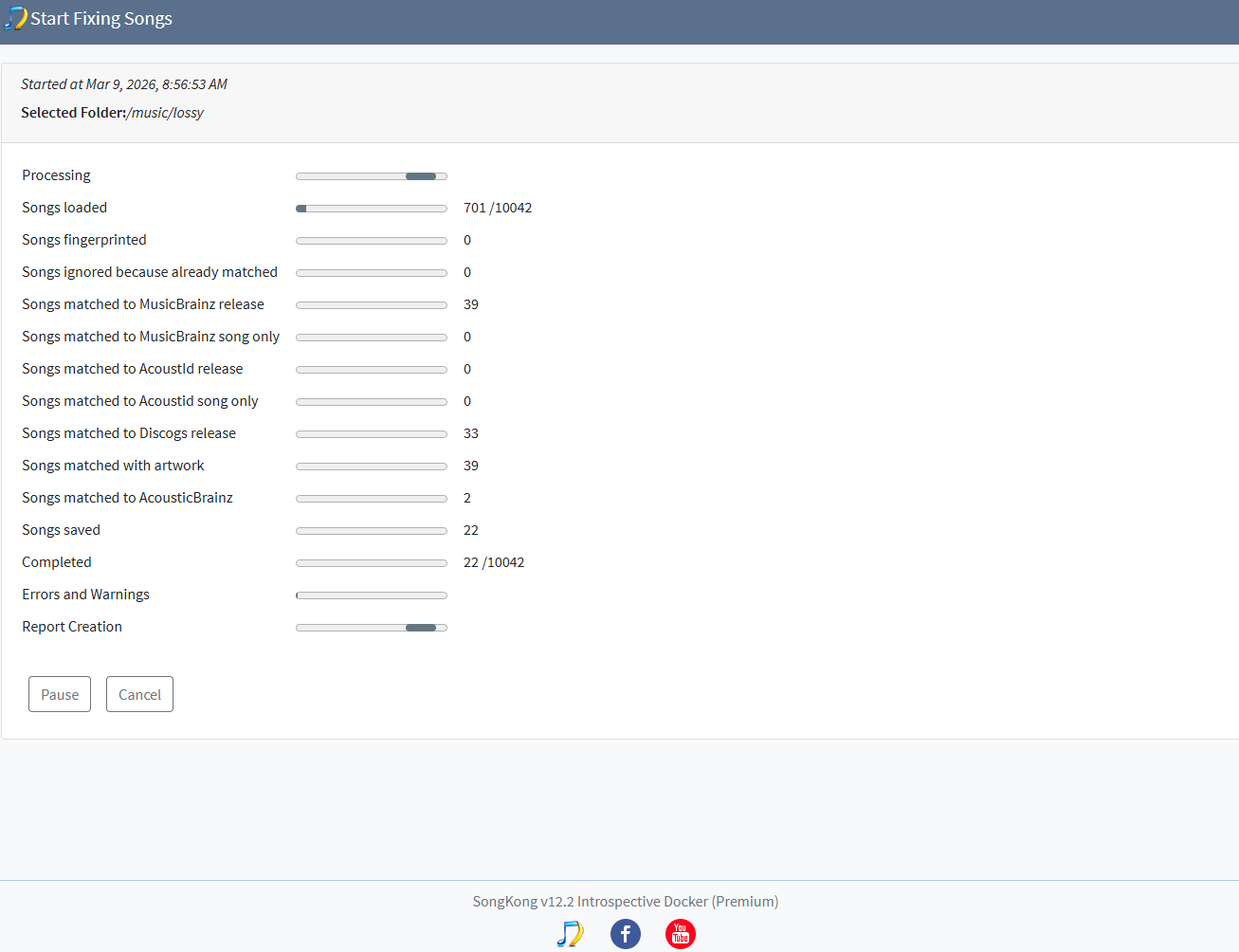
I should note that after posting, I executed the “Empty Log Files,” “Delete Reports,” and “Empty Database” operations, then tried running the process again. Unfortunately it had the same result.

Okay I found an issue, the code that creates the spreadsheet xls section of report failed because it expected a font to be installed.quite why you are hitting this error now I dont know, so there maybe an issue with docker container environment.

I will work on resolving this issue](https://jthink.atlassian.net/browse/SONGKONG-2915) but please note you are running on a single cpu arm32 nas, this is very slow is there anything else you can run SongKong on for now?

08/03/2026 07.45.00:MDT:SpreadsheetReportSection:createNewSpreadsheet:SEVERE: Failed to Create reportFile because no font installed:177 Mb of 1,144 Mb
java.lang.InternalError: java.lang.reflect.InvocationTargetException
	at java.desktop/sun.font.FontManagerFactory$1.run(FontManagerFactory.java:86)
	at java.base/java.security.AccessController.doPrivileged(AccessController.java:312)
	at java.desktop/sun.font.FontManagerFactory.getInstance(FontManagerFactory.java:74)
	at java.desktop/java.awt.Font.getFont2D(Font.java:497)
	at java.desktop/java.awt.Font.canDisplayUpTo(Font.java:2244)
	at java.desktop/java.awt.font.TextLayout.singleFont(TextLayout.java:469)
	at java.desktop/java.awt.font.TextLayout.<init>(TextLayout.java:530)
	at org.apache.poi.ss.util.SheetUtil.getDefaultCharWidth(SheetUtil.java:273)
	at org.apache.poi.xssf.streaming.AutoSizeColumnTracker.<init>(AutoSizeColumnTracker.java:117)
	at org.apache.poi.xssf.streaming.SXSSFSheet.<init>(SXSSFSheet.java:82)
	at org.apache.poi.xssf.streaming.SXSSFWorkbook.createAndRegisterSXSSFSheet(SXSSFWorkbook.java:684)
	at org.apache.poi.xssf.streaming.SXSSFWorkbook.createSheet(SXSSFWorkbook.java:705)
	at org.apache.poi.xssf.streaming.SXSSFWorkbook.createSheet(SXSSFWorkbook.java:88)
	at com.jthink.songkong.reports.spreadsheet.Worksheet.<init>(Worksheet.java:23)
	at com.jthink.songkong.reports.spreadsheet.BasicWorksheet.<init>(BasicWorksheet.java:15)
	at com.jthink.songkong.reports.spreadsheet.SpreadsheetReport.<init>(SpreadsheetReport.java:61)
	at com.jthink.songkong.reports.fixsongsreport.SpreadsheetReportSection.createNewSpreadsheet(SpreadsheetReportSection.java:70)
	at com.jthink.songkong.reports.fixsongsreport.SpreadsheetReportSection.outputReport(SpreadsheetReportSection.java:128)
	at com.jthink.songkong.reports.fixsongsreport.SpreadsheetReportSection.call(SpreadsheetReportSection.java:241)
	at com.jthink.songkong.reports.fixsongsreport.SpreadsheetReportSection.call(SpreadsheetReportSection.java:33)
	at java.base/java.util.concurrent.FutureTask.run(FutureTask.java:264)
	at java.base/java.util.concurrent.ThreadPoolExecutor.runWorker(ThreadPoolExecutor.java:1130)
	at java.base/java.util.concurrent.ThreadPoolExecutor$Worker.run(ThreadPoolExecutor.java:630)
	at java.base/java.lang.Thread.run(Thread.java:832)
Caused by: java.lang.reflect.InvocationTargetException
	at java.base/jdk.internal.reflect.NativeConstructorAccessorImpl.newInstance0(Native Method)
	at java.base/jdk.internal.reflect.NativeConstructorAccessorImpl.newInstance(NativeConstructorAccessorImpl.java:62)
	at java.base/jdk.internal.reflect.DelegatingConstructorAccessorImpl.newInstance(DelegatingConstructorAccessorImpl.java:45)
	at java.base/java.lang.reflect.Constructor.newInstanceWithCaller(Constructor.java:500)
	at java.base/java.lang.reflect.Constructor.newInstance(Constructor.java:481)
	at java.desktop/sun.font.FontManagerFactory$1.run(FontManagerFactory.java:84)
	... 23 more
Caused by: java.lang.NullPointerException
	at java.desktop/sun.awt.FontConfiguration.getVersion(FontConfiguration.java:1262)
	at java.desktop/sun.awt.FontConfiguration.readFontConfigFile(FontConfiguration.java:225)
	at java.desktop/sun.awt.FontConfiguration.init(FontConfiguration.java:107)
	at java.desktop/sun.awt.X11FontManager.createFontConfiguration(X11FontManager.java:719)
	at java.desktop/sun.font.SunFontManager$2.run(SunFontManager.java:374)
	at java.base/java.security.AccessController.doPrivileged(AccessController.java:312)
	at java.desktop/sun.font.SunFontManager.<init>(SunFontManager.java:319)
	at java.desktop/sun.awt.FcFontManager.<init>(FcFontManager.java:35)
	at java.desktop/sun.awt.X11FontManager.<init>(X11FontManager.java:56)

Thank you for your response! If it is as simple as a missing font, hopefully that is an easy fix?

I should have also noted (perhaps I should have opened a separate topic): I initially attempted running from the official “songkong” image on my Synology DS423 which, as I understand, has a 64-bit quad-core ARM processor. However, the container repeatedly crashes immediately upon running with the error “exec /opt/songkong/songkong.sh: exec format error.”

Not knowing what to do, I tried running the “songkong-arm-32” image with the limited success that we find documented in this thread.

Should I be running the 64-bit image, and if so, what could I be doing differently to make that work? Forgive my ignorance. I’m new to all of this.

Hi, no you are using the right thing song/songkong requires an intel processor, whereas the songkong/songkong-arm32 version is usually okay for both 32 and 64 bit arm processor.

Okay, so I didn’t have to change the code just the docker environment. I have now rebuilt songkong/songkong-arm32 so if you remove your container and image, then start again and redownload the image and start new container then hopefully this will work for you.

Thanks for the quick update. I removed my container and image, redownloaded the latest songkong/songkong-arm32 image, and ran again this morning.

Unfortunately I get the same result. The “Fix Songs” process hangs after loading several thousand songs and renders my server unusable until the container eventually crashes. See image below from the web UI during its hanging state.

I will upload error log shortly.

Hi, the Font issue has been resolved that is no longer the issue.

So it did seem to be working although a few calls timed out, Im not sure if the issue is simply SongKong is doing too much work for your nas to handle, certainly it will make the most of cpu and memory to try and get the job done, so with a a low pwered machine like this it is not really possible to use your nas for much else whilst SongKong is running Fix Songs.

So it definenlty crashed rather than it appeared to be hanging and you kiled it off?

It maybe I need to do some tuning for low powered machines.

Solutions

It would be helpful if you could try the Status Report to see if it can run this or not.

Whilst I realize it is not ideal a practical solution would be to install on your PC instead and remote mount the nas files.

It actually was able to run the Status Report. It took about 90 minutes to run on my 18,000-song library but it did complete. I was also able to run a Fix Songs operation on a single album folder (1min 11sec runtime).

It seems that SongKong is unable to run FixSongs on large batches of files using the Synology DS423 hardware. I will need to consider my next steps. I had hoped to use SongKong as a single solution to fix tags, remove duplicates, and then to maintain my collection but it seems that may not be feasible. I am not ready to request a refund at this time but it seems that may be one possible scenario.

Ok that’s something. Did previous Fix Songs container actually crash, or did you stop it when it appeared to be hanging?

Previous container appeared to crash. After it hung, I attempted to Pause and then Cancel the operation from the web UI. It appeared unresponsive so I left for about an hour. When I returned, the container had stopped.

For now I am running a smaller Fix Songs operation on a smaller batch of just under 800 files. I will let it run without touching and let you know what I find. It might be feasible for me to work alphabetically through my library (Fix album artists “A”, etc.)

Ok, could you Fix Songs once more and leave it overnight.

That is a good plan. I will let it run tonight and see where we end up in the morning. Thank you Paul!

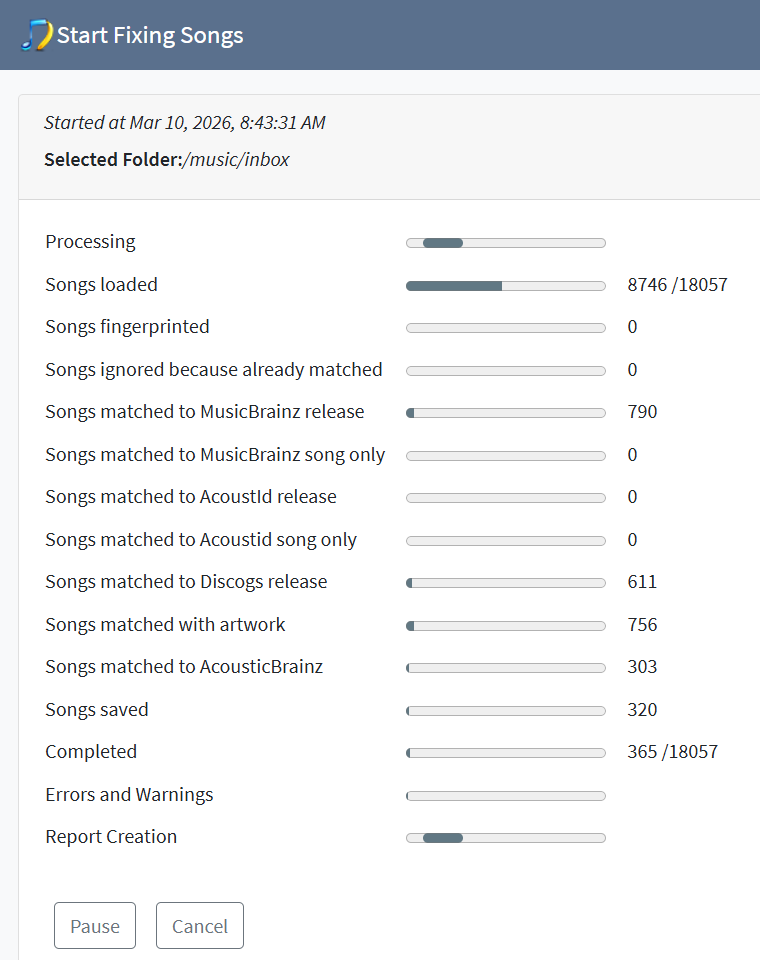
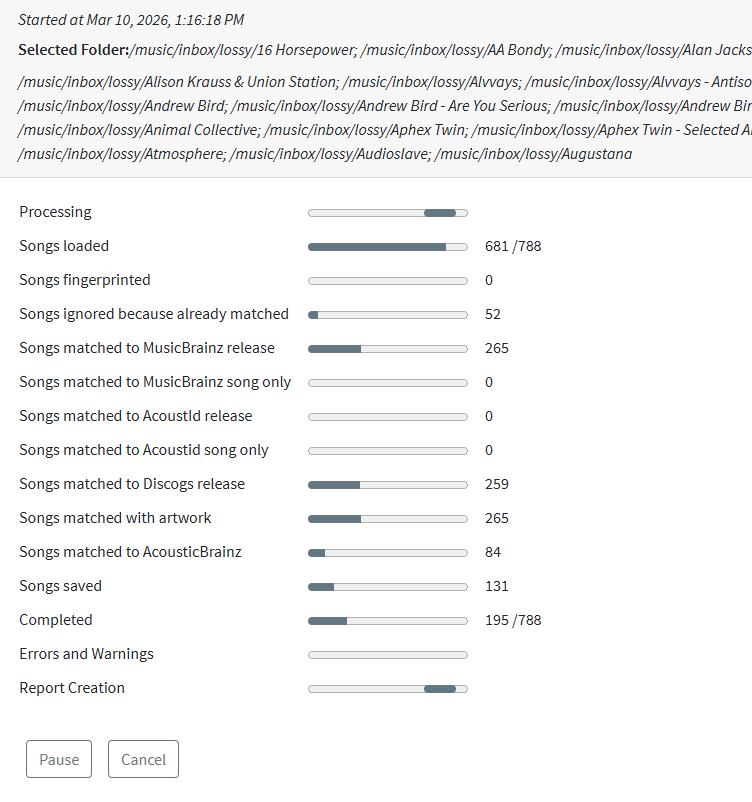
Unfortunately the container stopped after 18 minutes of running Fix Songs on a batch of 788 songs. It appears to have completed 195 songs. I just restarted the container and uploaded support files.

For now I’ve fallen back to mounting my NAS files on a beefier Windows machine and running SongKong from there. It is working beautifully.

Screenshot 2026-03-10 135658

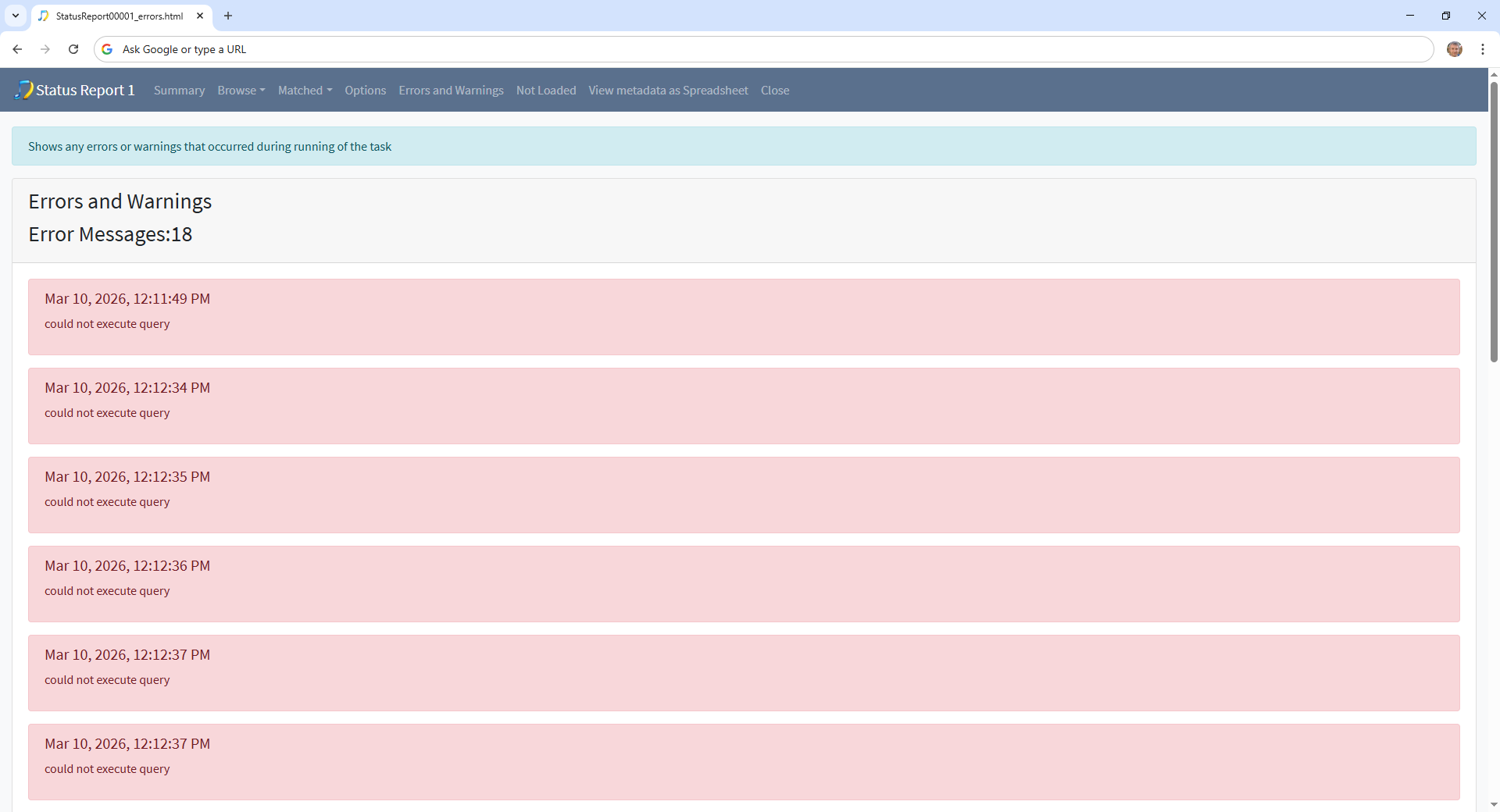
Hi, okay although Status Report worked it did have issues with some folders

And looking into it I think I have worked out the issue. In the last release as part of performance and error handling improvements we added a query timeout of 1 minute when we query our local database. Now most of the performance handling was aimed at fully utilizing cpus and memory on powerful machines but I think this has caused us to try and do too much work on lower powered machines, and then because too much work is being sent their way some queries timeout.

I think you said it was Quad core by SongKong reports as only one core

09/03/2026 10.26.38:MDT:SongKong:writeSystemInfo:WARNING: SongKong 12.2 Introspective 1195 03/03/2026 using Java 14.0.2 14.0.2+12 32bit on Linux 5.10.55+ arm initialized successfully
09/03/2026 10.26.38:MDT:SongKong:writeSystemInfo:WARNING: No of CPUs:1

Status Report handled these unexpected timeouts and managed to continue with the other folders, Fix Songs did not handle this case.

I already had this issue raised to set adaptive limits based on computer and just raised issue to handle the query timeout properly if it does occur.

So I’m glad that SongKong working well on Windows for you, bear with me I plan to tackle these issues on your nas immediately and should have a new release out by next week that should hopefully fix the nas issues.

Thanks for the update! I will keep an eye out for new releases. In the meantime, the software is working great from Windows. It has already saved me many evenings of manual work. I appreciate it.

1 Like

Hi, okay I have now released Introspective 12.2.1 with fixes for these issues

It would be helpful if you could do the following please:

  • Install 12.2.1
  • Run Status Report task first
  • Run Create Support Files so I can check that this simpler task is now working totally correct
  • Then run Fix Songs, hopefully this will also work
  • Rerun Create Support Files so I can check results

thanks Paul