Hi everyone and Paul,
I’ve been experiencing a frequent issue when launching SongKong Pro. Almost every time I start the application, I run into a cycle of license connection errors.
Specifically, I get this message first:
“Unable to connect to the SongKong license server. Your Internet connection appears to be working, but the license server could not be reached, this may be caused by firewall or security software, or a temporary network problem”
Followed by:
“SongKong was unable to verify your license. Would you like to try again?”
To get past these prompts, I often have to restart the application multiple times—sometimes taking up to 15 minutes before it finally resolves and allows the application to open properly.
A few system details:
• Operating System: Windows 11
• Network: Active and stable connection for all other applications.
• Jaikoz Behavior: I also run Jaikoz on the same machine and occasionally see a similar startup connection error message, though it happens less frequently than in SongKong.
Because this happens on nearly every launch, it feels like a local firewall rule issue, antivirus interference with outward connections/ports, or a problem with stored license caching.
Would you recommend doing a complete reinstall, or is there a specific setting or firewall rule I should check? Any troubleshooting advice would be greatly appreciated!
Thanks!
Recurring license verification & connection errors on startup (SongKong Pro & Jaikoz)
Hi, I believe I have now fixed this, when did this problem start and is it still occuring?
What platform do you use SongKong on?
Hi
I run SonKong and Jaikoz on Windows 11 Pro and this started on or about 24.09 and happened as recently as yesterday (12.10).
Are you using a virtual/different mac address every time you start?
I am on a desktop using a standard wired Ethernet connection with no virtual machines. I recently switched to Community Fibre with a new Linksys router, which might have changed my connection details. Would it be easier for me to uninstall and do a fresh installation?
It should be fixed now for SongKong, I literally fixed the SongKong server yesterday so please restart SongKong a few times to see if now okay, but I wasn’t aware there was an issue with Jaikoz. So I am guessing SongKong is now okay but not Jaikoz, let me know.
Hi Paul. I am still receiving the messages when I ran SongKong at 20:05 BST. JaIkoz ran without any issues.

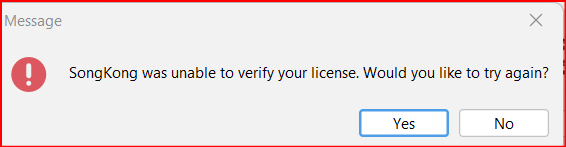
Thanks
Eddie
Ok, please download SongKong 12.10 released today and try that.
Looking at your account it doesn’t seem you would be hit by the multiple mac address issue so it may be a different issue, if you hit a problem again with SongKong 12.10 please use Admin:Create Support Files to send me your logs since I added additional logging in SongKong 12.10 Sumday.
So far, they are both running without any startup hiccups since updating to SongKong 12.10, so I will keep an eye on this and shoot across a log if this issue recurs. Thanks
Hi Paul,
Just updated to the latest (win, not portable) 12.10 today, and it says my license is not valid 
(The message is just “this license is not currently valid (…)” so it’s not a connexion issue I guess.)
Your help here will be appreciated.
Thanks
Jérôme
Hi @jeromeip , it expired on 2026-09-06 so would be invalid for the latest version, you can see this via Help:About. It just requires payment for version updates period.
 OK that simple!
So let’s go for 3 more years 