SongKong Jaikoz

SongKong and Jaikoz Music Tagger Community Forum

Multi Artist tagging for Minim

I’m using Minim Server and Songkong in Dela/melco N5.

I’m trying to tag multiple artists in a track. In Artists field I manually edit the artists with ‘;;;’ separating 2 artists.

But Minim Server is only picking up the first artist for indexing as well as for display.

I’m using aliasTags : Artists:-Artist, Artists_Sort:-ArtistSort and Album_Artists:Album Artists, All Artists:Artists in indexTags.

Any idea what is going wrong ?

Regards,
Sourav

No, unless you havent reindexed MinimSever?

@paultaylor I’m starting the minim server and rescanning every time I changed and saved the metadata. Will it not reindex the minim server ?

Otherwise, what exactly is needed to reindex the minim server ?

Regards,
Sourav

Hi Sourav,
I have many albums with multiple artists per track and Minim can display that without any problems.
If you haven’t already, I would recommend doing the following as a precaution: in Properties/Advanced, change the value for “startupScan” to “full” and then perform a rescan.

This will force the scan to completely reread and process the data.

Regards, Klaus

@Airtoklaus Just tried your tip. Still not getting result.

I’m wondering whether I’m making any mistakes in updating multiple artists in the SongKong web interface.

I’m doing something like this in the ‘Artists’ field in manual Edit of SongKong’s web interface for a track: Duke ;;; Coltran. And I’m expecting the track as well as the album should appear under both of ‘Duke’ and ‘John’ when I go to the Artists.

Regards,
Sourav

Yes, that’s exactly how I’m proceeding, with the result you expect;

Are there any “error” or “warnings” in the Minim log?

Could it be a communication issue with the control point (I’m using the LINN app)?

If I have multiple track artists, I leave the “Artist” field blank—I only use the “Artists” or “Sort Artists” field.

To be honest, I’m a bit stumped at the moment.

Perhaps you could post this in the Minimserver forum.

Best regards,
Klaus

Lease run Create Support Files so I can check your metadata edits.

@paultaylor I just created and sent the support files.

Regards,
Sourav

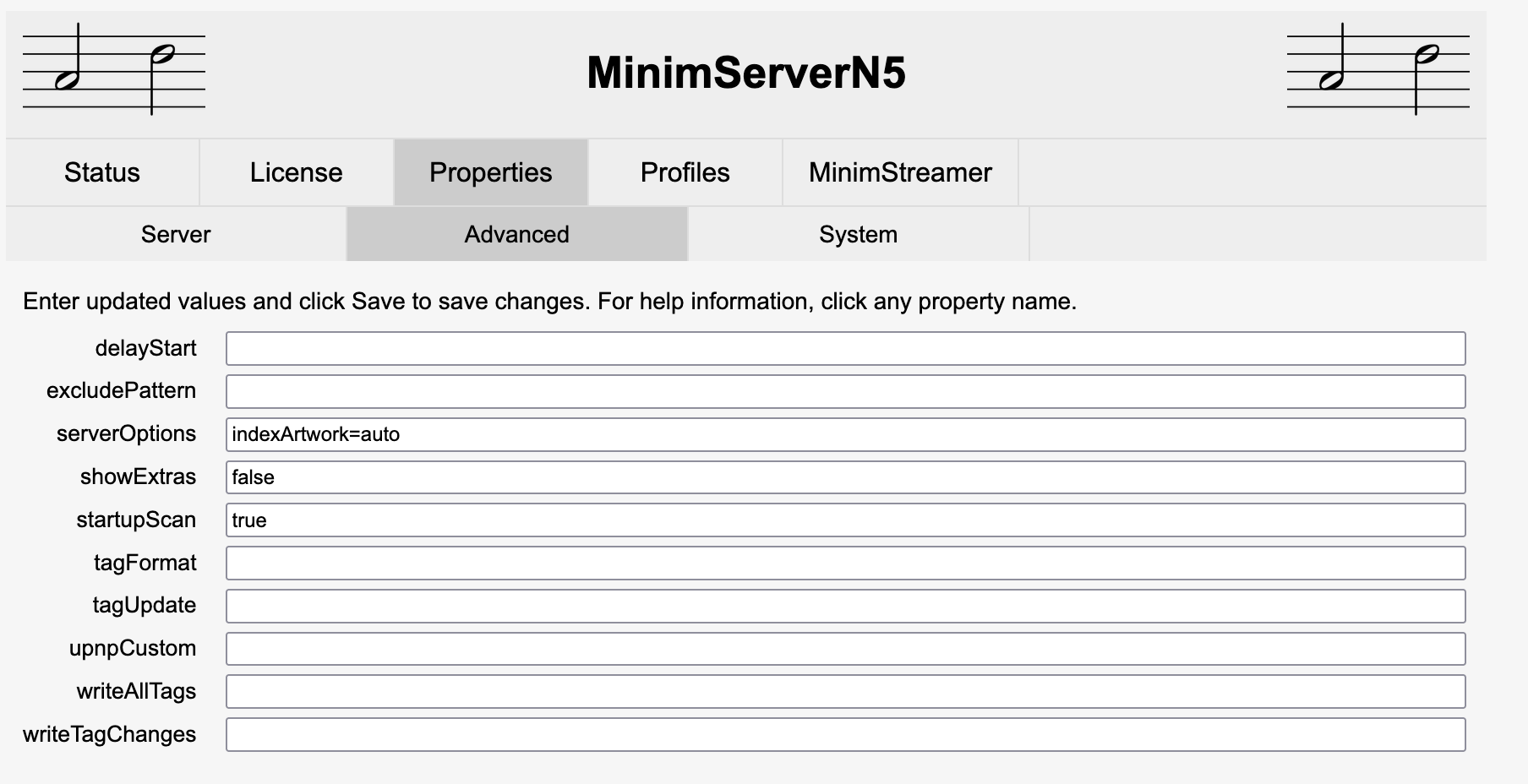
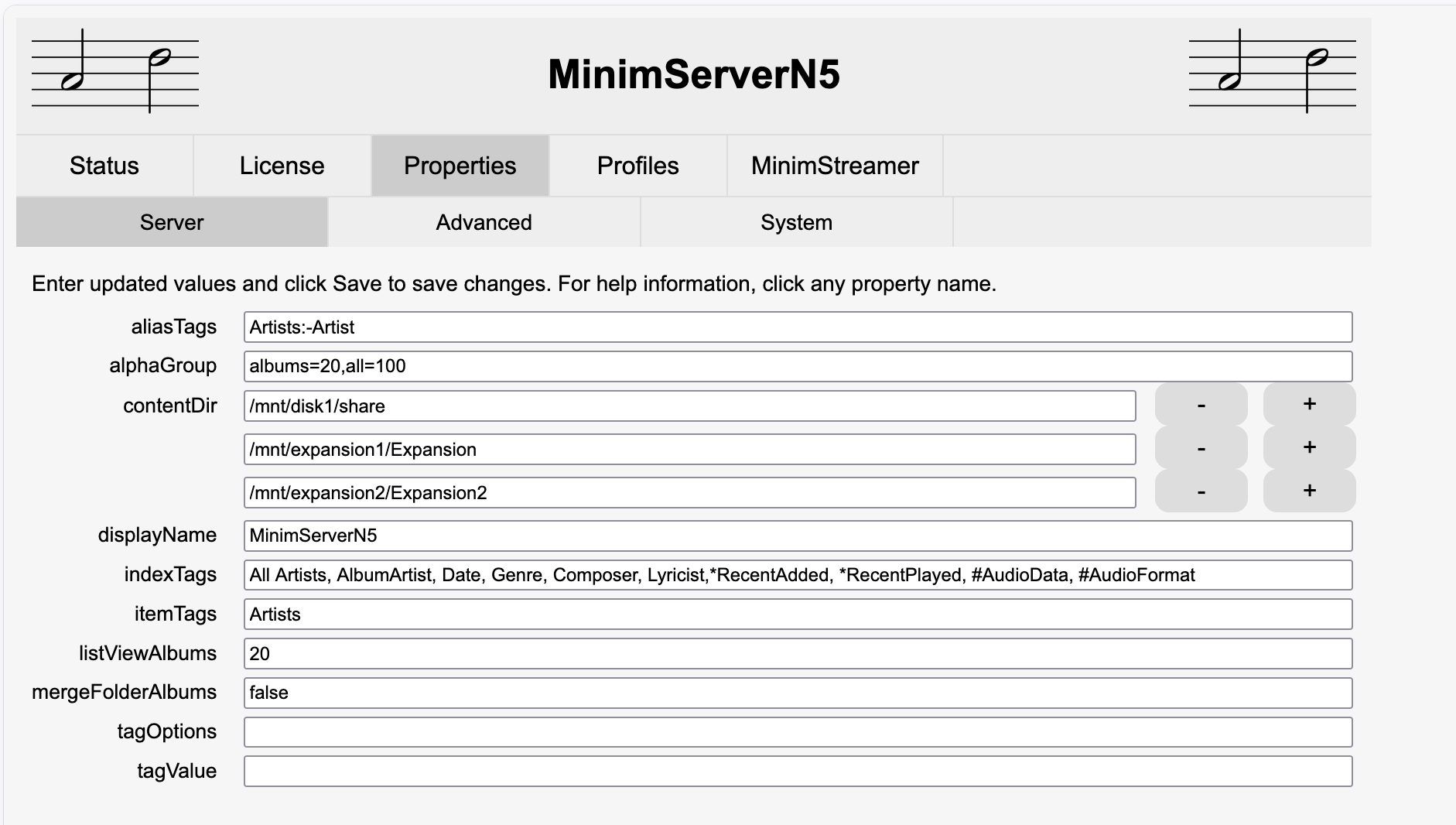
@paultaylor here r my minim server configs -

Screenshot 2026-06-24 at 10.43.41 AM

@paultaylor @Airtoklaus I think I got the issue.

The problem is happening only for wav files. For flac files the ‘;;;’ delimeter works fine.
For the wav file only way to make Minimserver understand multiple values for a tag is to use ’ / ’ as the separator.

Also, I realized there is not much use of the ‘Artists’ custom tag. If I use right separator (’;;;’ for flac and ’ / ’ for wav) for ‘Artist’ field that is good enough.

Regards,
Sourav

It’s good that the problem is solved.

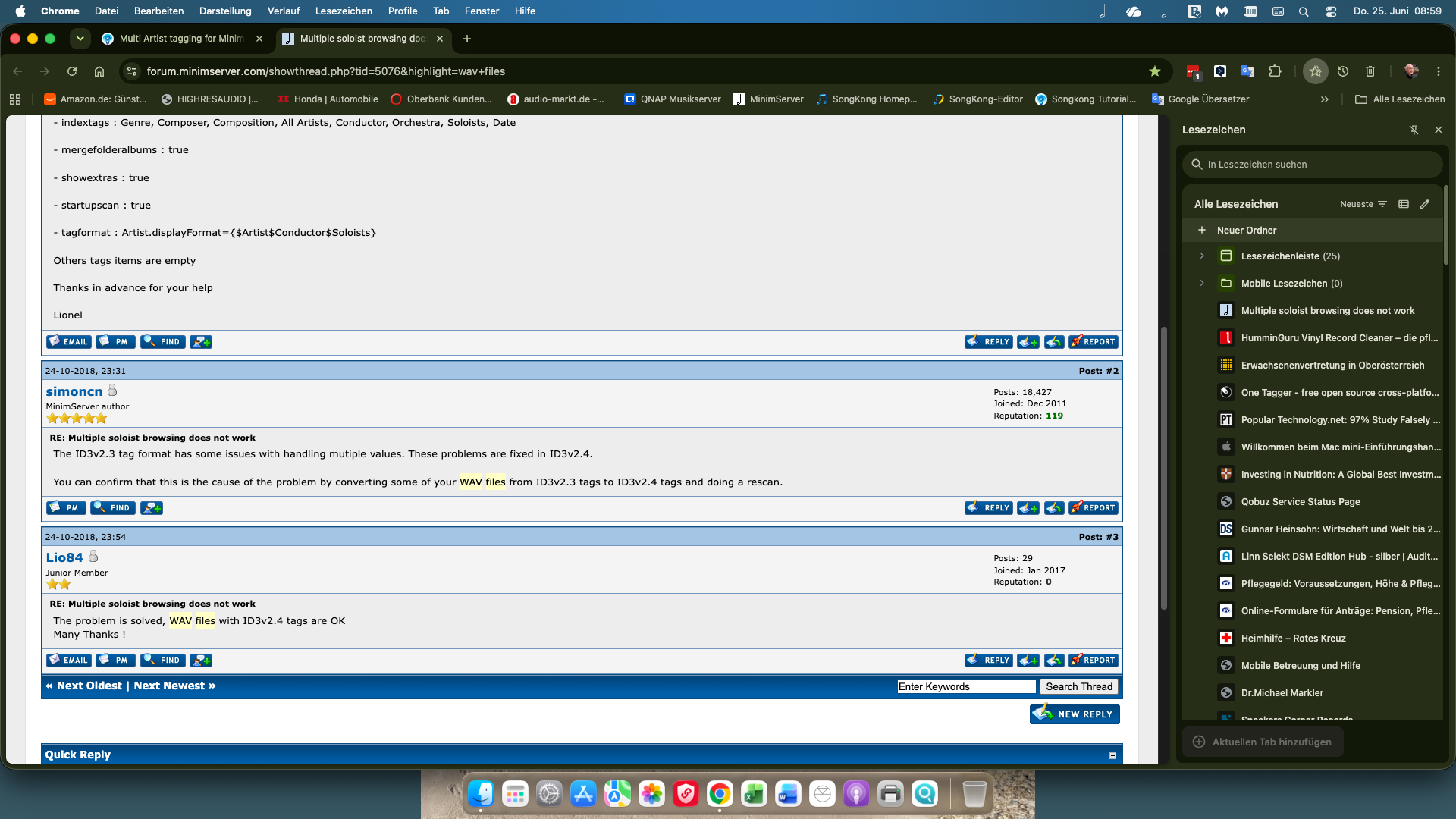
I remember a few years ago there was a post in the MinimServer forum about WAV and multiple artists. Back then, the solution was to convert ID3v2.3 tags to ID3v2.4 for all WAV files. (See attachment)

By the way, I always thought that for multiple artists per track, you had to use the “Artists” tag to find them separately in the search.

Klaus

Hi, I think @Airtoklaus is correct.

For the ID3 format it actually stores separate values using the null character (ascii zero byte) and we can force this using the ‘;;;’, to be clear the ;;; are not actually stored in the file this just indicates that we want to store as multiple values.

Now, this is the official way of storing multiple values in ID3v24, but there is no official support for this in ID3v23, like many applications we do this anyway for ID3v23 but MInimServer will only read multiple values if using ID3v24

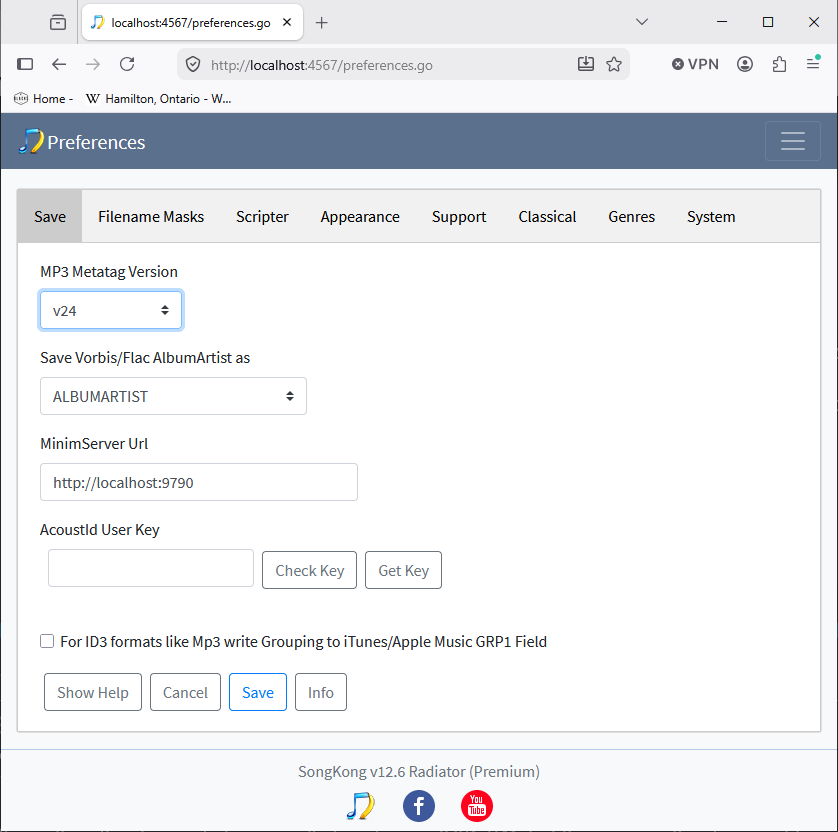
Now, we have a option in Preferences called MP3 Metatag Version and you already have this set to V24 so that this will automatically convert V23 to V24 however it only works for Mp3 files not other formats that use ID3 such as Wav, we have an issue for this that I will try and get resolved for next release.

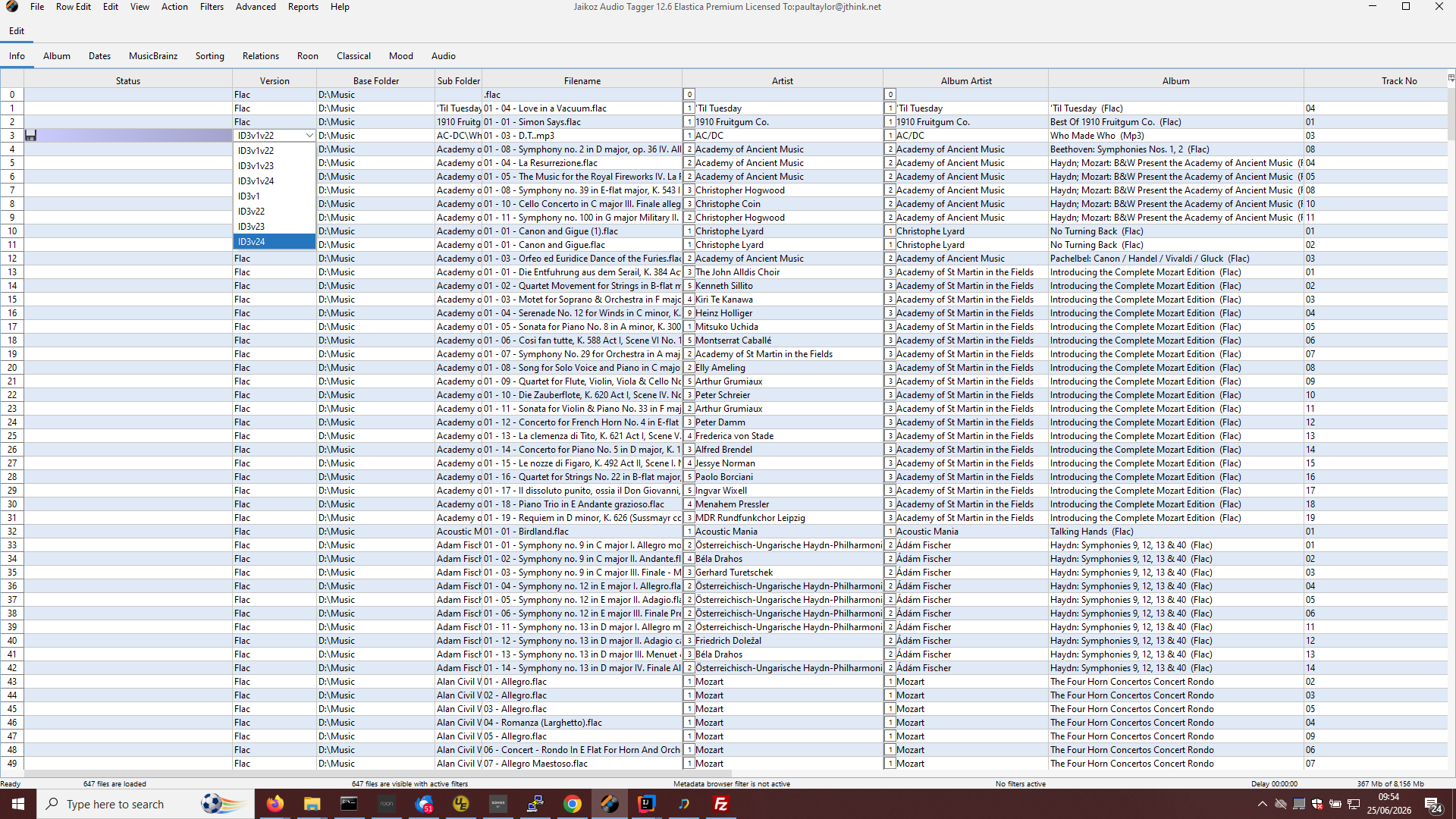
In the meantime the workaround would be to use another tool such as Jaikoz to convert your Wav fields with ID3v23 tags to ID3v24 tags
image

It has also come to my attention that SongKong does not show the ID3 tag version anywhere so I have raised an issue to address this as well.
2 Likes

In the mean time I’m using ’ / ’ as separator in the text in Songkong. That is working. So I’m staying with that.

BTW, another issue is the If I use “Artists” tag, this ’ / ’ based solution is not working either. I have to remove everything from the 'Artists" field to make this solution work.

Regards,
Sourav

If using ID3v23 for the Artist tag MinimServer will interpret the / as a multi field separator because in IDv23 the / was considered multiple field separator for a limited set of fields. But it will not interpret this as multiple values for the Artists tag because the Artists tag is not one of those fields.

Nor will this work for Flac files

So I suggest your ‘/’ solution is not really a solution, the correct solution is simply to convert your IDv23 tags to ID3v24 tags.

Thanks for the input. This connects the dots.

I tried Jaikoz and changed the ID3 version to v24 first. Then changed the ’ / ’ to ‘;;;’. Also I put entries in the ‘Artists’ field. It seems with v24, Minimserver is picking up values from ‘Artists’ tag.

Thanks for helping me to fix this.

Just one question, can I fix this ‘update to v24’ issue by using a script in Songkong ?

Regards,
Sourav

Hi, no there is not a way to use a script to change tag version, and as explained there is the Mp3 Tag Version option but that doesn’t curently work for formats such as Wav