Memory issue cancelled fixing songs (java heap space)
So if only 44,000 left in that folder it looks like SongKong has processed more than half so re-running should hopefully complete the test.
Great. Thanks! Will do.
Question: Most of the music folders seem to be on the first level of my external drive -
/Volumes/Music
While the untouched files are (I believe) in a folder called Music -
/Volumes/Music/Music
Should I have SongKong only focus on that sub-folder? Or doesn’t it matter?
Yes, good idea just apply to /Volumes/Music/Music
Will do. Thanks, Paul!
It’s already going a lot faster! Not sure why but I’m hopeful.
FYI I have raised for the rename files issue because definently solvable going forward. Also I raised an issue for the Fix Songs failure but that is harder to resolve.
Thanks, Paul. So, the process finished. Hurray for that.
But now my Library is in two parts - one on /Volumes/Music and the other on /Volumes/Music/Music
Any advice on how to combine them? There are similarly named folders in both with different contents. If I drag and drop will they combine or will it be a mess? Is this something SongKong can help with?
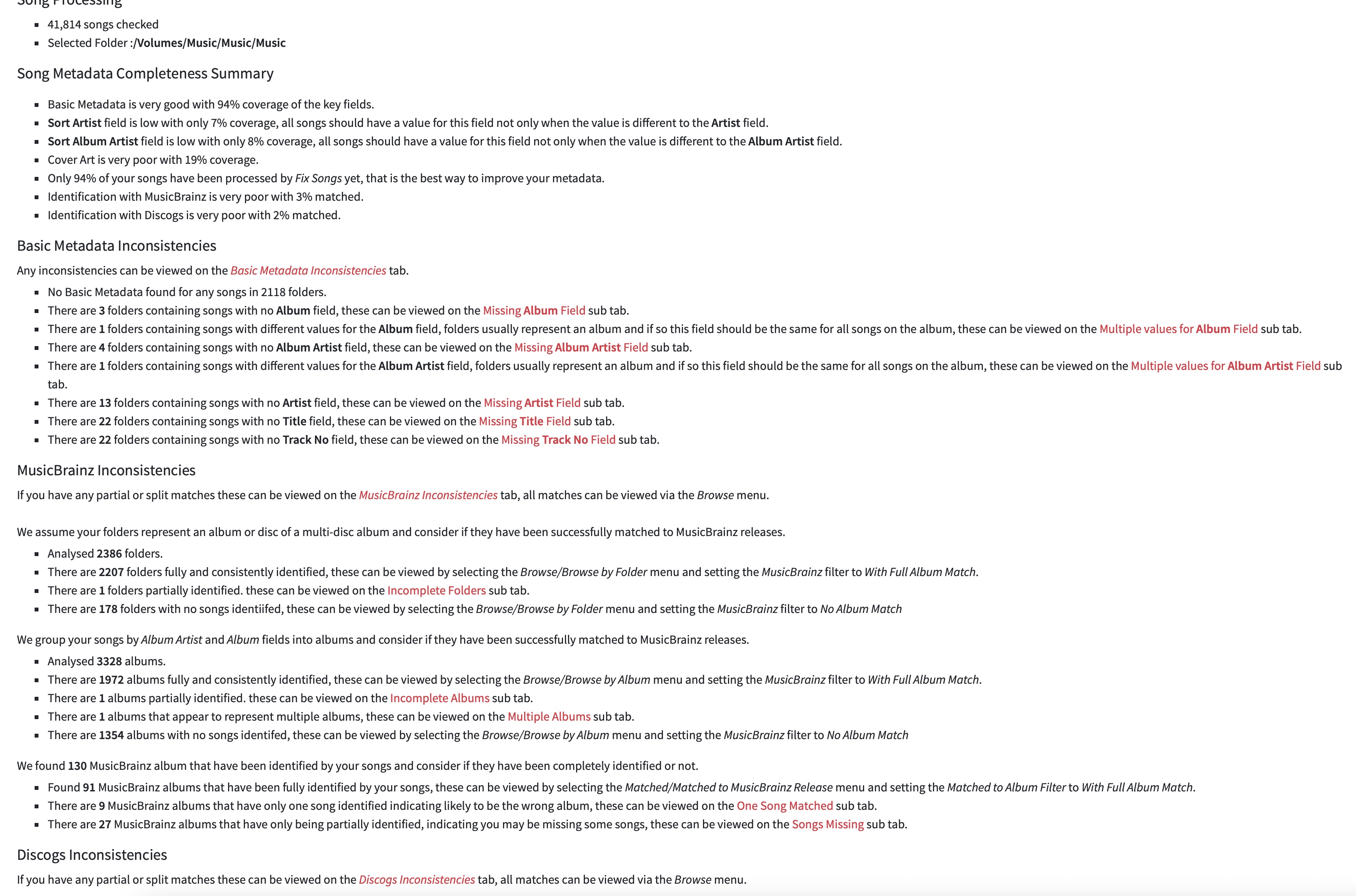
Could you run Status Report on /Volumes/Music and then run Create Support Files please so I can take a look, that is the safest way to do things.
Will do. Thank you! Will report back with the reports…
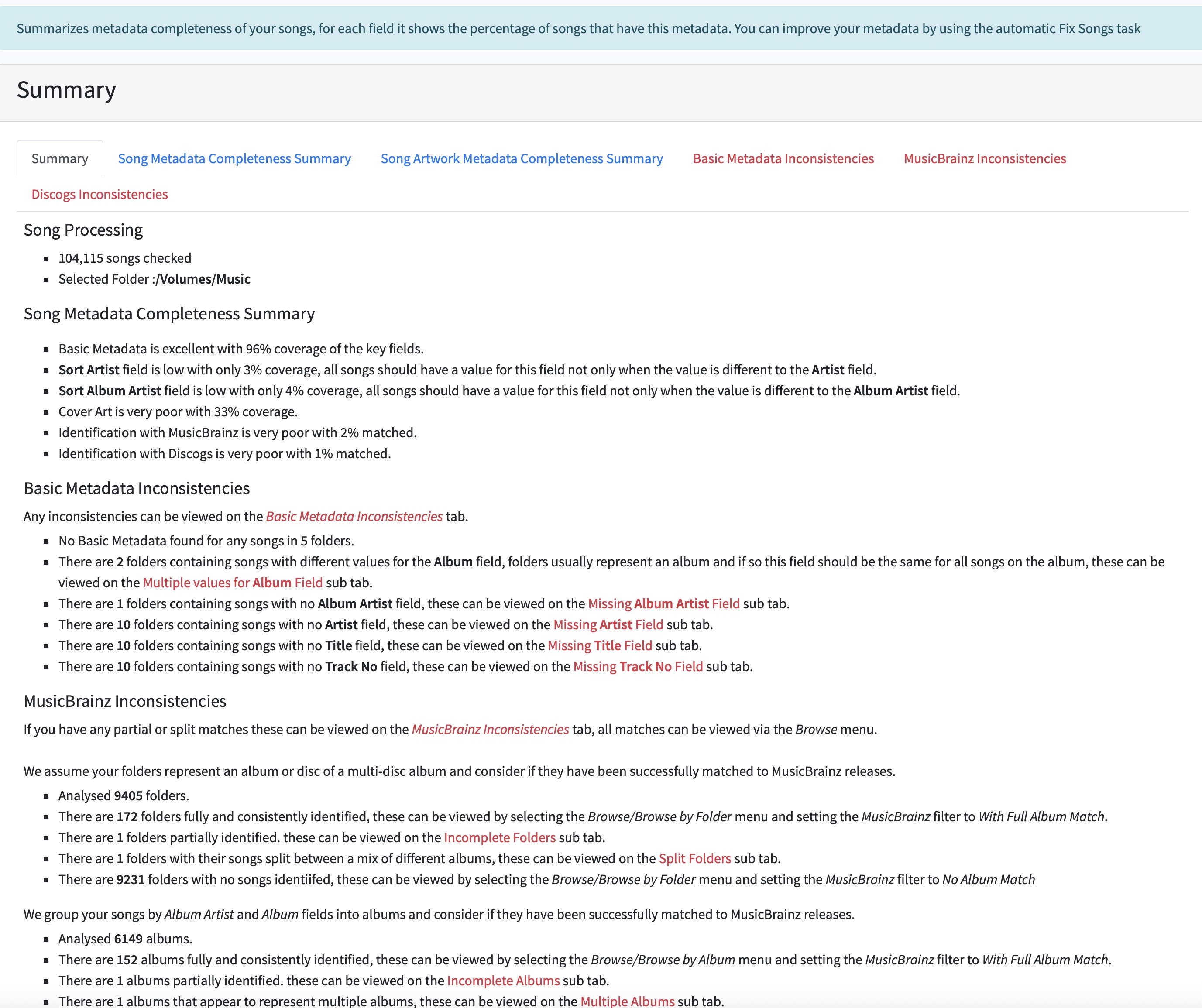
Okay great so I checked your reports so when you last ran Rename Files you didn’t set Base Folder to /Volumes/Music and that is why some are still in /Volumes/Music/Music but since they are now in subfolders underneath that not a major issue.
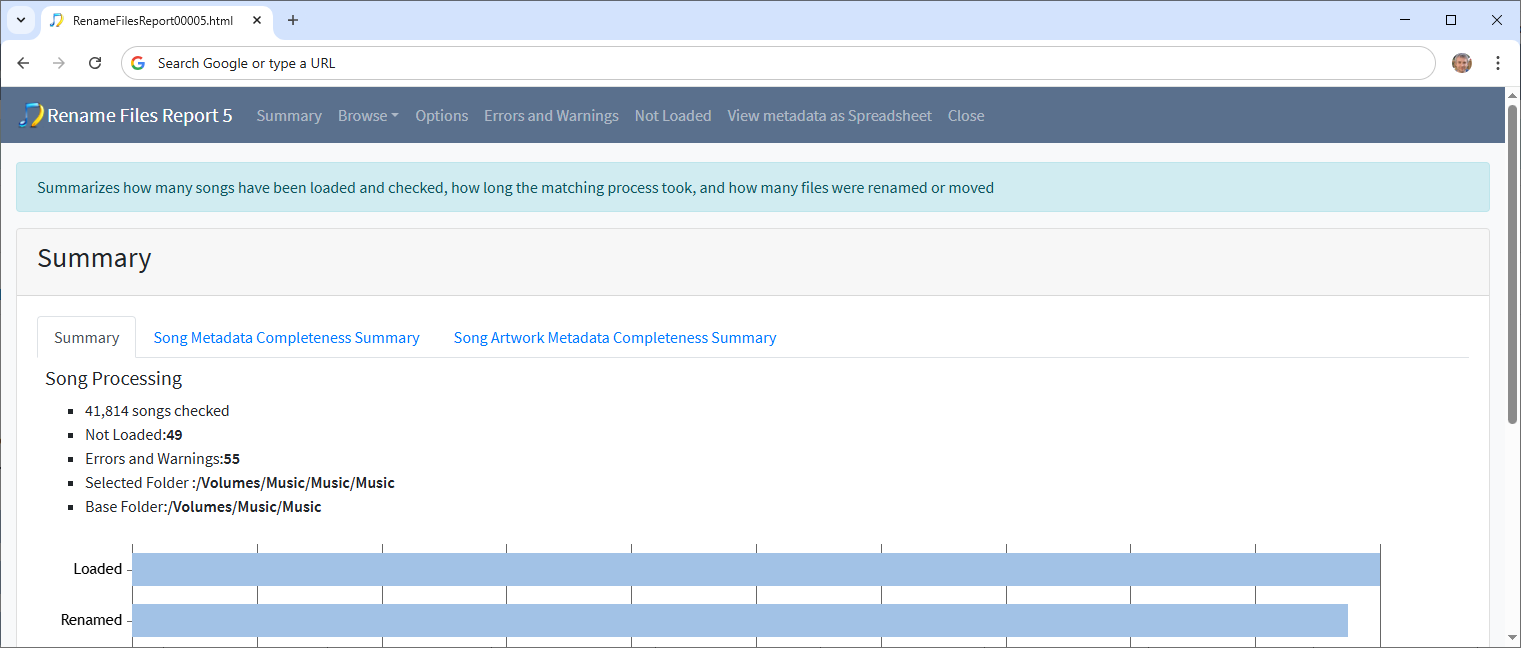
What I would do is rerun Rename Files on /Volumes/Music ensuring Base Folder is set to /Volumes/Music now with If song moved to another folder move set back to Everything and that should work fine now and get everything at the same level.
Then I would run Fix Songs on /Volumes/Music to actually identify and improve the metadata in the majority of your music collection.
Will do. And, yet again, many thanks!
So Rename Files worked quickly, but while the majority of folders are in /Volumes/Music, there are a large number of folders (plus ~500 music files that aren’t in folders at all) in Volumes/Music/Music/Music.
I’d love to fix this somehow before running Fix Songs, if that’s possible without a lot of manual labor.
I’ll run Create Support Files…
Hi, these files were not moved because they insufficient metadata for them to be put into meaningful folders based on their metadata. In the Rename Files task the Rename files based on metadata option is set to Yes if has metadata so it doesnt move files with no metadata
For example look at this folder /Volumes/Music/Music/Music/David Alan Miller/Cuong_ Orch Music
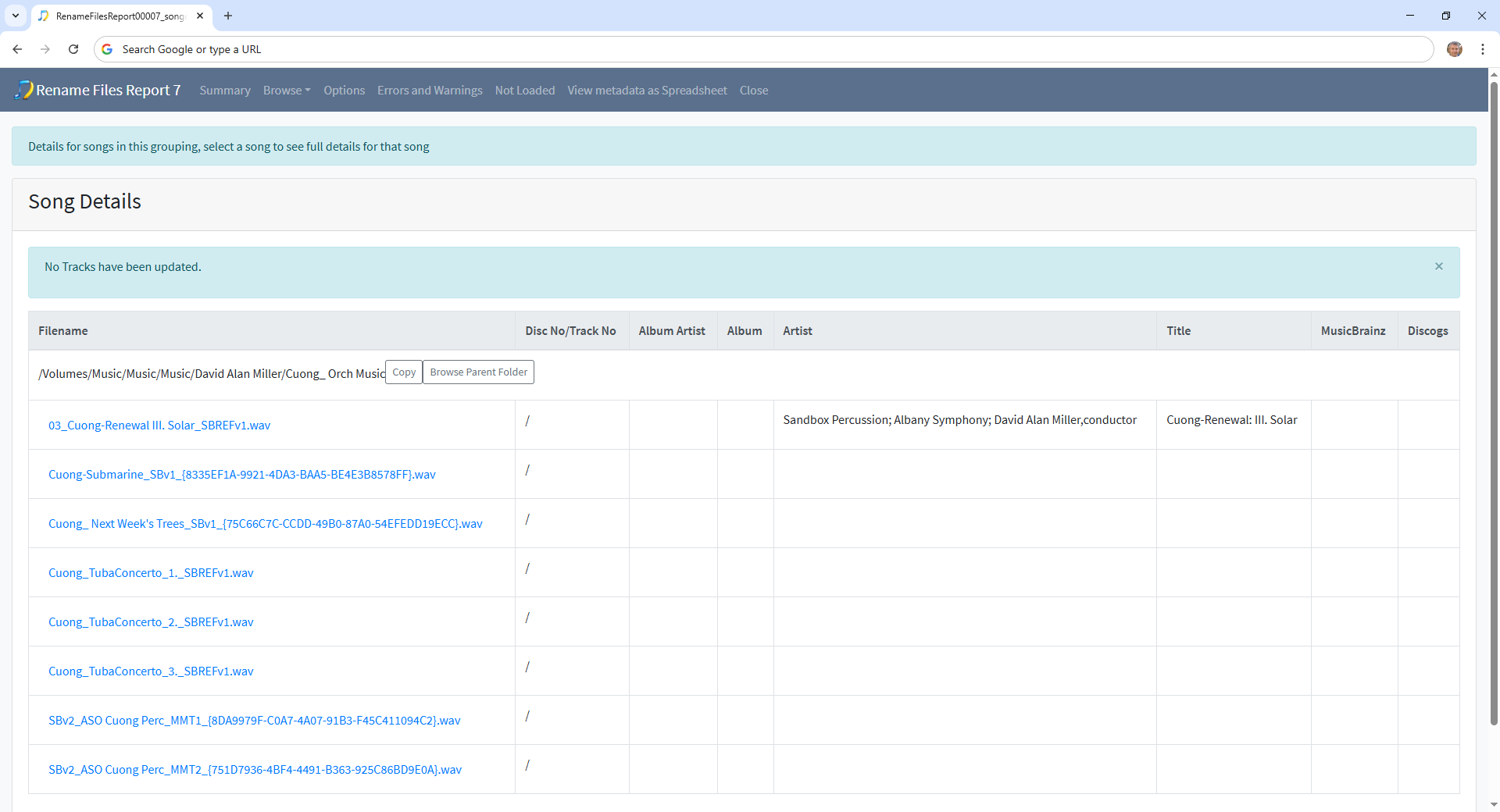
Only one file has any metadata, however they are clearly grouped together and reside in a folder that represents an album so your best best is to run Fix Songs now because although they have little metadata they are grouped meaningfully in folders. Hopefully Fix Songs will identify them and then a subsequent run of Rename Files will then be able to put them into album based folders using the metadata added by Fix Songs.
Remember we would usually run Fix Songs first and then Rename Files, we only ran Rename Files first because Fix Songs could not cope with so many files directly in one folder.
Gotcha. I truly appreciate your patience!
Update:
So Fix Songs as progressing EXTREMELY slowly and when I woke up this morning, it had stalled overnight. I stopped that process, manually moved the unfiled songs to a new folder, used Fix Songs with those, then manually moved those into the appropriate folders.
Next, I dragged and dropped the folders in /Volumes/Music/Music/Music into /Volumes/Music, skipping the folders that had duplicate names. Turns out most of those were empty, but it was only 400+ so I manually went through those. Now I FINALLY have a combined library. I’m sure it’s a bit messy (some empty folders, I’m guessing) but I now feel I can run Fix Songs properly.
My question is: What settings should I select so it doesnt go at a snail’s pace and end up stalling after several hours?
Thanks!
Hmm, now you have sorted out your folders SongKong should on usual circumstances for about 20,000 songs an hour.
So I’m starting to think that maybe there is issue with your computer, possibly AntiVirus software.
Could test this by running in preview only, if that works fine then it points to the difference is where actually modifying files perhaps to anti virus checking?
I’m using a Mac that’s up to date. I don’t have any special anti-virus software installed (that I know of!). Could it be because my Music Library lives on a portable external drive (5TB)? I’ve been thinking of investing in a powered external drive.