running on a new box, all good now thanks. i can match to one album again
Match to one album not working
1 Like
Thanks for your latest support files, I think the failure was due to track duration mismatches but it would be helpful if you just detail what album you were trying to match and what happened. I’m going to try and do some work on this issue this week ready for a new release next week.
just a feeling, but i think the match to one album is alot slower now also, like 5 mins plus per.
one thing i did fix on my own was log into acoustic ID, grant access . also with musicbrainz , token thing
using a new pc motherbrd , but drives i had before. but on 5g cell bandwidth
audioranger has yielded more consistent album matches, especially when songkong doesnt find album but will track matchs
also just more info for perspective,
i use mediamonkey for final tag and player…
only 1 reason , autoDJ… have not found another tool or program that can match this powerful utility…
BIG DATA background process, multiple bank sources, cant recall where i read about it
its tag system is far from perfect, but i need it to fingerprint / calibrate to those outside meta sources
d j club mix vol 4 1994 by polytel 740 007-2 barcode
776974000727
ran this disc like 4 times , was like wtf just happened
so the / this new match screen poped up as most were 58 %… i closed that, no other options
behind it normal album select screen. clicked ok.
the tracks list popsup … like normal
press ok , then it runs a process screen i dont recal happening before, like the one it runs when matching trackjs.
NOW POOF… tracks are not in the folder anymore… vanished
submited logs files under match by album
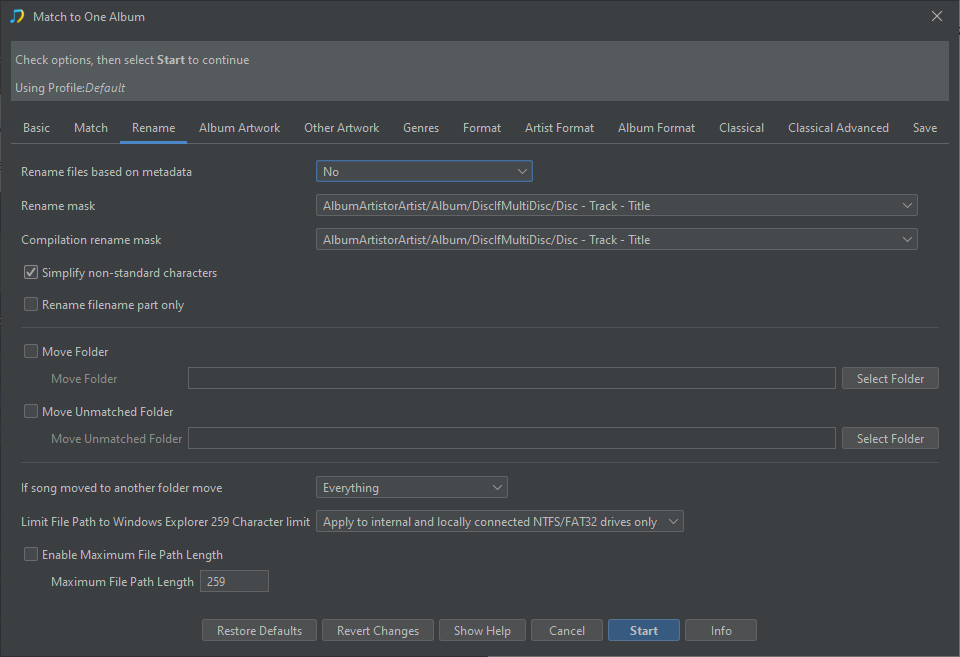
Hi, okay it isn’t actually deleting the files it is renaming them. This is a side effect of me changing the default value of Renames Files based on Metadata from No to Yes if matched to a release for the Rename Files task - See https://jthink.atlassian.net/browse/SONGKONG-2896
I didn’t consider that this would already make it the default for Match to One Album task as well which I did not intend
So if you go the the Activity Log tab we see the songs have been moved to D:\Various Artists\D.J. Club Mix Vol. 4 and then because D:\ripTOfolder\Unknown Artist is now empty it is deleted
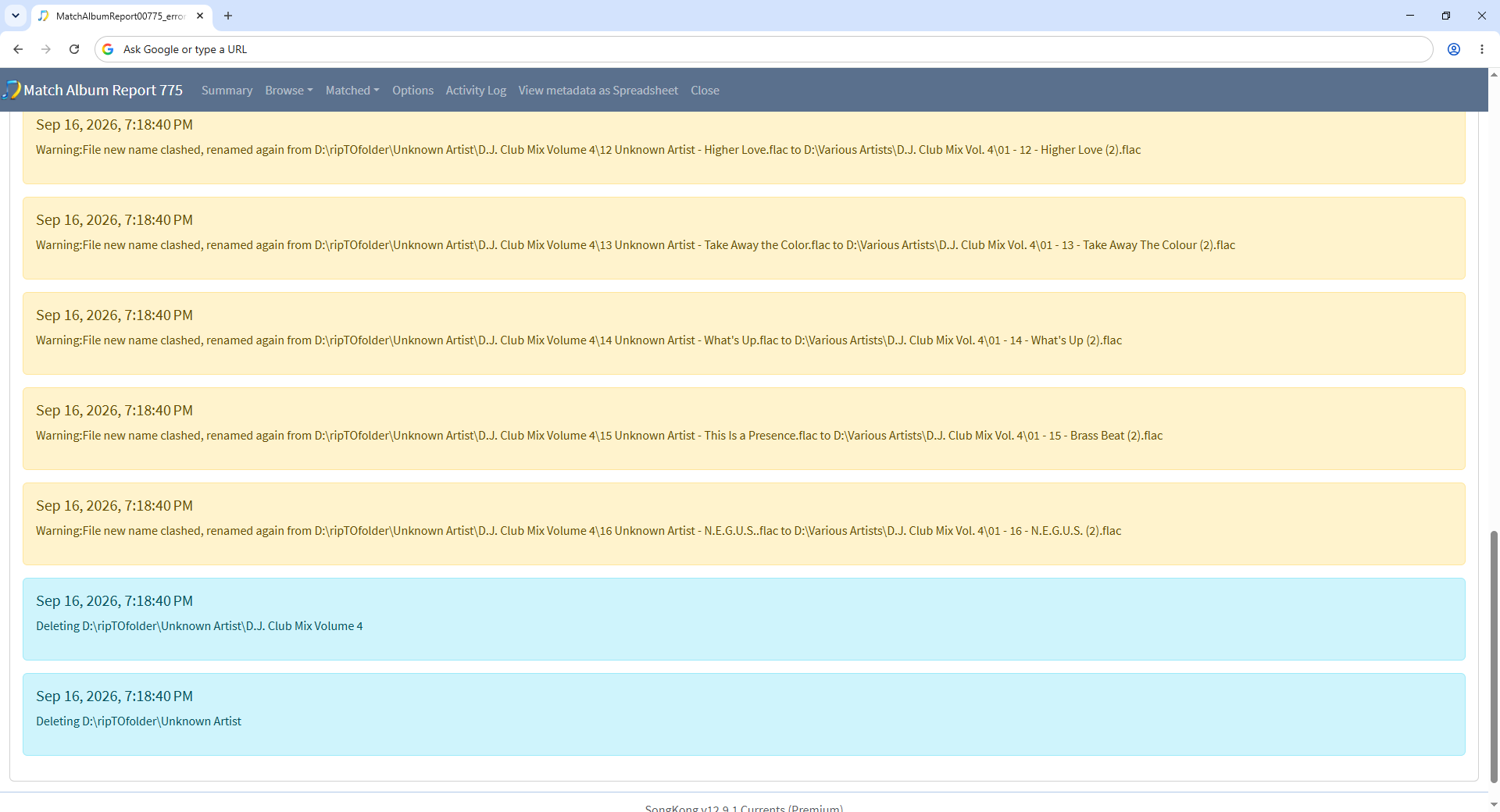
The solution for you is within Match To One Album/Configure…/Rename to set Rename files based on metadata back to No , I will update SongKong so that the default for Match to One Album is No - https://jthink.atlassian.net/browse/SONGKONG-3049
sent email , there are no files in folder left after this. 0 kb of data
Hi if you mean there is nothing in D:\ripTOfolder\Unknown Artist ? - that because the files have been moved to D:\Various Artists\D.J. Club Mix Vol. 4
Can you put some files back into D:\ripToFolder then just try my solution please of setting Renames Files based on Metadata to No
that worked thank you
1 Like