Hi- is there a way for SK to auto-move albums successfully matched with Match To One Album into my main library upon completion?
I’m not finding an option and it’s not mentioned here.
Thanks
Hi- is there a way for SK to auto-move albums successfully matched with Match To One Album into my main library upon completion?
I’m not finding an option and it’s not mentioned here.
Thanks
Hi, yes on the Rename tab enable the Move Folder option and set the folder to your main library
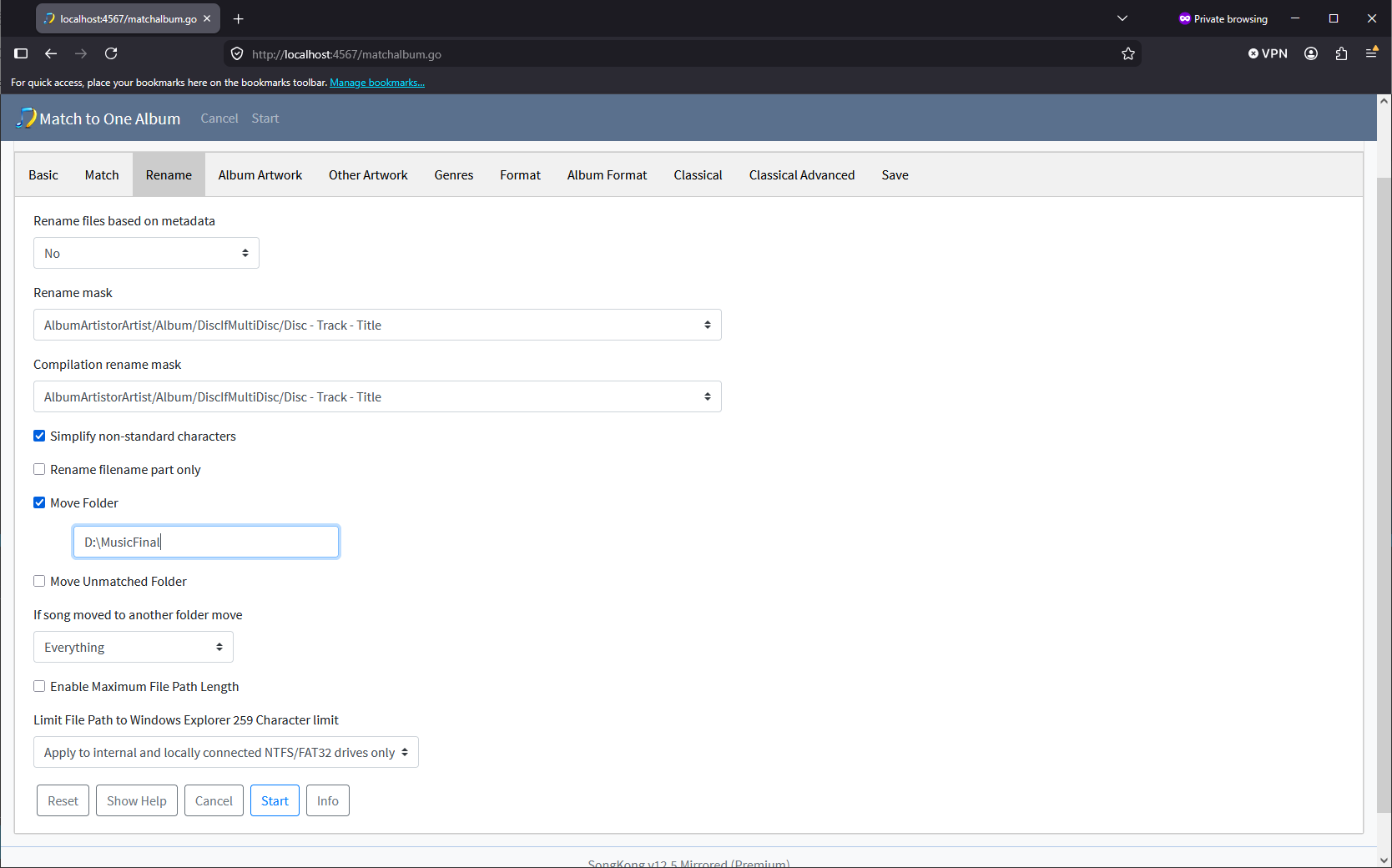
This will move your files from your staging folder to your final folder without renaming the files or subfolders. Technically it is replacing the Base Folder without modifying the Sub Folder or Filename, more details on this page.
Thanks- I’ve added the same path in the Move folder field that’s working correctly in the Rename Files task, but it’s not working correctly here.
The source folder is located like this:
Unsorted/source directory/
Once the album’s matched with Match To One Album, it’s moving the album to:
Unsorted/Artist/Album/
Rather than the /music/Library/ path that I’ve set (copied from Rename Files and pasted into Match One Album).
Also, the next time I run it, the path has disappeared from the Move Folder field.
Any idea what’s going wrong?
No, but could you run Create Support Files please that would help me.
Thanks, okay I see you are using on Docker and I have tested and there is a bug in the Web mode (as used by Docker), when using WebUI it is ignoring anything entered into the Move Folder field, I have raised a bug - https://jthink.atlassian.net/browse/SONGKONG-2974
Since there is no Desktop UI on Docker the workaround would be to manually edit the Match to One album profile. In your case your MAH26 profile is stored in songkong_matchalbum4.properties, you could manually add line
moveFolder=/music/Library/
before running the task again.
On Docker that should take affect immediately without having to restart Container.
I added that line and the next time I loaded the task, the Move Folder was correctly populated and the moving into the main library worked correctly.
Thanks very much for your help.
Great, thanks for letting me know, I will make sure I have this bug fixed for next release.
Fixed in new release