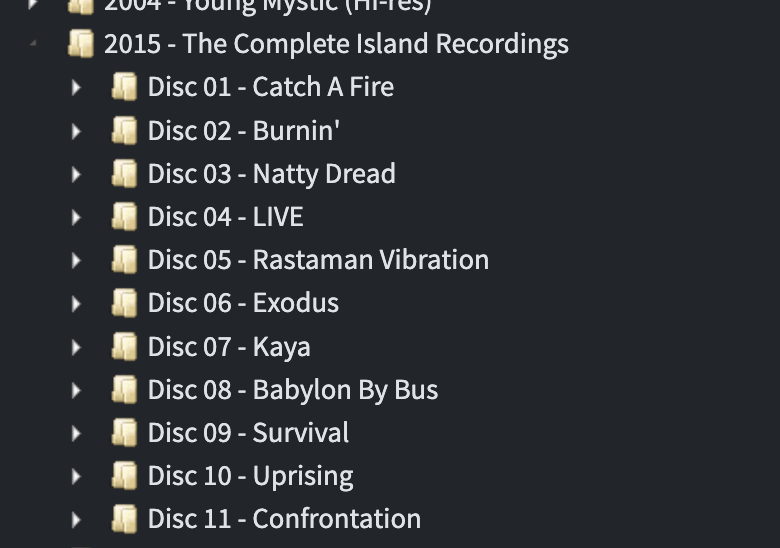
HI, its because their are some discrepancies between the track lengths of your songs and the tracks lengths on the release. For example you have track length of TrenchTown Rock as 4:22 but Discogs has it only as 4:00, too many discrepancies over 10 seconds and SongKong does not allow the match even if you allow low scoring releases because it seems impossible for it to be the correct match unless the details have been entered into Discogs incorrectly or your rip has additional padding after the recording.
It would be better if this information was shown in User Interface rather than hidden in the log files.
Interestingly the same release on MusicBrainz seems to agree with your track lengths, so if you match to this one instead it should work.
https://musicbrainz.org/release/18ba3c09-0f86-457e-b24d-ba57a116ee99
The 4.00 time seems to be the right time for the Vinyl version, maybe the user who entered the CD version on Discogs just copied the times from the vinyl version
Recordings:isPartOfMultiDisc:false::Checking Release Track Duration Failed:Bob Marley & The Wailers:19308793:The Complete Island Recordings:Song:Jamming:songLength:211:Jamming:trackOffset:50:trackLength:230
22/08/2026 08.27.10:PDT:SEVERE: ----Worker:748:G2:Foldername:/Volumes/Music/Bob Marley/2015 - The Complete Island Recordings:isPartOfMultiDisc:false::Checking Release Track Duration Failed:Bob Marley & The Wailers:19308793:The Complete Island Recordings:Song:Trenchtown Rock:songLength:262:Trenchtown Rock:trackOffset:28:trackLength:240
22/08/2026 08.27.10:PDT:SEVERE: ----Worker:748:G2:Foldername:/Volumes/Music/Bob Marley/2015 - The Complete Island Recordings:isPartOfMultiDisc:false::Checking Release Track Duration Failed:Bob Marley & The Wailers:19308793:The Complete Island Recordings:Song:Burnin' and Lootin':songLength:310:Burnin' & Lootin':trackOffset:29:trackLength:295
22/08/2026 08.27.10:PDT:SEVERE: ----Worker:748:G2:Foldername:/Volumes/Music/Bob Marley/2015 - The Complete Island Recordings:isPartOfMultiDisc:false::Checking Release Track Duration Failed:Bob Marley & The Wailers:19308793:The Complete Island Recordings:Song:Them Belly Full (but We Hungry):songLength:275:Them Belly Full:trackOffset:30:trackLength:264
22/08/2026 08.27.10:PDT:SEVERE: ----Worker:748:G2:Foldername:/Volumes/Music/Bob Marley/2015 - The Complete Island Recordings:isPartOfMultiDisc:false::Checking Release Track Duration Failed:Bob Marley & The Wailers:19308793:The Complete Island Recordings:Song:Get Up, Stand Up:songLength:391:Get Up, Stand Up:trackOffset:34:trackLength:379