Hi,
I encountered two distinct bugs in Delete Duplicates (v12.5 Mirrored, Premium, running on a Synology NAS via remote web interface). These occurred in two separate runs. I have support files available if needed.
BUG 1: Delete Duplicates moved the only copy despite showing a Keep entry in the report
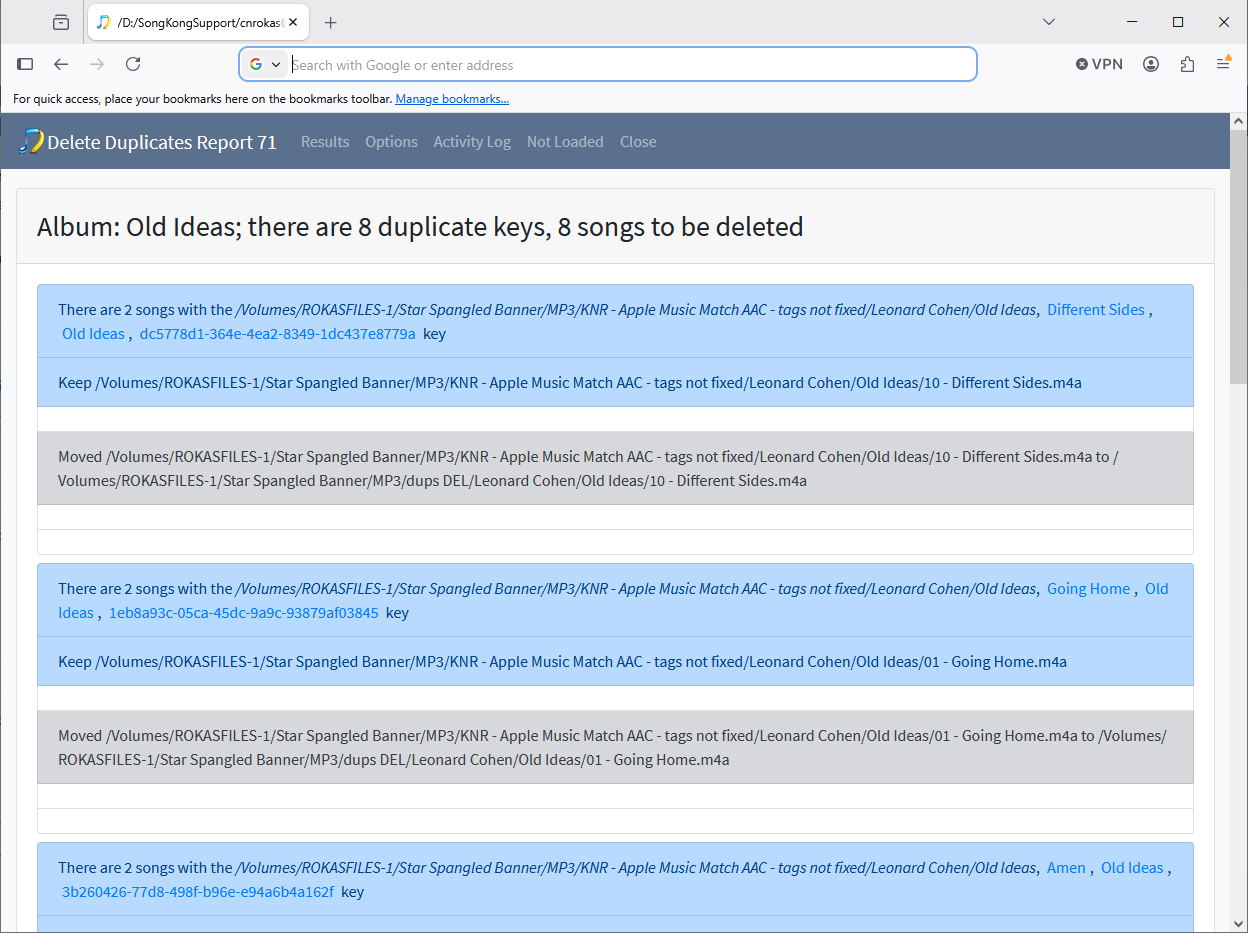
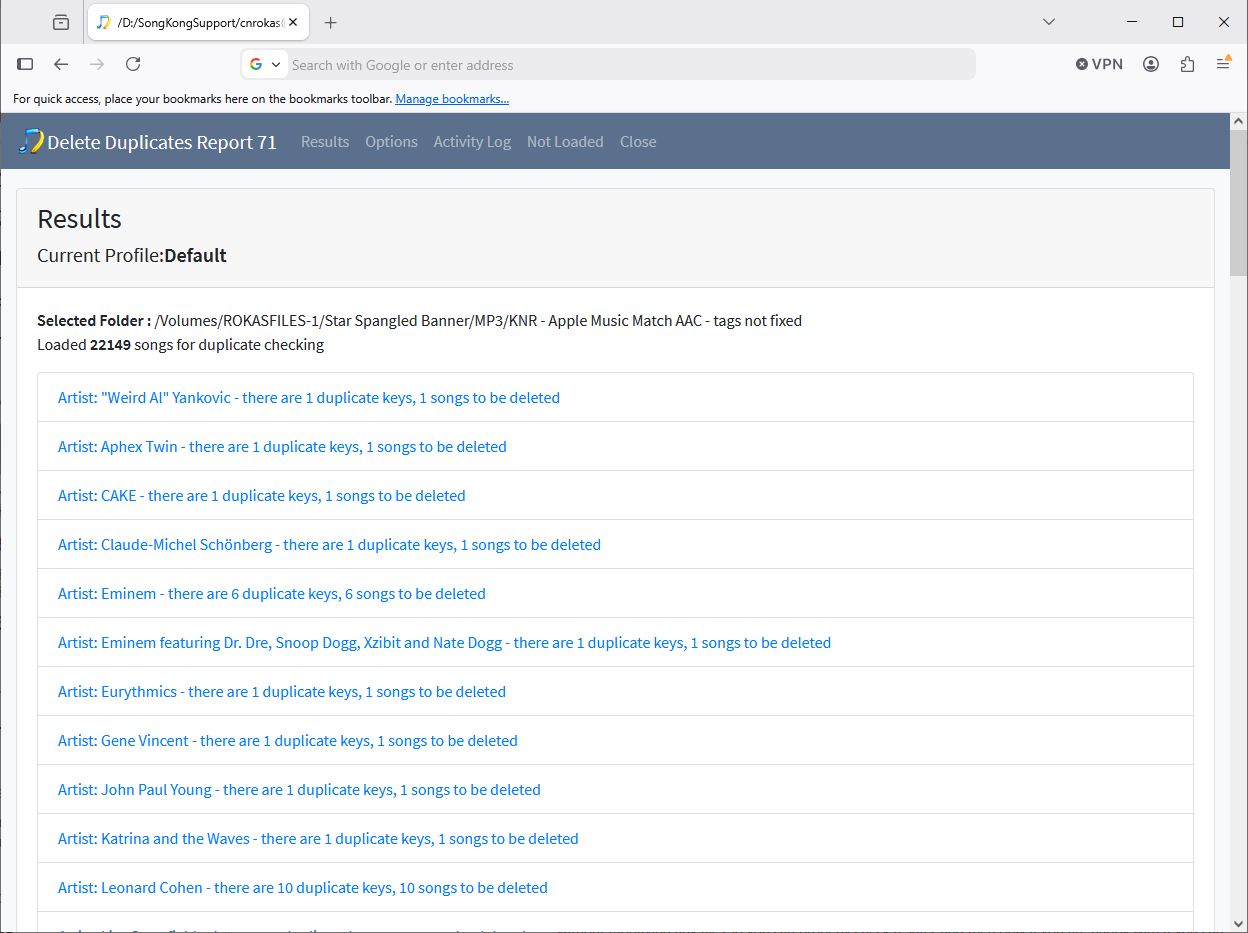
(Report 71, Default profile)
For an entire album (8 songs), the report showed:
• Keep: [folder]/Artist/Album/01 - Song.m4a
• Moved: [folder]/Artist/Album/01 - Song.m4a → [duplicates folder]/Artist/Album/01 - Song.m4a
The Keep path and Moved path are identical — same folder, same filename. The report shows a Keep entry, but when checking the filesystem afterwards, the original folder was completely empty. No file was retained in place. The only copy of each song existed in the Duplicates folder.
The duplicate key in the report correctly contained a MusicBrainz Recording ID, Release Group ID and AcoustID — so the songs were properly matched. The bug appears to be that SongKong identified one physical file as two separate database entries. The report’s Keep entry was a phantom reference — the file was physically moved regardless, leaving nothing behind.
A similar issue was previously reported and fixed in v6.8.1 (SONGKONG-1973) but appears to have regressed in v12.5.
Settings:
• Song is a duplicate if has same: Same MusicBrainz song and same album (any version) and sounds the same
• Find duplicates within same folder only: ON
• When duplicates found: Move to Duplicates folder
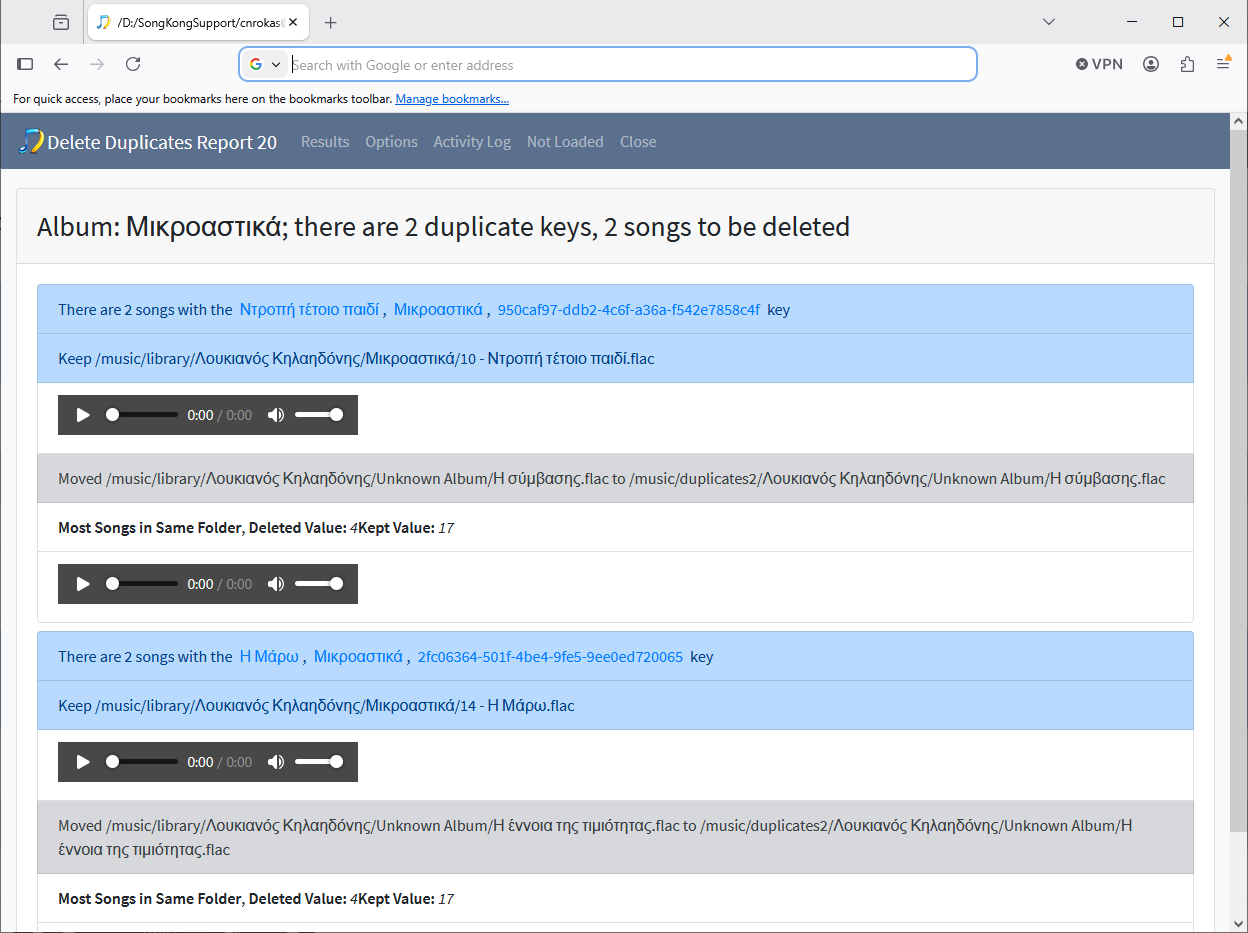
BUG 2: Delete Duplicates matched completely different songs as duplicates
(Report 20, Default profile, folder: /music/library, 6730 songs loaded, 615 duplicates found)
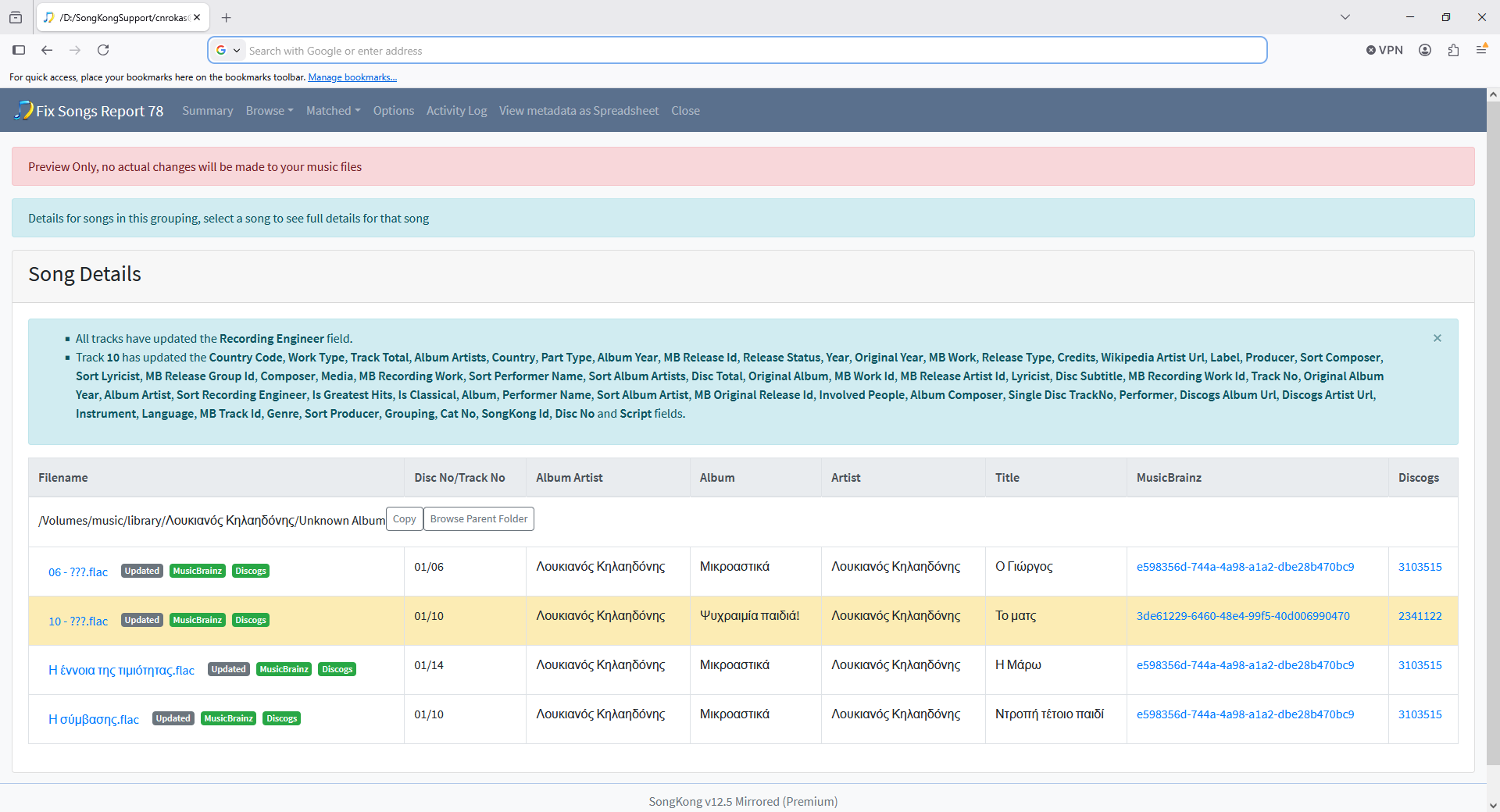
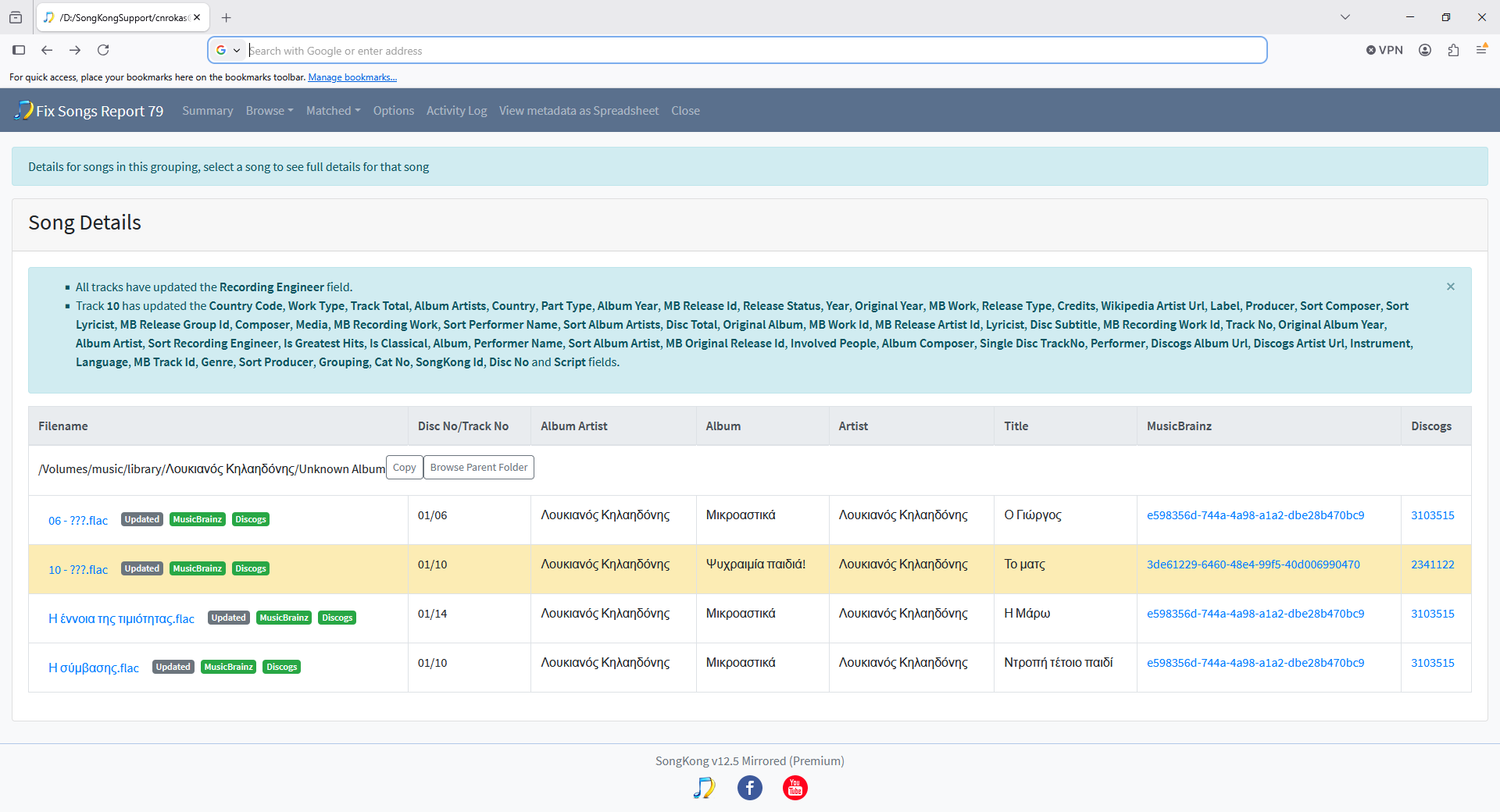
Two songs with entirely different titles — from different subfolders under the same artist — were flagged as duplicates and one was moved. Listening to both files confirms they have nothing in common musically.
One of the songs came from an ‘Unknown Album’ folder, meaning it had not been successfully matched to MusicBrainz by a prior Fix Songs run. The deletion criteria shown in the report was ‘Most Songs in Same Folder’ — meaning SongKong kept the file from the larger folder regardless of whether the match was actually correct.
Root cause hypothesis: when a song has no MusicBrainz ID (Unknown Album), Delete Duplicates appears to fall back to AcoustID matching alone. The AcoustID false positive rate is significantly higher for non-Western music (Greek, Chinese) which is underrepresented in the AcoustID database. Two songs from the same artist with similar instrumentation and tempo can share a close enough fingerprint to be incorrectly declared duplicates.
Suggested fix: when using a MusicBrainz-based matching mode, songs without a valid mb_trackid or mb_albumid should be excluded from duplicate detection entirely rather than silently falling back to AcoustID-only matching. These songs could be listed in a ‘Not checked — no MusicBrainz ID’ section of the report so the user is aware.
Note: I do not have the options sub-report for Report 20 available, so I cannot confirm the exact settings used for this run. I can run Create Support Files if that would help.
System:
• SongKong v12.5 Mirrored Docker (Premium)
• Synology NAS, running via remote web interface
• Music collection: ~22,000 songs across both folders, mix of Apple Music Match AAC and FLAC
• Library includes significant non-Western content (Greek, Chinese)
Both bugs were caught because ‘Move to Duplicates folder’ was configured rather than direct deletion — so no permanent data loss occurred. Happy to provide support files.
Thanks