SongKong Jaikoz

SongKong and Jaikoz Music Tagger Community Forum

Is is possible to "analyse only" when licensed and does that preclude writing changes without rerunning scan?

Great, thanks - nothing major but found a few errors:

  1. On Basic Metadata Inconsistencies tab the message

Sort Artist field has no metadata, all songs should have a value for this field not only when the value is different to the 0 field

is incorrect it should say

Sort Artist field has no metadata, all songs should have a value for this field not only when the value is different to the Artist field

Same problem with the Sort Album Artist line, raised issue

  1. Basic Inconsistencies:Missing Track No field is incorrectly showing the results for Missing Title instead, raised issue.

  2. On the MusicBrainz Inconsistencies:Only Song matched tab it lists

Van Halen / The Very Best of Van Halen and Various Artists / HDtracks 2013 Sampler but when I click on the link
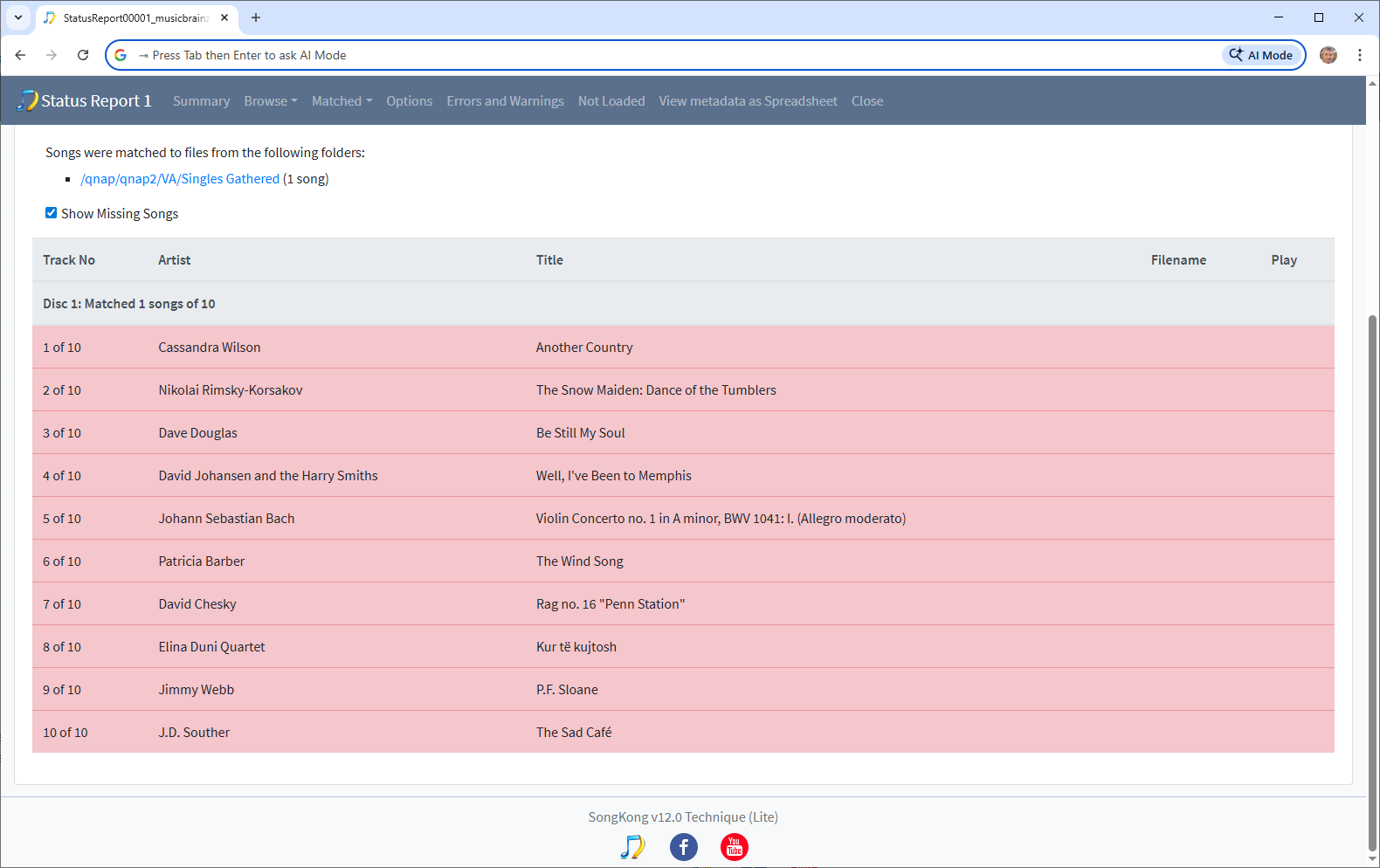
I cannot see any songs matched, then when I click on the folder containing the songs they are all matched to the same release
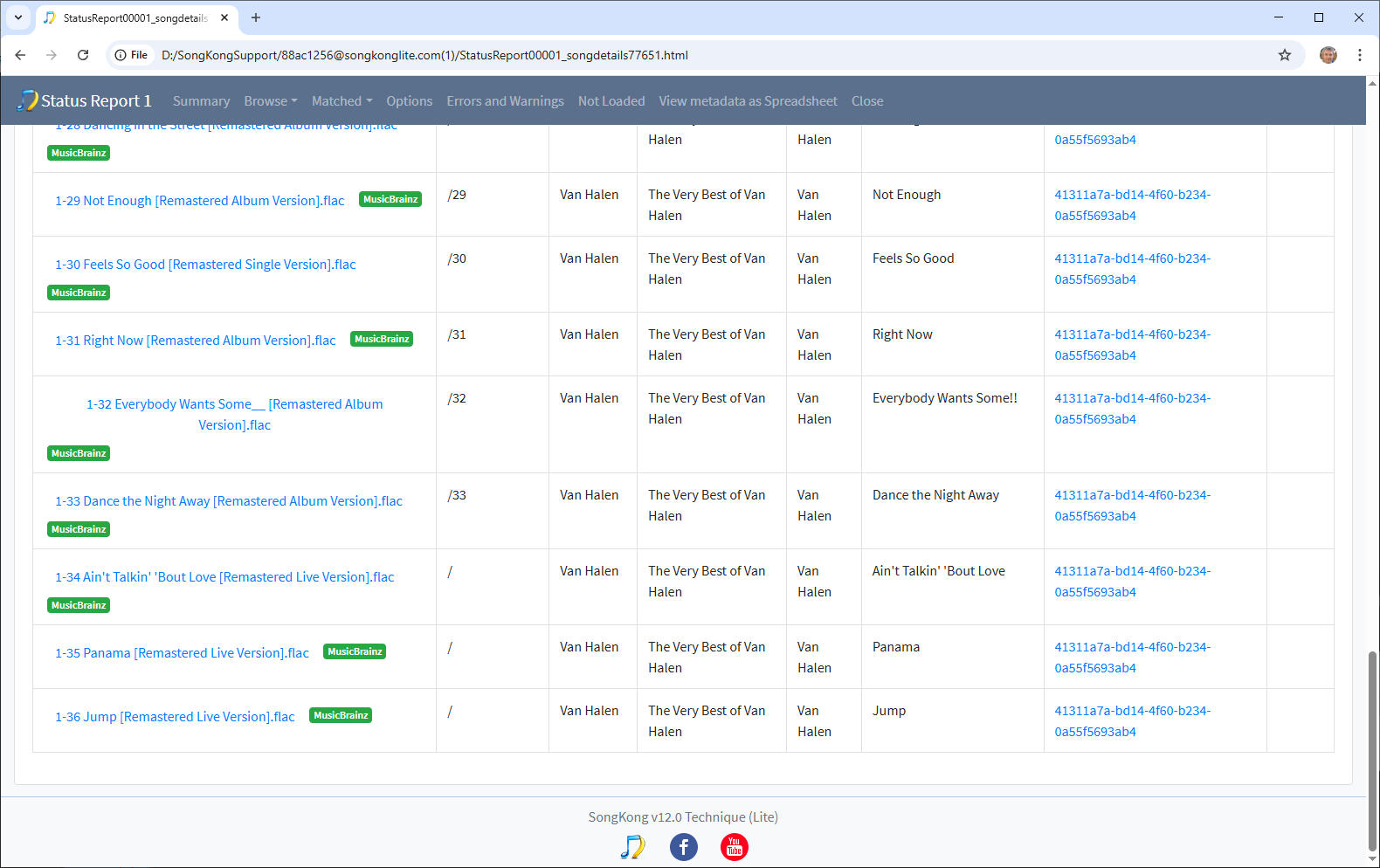
However, the last three songs don’t have a trackno, and if go to Matched to MusicBrainz/VanHalen we see the album has been split into three
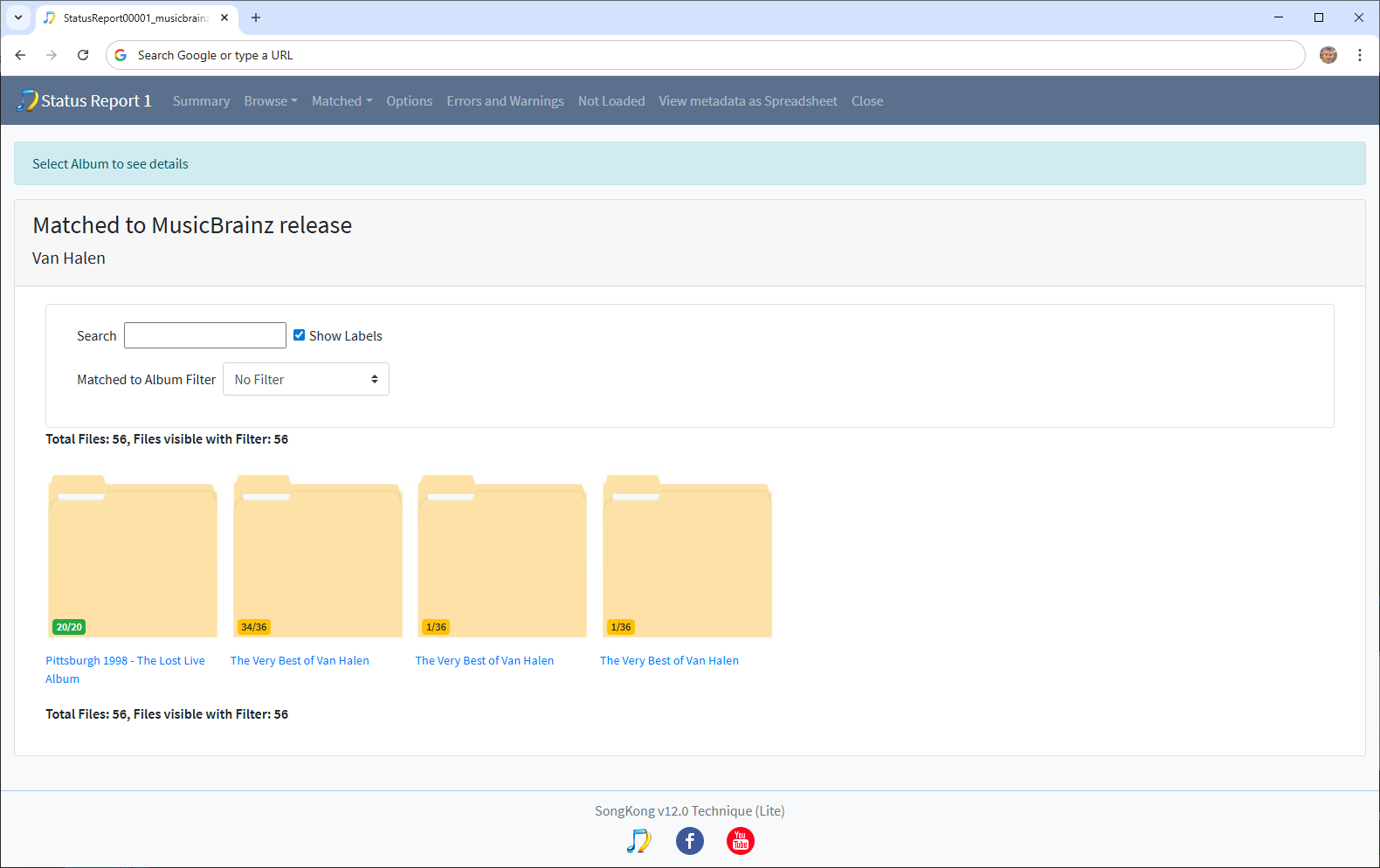
So I think the issue is related to the missing trackno, apart from these two albums all the others listed on the Only Song matched tab are correct, raised issue

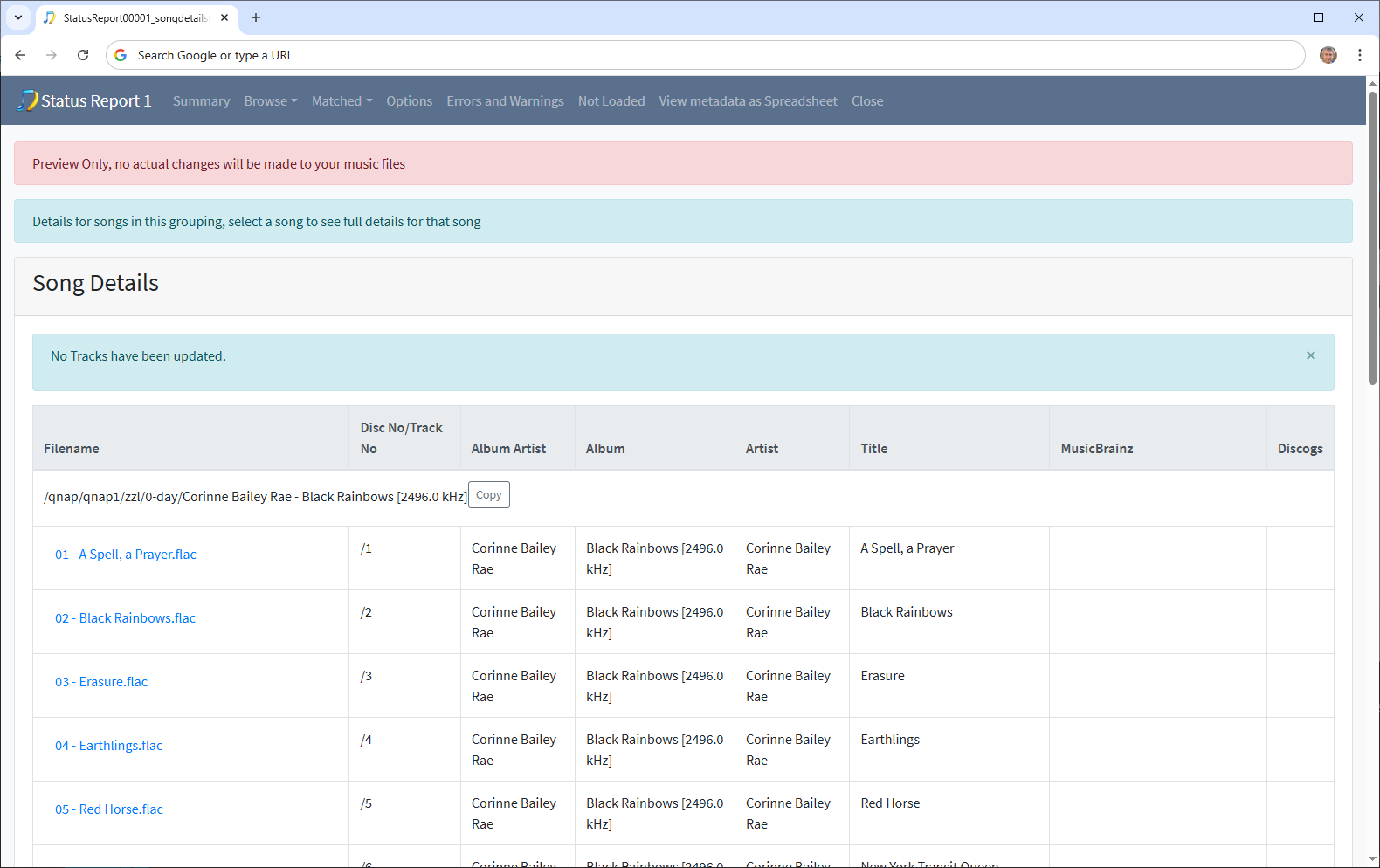
  1. There is slight issue with the new Multiple Albums tab it seems that some albums that now should be listed here are still in either the Incomplete Albums or Split Albums tab

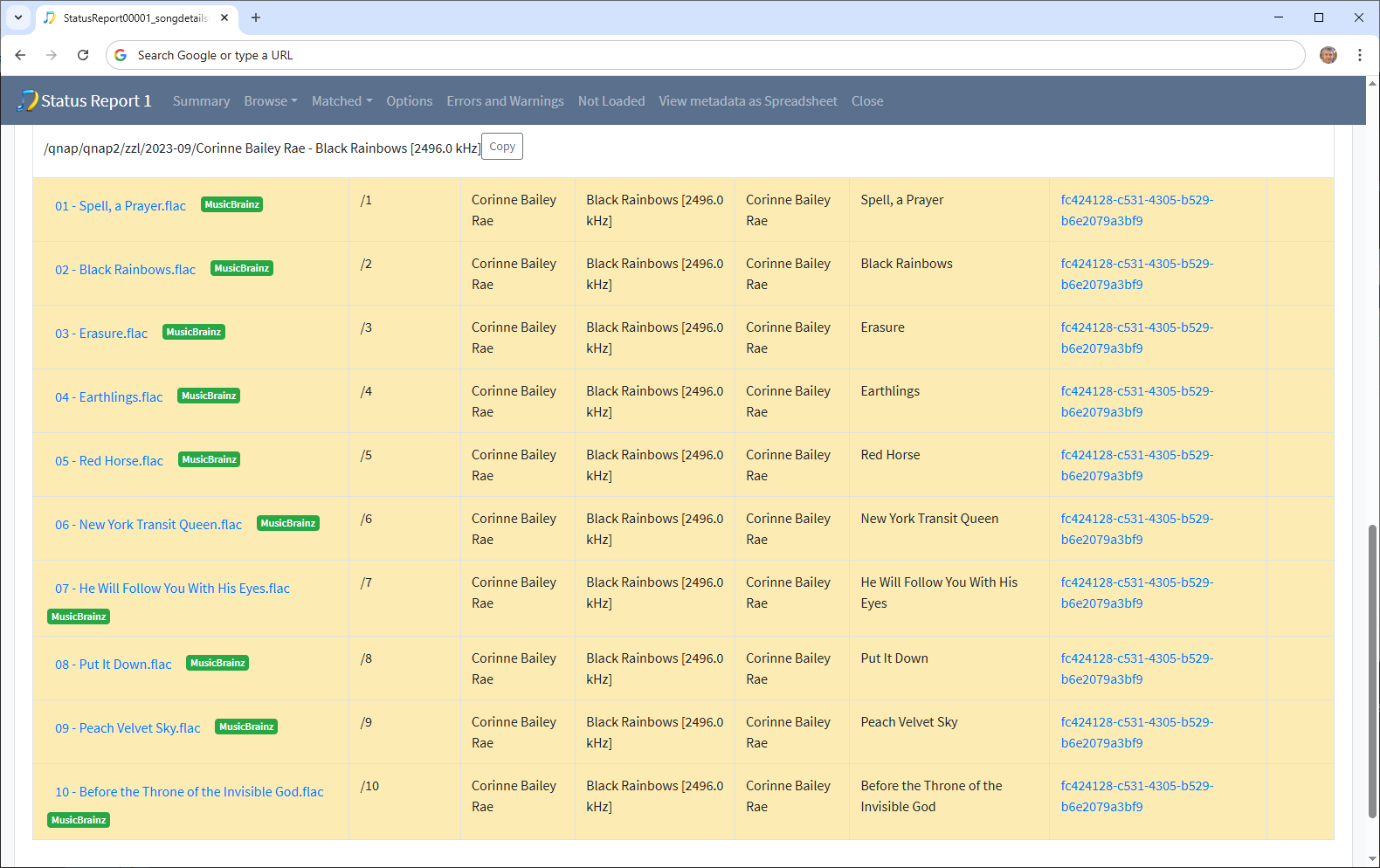
e.g Corinne Baily Rae Black Rainbows still listed in Incomplete Albums, even though copy fully matched and the other fully unmatched, raised issue
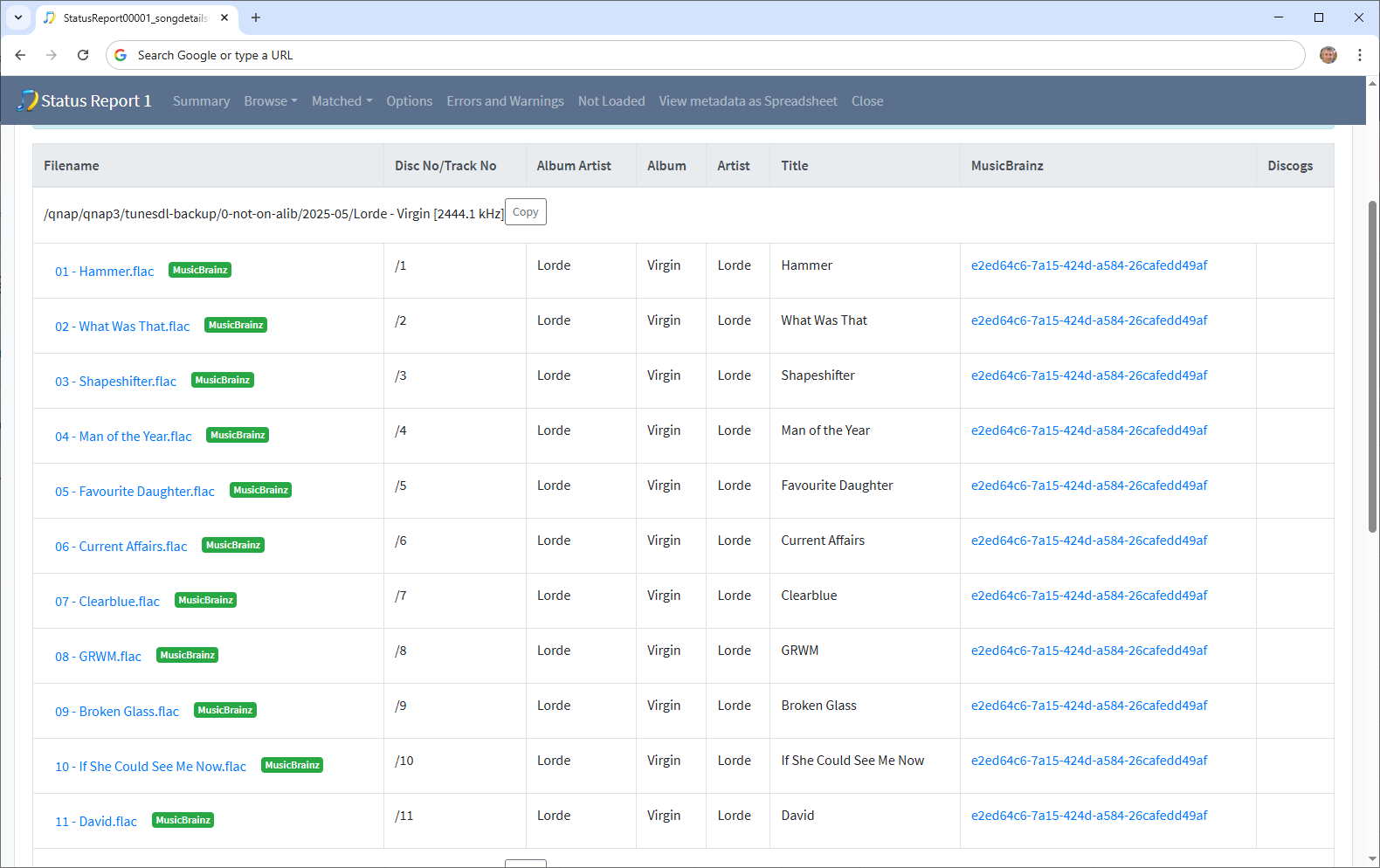
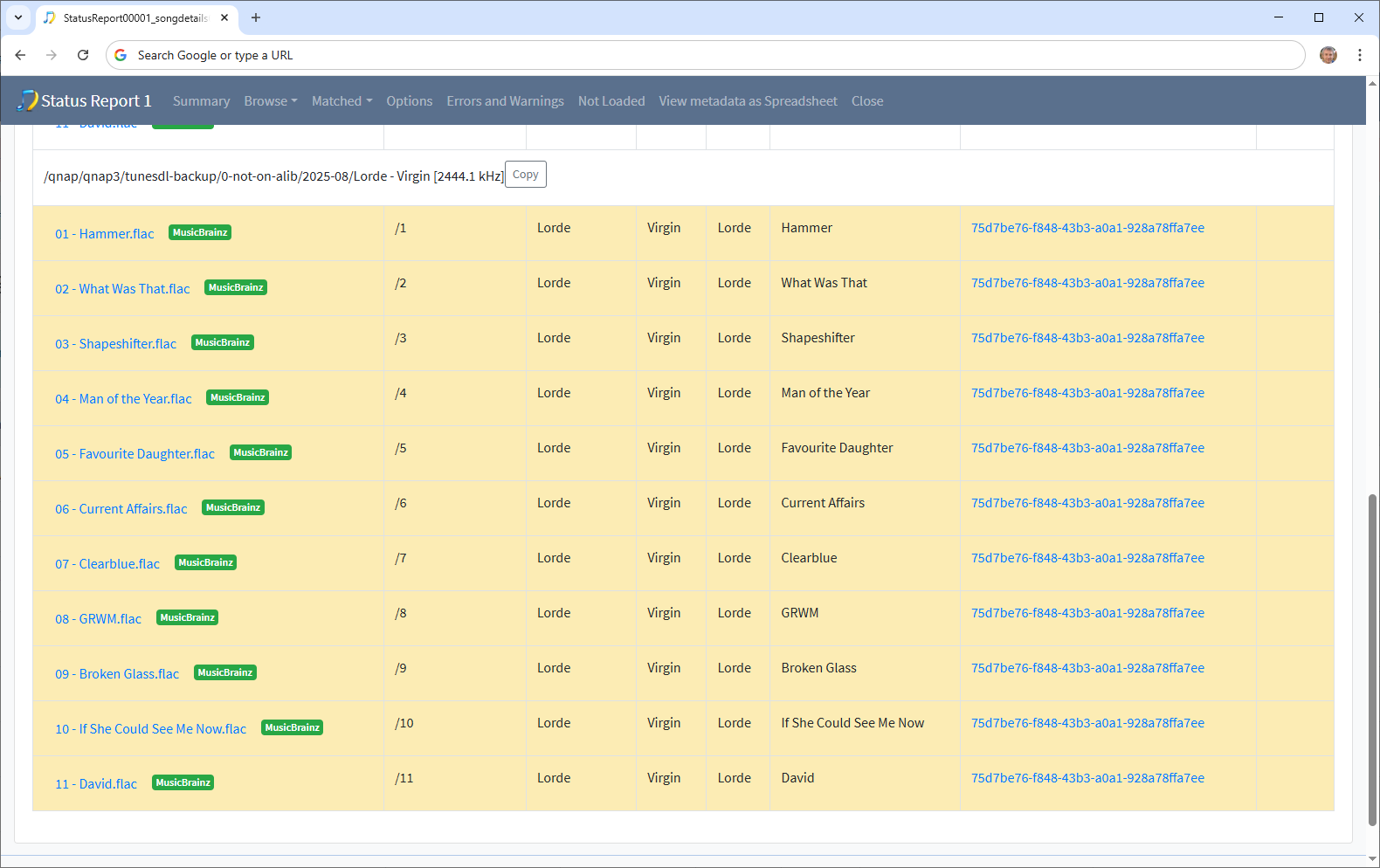
e.g Lorde Virgin still listed in Split Albums even though its two copies both fully matched to a different version of release, raised issue
image

  1. Good to see Status Report only took 2 hours this time, but I don’t know why it was quicker because i have not made any fixes for it, will investigate the old and new logs to see if I can account for difference.

Update, all four issues now fixed for next release, but this will not be until next year and should include Apply Last Preview task as well.

Issue 4 can occur if the release being checked is not in the cache so it could happen for any random album, but as demonstrated was only a problem in two cases.

Issue 3 was due to some songs not having tracknos, I have now added extra logic to check for matching tracks by title if no trackno. Additionally Issue 2 meant that the Missing Track No section was missing and so we missed out on a clue since tracks for both the albums that had an issue would have been listed here.

The issues are minor, and only likely to affect very few files.

If I’m correct in assuming that following ingestion your database contains all metadata it found in the underlying files I think it would be a great boon to SongKong to be able to do an update scan whereby it leverages what’s in its database and only ingests new metadata from new and/or changed files. It’d do away with the need to run such long ingestion scans. It’s no 96% of the way through ingestion, so I should have a Fix Songs upload for you in the next few hours.

Whenever you run any task if your files are already in the database and the files have not be modified by another tool since then we always read the metadata from the database rather than the files, but we stil have to traverse the directory structure to identify what files currently exist . And if they have been modified outside of SongKong then the metadata in database would be out of date and would have to read the metadata from the filesystem for those files.

I’m not sure if you are referring to Status Report or Fix Songs or both when you say ingestion but if run Fix Songs after Status Report then it can read metadata from the database as described above, but the main chunk of time taken will be matching the songs to MusicBrainz and Discogs, since only 17% of your songs are matched to MusicBrainz and none are matched to Discogs

If Fix Songs was being run for real not preview and you then ran Fix Songs again the second time round for the already matched songs (now about 85%) because the majority of songs were already matched SongKong would not have to search for matches this time, we would only update from the MusicBrainz/Discogs releases, this is much quicker, epecially since most releases would already be in your cache. It would only attempt rematch of the remaining 15%

If For songs already fully matched is set to Ignore then SongKong woudn’t do anythign with the 85% just try to match the 15%

If Ignore songs previously checked that could not be matched is enabled then SongKong would not try to rematch the 15% that it aready tried to match and failed. It would only try to match any newly added files that it had not seen before.

Think the support files are with you now.

I’ve just taken a quick gander and feel like the walking wounded. :face_with_head_bandage:

I’ve just started browsing through the fix songs report and then navigating to the respective folder to inspect the tags using puddletag. Looking at Basic Metadata Inconsistencies it reports:
There are 97 folders containing songs with different values for the Album field, folders usually represent an album and if so this field should be the same for all songs on the album

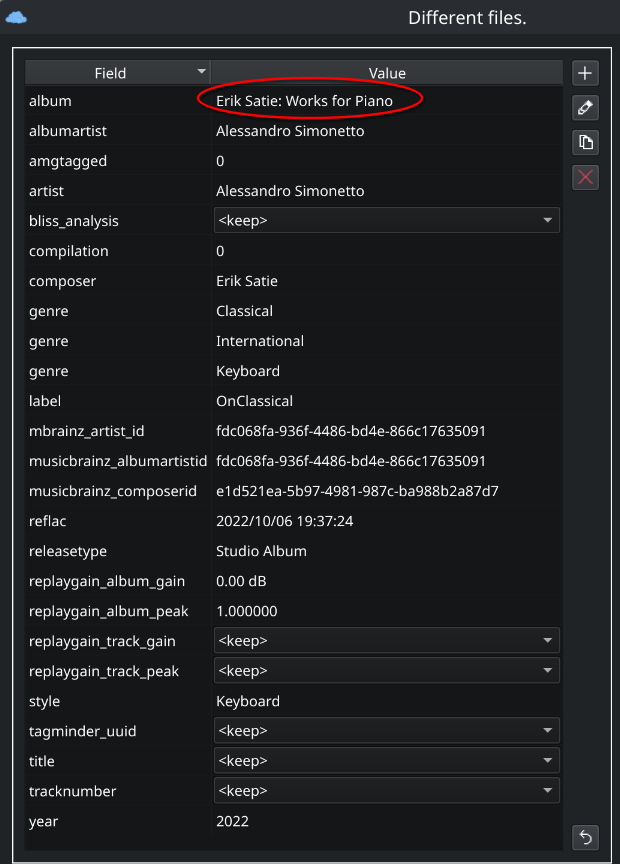
The first entry is “/qnap/qnap1/A/Alessandro Simonetto - Erik Satie Works for Piano [2444.1 kHz]”.

My first observation (and not sure whether this carries through to your database and would impact being able make changes to the file tags): The report lists:
/qnap/qnap1/A/Alessandro Simonetto - Erik Satie Works for Piano [2444.1 kHz]

whereas the actual folder name is:
/qnap/qnap1/A/Alessandro Simonetto - Erik Satie Works for Piano [2444.1 kHz]

(two spaces after Piano)

Loading the album into puddletag, selecting all files and entering Extended Tags view see this:
image

I’ve checked a few others randomly and seeing the same things:

  • Where there are two or more consecutive spaces in a folder name you’re eliminating all but one in the report. Not sure if this extends to filenames also
  • the sampled albums do not appear to have different values in the ALBUM tag.

Running

SELECT __dirpath
FROM alib
GROUP BY __dirpath
HAVING COUNT(DISTINCT album) > 1 ORDER BY __dirpath;

against my SQLite table yields only 15 entries, of which only 7 are in your list.

In this tab:
image

There are a number of instances where you’re detecting a value in an albumartist tag but inspection of the files shows this is not the case:
image

image

Querying my db returns the same:

select * from alib where __dirpath='/qnap/qnap2/VA/Singles Gathered' and albumartist is not null;
-- Result: 0 rows returned in 554ms

Also, if an album is explicitly tagged compilation = 1 then its safe to assume there should not be an albumartist entry.

SELECT DISTINCT __dirname
FROM alib
WHERE __dirpath IN ("/qnap/qnap2/P/Peter Maunu - Windham Hill Records Guitar Sampler"
, “qnap/qnap2/VA/Audiophool/JMLab Test CD No. 2 Tools CD”
, “qnap/qnap2/VA/Masters of Metal”
, “qnap/qnap2/VA/Selection of Soul”
, “qnap/qnap2/VA/Singles Gathered”
, “qnap/qnap2/dt/0-AUDIOPHOOL/Prime Test CD”
, “qnap/qnap2/dt/0-VA/MDMS System Conditioning Disc”
, “qnap/qnap2/dt/0-VA/MDMS System Conditioning Disc (2)”
, “qnap/qnap3/tunesdl-backup/0-not-on-alib/2025-09/VA - Cover Songs Vols. I-IV [Mixed Res]”) AND
compilation != 0 order by __dirname;
– Result: 1 rows returned in 605ms
which is “Peter Maunu - Windham Hill Records Guitar Sampler”

You’ve also forced me into finally running:

SELECT __dirpath, __md5sig, COUNT() AS occurrences
FROM alib WHERE __md5sig IS NOT NULL AND __md5sig != 0
GROUP BY __dirpath, __md5sig
HAVING COUNT(
) > 1
ORDER BY __dirpath, occurrences DESC;

Sadly it returns many more rows than I’d have liked, some because some albums have consecutive silent tracks (e.g. https://www.allmusic.com/album/when-im-with-you-mw0000632944#trackListing), but most because of human error. :pensive:

Have deleted over 1000 tracks some being the same album copied into the same folder 2x with different filename conventions, others being case variations on individual tracks, but a lot of that basic stuff is now sorted.

This a quirk of html, if you were to use View Source in your web-browser you would see that the extra space is there

<span>/qnap/qnap1/A/Alessandro Simonetto - Erik Satie Works for Piano  [2444.1 kHz]</span>

but web-browsers collapse multiple spaces into a single space. This is why in your post the example you have posted looks the same because it has removed your extra space.

The only way round it would be to convert the spaces to &nbsp; but this has its own issues as it would require extra processing and increase size of reports, but its a possibility. This quirk has no effect on actual processing of issues.

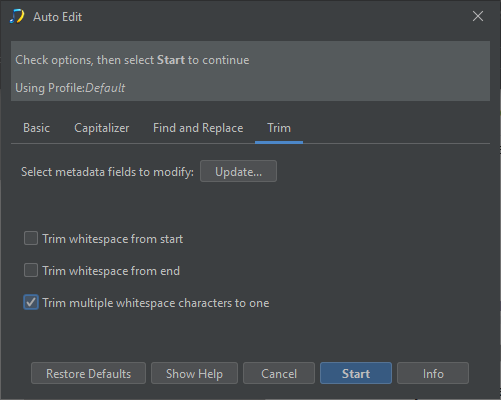
Would not help with filename but if you want to find extra spaces in metadata then you can use AutoEdit:Trim

image

So the report is created at the end after main processing of task has completed, so in the Status Report nothing else is done apart from create a report but when you run Fix Songs the report is being applied after all the changes made by the Fix Songs task, but you are only running Fix Songs in Preview mode so nothing has actually been changed. Therefore if you are trying to compare these inconsistencies with your own database method you should be looking at the Status Report, this has 15 differences

image

Now your followup question maybe why has the number of folders with different values for the Album field increased from 15 to 97 after running Fix Songs, of that im not sure as SongKong is configured to match grouping to one album, I will look further into that.

Again, issue here is you are looking at the report created by Fix Songs rather than Status Report.

Also there was one unewxpected error

Dec 19, 2025, 5:18:08 PM

could not prepare statement

this is why on summary page it says

before task cancelled by SongKong because of unreported error

So if I’ve understood correctly the Fix Songs Report doesn’t report what it’d do, it’s reporting the aftermath that would be following it having done its thing if it were licensed i.e. any errors and anomalies would be those that remain after the fact?

For any task the report reports the status of he files after running the task,

In the case of the Status Report task nothing else is done so its is reporting on how the files currently are

In the case of Fix Songs if ran in preview mode this is based on how the files started plus the preview of changes that would be made by Fix Songs.

Thanks. That’s clear now.

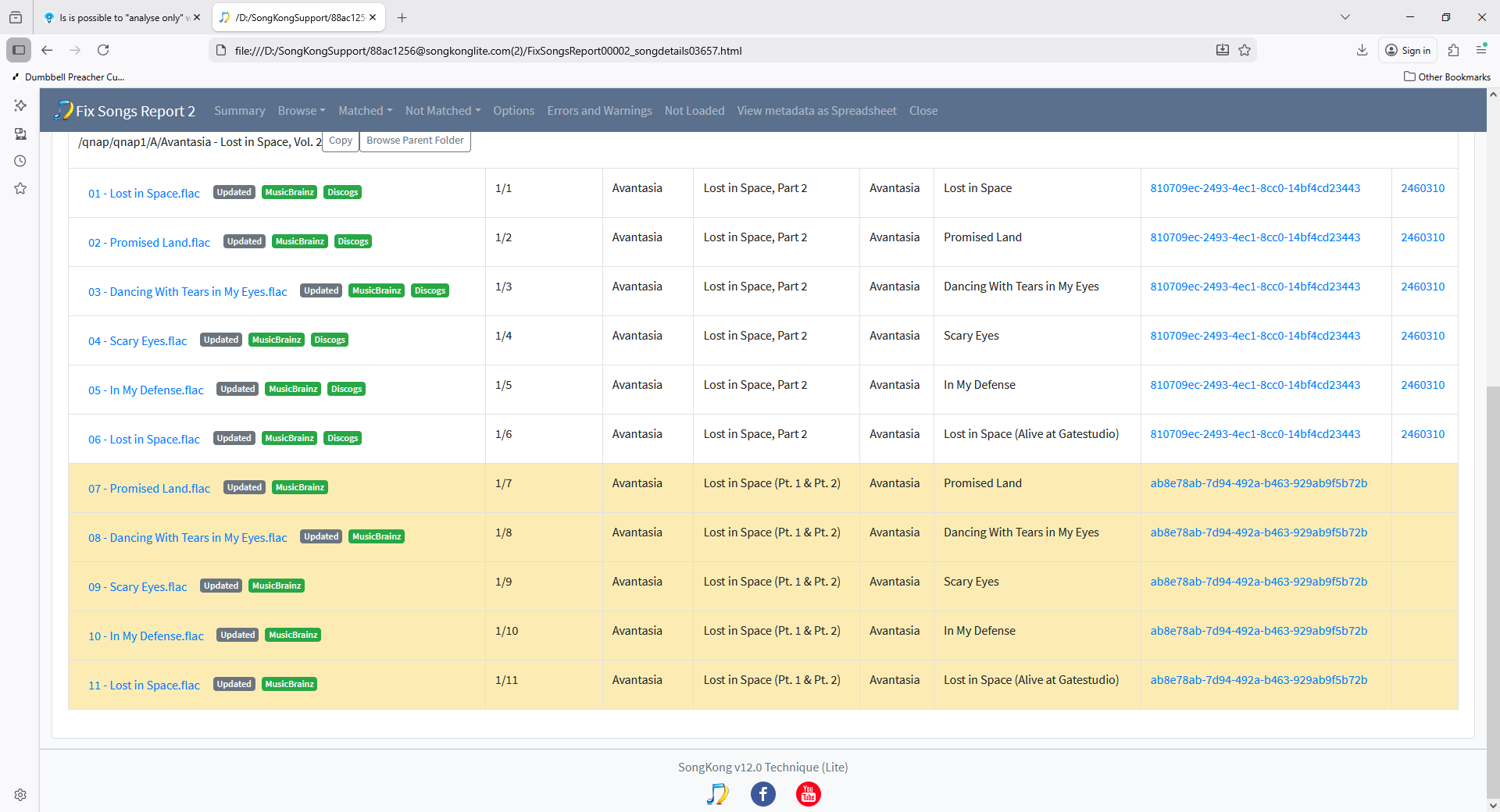
Had a quick look at /qnap/qnap1/A/Avantasia - Lost in Space, Vol. 2 since this is listed under Multiple Values for Album Field on Fix Songs Report but not Status Report which was not expected

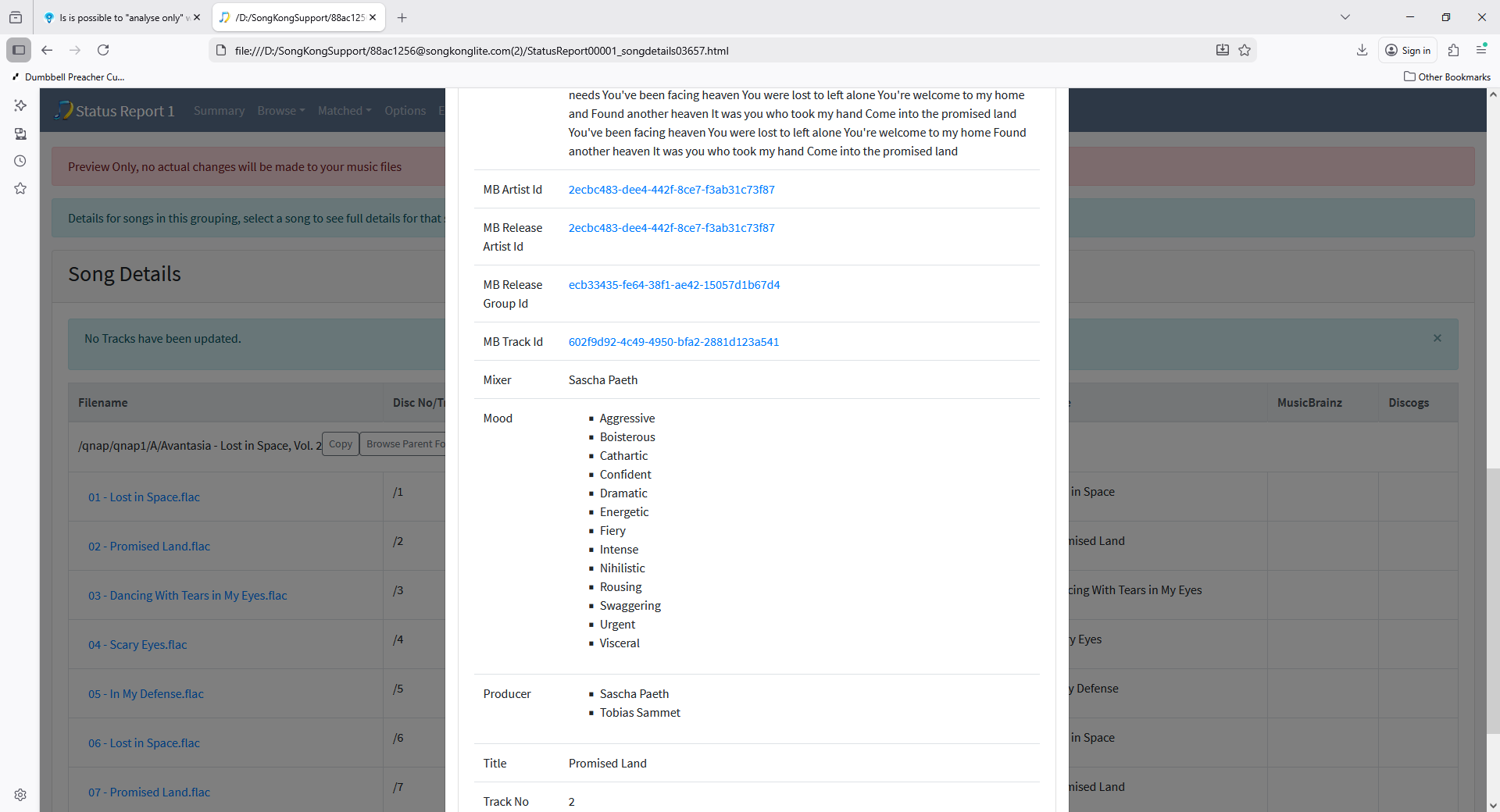
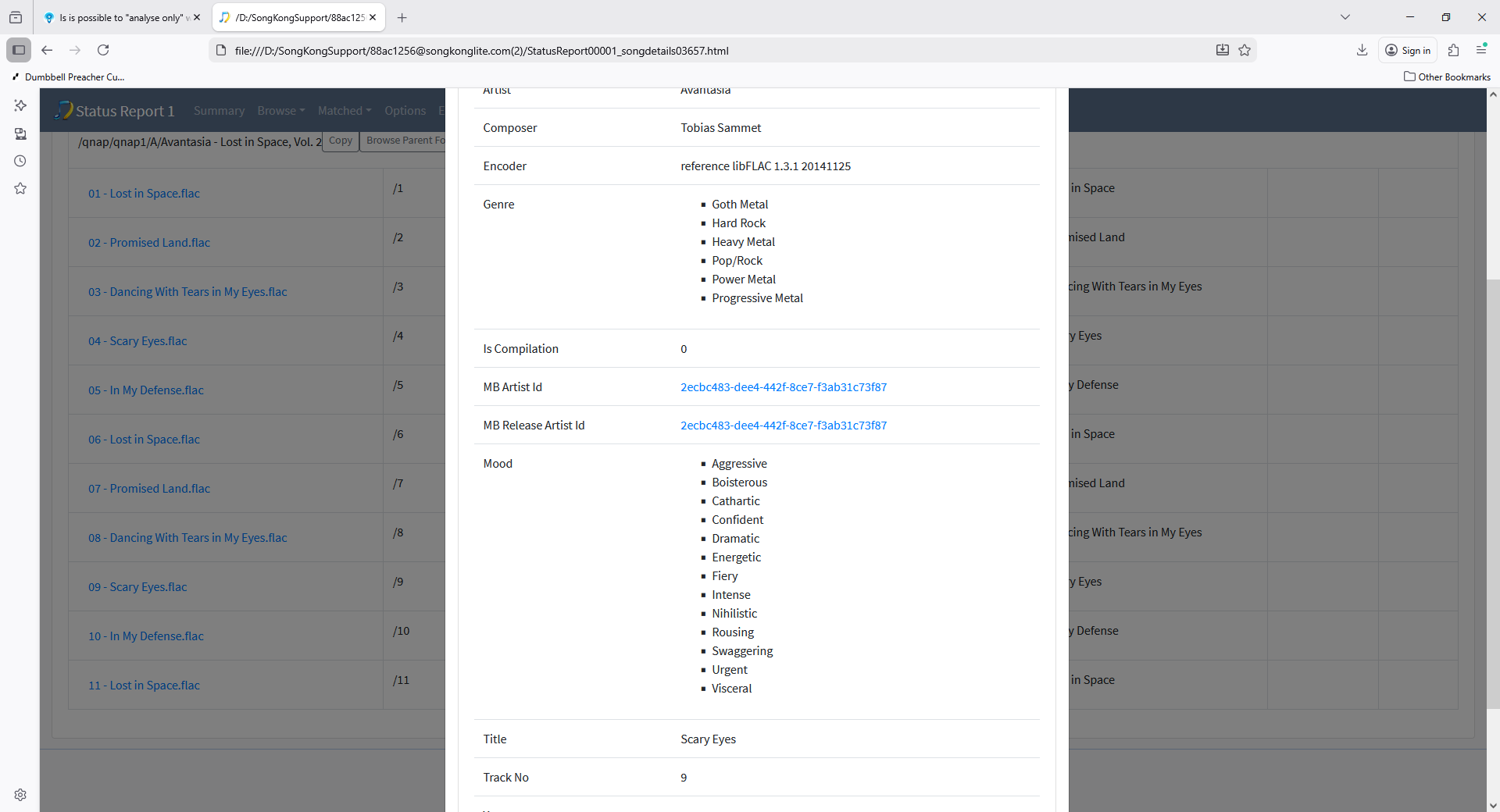
It seems looking at the Status Report that some of the songs have already got a mb recording id, mb track Id and mb release group id but not mb release id from Picard this is not a situation SongKong expects to encounter

and some of the tracks have no mb recording id or track id

And when ran against SongKong it ended up matching the album to two releases

which is not what it should do, but i think that is the reason, if you could send me files in the /qnap/qnap1/A/Avantasia - Lost in Space, Vol. 2 I can look into this further.

With hindsight maybe enabling the Match:All Existing folders represent a single album option would be a good option for you but it should not be necessary to prevent this happening.

Have sent, but looking at it I think the mess is on my side. I suspect I had two copies in there at some point with different filenames and renumbered tracks. I can see at least one was tagged using https://www.allmusic.com/album/lost-in-space-vol-2-mw0001615335 at some point and then somehow something (probably me merging data from different drives) things got screwed up. Will send anyhow if it helps you avoid tripping over this kind of mess.

BTW, when is SK at it’s best - sans or pre Picard?

I think it depends on yor pov I cannot give an answer to that.

Ok, let me ask it a different way, I presume all your tagging is directly via SK? :innocent:

Okay I only use SongKong unless im using Picard in testing/reproducing a bug.

Having said that although both use MusicBrainz the matching algorithm is different and matching is fuzzy whe it comes to deciding if a valid match so there because of this there may be some valid matches that Picard finds that SongKong does not.

But, from what I’ve seen over the years acoustid on its own is not a sufficiently reliable identifier, so Picard is also far more likely to generate false-positives.

Well yes that is true.

Various fixes to the Inconsistencies Report fixed in SongKong 12.1 Autobahn Released 22nd January 2026