SongKong Jaikoz

SongKong and Jaikoz Music Tagger Community Forum

Is is possible to "analyse only" when licensed and does that preclude writing changes without rerunning scan?

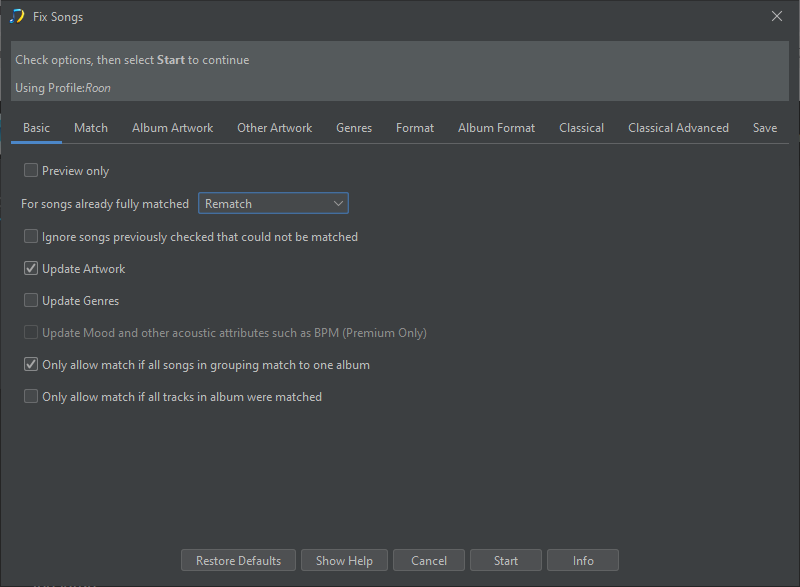
Looking at Fix Songs I see this:
image

Obviously as I’m currently in Lite mode I can only Preview what would happen.

By the looks of things in Licensed mode it’s possible to toggle between Preview only and writing changes to file. Is my assumption here correct?

Also (and I’ve a feeling I’ve asked this before, so apologies in advance if I have)… If I were running a licensed version and ran a Fix Songs scan in Preview only mode, there’s no way to write any changes to file without rerunning the Fix Songs scan. This assumption correct also?

Thanks

Correct

Not currently, usually potential users just use Lite Mode on a small set of files to see if works as expected before committing. I do plan to add a Apply Last Preview task that would let you you run Preview, check results and then apply because some customers like working that way, but we don’t currently have that functionality.

1 Like

For me that’d be a critical addition. I just can’t see myself letting loose without being able to see what the end result will be. The rescan with the latest build is 78% complete. Looking forward to seeing the results (and holding thumbs that there are no glitches that stop it completing).

I can see it would be a useful feature and issue already raised for it, but heres some background whereby I dont see it as critical.

I originally developed Jaikoz Music Tagger - this was a more traditional tagger (althoug it still had some movel features), and it allowed you to load your files into a spreadsheet like view and then match your songs to MusicBrainz/Disocgs or do manual edits. All changes were visibles on screen but just held in memory until you actually elected to Save. But I found that even though users could check the results before saving they seldom did, instead they would save without checking and then complain about the changes made afterwards.

So with SongKong we save as we go along, but all changes are recorded in database. So after SongKong has run if you find problems afterwards you can use the Undo Fixes task to revert the changes when you find issues, and this can be applied at folder level no need to revert everything.

Now in your case you have some workflows you could consider

Run with Preview enabled, check the results if happy run again without Preview, the results are going to be 99% the same, not guranteed to be identical (changes in online database since first run, timnng issues etc) but in most cases they will exactly the same. If you do hit issues with an album then there is Undo Fixes. But with such a large music collection how could you realistically check it all anyway?

Alternative, work on a smaller dataset e.g bands starting with A, then can check more thorougly before committing. It is unlikely that SongKong is going to be matching the wrong album ( the worst case is maybe not the preferred version when there are multiple versions that a match, or boxset vs orginal albums). It is more the case that you dont like the way a particular tag is formatted (e.g multiple artists query) so once ironed out on a smaller subset options should remain correct on collection as a whole.
We did something similar back in the day with Puddletag. You could use its masstagger capability to tag and enrich from one or more tag sources and it would highlight every changed column in a spreadsheet like view in memory. Hovering over it showed the old value and you could reject individual changes. I used it extensively to masstag from AMG back then and did check the results … broadly speaking to ensure they were sensible before writing the changes.

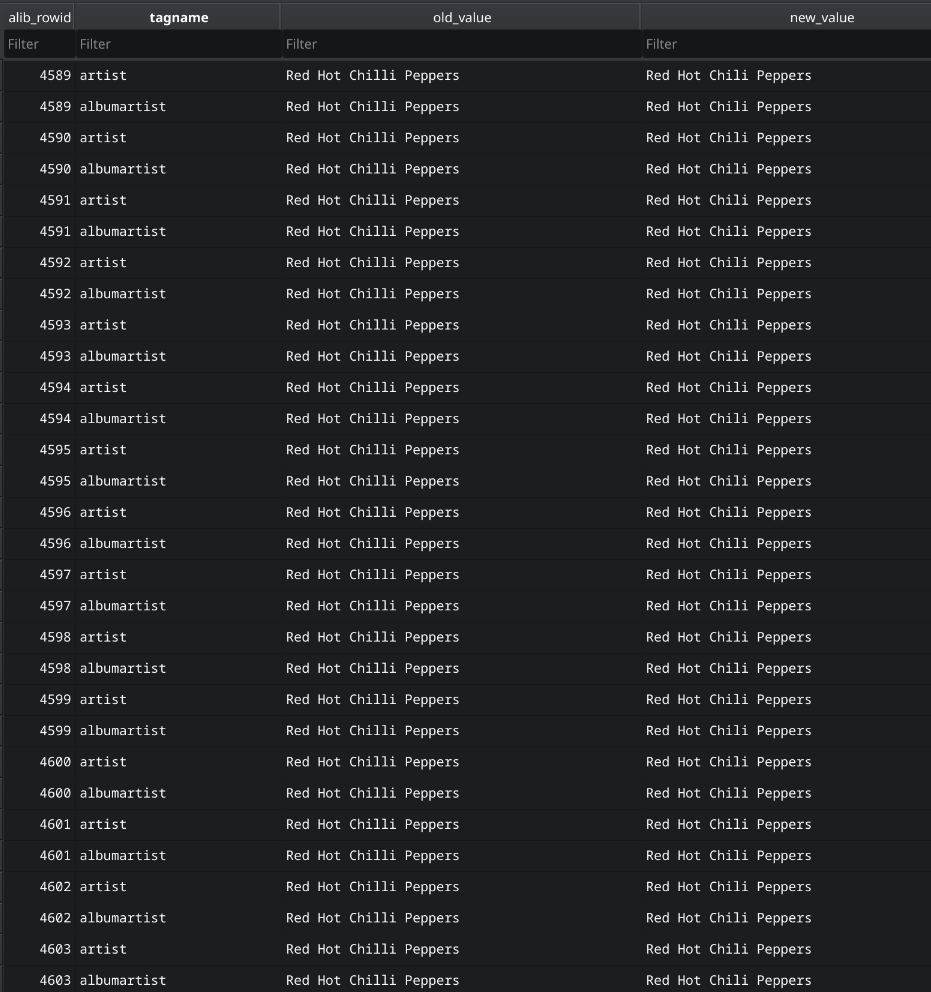
At some point all of the tag sources became defunct and I switched to Picard, but developed scripts that help me manage metadata consistency (as opposed to collecting metadata from the likes of MusicBrainz & Discogs). One thing my scripts do is maintain a changelog of every change that allows me to inspect it in a way that enables me to assess the changes made before writing them back to tags.

image

This way I can see the tags that are being changed, the old value and the new value. If I need to see the album I use a view that provides the additional info, but for me this is usually enough.

Rather than rowid you might show filename or folder name as that should be enough for the user to make the association and quickly get comfortable with whether or not a change makes sense in context. They’d also be able to filter the spreadsheet by tag and that way focus on those that matter most to them.

Anyhow, it’s just a thought.

So I did want to do this but there was a technical problem that prevents it without using exorbitant memory, and I had alternative of showing before/after columns but this is rather clunky, and soubles the size of the spreadsheet. And When I did you load your FixSongs sptreadsheet it did take along time to load on my computer so this would make it worse.

I don’t think approach this particularly works for most users. For starters for most users the SongKong key task is the Fix Songs task and first time round that will be matching songs to an album so it doesnt make sense to consider changes one by one, i.e if it matches to the wrong release then many fields are going to be incorrect it doesnt make sense to consider them one by one. If the problem is more personal preference and is just the formatting on a particular field (e.g would like to see release type in album title) then that would affect all albums and would be best resolved by modifying your options and rerunning not undo changes one by one.

One aim of the application ts to improve consistency of tagging, and this is done by configuring the options to your liking and then applying to music collection rather than modifying individual files. In the case of matching the wrong album this is best resolved by undoing changes to that albums folder or running Match to One Album for that folder to get the right album.

Its worth noting that the main reason for the View as Spreadsheet option is simply it provides a simple way to catalog your music collection stored in a single file and it can then be used as input into other applications if required.

But it is not intended to be the main way to analyse the results, this is should be done through the html report. The Inconsistencies sections highlights possible problems, the Browse by section allow you to drill down by artist/album/composer/folder and filter the results by if the files have been updated/matches to MusicBrainz/Discogs/Bandcamp. Then for a particular album there is a summary of the main fields and any changes made, and then you can click on a particular song to see details, grouped by fields added/modified/unchanged

Look forward to seeing the latest support files.

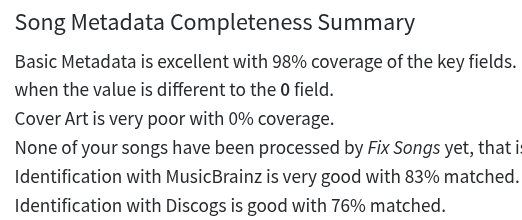
image

I had it set to ignore cover art, so not a bad result.

Not much to report on the errors and warnings front. Seems it failed to process a box set:, but that’s about the most interesting

Matching to Boxsets is difficult because sometimes you are matching many tracks to many songs . Consider a standard album with 10 tracks, to compare with 10 songs you basically have a 10x10 (100) grid. but if you have a 100 tracks and 100 songs you have a 100 x 100 grid (10,000) becoming expotentiallly larger to compute. For this reason we have to treat boxsets differently and have various optimizations but there are cases where it can just take too long so as a fail safe we give up after a certain time.

Might be worth rerunning Fix Songs against just against that folder to see if it consistently fails, if it does you can send me the files (possibly convert to mp3 to make upload smaller) and can see if there is a particular issue.

Is the empty folder issue resolved?

Can you upload support files please?

Would be interested in your analysis of results.

I’ll run it against the box set as a separate exercise and see what transpires.

I’m not at my pc now but I believe the empty folder issue resolved itself.

Will upload when I’m next home … probably tomorrow morning unless I get in earlier than I anticipate tonight, being silly season.

image

Thanks, I see report did complete properly and also the issues from last time in Errors and Warnings tab have disappeared, there are some new errors that all appear to be of similar type to each other so I looked into the last one:

##### Nov 30, 2025, 5:36:25 PM
Unable to find matching MusicBrainz release for Vicetone - Collide/02 - Collide.flac

SongKong understands MusicBrainz Ids and respects matching done by other applications such as Picard so by default when you run FixSongs if songs already have MusicBrainz Ids it doesn’t try to rematch the songs it just updates from the ids provided.

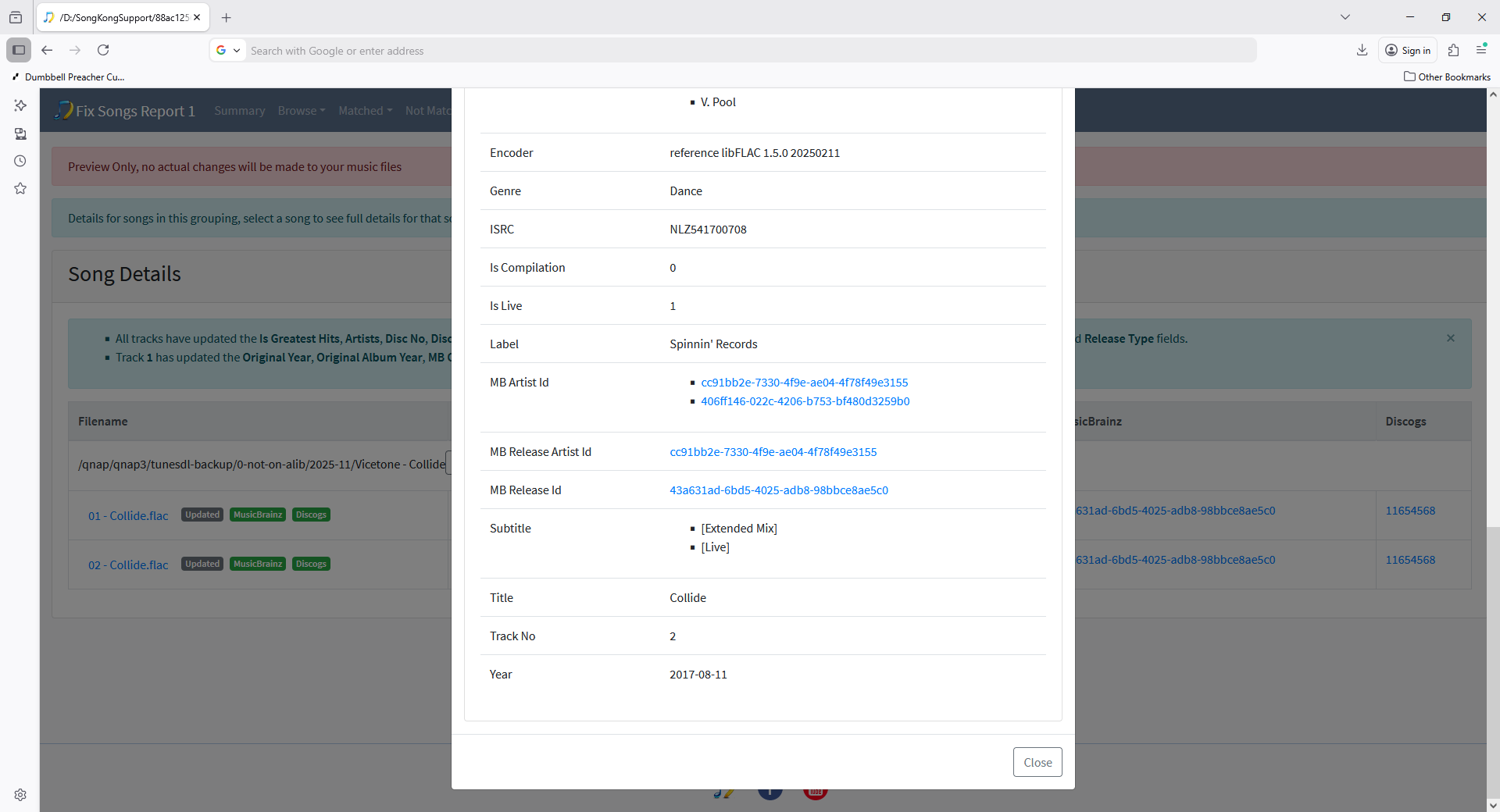
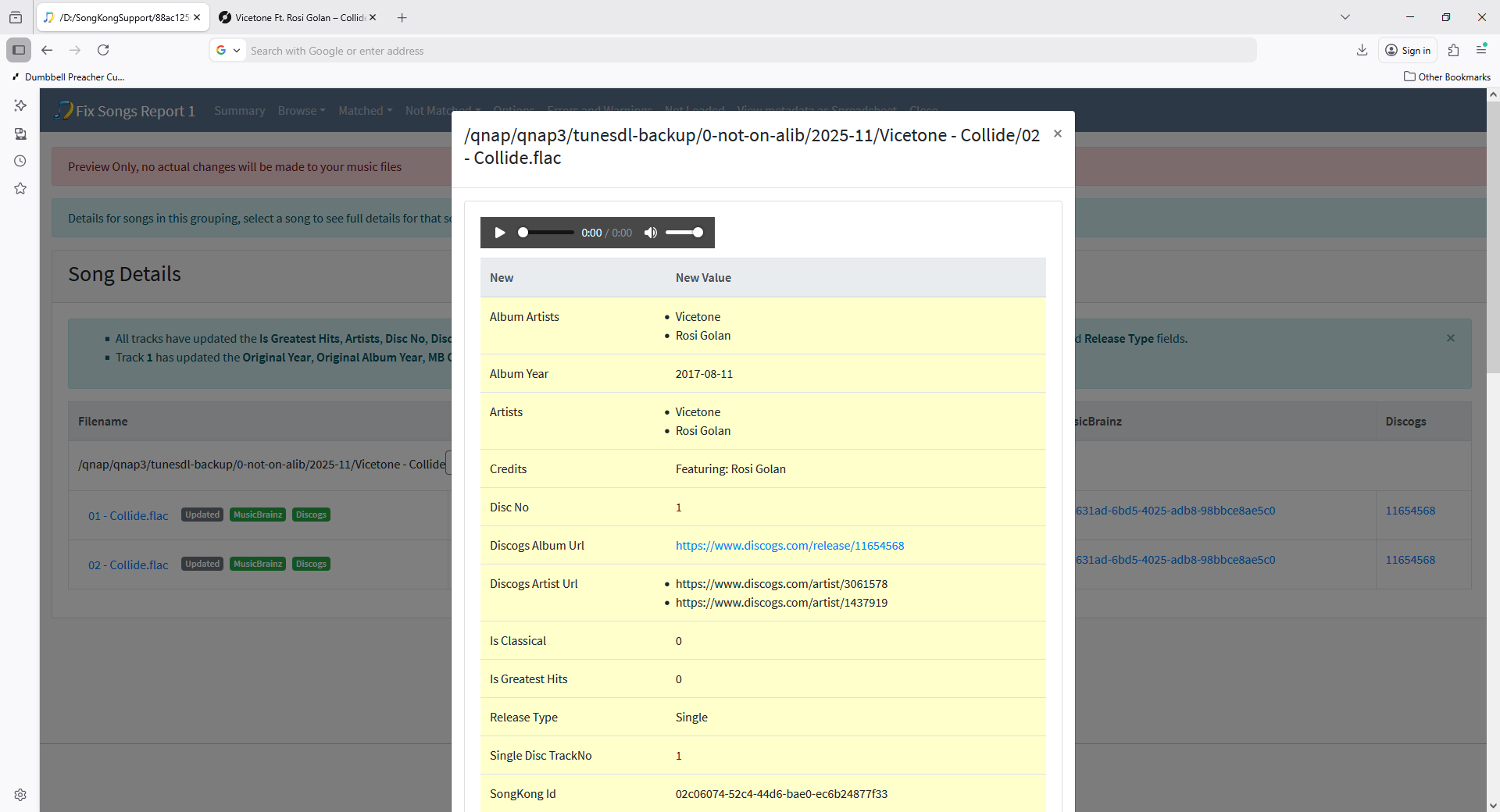
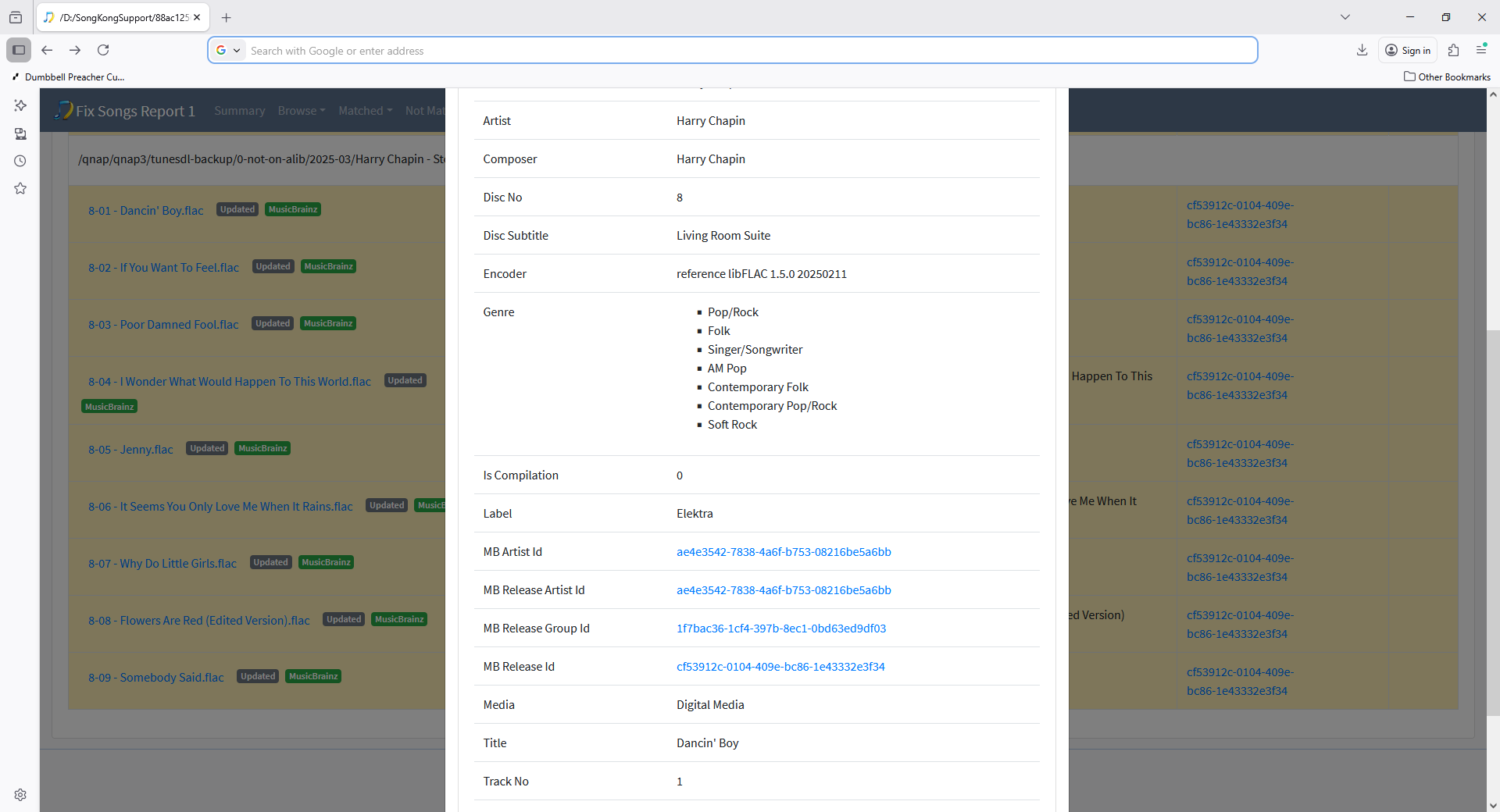
Now for this album you have two songs they had already been matched to a MusicBrainz release with only one song before using SongKong. Both of your tracks have the same MusicBrainz Release Id, but only the first track has a MusicBrainz Track Id, the second has a trackno field so we try to match by that instead, but trackno is 2 which is non-existent so a match can not be found, this is the cause of the error.

But SongKong did manage to find a match to the correct Discogs album that matches both tracks.

Probably better for error to say Unable to find matching MusicBrainz Track rather than Unable to find matching MusicBrainz release, raised issue

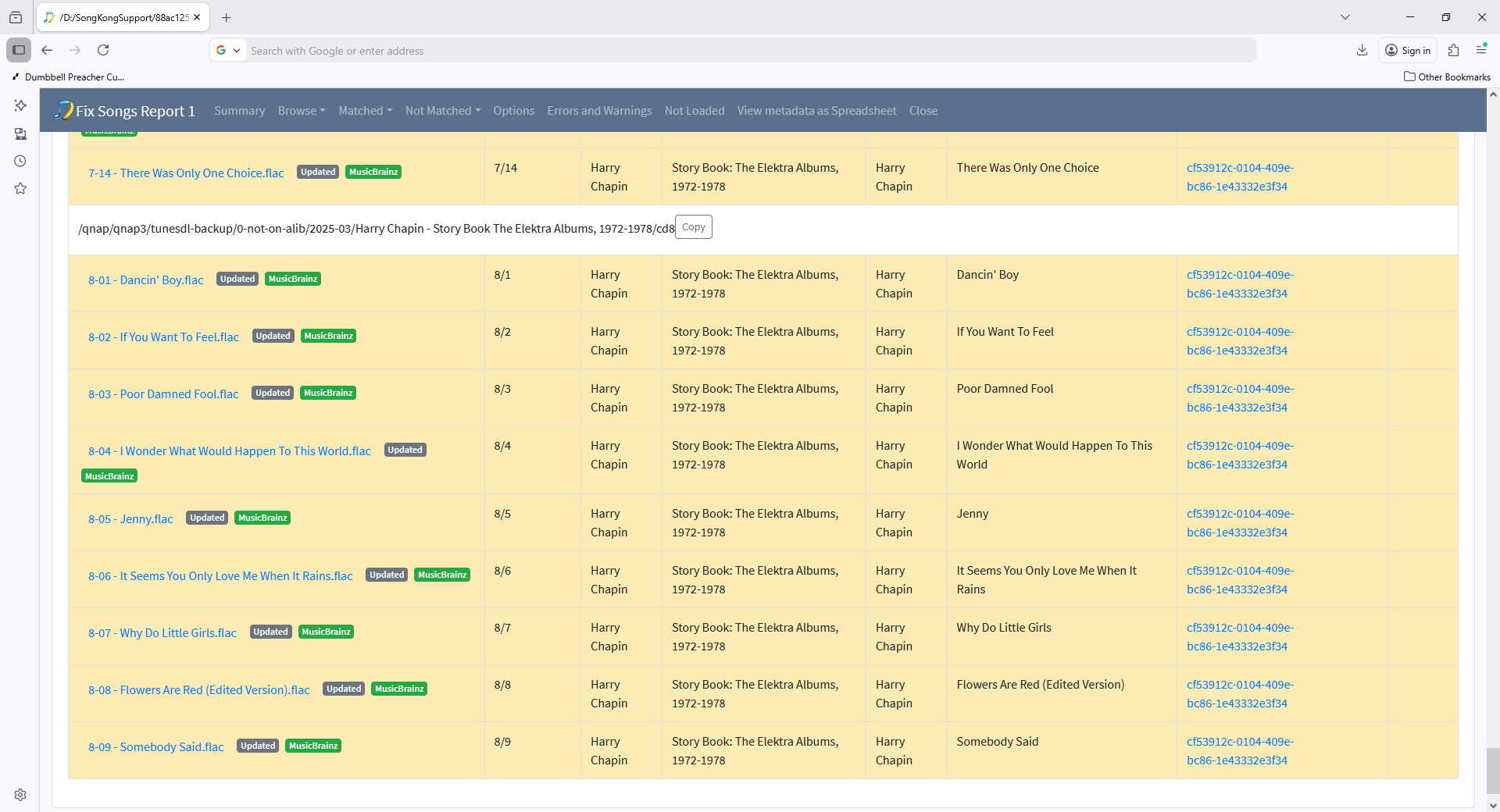
Then there alot of errors for Cd8 of Harry Chapin - Story Book The Elektra Albums

  • Unable to find matching MusicBrainz release for Harry Chapin - Story Book The Elektra Albums, 1972-1978/cd8/8-06 - It Seems You Only Love Me When It Rains.flac
  • Unable to find matching MusicBrainz release for Harry Chapin - Story Book The Elektra Albums, 1972-1978/cd8/8-07 - Why Do Little Girls.flac
  • Unable to find matching MusicBrainz release for Harry Chapin - Story Book The Elektra Albums, 1972-1978/cd8/8-08 - Flowers Are Red (Edited Version).flac
  • Unable to find matching MusicBrainz release for Harry Chapin - Story Book The Elektra Albums, 1972-1978/cd8/8-09 - Somebody Said.flac

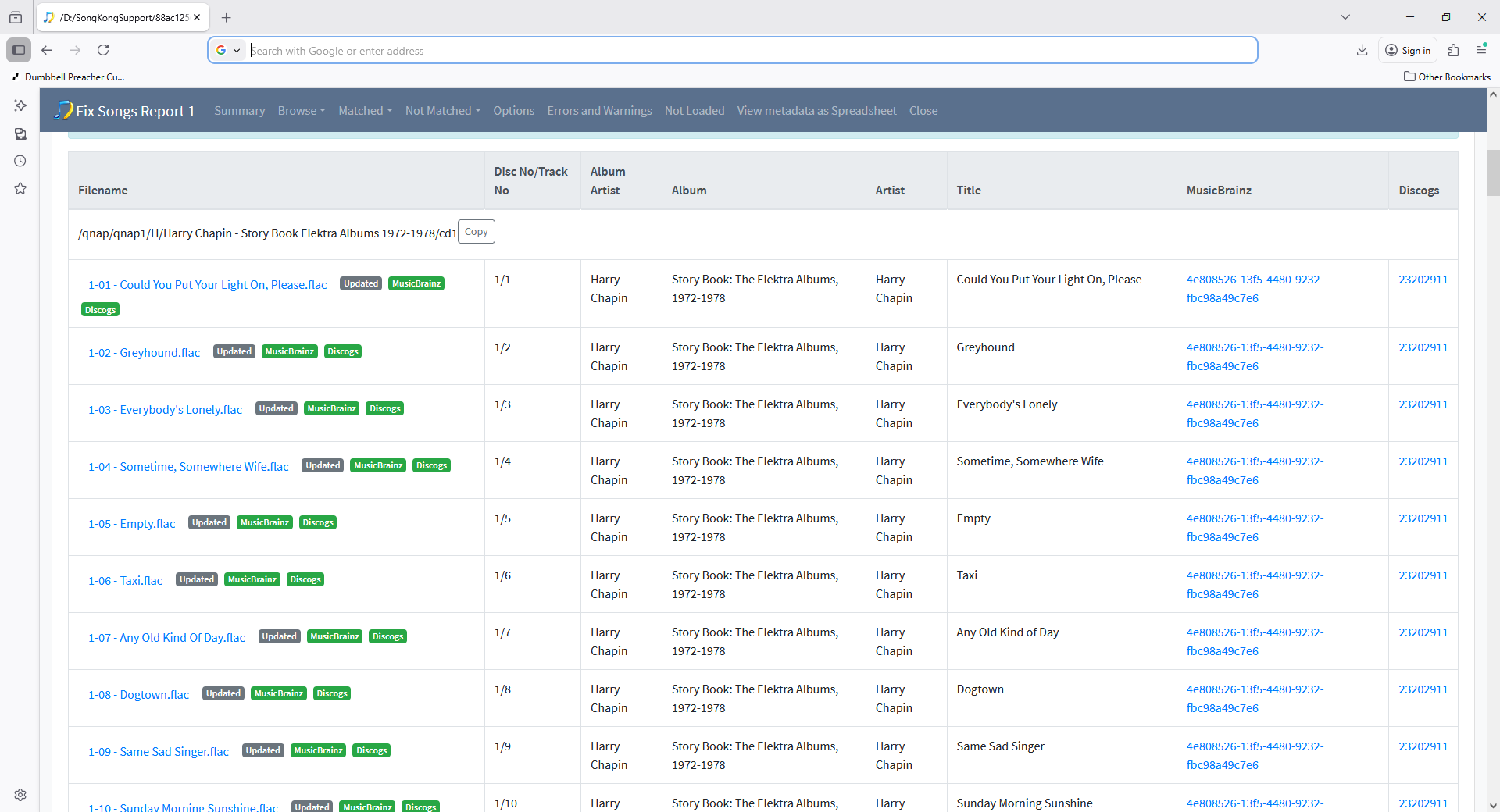
These songs were already matched before SongKong and the issue here is that although the first few discs were matced to the right album

the later cds were match to a different album, but they still have discno and trackno fields set as if matched to the boxset and therefore again no matching track could be found for SongKong to update the track.

image

I did notice that, it’s one I’ll look into. There were also some inconsistencies in album names, missing track names and numbers etc. in a handful of folders - the foibles of manual tagging and my scripts that detect missing tracks, misnumbered tracks etc. not yet having being transitioned from the monolithic script I originally developed.

On the whole though, it appears my metadata is in pretty good shape, but running SK through it would significantly enrich performer data - that consistent with what you’re seeing?

Yes, although it is not possible to see what the metadata was like overall before using SongKong I cannot see what your percentage of matches was before (I could see this if you ran Status Report) and problems you did have and would have been reported in inconsistencies report that have been fixed by Fixed Songs.

Its not just perfomer details that are added there is another information such as IS_CLASSICAL field that calculates if a classical release.

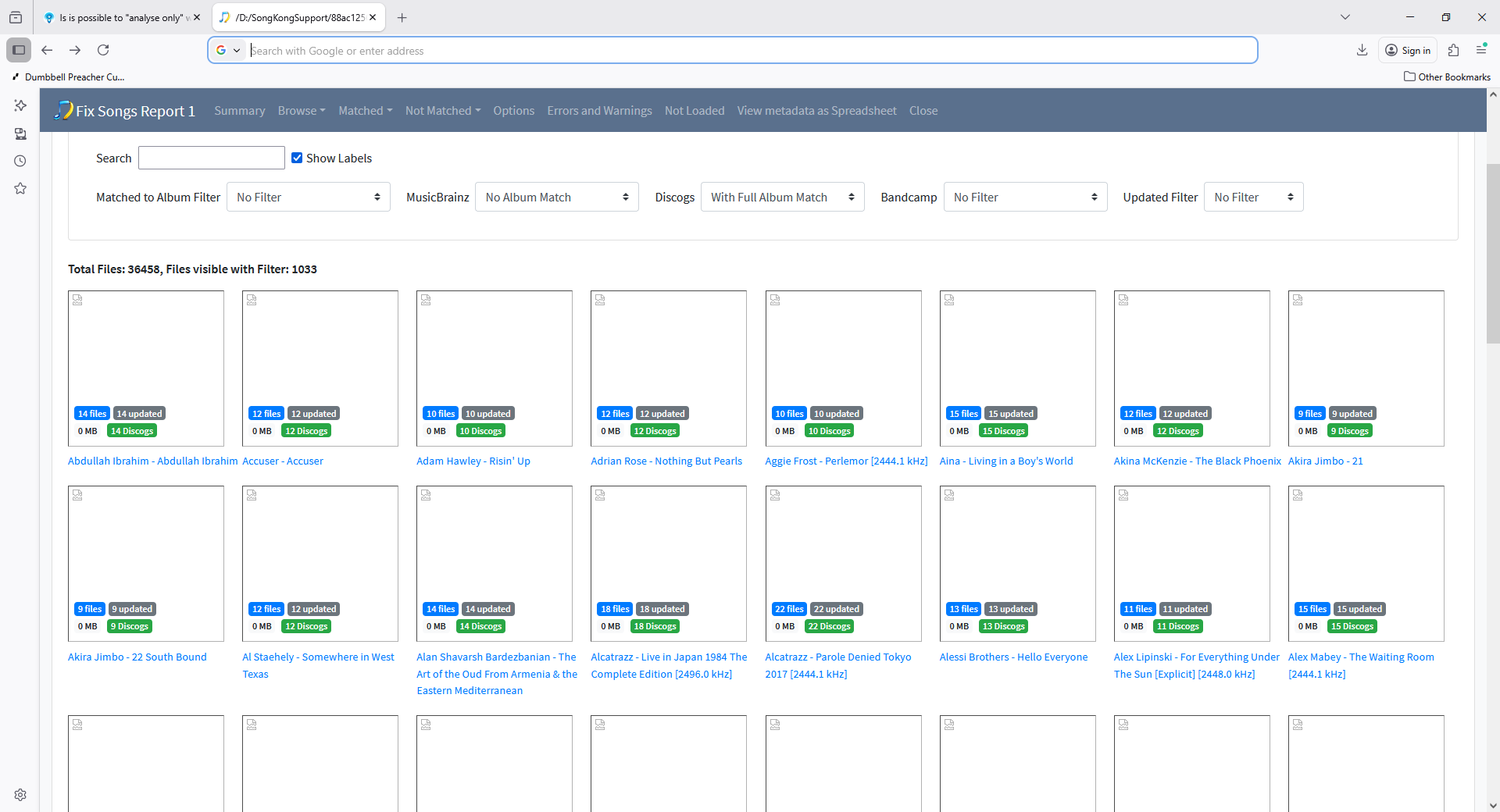
The other thing is finding matches to Discogs when the release does not exist on MusicBranz. So if you do Browse/Browse By Folder/Disk 1/A and filter by MusicBrainz:No Album Match and Discogs:With Full Album Match we see

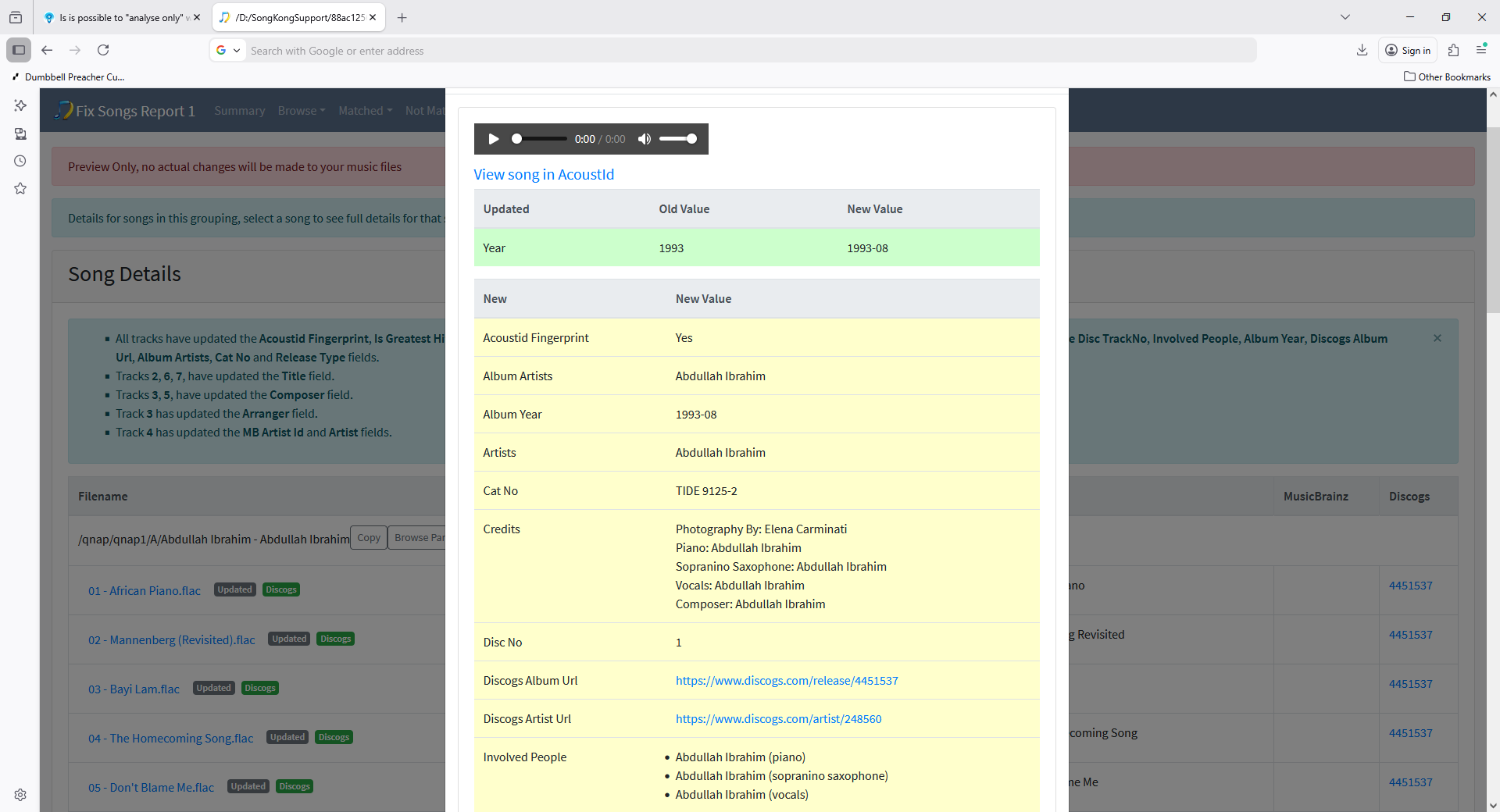
so for these albums it is adding alot of extra info like catno, label that you dont have because you don’t have a MusicBrainz match

e.g

This is also highlights another improvement I need to make. With such a large library Browse/Browse by Artist and Browse By Album load too slowly because the top pages are too large for browser to cope with, Browse By Folder is acceptable because you have a breakdown by first letter level above. So I think I need to (optionally depending on size) add a breakdown by first letter A-Z to keep the pages not too large.

There are still quite alot of inconsistencies listed in the report, many of the ones listed could not be fixed by SongKong in last run because the tracks have already been incorrectly matched by another app and SongKong doesn’t rematch already matched songs. But if you rerun Fix songs with For songs already matched set to Rematch then it will be able to fix some of them

1 Like

Are you in essence saying that Picard has matched an incorrect release for these?

I don’t know if it was Picard, but yes, for example the Collide release I mention above.

It’s the only MB tagger that’s ever had a hand in my tags. Most of the tagging was AMG based. Picard was then overlayed

It would be useful to run a StatusReport because then we know that the releases and changes are added by Picard rather SongKong so its all alot clearer.

Given the fix songs scan results and underlying data are in the local sk database, does the Status report leverage that data or trigger a rescan, ignoring existing data?