SongKong Jaikoz

SongKong and Jaikoz Music Tagger Community Forum

Help needed to correct my mistakes please

Having had great success over the years I confess in haste last year I ran SK on my whole classical collection at least twice without checking exactly what I was doing and have munged much of it. The only surviving data collection is now on my NAS and must be considered the “best” I have.

The problem manifests itself in some cases as duplicated directories and in others works having duplicated or triplicated tracks with different tags.

Having discovered that I have a serious problem I have taken a working copy of the NAS data and am using this as the source. My intention once repaired will be to copy the corrected data back to NAS with working copy becoming the master data. (I shall of course back it up.)

My collection is in the form …/Music/Genre/Composer/Work. Rather than create a Status Report of the whole collection I have run it for one genre, in this case Oratorio. I hope that is the right approach.

BTW if the Report is too large I could run it for one Composer. Please tell me what I must do.

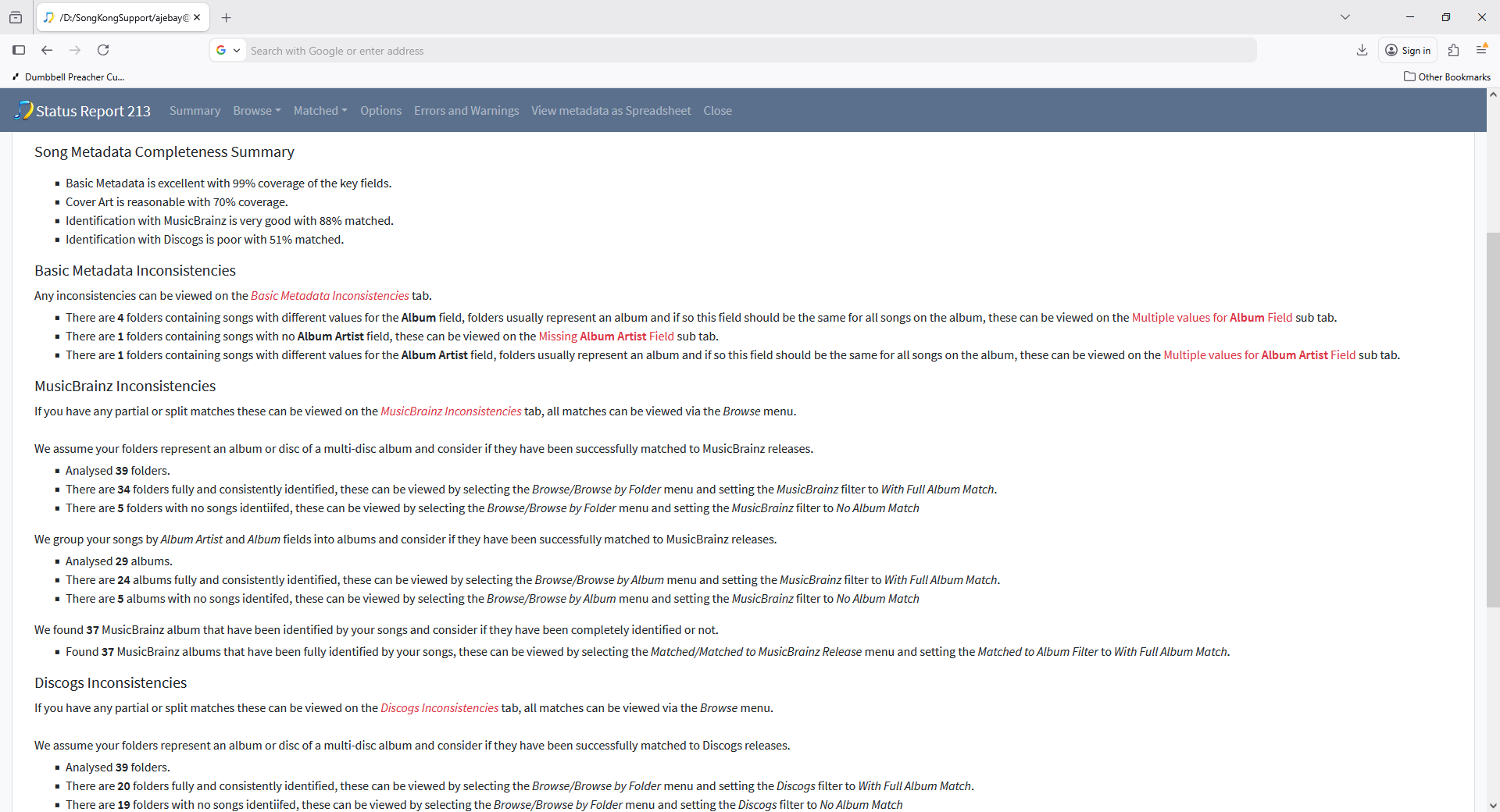
Running Status Report over whole music and then running Create Support Files would be best. But since I have recieved your support files and I can see the status report for Oratario genre lets examine that first. A cursory glance it doesnt seem too bad with 34 out of 39 folders consistently and completely matched to MusicBrainz, so could you point out the particular issues for me?

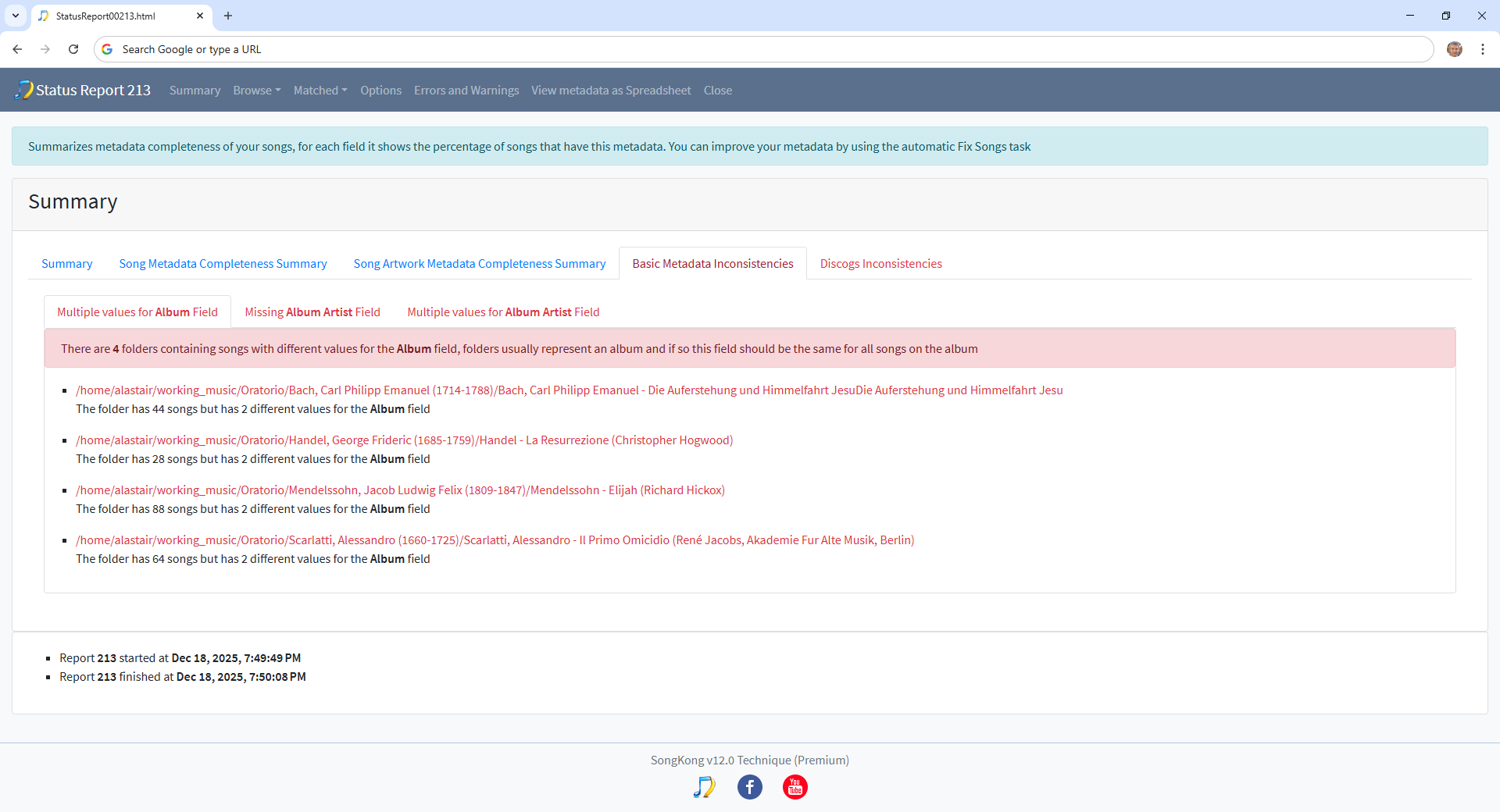
There are four folders where the albums have been matched conistently to one album, but some songs have a different value for the album field than the others

e.g all tracks matched to Discogs release 9519539 but tracks 1-14 have album title as La Resurrezione (1708) and tracks 15-28 have it as Händel: La Resurrezione (Christopher Hogwood)

But this must have been a manual edit because SongKong would always use the same value for the album field, re-running Fix Songs on such albums would fix this.

Many thanks. One step at a time then as I am not at all familiar with using the Status Report. First, where can I read up a bit more on the reporting tools please as clearly I have forgotten all I might have known and need to know my way around the reports.

Second, I have now run the Status Report over the whole music directory and am creating the Support Files now.

Meanwhile from what you have highlighted there are some obvious errors, eg. Handel and Händel for the composer subdirectory but within each composer subdirectory I sometimes find two or four copies of the same work and in some works two or three tracks with different names. This all fits with what I believe have been three types of error on my part: my errors from early manual editing and possibly adopting the wrong tagging “style,” and then running SongKong Fix Songs on wrong directory and possibly rsync errors.

What I seek now is guidance please in salvaging the mess. I can and probably should do it one genre at a time or even genre>composer. What do you suggest?

HI the tutorial explains all features of SongKong including the reports, I suggest you look at the items listed on the Inconsistencies section like I did and take action to fix the issues you find.

Hi Paul and many thanks.
Now I have the tutorials I shall read up over the holiday.

What I have found is that is some cases I have two directory albums with the same recording but tagged differently and others where within one album directory there are two files of each track, again with different tagging. I have been trying to work out how this has happened so that I can undo the mess I made. I will not delete anything until I am confident.

With regard to the tutorials, can I get these in pdf format?
Best wishes,
Budge.

So if you can give me actual examples i.e the foldername and you upload the new support files ( I havent received anything but the first one) then i can give you some practical advice.

No, it is a now a series of linked pages rather than one monotholic document, but within your browser you can use Save Page as to save individual pages as pdfs if that helps.

Getting there slowly. You should have received my support file for the whole collection so please let me know if you do not have it.
It seems that there is no delete for a whole album so have deleted manually.
I am working through this very very slowly as I learn more about the details but I have one album which, after having cleaned up the duplicate tracks I have an album it which there is a conflict between MusicBrainz and Discogs over two tracks but the Fix Songs does not give me what I hoped.
Three different tracks have been given the same track number, of which one I believe is correct, one is a duplicate with different tagging and one is an odd track I do not recognise.
I am not sure if I should try and upload in this thread or start a new topic.
I hope the files reach you but please tell me what I should do to make your job easier if I have it wrong.
Best wishes for Christmas and the New Year,
Budge.

Can you tell me what is the problematic folder that you are discussing because currently you are talking in abstract terms rather than a particular issue that I can show you how to fix.

OK I have spent while on this and have tried all the options I could think of but I still have the album with the numbering of each track scrambled so that the later tracks have an earlier number.
These are examples of the first few track files:-
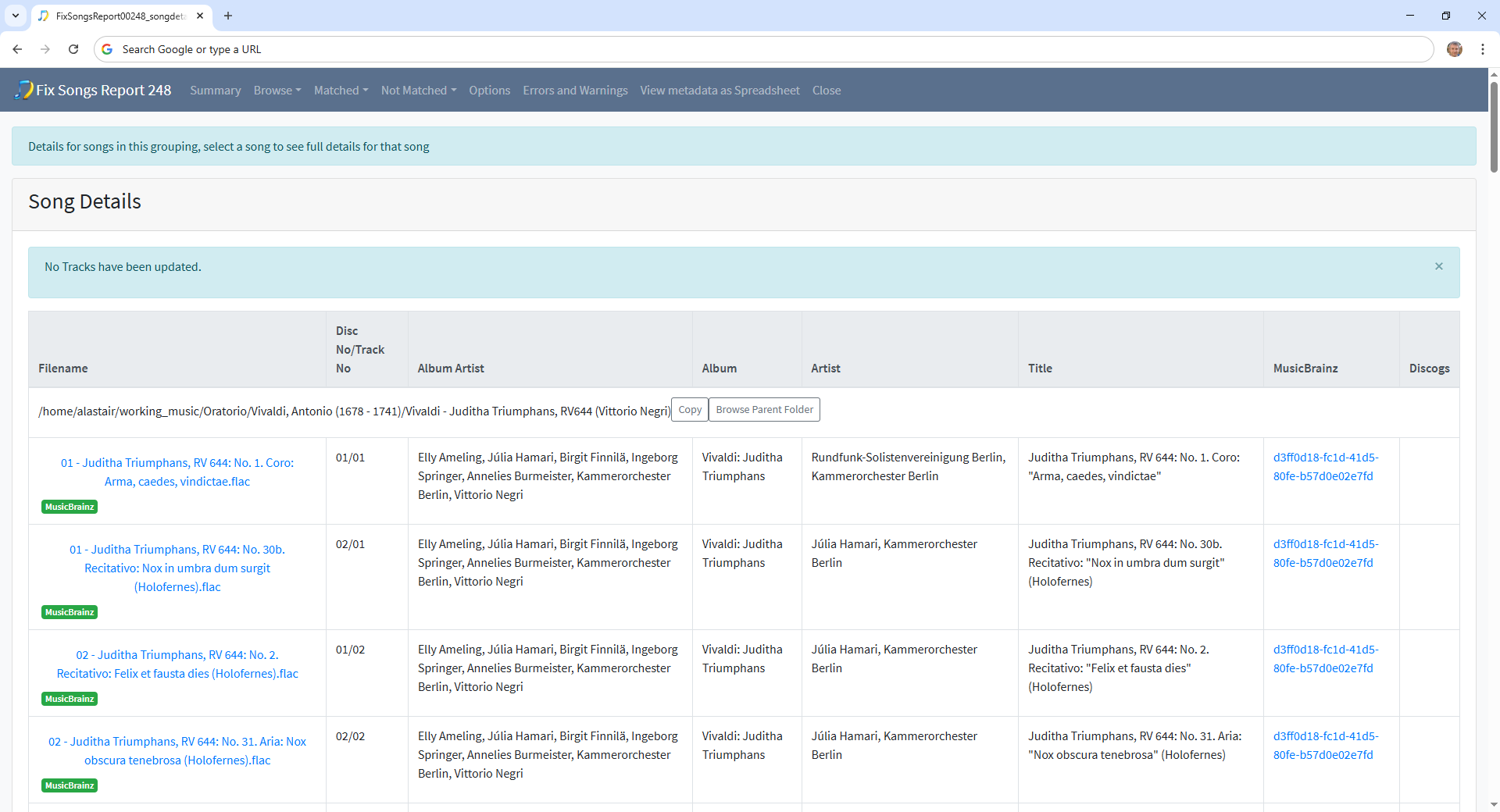
01 - Juditha Triumphans, RV 644: No. 1. Coro: Arma, caedes, vindictae.flac
01 - Juditha Triumphans, RV 644: No. 30b. Recitativo: Nox in umbra dum surgit (Holofernes).flac
024 - Juditha Triumphans, RV 644: No. 24. Recitativo: Venio Juditha (Abra).flac
02 - Juditha Triumphans, RV 644: No. 2. Recitativo: Felix et fausta dies (Holofernes).flac
02 - Juditha Triumphans, RV 644: No. 31. Aria: Nox obscura tenebrosa (Holofernes).flac
03 - Juditha Triumphans, RV 644: No. 32. Recitativo: Belligerae meae sorti (Holofernes, Juditha).flac
03 - Juditha Triumphans, RV 644: No. 3. Aria: Nil arma, nil bella (Holofernes).flac
04 - Juditha Triumphans, RV 644: No. 33. Aria: Transit aetas, volant anni (Juditha).flac
04 - Juditha Triumphans, RV 644: No. 4. Recitativo: Mi Dux, Domine mi (Vagaus, Holofernes).flac

Re-numbering or re-tagging everything including deleting many criteria using MetaGrater has failed. I am stuck now. Any help would be appreciated.

What folder are the files in?

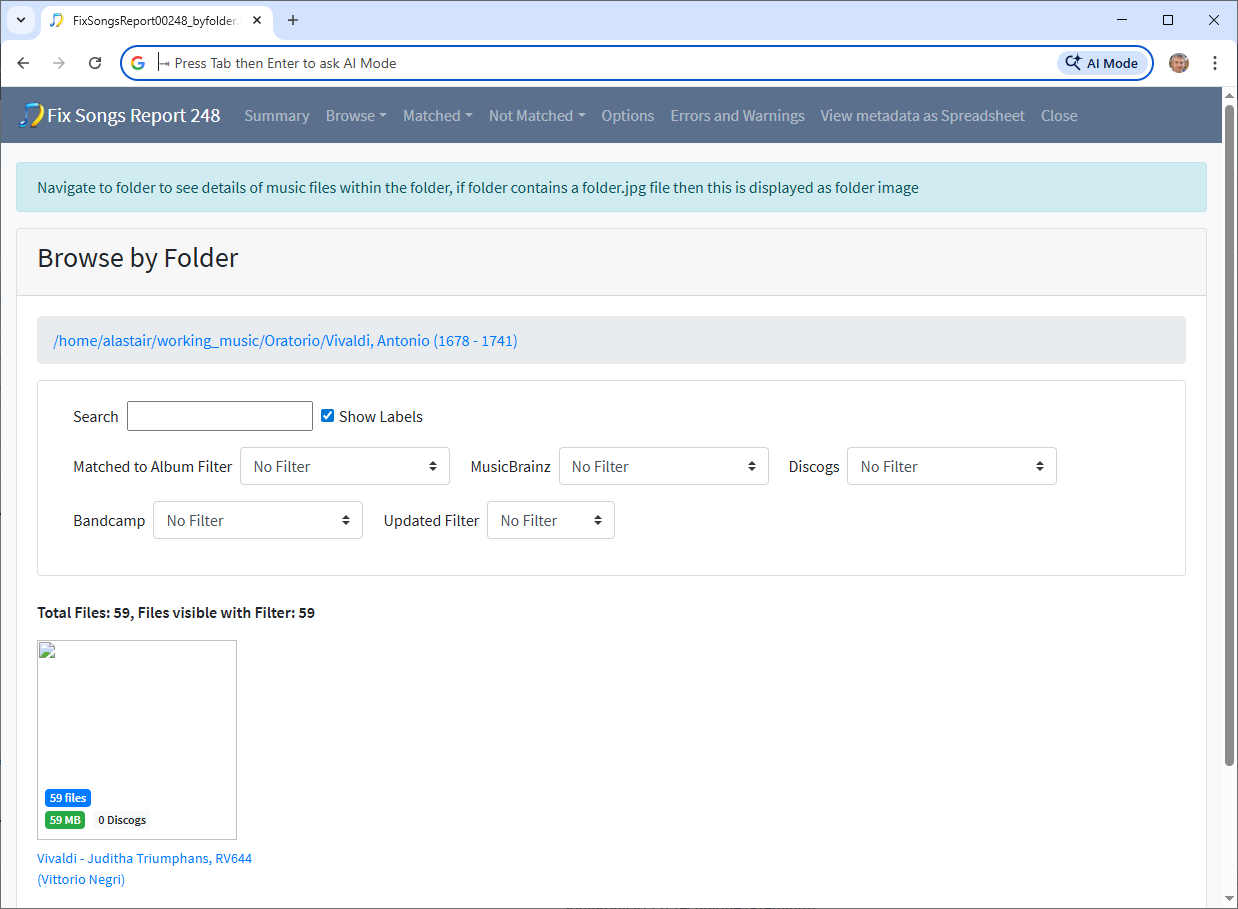
The files are in alastair@HP-Z640-1:~/working_music/Oratorio/Vivaldi, Antonio (1678 - 1741)/Vivaldi - Juditha Triumphans, RV644 (Vittorio Negri)>

I can add ls -a detail if you wish or upload the files for this one album.
This is my testing album so I can run whatever you suggest.

Can you just rerun Create Support Files so I can see your latest attempts, and I will take a look tomorrow

Many thanks for the reply. I have sent the Support files, I hope the right way.

Hi, I think there is a bit of bit of a misunderstanding here between metadata and filenames.

If we look at FixSongsReport0248, we see the metadata is actually 100% correct, the album is already fully matched to the MusicBrainz album with correct metadata for all tracks

The problem is simply that is a 2 CD release and the filename does not include the disc no only the track no and therefore you see multiple files with the same trackno. So all you needed to do was run the Rename Files task with a suitable mask to fix the filename.

But instead you deleted various fields such as title and trackno then eventually with FixSongsReport0256 nearly got back to your starting point, but it hasn’t matched one track properly.

What you need to do is first fix metadata:

  • Select Fix Songs task
  • Modify For songs already fully matched to the new default Rematch if only Partial Match
  • Select Start (to sort out the one file that has no title)

Then rerun Rename Files so includes discno or singledisctrackno:

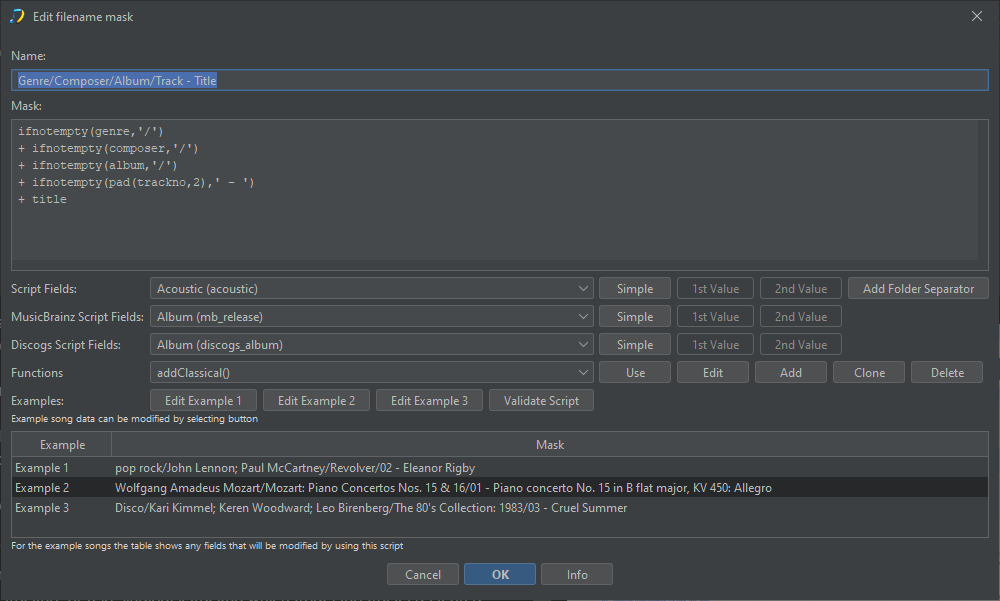
I noticed in your last Rename Files report RenameFiles00195 you used a custom rename mask called Genre/Composer/Album/Track - Title so what you want to do is modify this mask to include either include discno as well as trackno, or use singledisctrackno which treats the tracks as if on a single disc so in this case would label 1-59

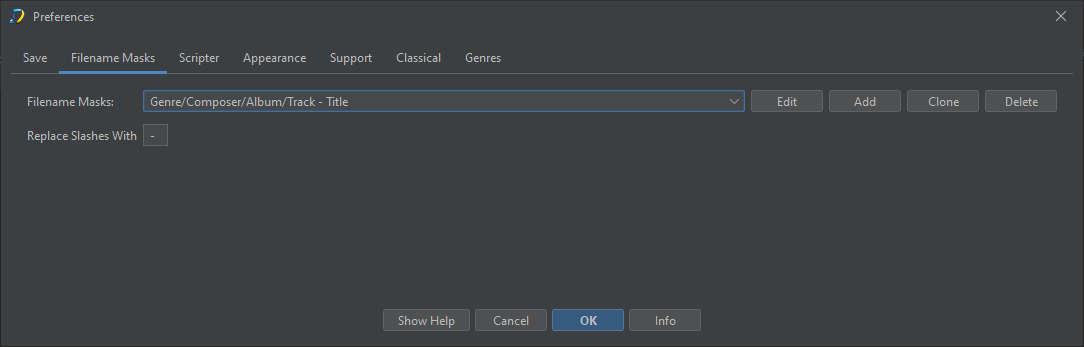
  • Select Preferences
  • Select Filename masks tab and find the Genre/Composer/Album/Track - Title mask
image

  • Select Edit

image

Now modify from

ifnotempty(genre,'/')
+ ifnotempty(composer,'/')
+ ifnotempty(album,'/')
+ ifnotempty(pad(trackno,2),' - ')
+ title

to either

ifnotempty(genre,'/')
+ ifnotempty(composer,'/')
+ ifnotempty(album,'/')
+ ifnotempty(pad(discno,2),' - ')
+ ifnotempty(pad(trackno,2),' - ')
+ title

or

ifnotempty(genre,'/')
+ ifnotempty(composer,'/')
+ ifnotempty(album,'/')
+ ifnotempty(pad(singledisctrackno,2),' - ')
+ title
  • Now select OK to save changes to mask

  • Now run Rename Files task

Many thanks and now I am beginning to understand a bit more. I had struggled with the numbering from a very long time ago. The issue had been that I need the tracks to play in sequence without interruption and I had always had file numbers from 1 to whatever, in very rare cases over 99. If I adopt the “singledisctrackno” I assume this will give me what I want and more important, now I know what it actually means, that SK can deal with this without any interference from me.
Will now persevere with your advice.
Very many thanks for your help.
Budge

1 Like

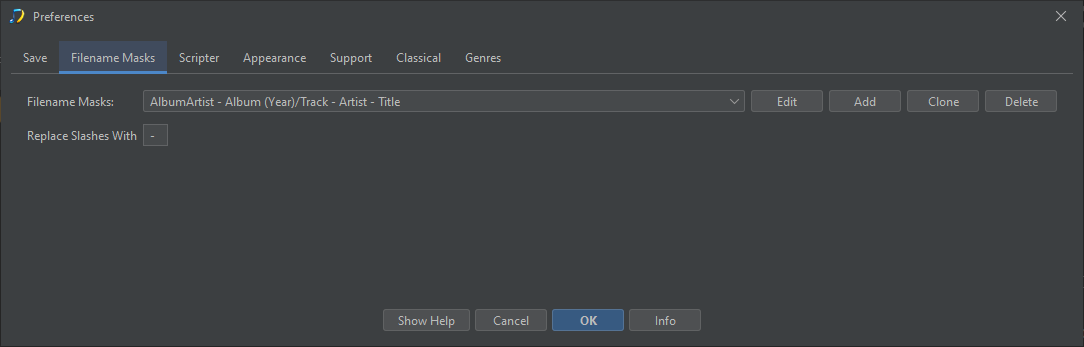
Only one follow-up: I thought the Preferences, once set, would remain for all SongKong use and fix songs but I am finding that the preferences I set using your advice and which I assumed would be good for all my classical works seem to be ephemeral and keep reverting to AlbumArtists - Album (Year)/Track - Artist - Title.
Why does this happen please?

Preferences:Filename masks lists all the rename masks available in alphabetical order, so it will always show AlbumArtists - Album (Year)/Track - Artist - Title because this is the first one in list, but this doesnt mean this is the one you are using.

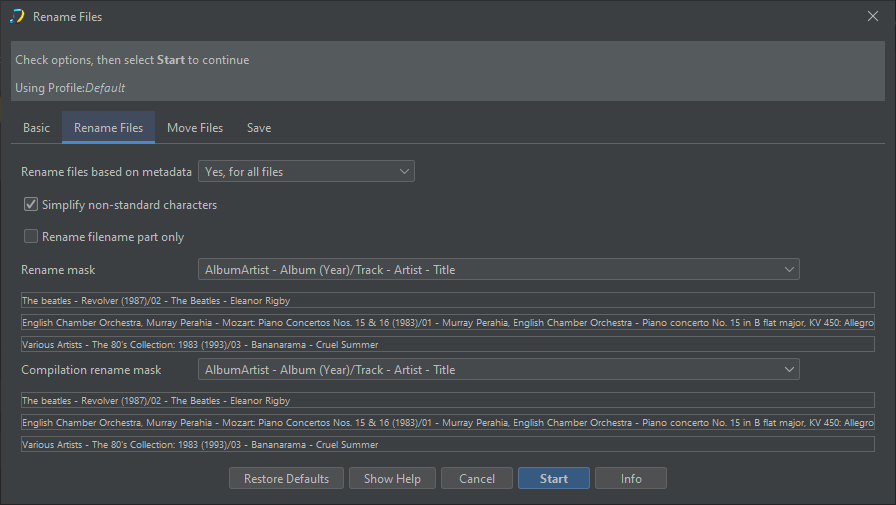
You may be using more than one because Rename Files can select from multiple profiles, and different profiles may use different rename masks. So the rename mask you are using when you run Rename Files is the one you have selected in the Rename Filename mask and/or Compilation Rename File mask selected for that profile.

Have you tried running a Rename Files task yet, if you switch to the Options tab of the report you should see it is not using the AlbumArtists - Album (Year)/Track - Artist - Title mask.