SongKong Jaikoz

SongKong and Jaikoz Music Tagger Community Forum

Difficulties with Tagging and Library Organization

Hey Paul, when I purchased your software, I was hoping for an all in one solution that would finally bring structure back into my music library. Unfortunately, with many options it is not entirely clear to me what exact impact they have on my metadata.

Several attempts to automatically tag my library were unsuccessful, even when forcing AcoustID. It seems that I have to go through my library of 10,000 files manually, since the file names and tags are really not meaningful.

Then I thought that the manual tagging feature might be something for me, but I cannot quite understand the connection between the IDs and the tabs and the file I am actually editing. Maybe a simple editor would be the better way to go.

Therefore I would like to ask if it would be possible to get a refund. I am quite sure that it is great software and can become even better, however SongKong was not able to help me with this.

Thank you very much in advance and best regards
Fabian
Hi Fabian, just sounds like you just need a bit of help with getting started. The first thing to note is that Fix Songs only fixes tags not filenames and the defaults are usually fine. The filenames can be fixed afterwards based on the tag metadata using Rename Files. It is safer and more flexible to have these as two separate tasks.

Please run Create Support Files so I can check your logs and reports and give you an easy solution, if a solution is not possible then I will happily refund you.

I am aware that sometimes the options worry new customers and plan to address this with this issue

Hi Paul, thank you for your reply. I appreciate your offer to take a look at the support files. Unfortunately, I have already uninstalled the program.

The main issue I ran into was that the results with MusicBrainz were generally quite poor for my library. Most of my collection consists of non copyrighted music that I use for YouTube videos or streams. Because of that, matching tracks is difficult, and I have already experienced similar issues with Picard where the matches were often inaccurate.

I was hoping that SongKong, with its integration of sources like Discogs or Bandcamp, might provide better results. However, it seems that my library is simply too niche for reliable automatic tagging.

With that in mind, I would like to ask if a refund would still be possible.

Thank you in advance and best regards.

Hi Fabian

Since SongKong is fully functional except Save in the free Lite version Im sorry I can’t just give refunds without actual evidence of problem. What I would say is only this week I made huge improvements to the Bandcamp matching so if you have many Bandcamp songs you will now get much better results with the latest release.

I suggest you try the latest version and I am happy to help you further if you still get poor results. From experience I have found when I actually interact with a customer and view their results that in nine out of ten cases I can resolve the issue.

thanks Paul

Thanks for the support files. okay the problem is that all 5000 songs are in one folder and most songs have no metadata. By default SongKong does album based matching to ensure your albums are not broken up, and it usually does this by grouping by folder and then when that doesnt work grouping by metadata but as you can see that is not going to work in your case.

And that will be a key reason why other tools have not worked for you either

But your filenames do already contain artist and song title, and it seem to be pretty consistently named as artist - title so what you need to do is reorganize your songs into artist folders first, I think this workflow will work for you.

Create a New Rename mask

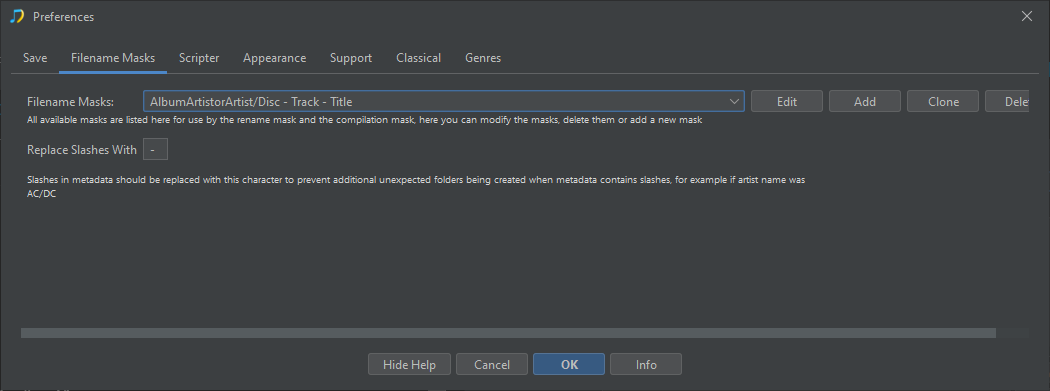
Select Preferences and then Filename masks tab

Select Add
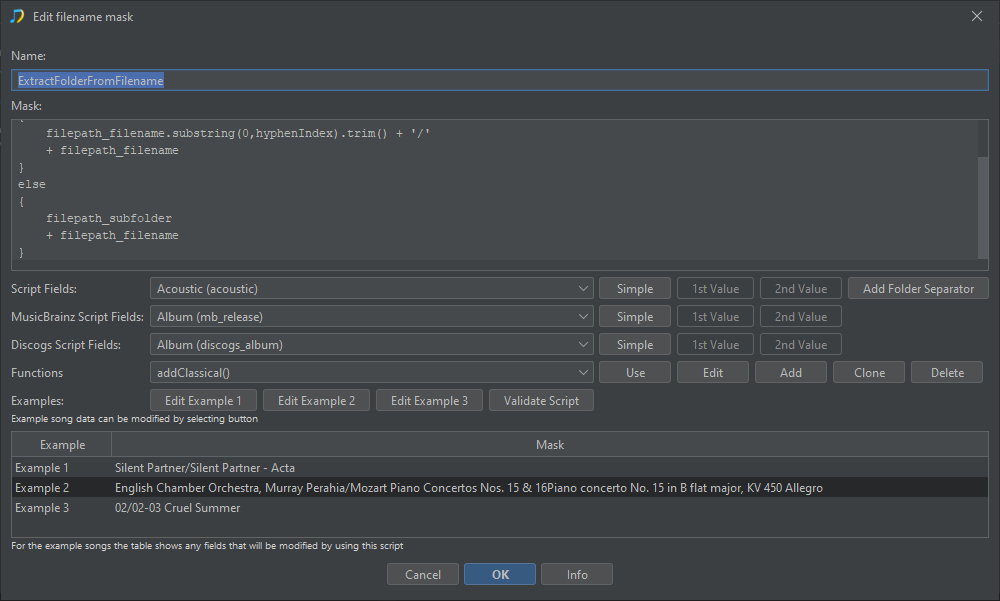
Enter Name ExtractFolderFromFilename
Enter Mask as follows:

var hyphenIndex = filepath_filename.indexOf("-");
if(hyphenIndex > 0)
{
    filepath_filename.substring(0,hyphenIndex).trim() + '/'
    + filepath_filename 
}
else
{
    filepath_subfolder
    + filepath_filename
}

e.g
image

(In the screenshot I edited the Example 1 to use one of your existing filenames to show how it is now put into its own artist folder)

Select OK

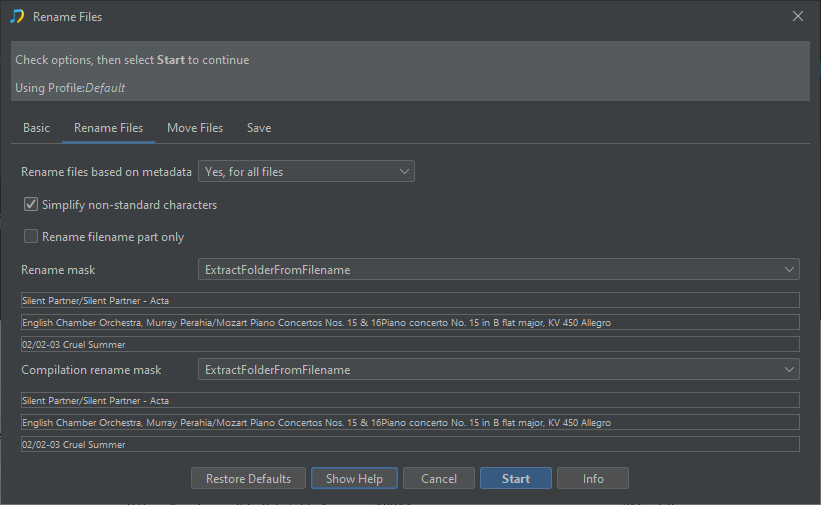
Run the Rename Files task Preview Only:

  • Select Rename Files
  • Select Start
  • On Basic tab ensure Preview Only is enabled
  • On Rename Files tab set Rename files based on metadata to Yes, for all files
  • Set Rename mask to ExtractFolderFromFilename
  • Set Compilation rename mask to ExtractFolderFromFilename
  • Select Start

image

Apply Rename Files for Real

  • After completion check Browse:Browse by Folder in report to check it looks okay
  • If all fine run Apply Preview task

Rerun Fix Songs and Bandcamp Match

Then rerun Fix Songs and Bandcamp Match task and they should work much better.

Hi Paul,

unfortunately, it still doesn’t work properly for my library. I’ve tried several approaches, but I’ve come to the conclusion that manual tagging works better for my case.

I think I made a bit of an impulse purchase, hoping that SongKong, as a highly recommended tool, would solve this problem. While the software is certainly powerful and works well in general, I’m still getting inaccurate tags with my files, so it doesn’t really meet my needs.

I would therefore like to kindly ask if a refund would be possible, as the software isn’t suitable for my needs and I’ve already started manually tagging my library with better results.

I would really appreciate your understanding.

Thank you.

Just a quick update, I’m currently giving it another try using the Naim and Bandcamp features to see if that improves the results.

I’ll let you know how it goes.

Thanks again for your support.

When you’re done please resend the support files and I will have another look.

Hi, thankyou for the support and doing the file reorganization and then running the Fix Songs task as I detailed. Having looked at the results it doesn’t seem to have improved much and having a look at a few songs in your collection it does seem that the majority of songs are too niche to even exist in the Acoustid database.

You said you were going to try Bandcamp match, and that wasn’t included in these support files so I will wait for that, but unless it has more success than we have had so far I will then refund you.

Thanks for looking at the support files and for your feedback.

Bandcamp took a bit longer than expected, but the files should now have been processed and included in the support files.

I appreciate you checking them, and I’ll wait for your assessment.

Thanks again for your support.

Hi Fabian,

I looked at the results since overall only 10% of songs have been matched from either MusicBrainz, Discogs or Bandcamp I agree that the results are disappointing for your library and have refunded you.

thanks for following the advice and giving it a go

Paul

Hi Paul,

thank you very much for your understanding and for issuing the refund. I really appreciate it.

I also appreciate the time and effort you put into reviewing my library and guiding me through the process. While it didn’t work out for my specific case, I can see that SongKong is a powerful tool.

Thanks again for your support and professionalism, and I wish you all the best for the future.

Best regards
Fabian

1 Like