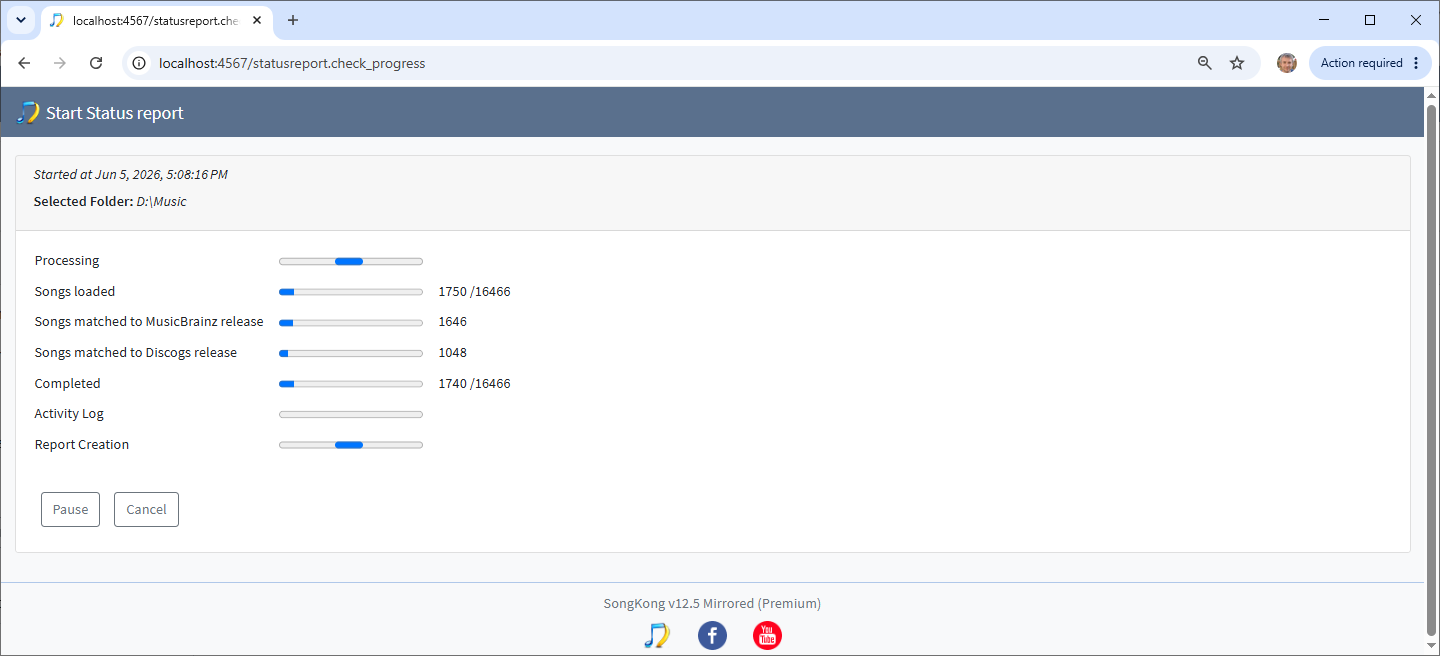
Thankyou for the support files
You ran Delete Duplicates Report 2038 at May 29, 2026, 2:48:47 AM in Preview Only mode and it took 32 minutes
You ran Delete Duplicates Report 2039 at May 29, 2026, 12:05:55 PM and it took 9 hours 18 minutes 3 seconds
From the logs and the reports I don’t think that Delete Duplicates was actually run again after this point. However the Web UI doesn’t seem to realize this and it still checking for progress
29/05/2026 21.20.58:GMT:DeleteDuplicatesReport:closeReport:WARNING: Delete Duplicates Report is:/songkong/Reports/DeleteDuplicatesReport02039/DeleteDuplicatesReport02039.html
29/05/2026 21.31.44:GMT:CmdRemote:lambda$start$302:SEVERE: >>>>>/deleteduplicates.check_progress
29/05/2026 21.31.49:GMT:CmdRemote:lambda$start$302:SEVERE: >>>>>/deleteduplicates.update_progress
29/05/2026 21.31.49:GMT:StartPage:createPage:SEVERE: RecreatingStartPage
29/05/2026 21.31.52:GMT:StartPage:setFolderInputField:SEVERE: -- GET:/music/Unsorted
29/05/2026 21.31.52:GMT:CmdRemote:lambda$start$302:SEVERE: >>>>>/deleteduplicates.update_progress
29/05/2026 21.31.52:GMT:CmdRemote:lambda$start$302:SEVERE: >>>>>/deleteduplicates.update_progress
29/05/2026 21.31.54:GMT:CmdRemote:lambda$start$302:SEVERE: >>>>>/deleteduplicates.update_progress
29/05/2026 21.32.08:GMT:CmdRemote:lambda$start$302:SEVERE: >>>>>/deleteduplicates.check_progress
29/05/2026 21.32.11:GMT:CmdRemote:lambda$start$302:SEVERE: >>>>>/deleteduplicates.update_progress
29/05/2026 21.32.12:GMT:CmdRemote:lambda$start$302:SEVERE: >>>>>/deleteduplicates.update_progress
29/05/2026 21.32.14:GMT:CmdRemote:lambda$start$302:SEVERE: >>>>>/deleteduplicates.update_progress
29/05/2026 21.32.16:GMT:CmdRemote:lambda$start$302:SEVERE: >>>>>/deleteduplicates.update_progress
29/05/2026 21.32.19:GMT:CmdRemote:lambda$start$302:SEVERE: >>>>>/deleteduplicates.update_progress
29/05/2026 21.32.21:GMT:CmdRemote:lambda$start$302:SEVERE: >>>>>/deleteduplicates.update_progress
29/05/2026 21.32.22:GMT:CmdRemote:lambda$start$302:SEVERE: >>>>>/deleteduplicates.update_progress
29/05/2026 21.32.26:GMT:CmdRemote:lambda$start$302:SEVERE: >>>>>/deleteduplicates.update_progress
29/05/2026 21.32.26:GMT:CmdRemote:lambda$start$302:SEVERE: >>>>>/deleteduplicates.update_progress
29/05/2026 21.32.28:GMT:CmdRemote:lambda$start$302:SEVERE: >>>>>/deleteduplicates.update_progress
29/05/2026 21.32.30:GMT:CmdRemote:lambda$start$302:SEVERE: >>>>>/deleteduplicates.update_progress
29/05/2026 21.32.33:GMT:CmdRemote:lambda$start$302:SEVERE: >>>>>/deleteduplicates.update_progress
29/05/2026 21.32.34:GMT:CmdRemote:lambda$start$302:SEVERE: >>>>>/deleteduplicates.update_progress
29/05/2026 21.32.36:GMT:CmdRemote:lambda$start$302:SEVERE: >>>>>/deleteduplicates.update_progress
29/05/2026 21.32.38:GMT:CmdRemote:lambda$start$302:SEVERE: >>>>>/deleteduplicates.update_progress
Then even after restart (so clearly nothing actually still running) it is still checking
30/05/2026 10.02.07:GMT:AbstractAcoustidQuery:performBasicSubmissionQuery:SEVERE: Posting to url:http://api.acoustid.org/v2/user/lookup?format=xml&client=8XaBELgH&user=ZuUUCxLIbS
30/05/2026 10.02.07:GMT:SongKong:setUserAgent:WARNING: end
30/05/2026 10.02.07:GMT:SongKong:writeSystemInfo:WARNING: SongKong 12.5 Mirrored 1199 14/05/2026 using Java 21.0.11 21.0.11+10-LTS 64bit on Linux 5.10.60-qnap amd64 initialized successfully
30/05/2026 10.02.07:GMT:SongKong:writeSystemInfo:WARNING: No of CPUs:8
30/05/2026 10.02.07:GMT:SongKong:writeSystemInfo:WARNING: Docker Mode Enabled
30/05/2026 10.02.07:GMT:SongKong:writeSystemInfo:WARNING: SongKong has been configured with minimum heap memory of 1,024 mb, maximum heap memory of 38,592 mb and maximum permanent memory of -32 mb
30/05/2026 10.02.07:GMT:SongKong:writeSystemInfo:WARNING: Total Computer Memory is 64,275 mb
30/05/2026 10.02.07:GMT:StartPage:createPage:SEVERE: RecreatingStartPage
30/05/2026 10.02.10:GMT:StartPage:setFolderInputField:SEVERE: -- GET:/music/Unsorted
30/05/2026 10.02.18:GMT:CmdRemote:lambda$start$302:SEVERE: >>>>>/deleteduplicates.update_progress
30/05/2026 10.03.18:GMT:CmdRemote:lambda$start$302:SEVERE: >>>>>/deleteduplicates.update_progress
30/05/2026 10.04.18:GMT:CmdRemote:lambda$start$302:SEVERE: >>>>>/deleteduplicates.update_progress
30/05/2026 10.05.18:GMT:CmdRemote:lambda$start$302:SEVERE: >>>>>/deleteduplicates.update_progress
30/05/2026 10.06.18:GMT:CmdRemote:lambda$start$302:SEVERE: >>>>>/deleteduplicates.update_progress
29/05/2026 21.20.58:GMT:AbstractReport:outputFailedToLoadSongs:WARNING: Report 2039:end
29/05/2026 21.20.58:GMT:DeleteDuplicatesReport:closeReport:WARNING: Delete Duplicates Report is:/songkong/Reports/DeleteDuplicatesReport02039/DeleteDuplicatesReport02039.html
29/05/2026 21.31.44:GMT:CmdRemote:lambda$start$302:SEVERE: >>>>>/deleteduplicates.check_progress
29/05/2026 21.31.49:GMT:CmdRemote:lambda$start$302:SEVERE: >>>>>/deleteduplicates.update_progress
29/05/2026 21.31.49:GMT:StartPage:createPage:SEVERE: RecreatingStartPage
29/05/2026 21.31.52:GMT:StartPage:setFolderInputField:SEVERE: -- GET:/music/Unsorted
29/05/2026 21.31.52:GMT:CmdRemote:lambda$start$302:SEVERE: >>>>>/deleteduplicates.update_progress
29/05/2026 21.31.52:GMT:CmdRemote:lambda$start$302:SEVERE: >>>>>/deleteduplicates.update_progress
29/05/2026 21.31.54:GMT:CmdRemote:lambda$start$302:SEVERE: >>>>>/deleteduplicates.update_progress
29/05/2026 21.32.08:GMT:CmdRemote:lambda$start$302:SEVERE: >>>>>/deleteduplicates.check_progress
29/05/2026 21.32.11:GMT:CmdRemote:lambda$start$302:SEVERE: >>>>>/deleteduplicates.update_progress
29/05/2026 21.32.12:GMT:CmdRemote:lambda$start$302:SEVERE: >>>>>/deleteduplicates.update_progress
29/05/2026 21.32.14:GMT:CmdRemote:lambda$start$302:SEVERE: >>>>>/deleteduplicates.update_progress
29/05/2026 21.32.16:GMT:CmdRemote:lambda$start$302:SEVERE: >>>>>/deleteduplicates.update_progress
29/05/2026 21.32.19:GMT:CmdRemote:lambda$start$302:SEVERE: >>>>>/deleteduplicates.update_progress
So the issue seems to be that something is not clearing up properly, although I cannot currently see why this is occurring. I assume from what you said you no longer have problem?