Sometimes covers from MB are not found. Here one example:
MB release which contains cover:
https://musicbrainz.org/release/d790bf1e-a971-4db0-bb8c-1f39f9af7e3e
and attached screenshot from Match To One Album 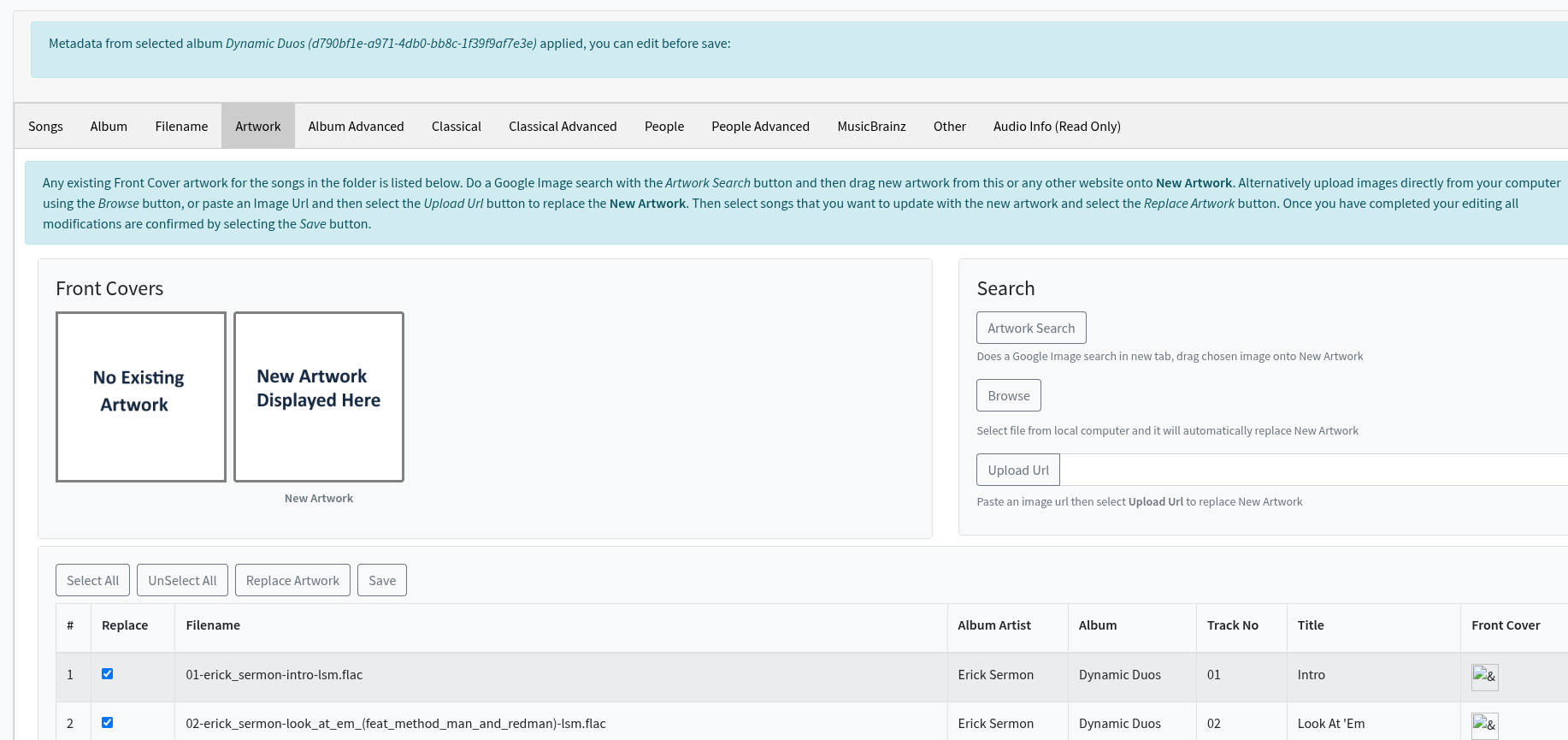
Covers from MB are not downlaoded
I need you to run Create Support Files so I can see what you have done.
Done! Hope I did it right! 
Thanks, yes I think im right in saying these are all relatively new releases that are in MusicBrainz but not yet in Albunack, and it looks like if we are getting the release directly from MusicBrainz then we are not retrieving image from Cover Art Archive.
I will double check this, and if that the case raise an issue.
Thanks! If needed I can provide more examples (you right, these are recent releases). Just let me know
I tried to set the image from MB with the manual edit option. I pasted the MB artwork URL to the Upload Url and saved, but the artwork was not saved. What am I doing wrong?
Also, the image size 194x194 is wrong.

https://jthink.atlassian.net/browse/SONGKONG-2864
Thanks, yes it seems to always display that size but only when using the Web UI when using the Upload Url option - raised an issue
You have to use Replace Artwork button to copy the artwork to the selected files before selecting Save, this then saves all changes made over all tabs.
1 Like
Now fixed in 12.2
Hi Paul,
saving the cover still does not work for some albums. I tried Match to on album option and manual edit. Even uploading the image and selecting replace artwork does not work. The front cover column looks broken. No folder.jpg is saved.
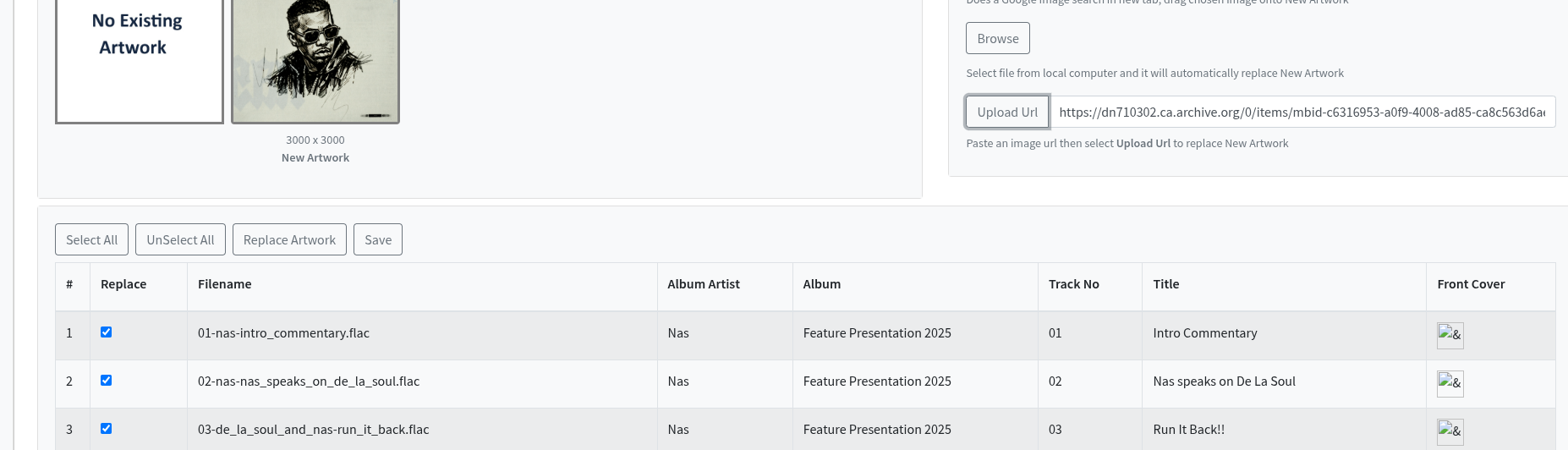
There was an error in the fix, it is now fixed for next release that is due very soon.
Fixed in the new release! Thanks!
1 Like