Hi Paul,
Now things are looking better. I see Movement and Part are listed. Not sure how these will work yet but all seems complete. Not sure about the odd minimserver group entry?
See now that Mozart had become an artist. I thought I would be able to get rid of that and have him as composer.
Should I now send you the report or save and send or edit the tags and then send?
Beginning with Jaikoz First Time Trial
If using Fix Songs task save occurs automatically (if not using preview), if using Match to One Album task you need to elect to save. Either way ensure saved then run Create Support Files so I can see results and reply to your questions.
Thanks for reports, why do you think that as can be seen from screenshot Mozart is not listed as Album Artist.

It has only added this for two songs, this does seem to be incorrect, for now I would remove this from the two entries

Its more complex because this in an Opera, so you have overall opera, then within that you have acts, and each act may have multiple scenes.
So overall opera is mapped to OVERALL_WORK field, each act is mapped to a WORK, and scenes within the act are mapped to PART and MOVEMENT, the difference between PART and MOVEMENT is that PART includes the act title and scene number whereas MOVEMENT just contains the scene name.

Now trying to respond to your comments in previous post
Im going to ignore this for now, should be happy with the metadata in the files before concerning yourself with renaming the file itself.
So title is taken from MusicBrainz so it reflects how the title is described on the album itself. This is better than trying to create a fixed rule that would not make sense for all releases, in ths case the match seems pretty much to match what you want.
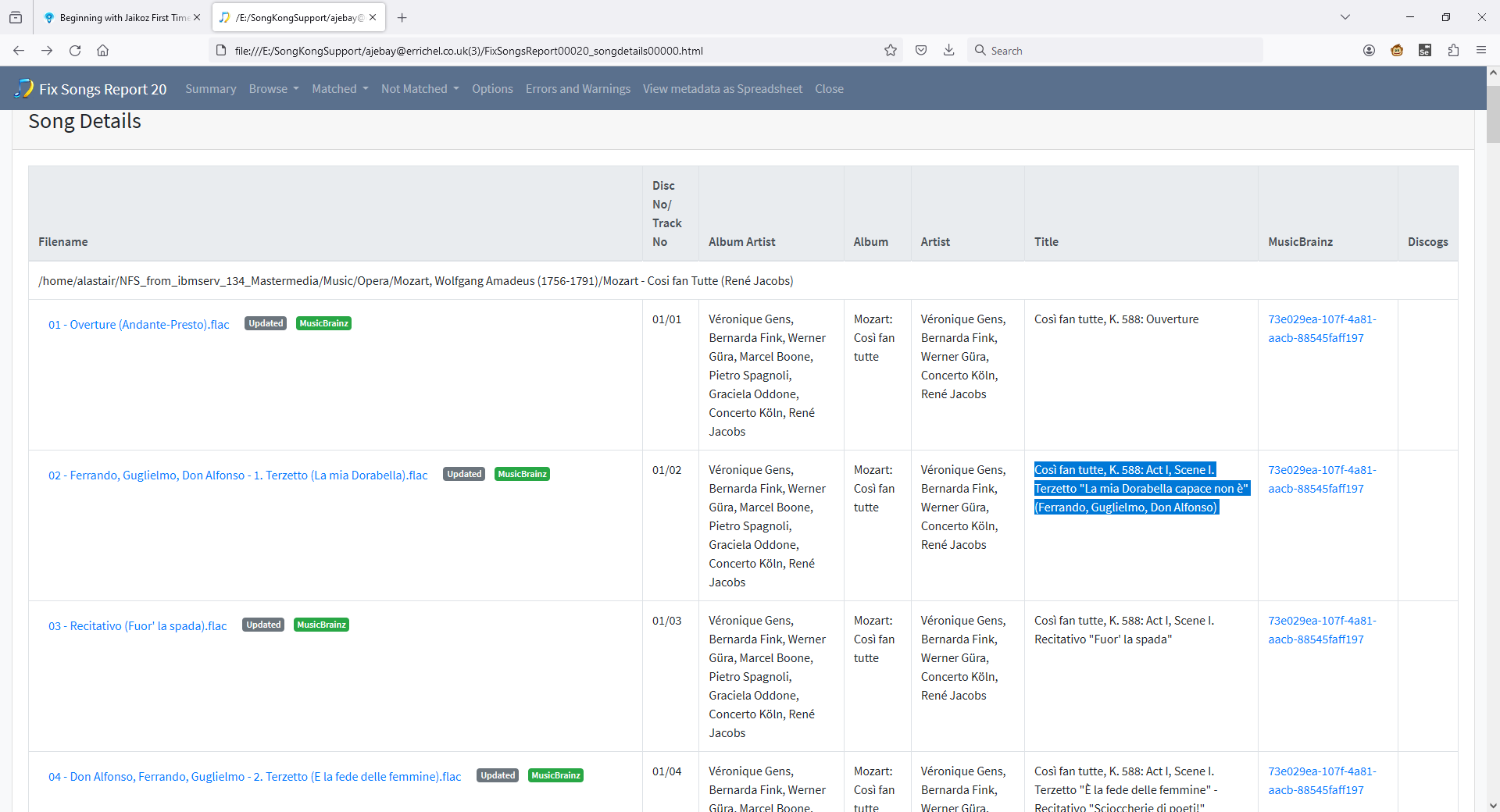
Album Artist contains the principal conductor/performers/orchestra , these are usually the ones on the front cover, in this case we have
Véronique Gens, Bernarda Fink, Werner Güra, Marcel Boone, Pietro Spagnoli, Graciela Oddone, Concerto Köln, René Jacobs
again matching what you would like.
This is
Véronique Gens, Bernarda Fink, Werner Güra, Concerto Köln, René Jacobs
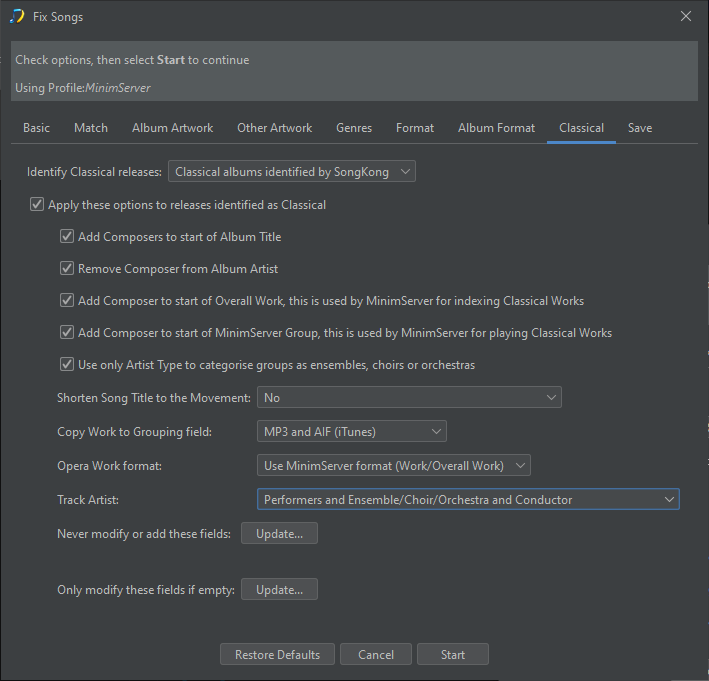
You can also modify this slightly using the Track Artist option on the Classical tab
Thanks Paul,
You will see Mozart was removed from Artist. I had found the switch before running Fix Songs so that’s good.
I shall remove the two minimserver entries as you suggest until I know more about how it all fits together.
With minor tweaks I would like to try and save the metadata to my files. How should I do that without yet changing the filenames.
When you run Fix Songs it automatically saves the tag metadata but doesn’t rename files. If you use the Edit Songs Metdata task you can manually edit metadata and filenames but no filenames are modified automatically.
So no issue with filenames getting changed.
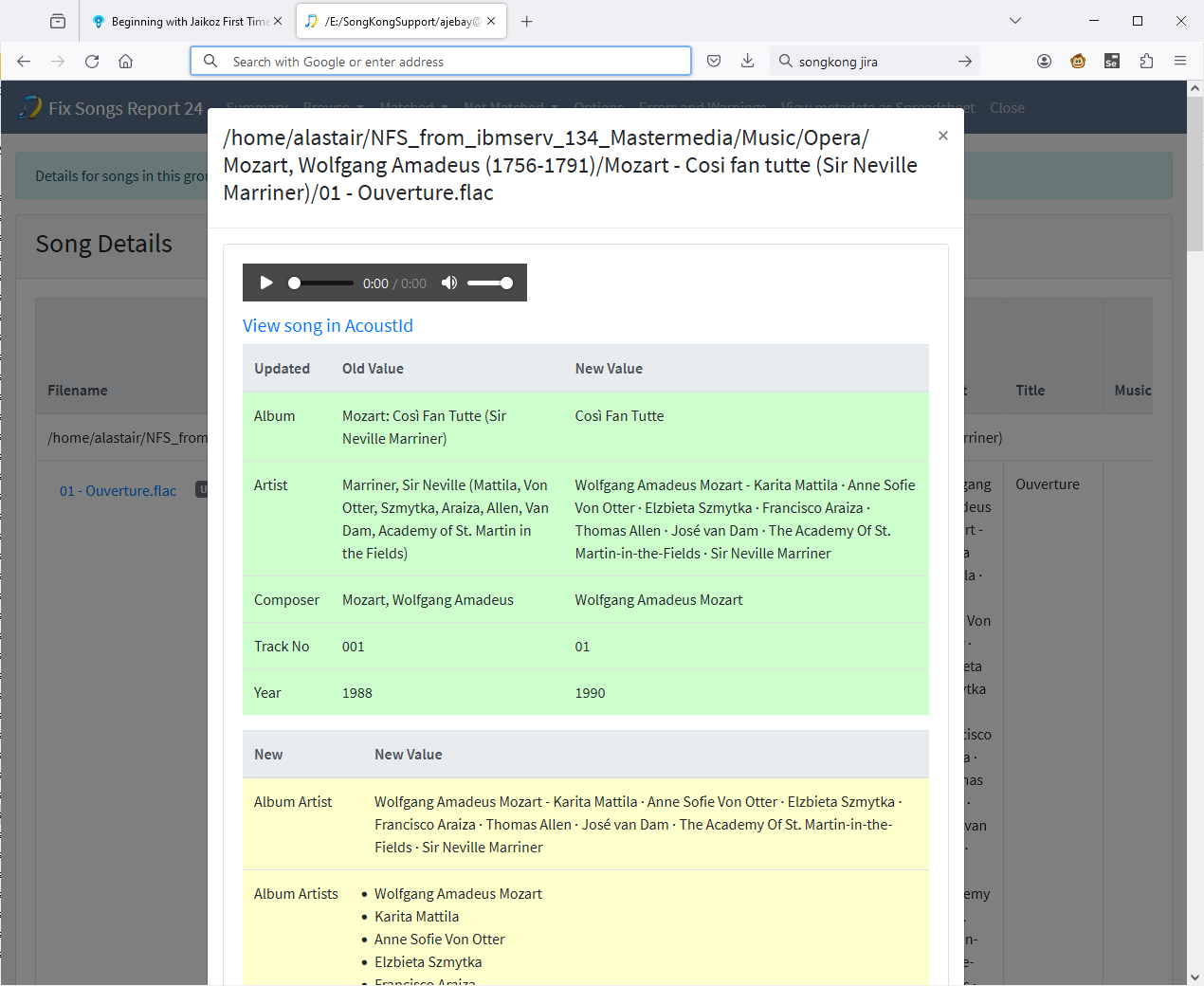
OK. I have moved on to the next album in my Opera>Mozart directory>Mozart - Così Fan Tutte (Sir Georg Solti). I have sent the support file because in spite of my settings Artist is still showing Mozart. Also only the metadata for first CD of the set has been fully populated.
The recording is quite old so tagging on musicbrainz may be faulty but I would appreciate your advice please.
Hi, (I assume you mean the Sir Neville Mariner version) okay the issue is it did not match the album to MusicBrainz (it matched a couple of songs but not the whole album so only added song only info such as title) only two songs songs only, note the different colour blue in the MusicBrainz bar.
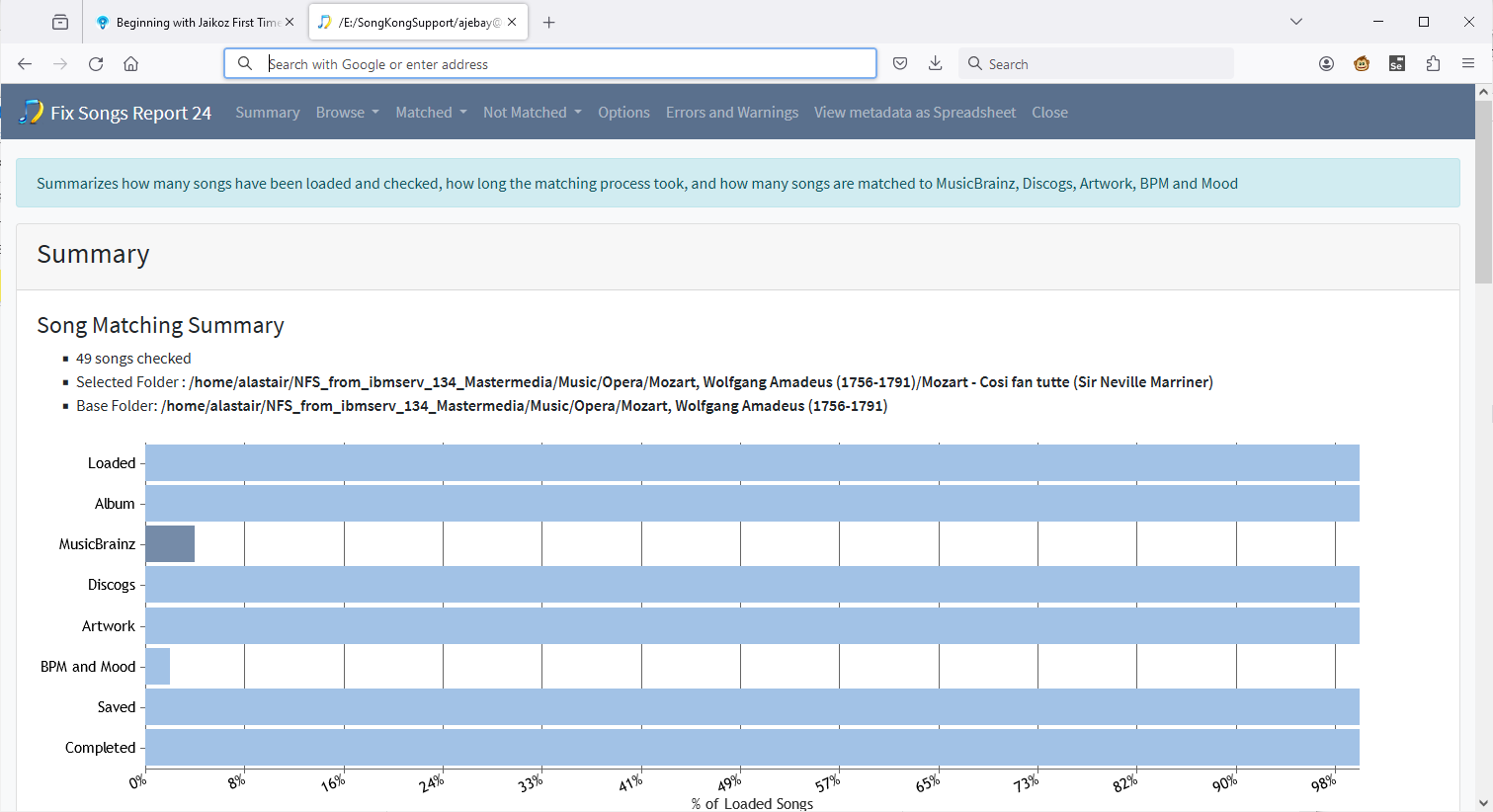
It did however manage to match the whole album to Discogs, but the Classical options are only applied to matches to MusicBrainz. This is mainly because the Discogs database is simpler than the MusicBrainz one and does not include the concept of works making it more difficult to identify classical releases. However it would be possible to try and identify classical releases and then implement some of the options such as removing composer from album artist so I will try and get this done soon.
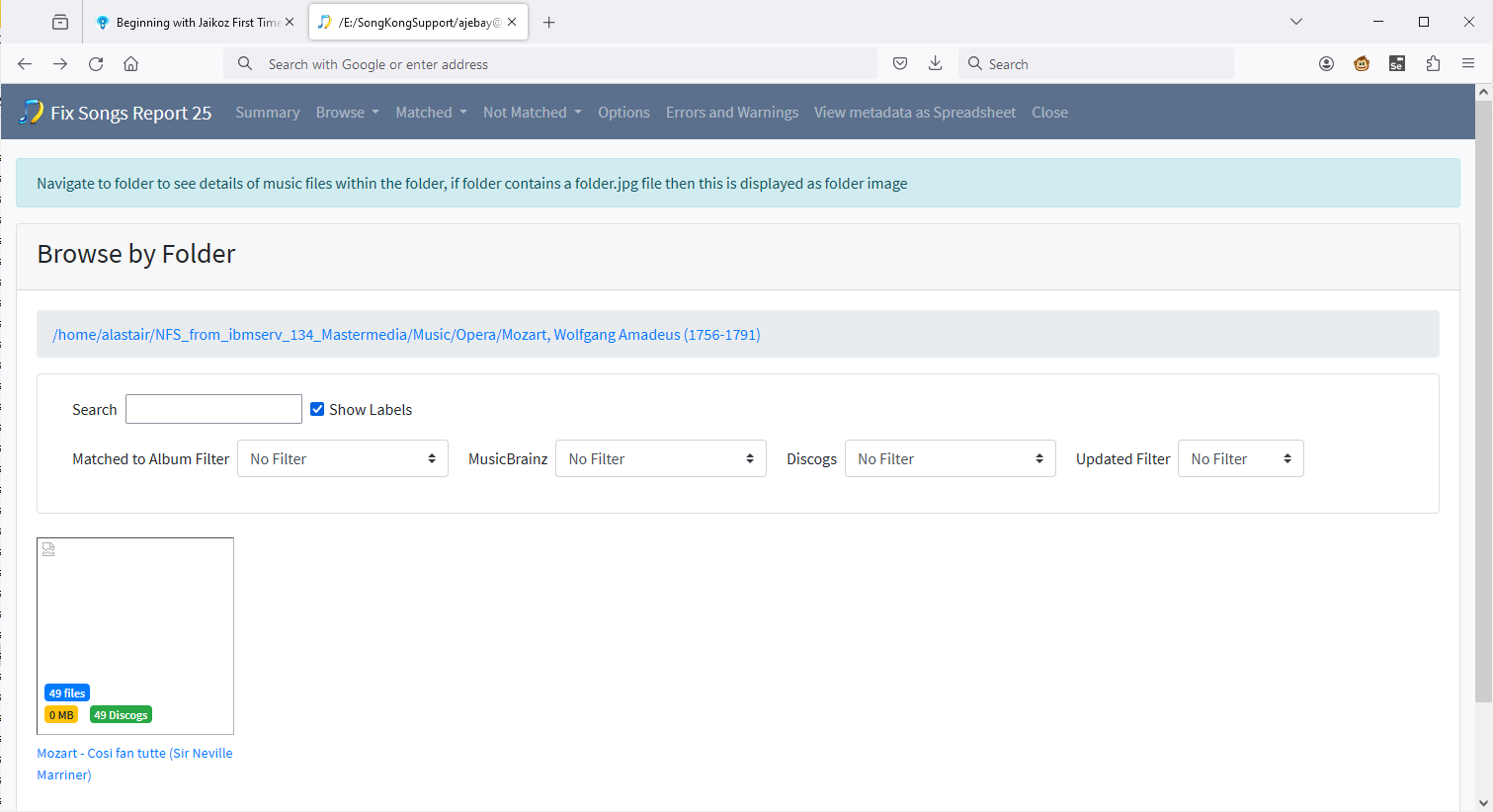
So for now you have choice of:
-Allow Discogs deficiencies and manually making minor corrections afterwards
-Allow Discogs matching but prevent from modifying some key fields using Only modify these fields if empty on the Format tab, not the option on the Classical tab because Discogs matches doesn’t identify classical, but note this would also prevent MusicBrainz matches updating because although it does identify Classical the Classical Only modify these fields if empty list is additional to whatever is in the Format Only modify these fields if empty list
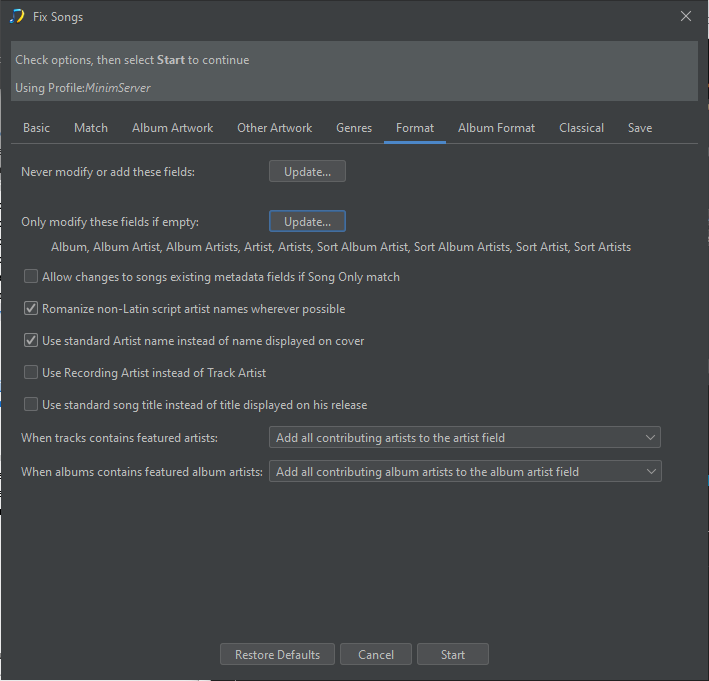
-Disable Discogs only identification by unchecking Search for a Discogs match
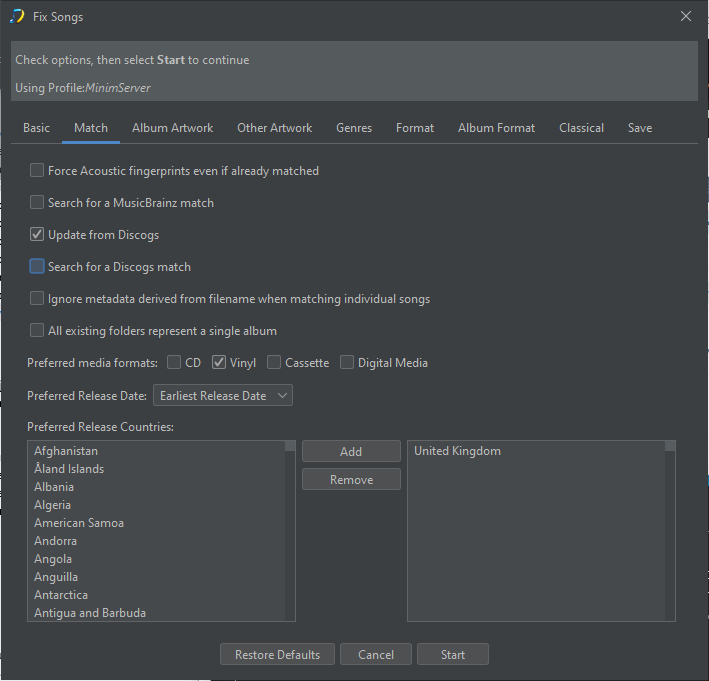
If it was my collection I would go with first option because:
- it is unlikely this is going to happen that often
- your existing metadata is very limited and SongKong is adding alot more
- you only really need to edit the artist, album artist & album fields
In fact, in this case your Album Artist field was empty !
This is a key field required for grouping albums, the Artist field is for the track artist and can differ for each track but the Album Artist field should always be the same for all tracks on the album. If you don’t have an Album Artist field most players will try to use Artist field instead but this is dangerous because if Artist field is not the same for all tracks (and there is no need for it to be) then the Album can get split up.
Hi Paul,
Many thanks and yes I was referring to the Mariner version. I shall need time to digest all this but I shall opt for your first suggestion. For me this would mean reverting to EasyTag but will see what can be done first using the metadata I have scraped up so far.
Before I stop for a bit I have looked again at the three works I have been working on.
The Jacobs version does not yet have the correct Artist for each track. Is that an error from me earlier and can I fix it?
The Mariner version I agree will need more work by me.
The Sotli version seems to have fared best with the correct Artist named for each track (I have not checked in detail).
Not much time until weekend so shall resume later.
Good to get more glimpses of what lurks under the bonnet.
Regards,
Alastair.
You can if you want but SongKong has an Edit Songs Metadata task that should be fine for you when working an album at a time.
You’ll have to educate me what is the right value, but I can explain why we have added what we have, for all tracks SongKong has added:
- Véronique Gens
- Bernarda Fink
- Werner Güra
- Concerto Köln
- René Jacobs
this is taken from looking at the release on MusicBrainz and for each track taking the value of the recording artist and other track credit and also release credits
In MusicBrainz Recording Artist has been set to Concerto Köln/René Jacobs for every track and these have been identified as follows:
- Orchestra - Concerto Köln
- Conductor - René Jacobs
In MusicBrainz release credits is set to
- Bernarda Fink (soprano vocals)
- Véronique Gens (soprano vocals)
- Werner Güra (tenor vocals)
And the Album Artist is set to :
- Véronique Gens
- Bernarda Fink
- Werner Güra
- Marcel Boone
- Pietro Spagnoli
- Graciela Oddone
- Concerto Köln
- René Jacobs
but there is no information on what role the people below have
- Marcel Boone
- Pietro Spagnoli
- Graciela Oddone
so these have been ignored
So SongKong has added
- Véronique Gens
- Bernarda Fink
- Werner Güra
- Concerto Köln
- René Jacobs
If you are saying you dont want to see the conductor you can set Track Artist option to Performers and Ensemble/Choir/Orchestra this would give you
- Véronique Gens
- Bernarda Fink
- Werner Güra
- Concerto Köln
there is no option to set to just Performers because then for classical music without singers it would be left blank. Although if this is an issue for you we could add option Performers or Ensemble/Choir/Orchestra?
If you are saying why are:
- Marcel Boone
- Pietro Spagnoli
- Graciela Oddone
missing, this is because there is not enough information in MusicBrainz entry to determine what their role is. This could be resolved by editing the release in MusicBrainz, although the changes would not be picked up by SongKong immediately.
Hi Paul,
Many thanks for this. I spent a bit of time going through my classical collection and have tagged most using SK. I shall need now to check how the results are being read or should be read for me by my minimserver. I have not yet worked out what I should change, if anything so am leaving defaults as they are for now.
I am slowly getting an insight into your work vis a vis that from musicbrainz and I note your advice concerning Performer particularly with reference to Opera. Once a work has been selected, usually by Composer and Conductor and occasionally by date or orchestra if work is recorded several times by same conductor the interest and info need goes to Act, Scene etc and eventually by track.
When playing a track the name should give the title and the roles in the track being sung. The Artist should then give the name of the performer so you can see who is singing. This is my preference but there are several variants being adopted by different individuals uploading tagging and I confess I have been conflicted in choices of what goes where.
For example using the Harmoni Mundi recording of the work Mozart, Cosi fan tutte, René Jacobs >
Track 4 > Così fan tutte, K. 588: Act I, Scene I. Terzetto “È la fede delle femmine” (Don Alfonso, Ferrando, Guglielmo)
Artist (Performer?) > Pietro Spagnoli (Don Alfonso), Werner Güra (Ferrando) Marcel Boone (Gugliemo)
Album Artist would show the band, ie all the principal soloists, choir, orchestra. It might be better to include in the Albumartist with the Names the voice to reduce the size of the track info so :-Pietro Spagnoli (baritone), Werner Güra (tenor), Marcel Boone (baritone), Concerto Köln etc.
You can see where I am coming from but the uploaded works are very varied and the debate goes on.
Do you have any views on what I am trying to achieve and should I try using Performer fir tagging as you volunteer?
Again may thanks. I hope all the above makes sense and I am pleased with the work done so far. Mine is not a very big collection but I have tagged over 20,000 so far and the collection is in better shape than it was before I started using SK and JK again.
Hi, not really very clear to me, can you give me a real example of what the current value is and what you want it to be.
Actually for the Jacobs version i have explained very clearly why the list of album artist, artist and performers is what it is, so would be great if you could refer to back to that note.
Sorry if I am missing something but my point is that the track artist is different in each track. To tag these I have taken the information from the libretto booklet which provides the information and in the case of an opera the performers of interest would be the soloists.
What you tell me SK has added looks like the principal performers with the three minor parts omitted. They should be added as performers list and then included as appropriate for each track.
To illustrate I detailed the example track 4 which did not include these performers but I can give you another track if you wish. The point is I do not want all the performers in the work listed for every track, only the ones singing in that track. How can this be achieved?
Okay so you are saying that
- Véronique Gens
- Bernarda Fink
- Werner Güra
have been added to each tracks, but they shouldn’t be because they are not on some tracks?
And for track 4 only
- Werner Güra
from those should have been added to Artist and Performer
and additionally it should have added
- Marcel Boone
- Pietro Spagnoli
to Artist and Performer but it has not
So if I look on MusicBrainz then Véronique Gens, Bernarda Fink and Werner Güra are all added as album performer relationships, this usually means they should be involved on every track, and that is why they are added for every track.
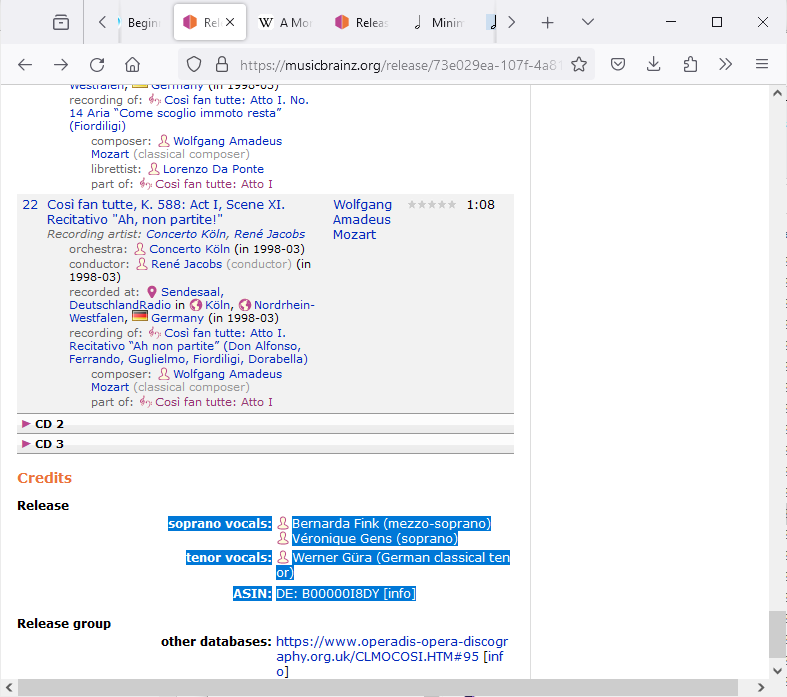
then there are no recording specific artists added for this
https://musicbrainz.org/recording/63d9b9e8-7181-4b70-a4bc-37f64e99ea2c
So the additional information for this particular album that you want is simply not in MusicBrainz so therefore it is impossible for SongKong to automatically add it. So SongKong is applying similar logic to what you want but because the data is not there it is impossible for it to add exactly as you want so you would have to add manually yourself.
Hi Paul,
I do not understand what you are looking at here. I can see that all the performers names are listed in the release and therefore should be in Albumartist and as far as I can see they are.
What I am concerned with are the track artists. The data shows the names of the parts,eg: Ferrando, Guglielmo and Don Alfonso are all shown in the data but the performers for these roles are not listed in the artist tag for this track.
It should be possible to map artist names to performer (ie dramatis personae > performers) and show them in the artist tag for the file concerned.
How can this be done or rather what is the quickest and easiest way for doing this?
Yes, they have been added to Album Artist, but I cannot add them as a performer because I do not know they are a performer, they might be something else. And the performer field is actually a list of pairs (Performer/Instrument) e.g Bernarda Fink (soprano vocals) so even if I know they are a performer I still do not know their role.
So the track title is just
Cos fan tutte, K. 588: Act I, Scene I. Terzetto “È la fede delle femmine” - Recitativo "Scioccherie di poeti!
so this is what we store in Title field, it is a recording of the work, and only the work title is
Così fan tutte: Atto I. No. 2 Terzetto “È la fede delle femmine” (Ferrando, Guglielmo, Don Alfonso)
and we do store this in the MB Recording Work field
But even if the track title did contain (Ferrando, Guglielmo, Don Alfonso) that doesn’t tell SongKong who actually performed those roles does it, so I repeat the information is simply not there.
I understand. I am thinking about how best to add this information and the resources required by a music tagger to do this. SK does a great job but is working, in this case only from the uploaded data created by others, which can be flawed and is limited.
I had spent some time working on improving my own tagging data but only for a relatively few works. Unfortunately I have overwritten this in my collection but it is still retrievable from backup data.
Before I try and recover this however I am still thinking about how to find a better way and what sources are available.
I quote
Cos fan tutte, K. 588: Act I, Scene I. Terzetto “È la fede delle femmine” - Recitativo "Scioccherie di poeti!
so this is what we store in Title field.
I understand this to be the track title, which makes sense but you then go on to say:-
it is a recording of the work, and only the work title is
Così fan tutte: Atto I. No. 2 Terzetto “È la fede delle femmine” (Ferrando, Guglielmo, Don Alfonso)
and we do store this in the MB Recording Work field.
I cannot follow this because the info quoted is not the work but only a track from the work so I do not follow
" and we do store this in the MB Recording Work field" because that would appear to be a field for the whole of the work.
What I expect to see for the whole work includes Release data as in MB:-
Mozart; Véronique Gens, Bernarda Fink, Werner Güra, Marcel Boone, Pietro Spagnoli, Graciela Oddone, Concerto Köln, René Jacobs
so all I need to add is the mapping of the roles to the performers. Any ideas?
Sure, but is less flawed then any individual is going to achieve, from memory your original files only contained a very limited set of metadata fields. To manually add the metadata that SongKong adds for your whole collection would take you a lifetime !
Of course you can manually edit your metadata when the metadata is not quite perfect, but I think in most cases you will find it fine. But you can also edit the MusicBrainz database itself, so if you fixed the omissions as follows:
- Remove the Album Performer relationships (as you say the performers are not involved in every track)
- Add Track Performer relationships for each track
Then autotagging from SongKong would then have the correct list of track artists and performers for each track.
I probably should have said Movement. But forget about Classical for a moment, for a PopRock song the written piece of music is a work, similarly for Classical every movement is essentially also work but usually part of a larger work , and it that case we use the terms Movement and Work , although even for classical there is often just the single work without any movements.
MB Recording Work is simply the work directly represented by the recording (the Movement in classical terminology), in this case this is then part of the work and this is stored in the MB Work field as Così fan tutte ossia La scuola degli amanti, K. 588
Well you can add it manually, or you can add it to MusicBrainz as described above. I cant see any other option, not sure what you are driving at?
Hi Paul,
Many thanks for sticking with this. I need to study a bit more on Work, Movement and Performer since I have never used these data when tagging manually in the past.
You suggest removing Album Performer relationship and adding Track Performer relationship. How can I do this please?
I had been driving at the idea of SK running a script when tagging a classical album but you may have to look beyond MB to get the basic data needed. Sadly the only data I have is from the booklet for each CD and most of these are only available as hard copies and presently in store.
Meanwhile apart from the answer to the above question, which might be a way to go if I understood it, a quick and dirty way of solving my problem is to edit the track artist tag to remove those not needed in a particular track. This would require all the performers being included so I need to get the couple who had been omitted to be included in each track artist and edit down from there.
Will read on and call for help when I get the first stage right. Your earlier suggestion in post 56/57 gives the gist but not sure how to implement.