SongKong Jaikoz

SongKong and Jaikoz Music Tagger Community Forum

Tagging a collection sorted by Composer/Work+Artist folders

Hi,

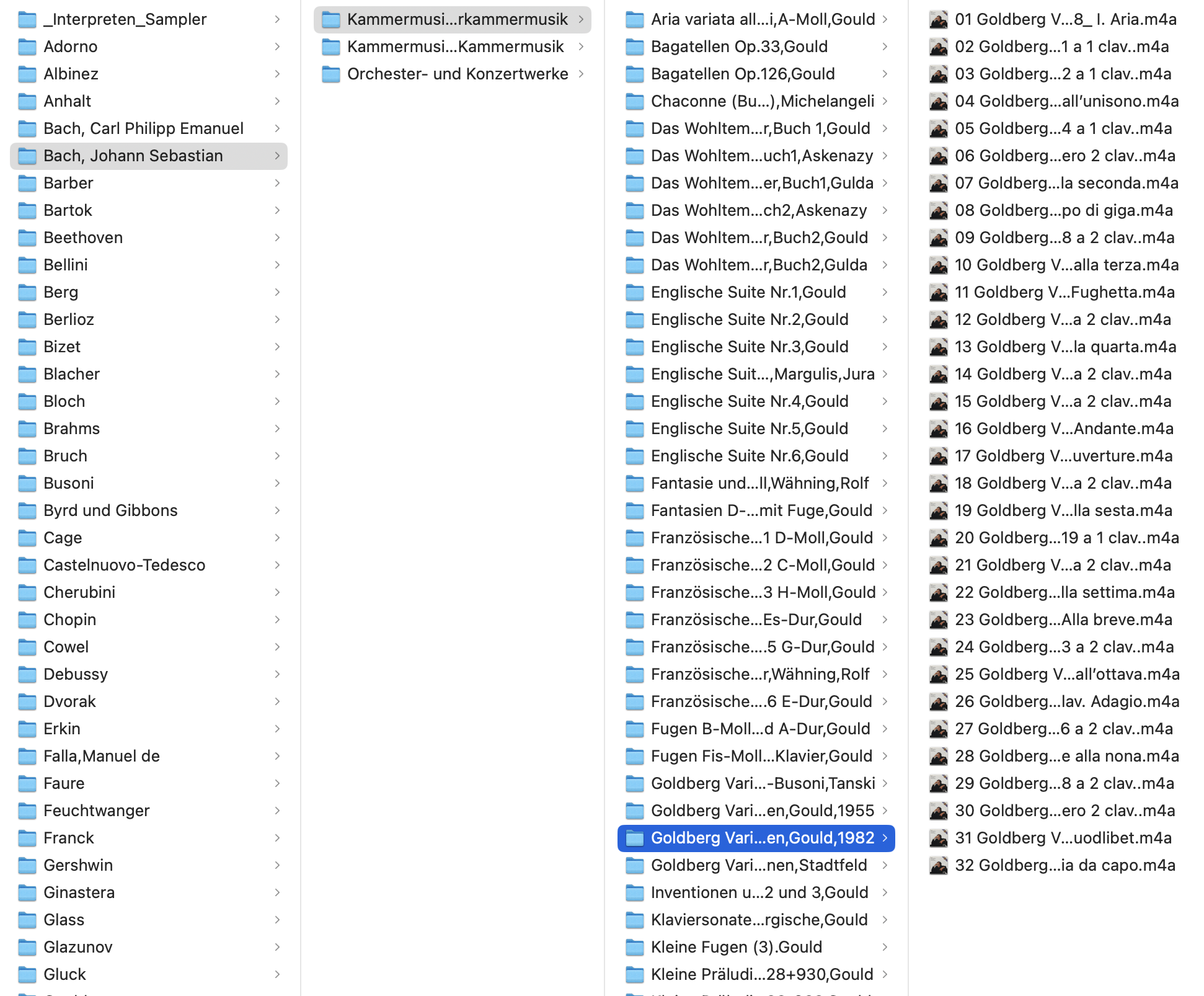
I want to set out tagging a quite large (approx. 7000 tracks) classical music collection. My father-in-law put in a great deal of work to manually arrange the files to his liking by sorting all tracks on the first level by composer (e.g., “Bach, Johann Sebastian”), then by the type of work (e.g., “chamber music”) and finally by work, artist and optionally recording year (e.g., “Goldberg Variations, Gould, 1982”). Many of tracks themselves do not have correct metadata, as my father-in-law was fine browsing the music by folder-„metadata“.
Bach

The organization the the tracks leads to the problem that tracks that belong to an album starring multiple composers, are scattered across the folder structure (e.g., this album release contains tracks by 8 composers and also multiple works per composer). Below is the folder structure for two composer-work combinations on that release: 1) the piano sonata in C minor by Scarlatti is its own folder (track 3 on release) 2) the piano sonata no. 3 by Beethoven (tracks 4 to 7).
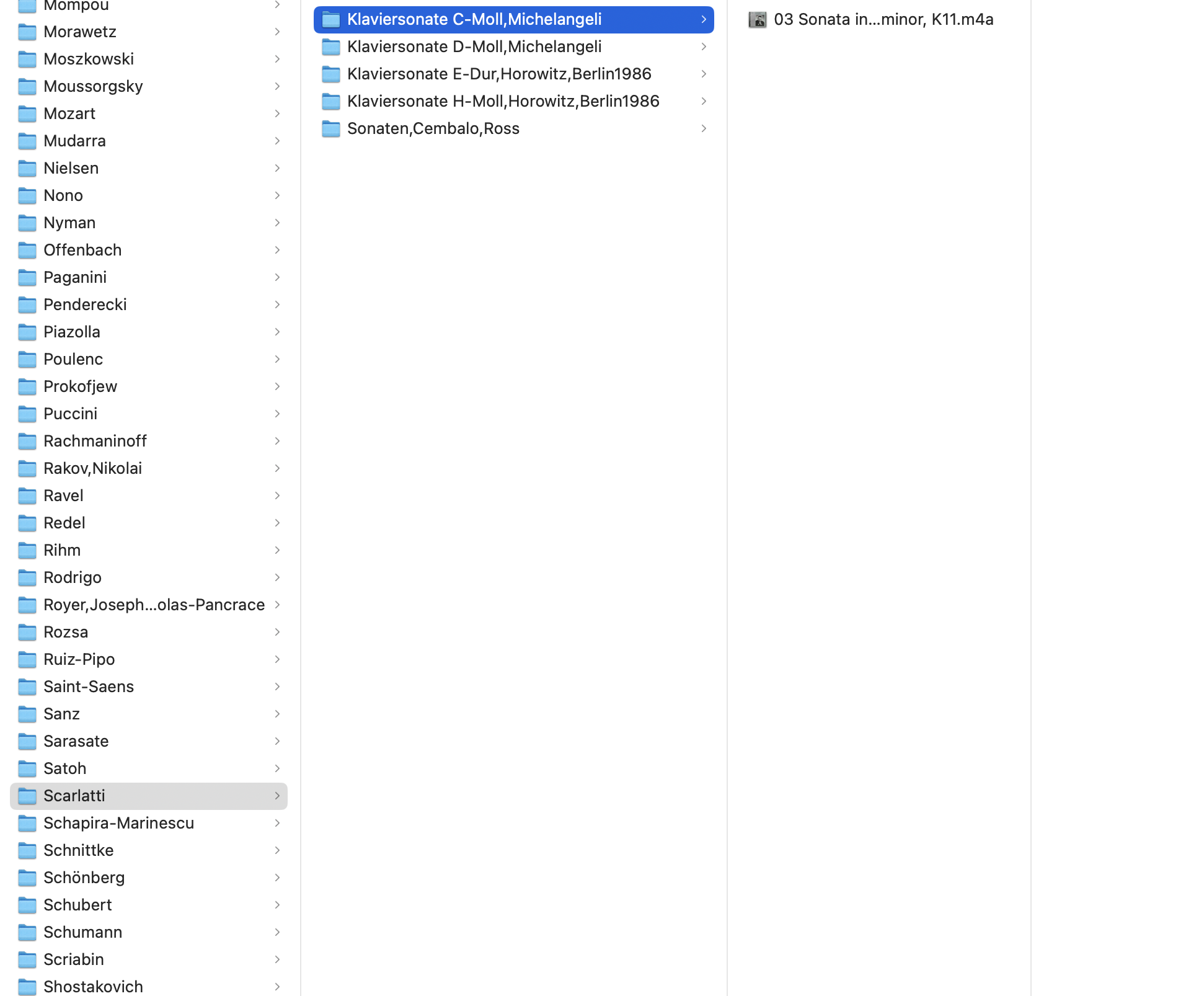
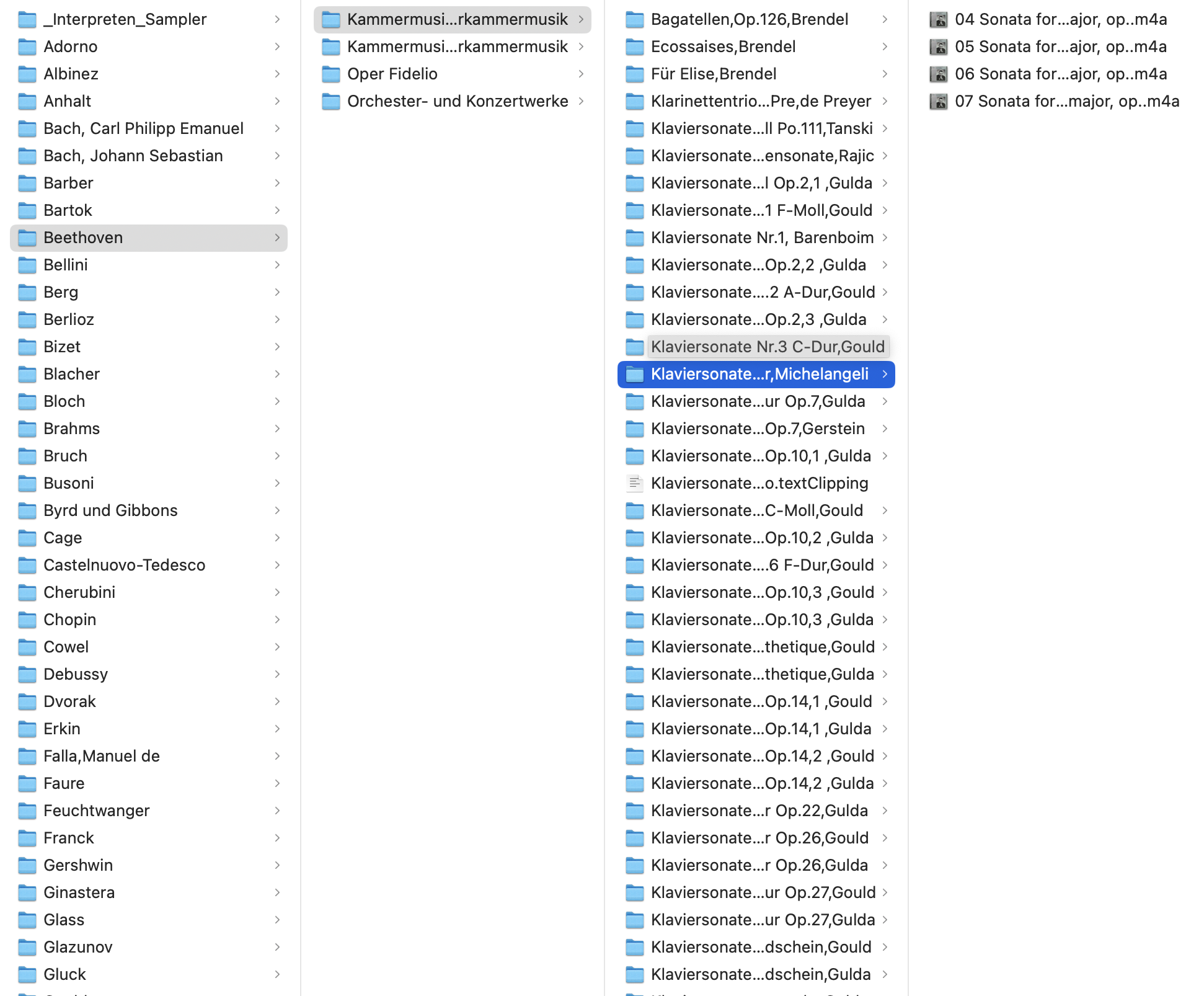
The advice on using SongKong on only a subset of albums therefore does not really work, as I’d have to find all folders of that particular album first. Also I believe to have read that SongKong somehow uses the content of folders as support to tag the correct release etc.

I find the capabilities of SongKong quite promising, however, at the moment I do not really know how to approach this challenge, and which settings to adjust. If possible I’d like to avoid manually sorting all the tracks „back“ into folders resembling the album release structure.

I appreciate any advice! Thanks!
Hi

Actually that is not the advice, there is no reason to not run over whole collection in one go.

So the bad news is your songs are no longer organised by album which does make one aspect of matching as you mentioned more difficult

The good news is these are classical releases organised by work so this means multiple movements of the same work should exist in the same folder.

So this is what I would suggest

Run Fix Songs with Preview enabled over the whole collection. Then review your results within the report, using the Browse:Browse By Album as a starting point. What you should find is albums that just contain a single work (multiple movements) should in many cases now be resolved to the correct album. When albums contains multiple works but they were all performed by the same artist/orchestra (which is the norm) then again the albums will often be put together. It depends on how many releases a particular performed of a work by a particular orchestra was released on , since acoustids
will correctly identify a particular recording if the recording is in the acoustid database but cannot identify the right album if that exact recording was on multiple albums.

Then if it looks to be a big improvement (realizing it will not be perfect) I would then run Apply Preview task to make the changes for real.

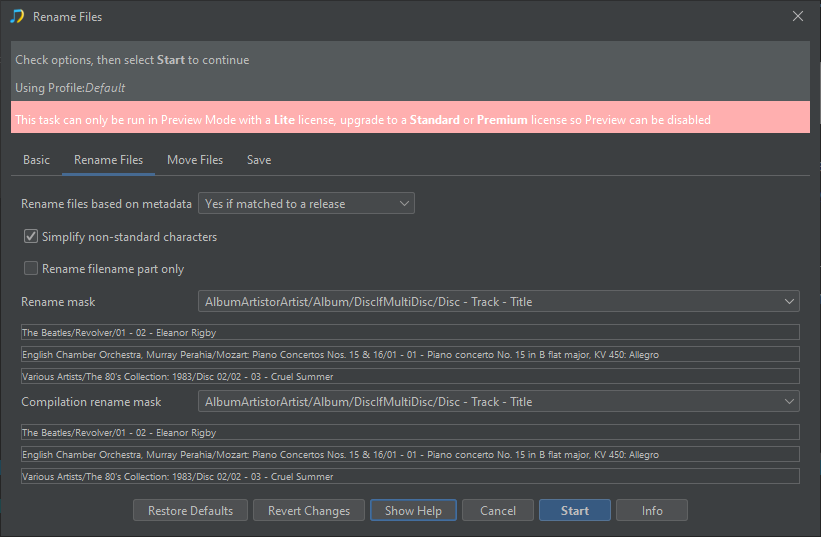
Now, at this point SongKong has probably corrected much of the metadata but not renamed files to match the new metadata. So I would then run Rename Files in Preview Only mode, with Rename files based on metadata set to Yes, if matched to a release to only rename/move the files it has matched, set a suitable Rename mask and Compilation Rename mask

image

Check the results within report using Browse:Browse by Folder if happy run Apply Preview to rename for real

Classical compilations albums collecting well known performances by different artists will probably require manually moving the files around into album folders if you know what album they come from. Some albums will not be in database and therefore not matched, and some album may get matched if you run Fix Songs a second time.

If you want to do the first step and then run Create Support Files I am happy to help guide you through this.

HI, thanks for support files, okay I noticed a few things

You ran Fix Songs on a small set of files and it seemed to match most albums
image

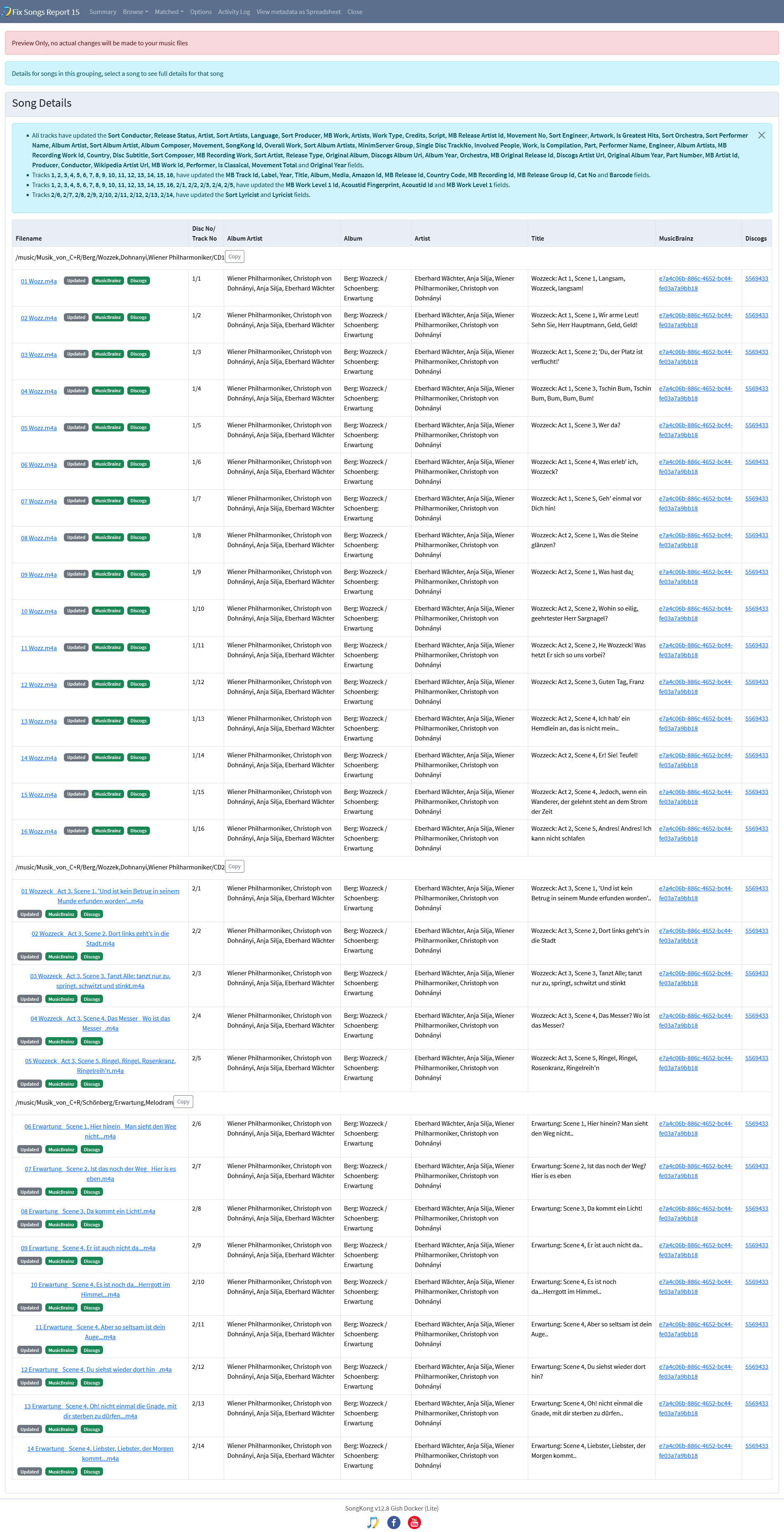
For example it matched correctly 30 songs to the Berg: Wozzeck / Schoenberg: Erwartung album even though the files are in three different folders.

This is is helped by the fact that even though the albums have been broken up often the Album metadata field seems to be consistent.

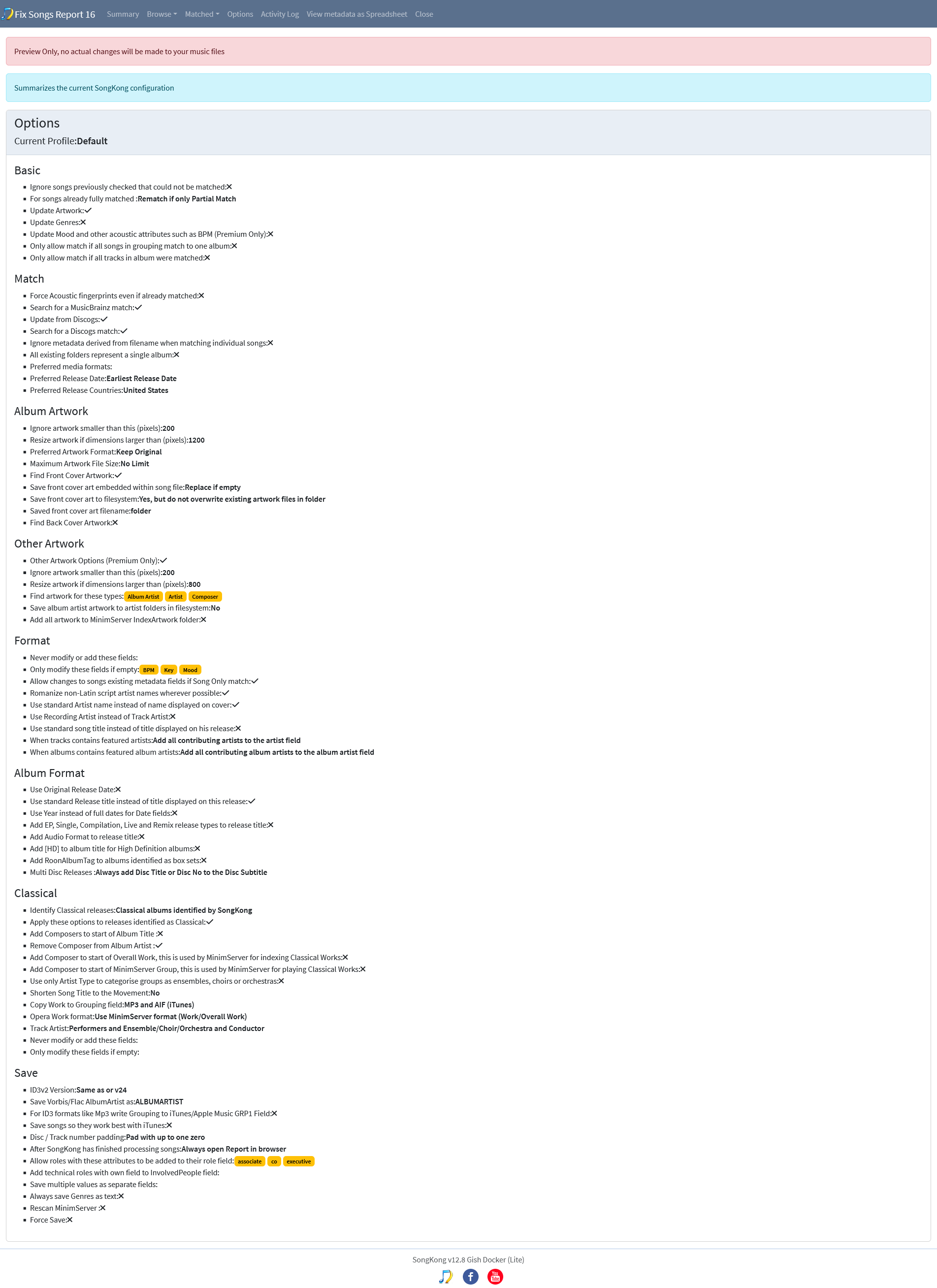
But then your next run you disabled Only allow match if all songs in grouping match to one album:. This allows SongKong to match individual songs ignoring other songs in the same folder, at this stage this is a bad idea because then you are reducing the chance of matching songs from same album to same album

You then ran over a larger group still with this option disabled.

You also seem to be selecting each folder under /music/Musik_von_C+R, why not just select the /music/Musik_von_C+R folder itself?

I would advise you run again over the /music/Musik_von_C+R with the Only allow match if all songs in grouping match to one album enabled again.

Thank you for your thorough response!

I have run the Preview of Fix Songs over the whole collection and uploaded the support files (the applicable report is FixSongsReport00017.

As a result there are a lot of report statistics where - to be fair - I do not quite know how to systematically approach them. I’d be very grateful of your guidance. (I am aware that as for now I have not purchased a license, I plan on doing so as soon as I understand from the Preview that SongKong can adress my needs).

Some things I noticed:

  1. The library contains 6160 tracks, but only 4778 were loaded.
  2. When Browse:Browse by Album only 168 albums with 1753 files are shown. Where are the missing files?

I picked some albums at “random” from the original folder structure to look at the points you mentioned

  1. The Symphonies - Brahms: It seems that SongKong correctly identified the tracks scattered across two different folders (Brahms/Orchester- und Konzertwerke/Sinfonie Nr.1 C-Moll,Chailly,Gewandhausorchester and Brahms/Orchester- und Konzertwerke/Sinfonie Nr.3 F-Dur,Chailly,Gewandhausorchester, however, it is not listed as detected album in Browse:Browse by album
  2. Goldberg Variations - Bach - Gould - 1982: Seems to be tagged correctly, however, also does not appread in the Browse:Browse by album section
  3. My example from the first post with 8 different composers, MD ID 5e361d68-196a-447b-9294-25309f550411: I checked every track of this release, they are all updated with the correct album, however, also these cannot be seen in the Browse:Browse by album section. If I browse to Matched:Matched to MusicBrainz release I can actually find this release with all the tracks from the scattered original folders.

What I learned is that the collection seems to be incomplete (maybe due to the manual sorting?), e.g., only 4 of 35 tracks of Great Violin Sonatas, MD ID 63362d43-e5f1-480b-9747-9977ce74336d were matched. I cannot find the missing tracks in the original folder structure.

Overall I’d say the first results look promising, however, Browse:Browse By Album does not seem to work as expected.

I could not check all the folders and files, however, I am curious of your recommendations how to move forward. Thank you!

Oh I did not realize you already posted, I am reading your response now, my post was written without knowing about your reply.

There is one folder containing self-recorded recordings that I wanted to exclude :smiley:

Ok, running this now. I will submit support files again, when done :slight_smile:

Thank you so much!

I shared the support files again.
Also regarding my previous observations, again not all tracks are shown in the Browse:Browse by album view. My suspicion: is this due to the fact that not all tracks in an album were found?
Regarding my selected albums:

  1. The Symphonies are matched to an MB release, however not shown in the Browse:Browse by album view. It seems that my library only contains 8 of 44 tracks
  2. Goldberg Variations: All tracks are matched to MB release, the release is completely matched (32 of 32 tracks), however no album in Browse:Browse by album
  3. Album with 8 different composers: Not shown in Browse:Browse by album. This time only partially matched to the MB release, as now one track (last track) is not matched, even though available in the library.

Yes, doesn’t seem to be there, that doesn’t make much sense I am now wondering if this improvement I made in the last release has broken something - https://jthink.atlassian.net/browse/SONGKONG-2834

This page just groups songs by the album field so as long as your songs have a value for the album field it should be there and most yours do, it doesn’t matter if value was already there or added by SongKong, so i will investigate this tomorrow

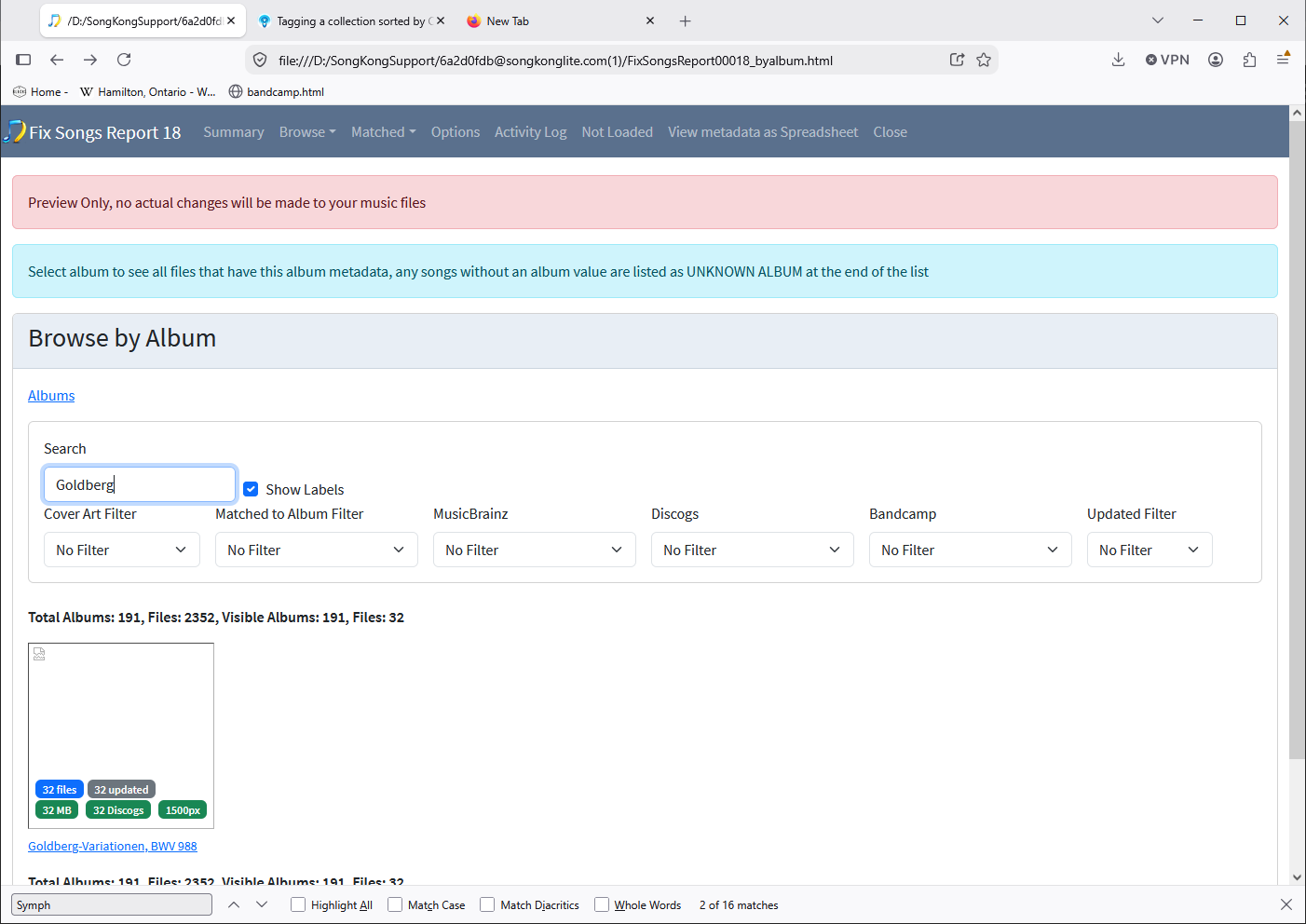
Actually that is there Goldberg-Variationen, BWV 988

Oh BTW I just realized you were referring to the examples you had specified in more detail in earlier message, so I might be referring to the wrong Goldberg variations.

Yes, I was going to add that as well. In the library there are at least 3 versions of the Goldberg Variations.

Thanks!

Hi, there was bug and I replicated the issue on my computer as well.

I see from your logs you are using Docker version I have fixed the issue and re-released SongKong 10 for Docker (and Windows), please get latest image, after starting check About the Build Date should now say 15/10/2026, then rerun Fix Songs and then Create Support Files

Once you have confirmed the issue is fixed and I have a bit more time I will do a SongKong 12.10.1 release for all platforms.

I reran Fix Songs. Can confirm that now - from a first glance - all tracks are shown in the album view. I submitted Support Files again.
image

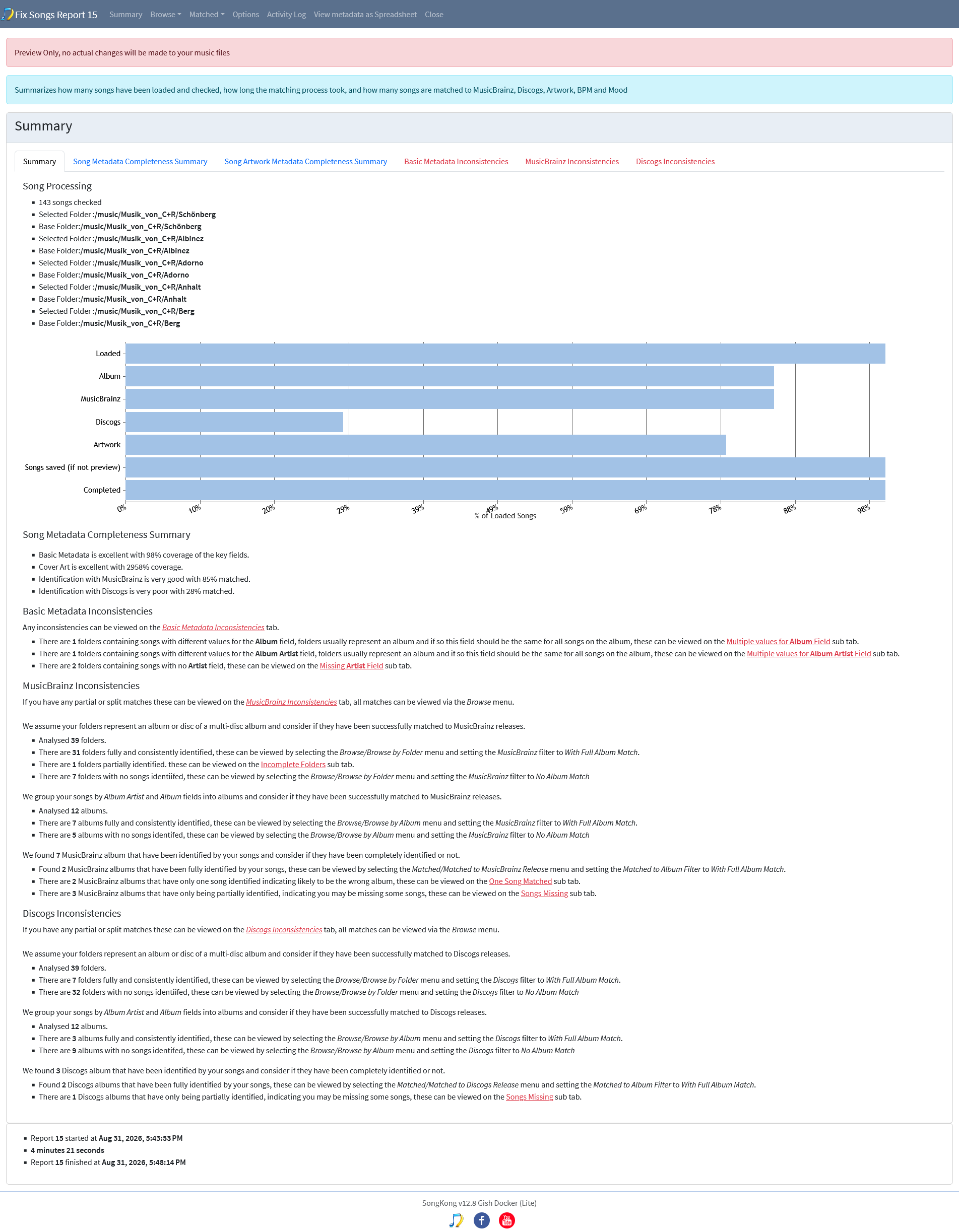
Great, so if we look at the summary we see 84% were matched to MusicBrainz, this wasn’t all done by SongKong some were already matched to MusicBrainz

If we look further down we see

We found 274 MusicBrainz album that have been identified by your songs and consider if they have been completely identified or not.

  • Found 178 MusicBrainz albums that have been fully identified by your songs, these can be viewed by selecting the Matched/Matched to MusicBrainz Release menu and setting the Matched to Album Filter to With Full Album Match .
  • There are 8 MusicBrainz albums that have multiple discs but only some discs have been identified, indicating that you may have discs missing, these can be viewed on the [Discs Missing](file:///D:/SongKongSupport/6a2d0fdb@songkonglite.com(2)/FixSongsReport00019.html#) sub tab.
  • There are 16 MusicBrainz albums that have only one song identified indicating likely to be the wrong album, these can be viewed on the [One Song Matched](file:///D:/SongKongSupport/6a2d0fdb@songkonglite.com(2)/FixSongsReport00019.html#) sub tab.
  • There are 66 MusicBrainz albums that have only being partially identified, indicating you may be missing some songs, these can be viewed on the [Songs Missing](file:///D:/SongKongSupport/6a2d0fdb@songkonglite.com(2)/FixSongsReport00019.html#) sub tab.

The 274 fully identified should be correct, the 8 albums where only one disc matched should probably be correct as well.

The 16 albums where only song matched are likely to be wrong. The difficulty is when you have single tracks in a folder then SongKong can find an album with that track on it but it my not be the right album, and SongKong may not be aware you have other tracks from the album in different folders. The 66 albums where some have been matched may be right or wrong, they would need checking

So its done alot of good but has matched some tracks to the wrong albums, so I am going to revise my advice slightly.

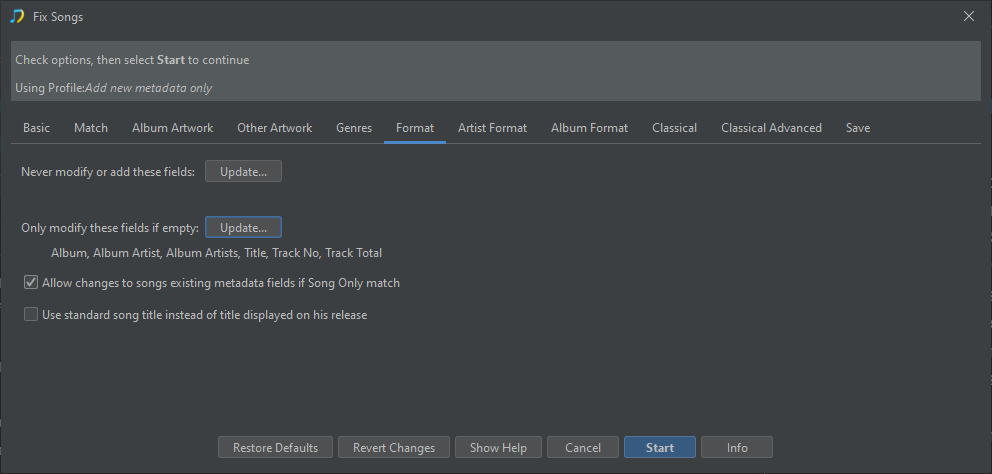
So for added safety I would modify Format:Only modify these fields if empty to not modify the basic album information, so then for those songs identified but matched to the wrong album it will not change the following key fields

  • Album
  • Album Artist
  • Album Artists
  • Title
  • Track No
  • Track Total

for those matched to the right album it will not change those fields either, but usually the value will be correct already, it will still add the information if missing.

and then rerun Fix Songs

Then assuming results are similar I would then run Apply Preview because the results show a big improvement

But then if it was me I would manually review the 16 single songs and 66 partial songs and if they appear to be wrong I would either use Undo Changes on the individual folders, or use Manual Edit to remove MusicBrainz Recording Id, MusicBrainz TrackId and MusicBrainz Release Id

I would then repeat this for Discogs matched that were matched one song only or partial matches, but remove the Discogs Album Url.

Then I would run Rename Files to rename only those files that are matched to Release, then at this point you have a much smaller pool of songs that need further work to put them back into albums.

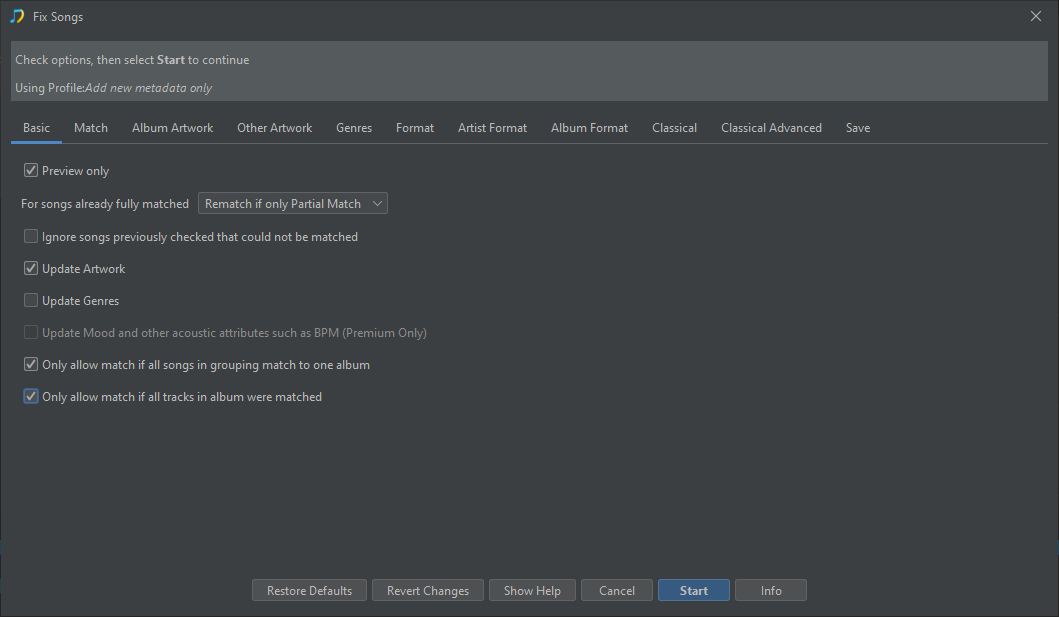
Actually a simpler first step might be to just enable Only allow match if all tracks in album matched and re-run Fix Songs

image

This should mean it still matches the majority of the 274 albums it matched before without the partial matches so you will not have to undo/modify bad matches. Then if happy and rename the files you again have a much smaller remaining set of files to deal with.

Thanks for the tip. I ran Fix Songs this way. 162 albums were matched to a MB release. Overall these look good, however, I do not understand some of the outcomes.

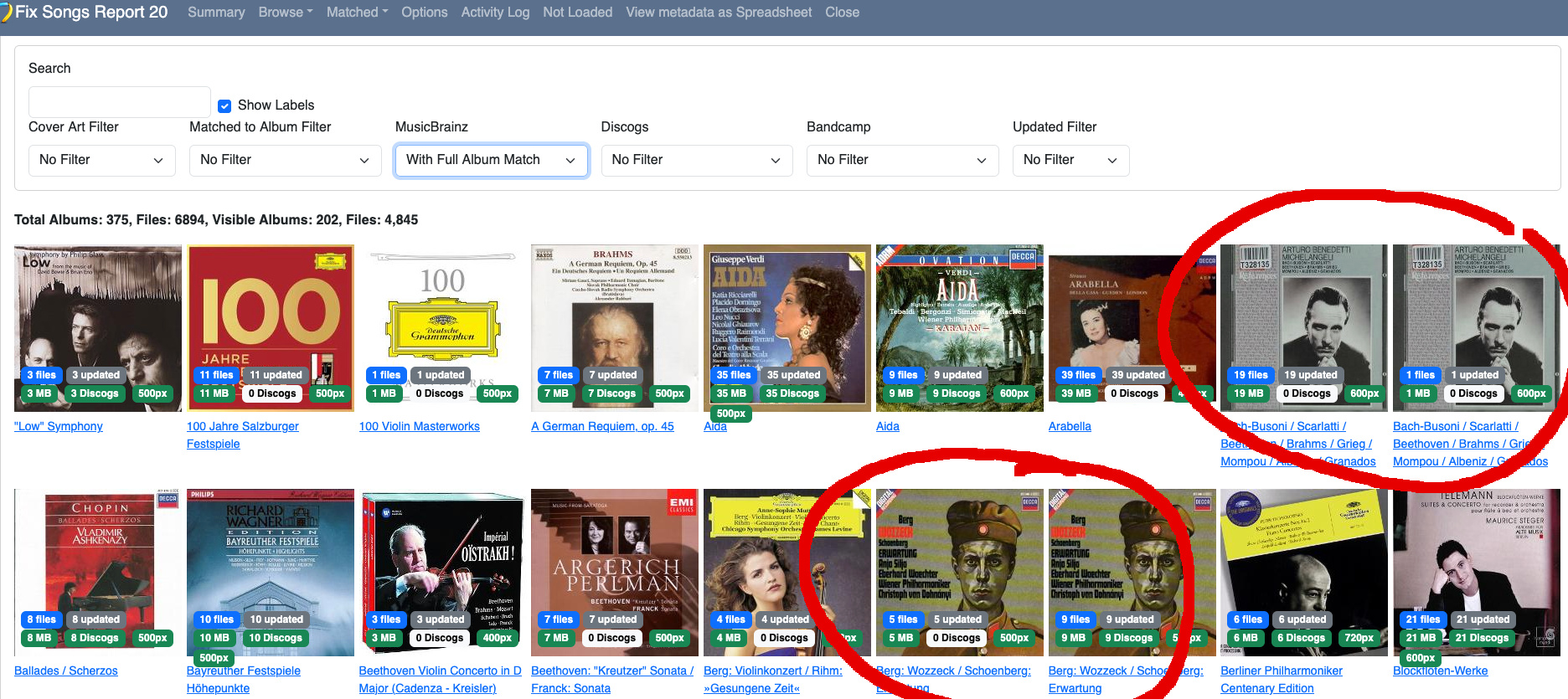
Among the first few albums listed when I Browse by Album and then use the MB filter for With Full Album Match “duplicates” appear, which are actually tracks of the same album split in two separate “albums”. Does this have any effect on the saved result?


If I search for the same album in the Matched to MusicBrainz release and search for the “Bach-Busoni / Scarlatti / Beethoven / Brahms / Grieg / Mompou / Albeniz / Granados” album, actually it shows that one song (the one in the separate “album”) is missing (even though it is not).

Overall the fully matched albums look good. Is there any way to only save updates to these files and additionally move these files to a different location so that I can work on the remaining more tricky files in a separate run? If not, whats your advice to move forward?

Just in case: I submitted the support files again.

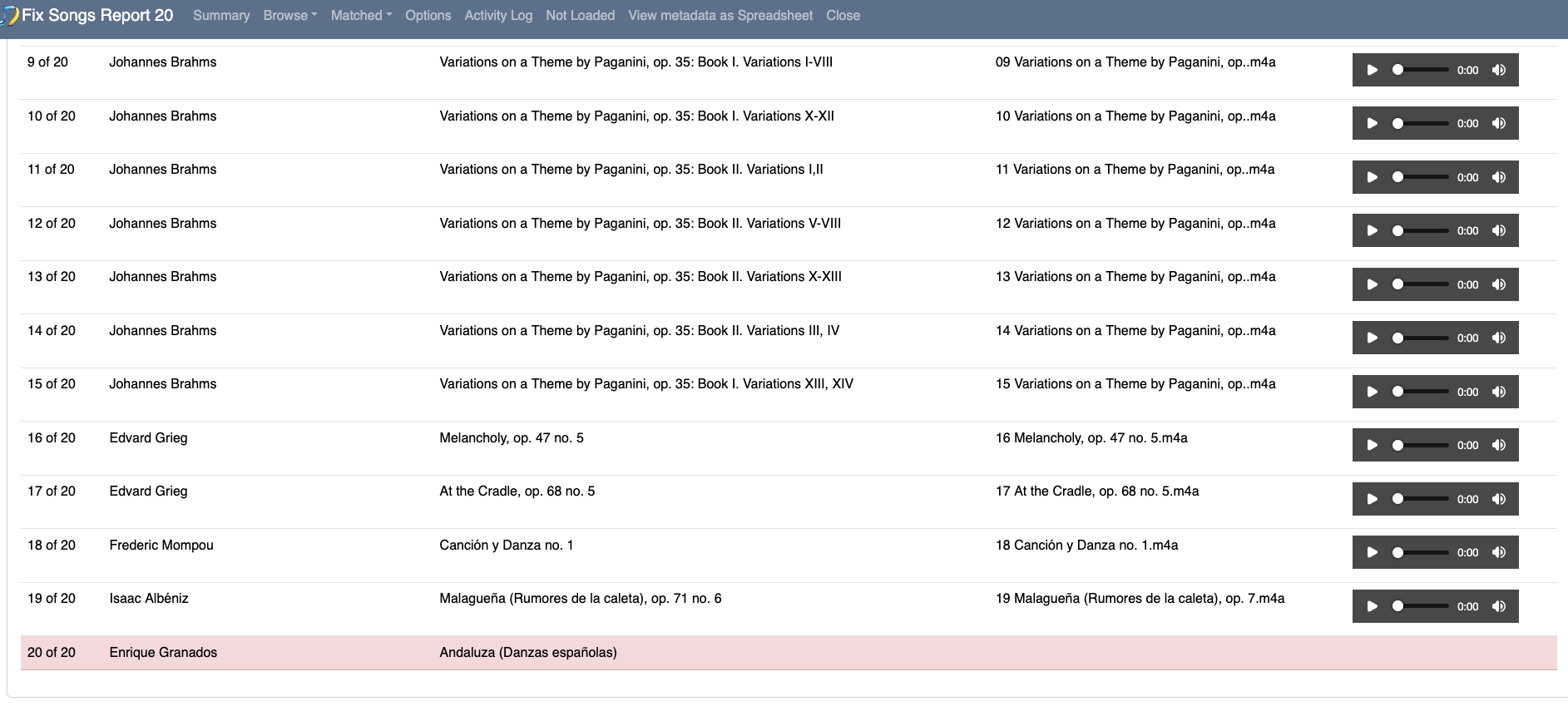
Okay all 20 tracks already had MusicBrainz Ids (i.e already matched before using SongKong), but in the report I can see that tracks 1-19 were updated with additional information, but track 20 was not. So I think there was an issue with SongKong matching all 20 tracks, but because they already had an Mb Release Id they are already matched, but during report creation this wasn’t fully recognised, I will look into this properly when I have a bit more time.

So in summary a minor bug in the report but does not effect saved result

You cannot just save the songs that are matched to full release, but if you look at the changes made to other songs not matched to album you should see they are correct and do not include changing fields like album titles. So it should be okay to save all changes, but if there are changes you do not like you could try my earlier suggestion of using the Format:Only modify these fields if empty option as well.

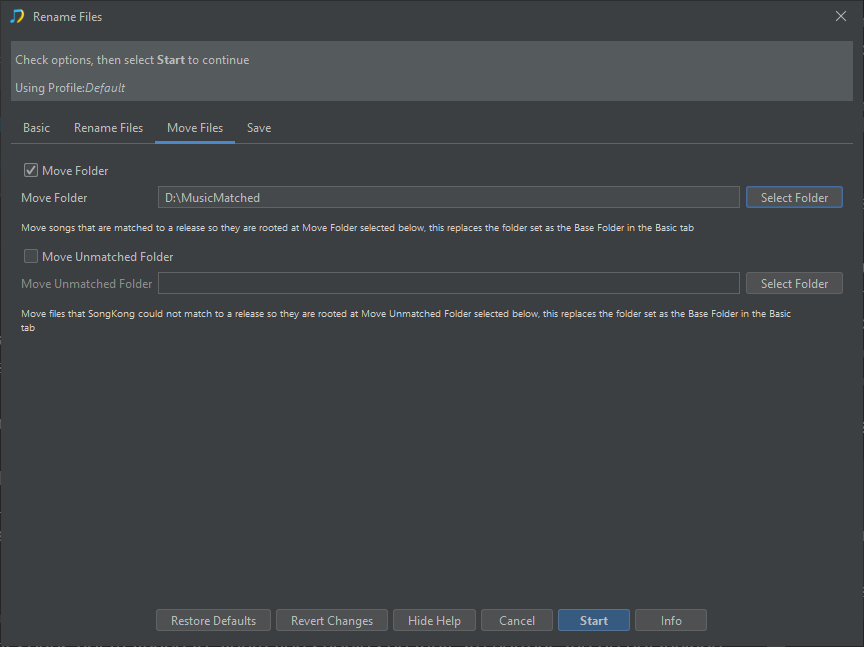
Once saved yes you can move only songs with a MusicBrainz Release Id or Discogs Release Url by using Rename Files and configuring a Move Folder

image