SongKong Jaikoz

SongKong and Jaikoz Music Tagger Community Forum

Tag different album versions

Hi,
I’m still pretty new to Jaikoz. I’ve already figured out some of the basics, but there are still a few things that leave me confused. I have several albums in different editions, like Deluxe or Extended Versions. When I run an automatic match, Jaikoz does detect the album edition and puts it into a separate tag.

However, I need that information added directly to the album title, because otherwise most programs—like MediaMonkey or Navidrome—don’t show the difference between the editions. I know how to change this manually, but I’d really like it to happen automatically after the match.

Is there a way to do that?
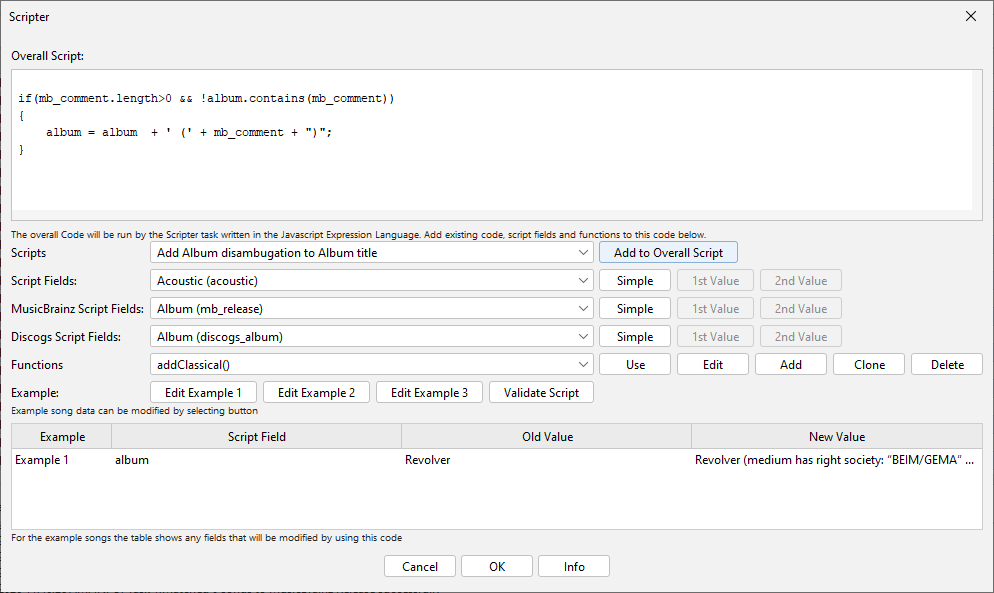
Hi, you can do by running Scripter as follows

  • Select Action:Scripter
  • Select Add Album disambugation to Album title from Scripts dropdown and select Add to Overall Script
    image
  • Select Ok to start
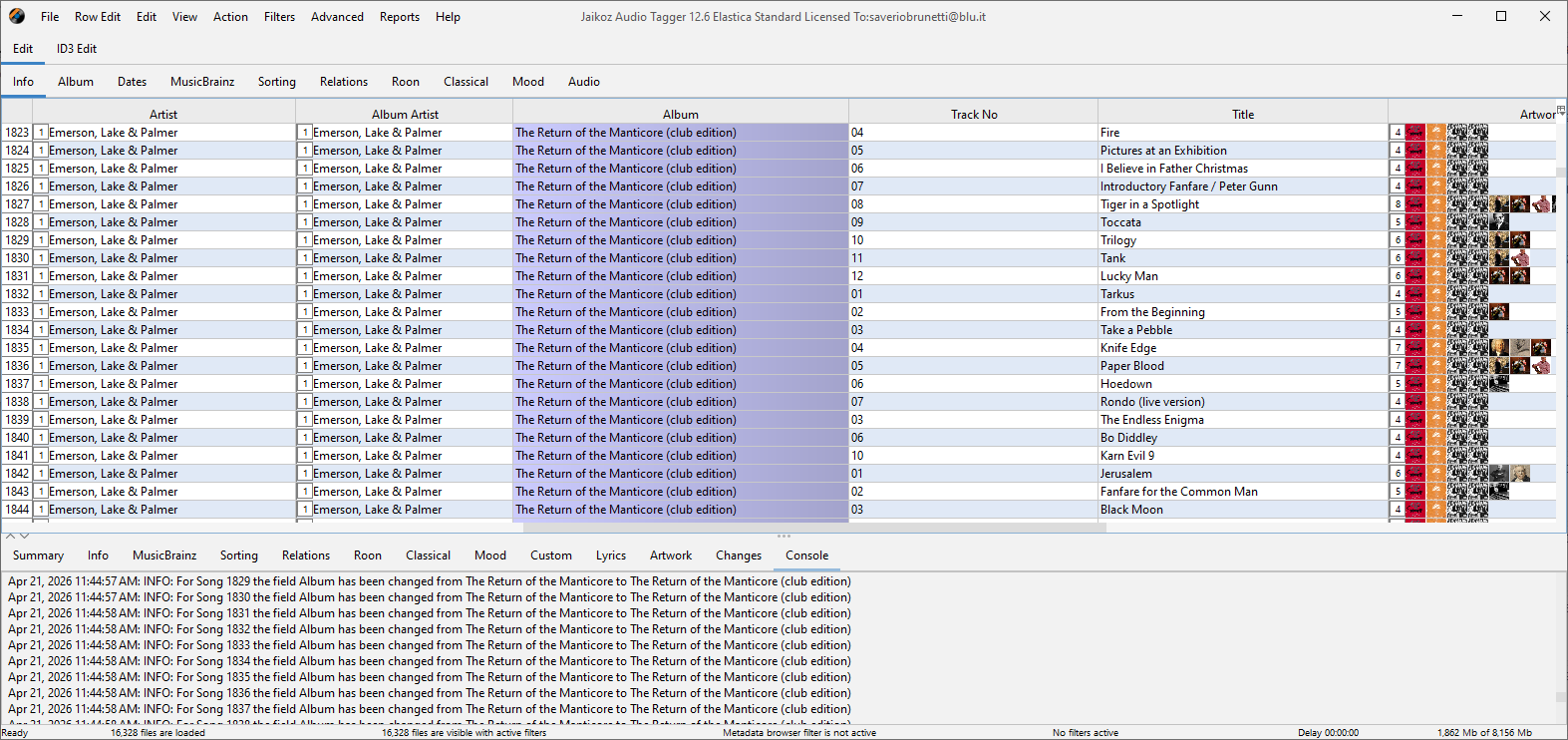
  • If you have Detail Pane visible you can see the changes listed on the Console tab image

Hi,
thanks for your help and for Jaikoz.
Is there a way to run the script automatically when I do the online match, or do I always have to trigger it manually?

Not currently, we already have an issue for this.

However, note there is no need to run after every album match, indeed there is no need to match albums one at a time, so you could just do once at end of editing session.