SongKong Jaikoz

SongKong and Jaikoz Music Tagger Community Forum

Support for Lyrion (LMS) tagging profile

I would like to request a new profile to select tagging style for the Lyrion music server LMS (formerly known as squeezebox server).

There are just a few items that can’t be done or selected at the moment, but seem to be straightforward and I don’t see how this would be a big deal to implement.

Essential features I think are needed

  1. Write ARTIST and ALBUM_ARTIST tags using a semicolon, not a comma to separate distinct artists.
    Lyrion does not seem to read multiple ARTIST tags, but splits these tag value strings uses a semicolon. (Actually the split character is configurable but the one which is uniquely of no use is a comma.) Extending this to other multi-valued tags, such as COMPOSER would be useful too.

  2. GROUPING tag. LMS uses this tag to subdivide either a disc or classical work, so for example “Act 2”, or “Part I” would be useful. If not required for a multi-level work it should be null or not present. It should not duplicate other parts of WORK or TITLE; ie the heading string is usually presented as “${COMPOSER }-${WORK}-${GROUPING}”. Genre should NOT be copied to GROUPING.

  3. LMS seems to additionally real MUSICBRAINZ_WORK and MUSICBRAINZ_WORKID )although these are not mentioned in the documentation) and work detection requires consistency -ie if WORK is taken from level 1 or translated to another language then so should MUSICBRAINZ_WORK and WORKID. (Although it might be better to just omit those tags entirely in such cases).

Not quite so critical, but useful other matters of style (perhaps not just for LMS) are

  1. (Optional) ability to strip composer and conductor from ALBUM_ARTIST and ARTIST lists - if the COMPOSER and CONDUCTOR tags are set. LMS reads these and adds the names in separately.

  2. Add “Classical” to GENRE if IS_CLASSICAL is set.

  3. Option to add “classical” to GENRE (with comma this time!) for a more detailed breakdown into “Classical, Baroque, Romantic, Modern” in order to, for example, translate GENRE=Chamber to
    GENRE=“Classical,Chamber”.
A new profile for Lyrion seems like a good idea if therre are preferences that should usually be configured for Lyrion.

  1. SongKong does not explicity separate the ARTIST or ALBUM_ARTIST field with commas or semicolons, it use the value of the MusicBrainz Album Artist Credit or Artist Credit which is usually taken from the record sleeve, so it is often a comma but can also be &, ft ectera.

e.g Johnny Cash & June Carter

But the ARTISTS and ALBUM_ARTISTS field store the values as a list,

e.g
Johnny Cash
June Carter

so this is probably what you want Lyrion to use. We are not using semi-colons or commas here, we are saving as multiple values which is aufdio format dependent. Within Manual Edit we indicate multiple values with three semi-colons (;;;) but this is just to indicate that it is actually multiple value.

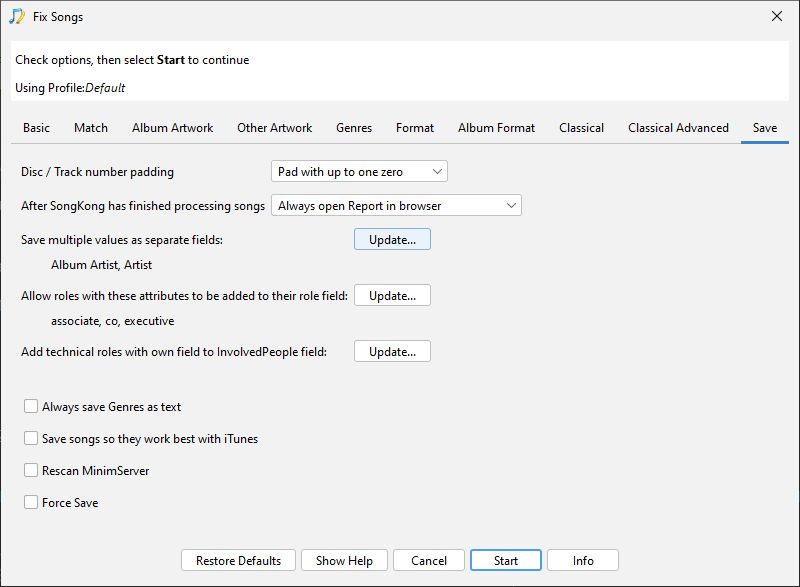
Now if Lyrion cannot make use of ARTISTS and ALBUM_ARTISTS fields we can configure SongKong to write ARTIST and ALBUM_ARTIST as multiple values by adding to Save:Save multiple values as separate fields

image

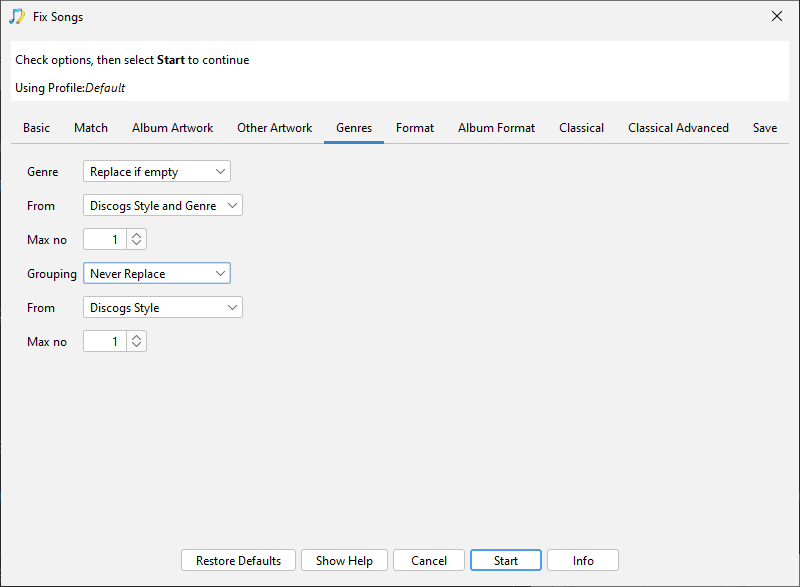
  1. Genre is only written to Grouping if configured, just set Genres:Grouping to Never Replace to prevent this.

  1. Not really clear what LMS is doing and what you want SongKong to do for this one?

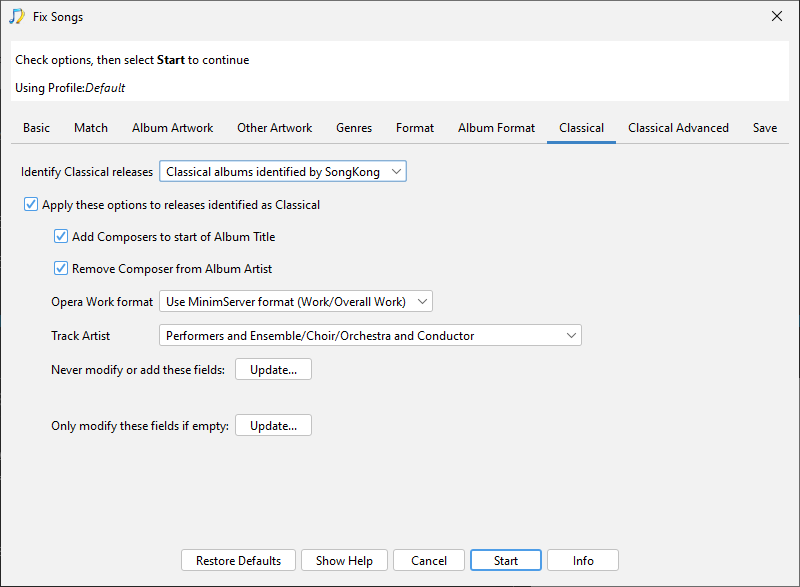
  2. There is already an option to remove composer from album artist called Classical:Remove Composer from Album Artist, Composer should not usually be added to Artist field by SongKong. Not clear why you would want the conductor removed from the Album Artist field if they were credited on front cover, the Track Artist for Classical can be configured with the Classical:Track Artist option.

image

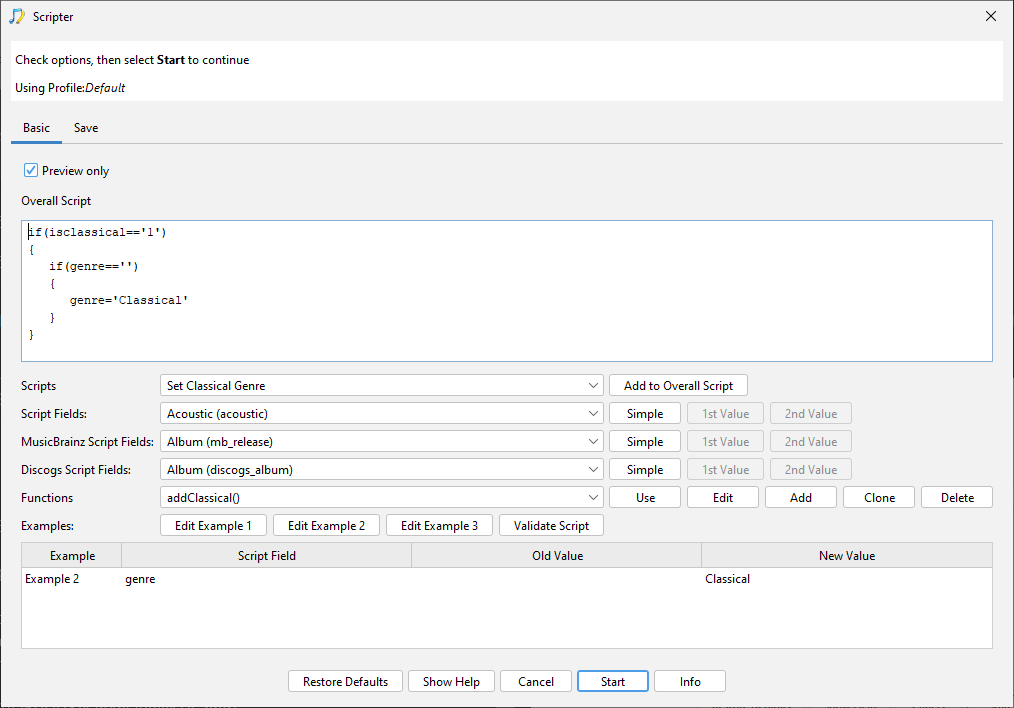
  1. This can already be done using Scripter afterwards, we have already added a Set Classical Genre script to do this

  1. You could write another script to do this such as

    if(genre=‘Baroque’) { genre=‘classical,Baroque’};
    if(genre=‘Romantic’) { genre=‘classical,Romantic’};

Dear Paul,

Thank you for your considered and prompt response. You have given me food for thought, and I have some further thoughts on this.

  1. The “Save multiple values as separate fields” is ideal, when ARTIST, ALBUM Artist and their SORT partners are configured to do this. I have tested this and it works beautifully. This definitely should be part of a “LMS” profile.

  2. Yes, but there is one further thing. I would also like to clear any existing setting of GENRE, and not just leave it alone. Can this be done? I have some horrible tags in many of my files left by early experimentation with settings in both Jaikoz and Songkong.

  3. This was copied unedited from my notes to myself, and does lack context. This is likely a separate issue, but I will need to make further tests from a “clean” starting point to definitively identify any issue.

  4. On further consideration, the name duplication I see is an LMS issue not a Songkong issue. LMS should be smart enough to remove the name of a conductor from the “performers” list itself.

5, 6. Nice solution and simple to implement.

There are also a couple of other settings I have found for best use which should go into a LMS profile. Though I can no longer remember what the “out of the box” settings are…
Classical Advanced:
a. “Add composer” options all OFF.
b. “Shorten Song Title to the Movement”: Yes
c. Copy Work to Grouping: OFF. (But also need option to actively unset GROUPING if not needed).
Classical:
d. Remove Composer from Album Artist.
e. Track Artist: Performents and Ensemble/Choir/Orchestra and Conductor
Genres
f. Use Discogs Genre

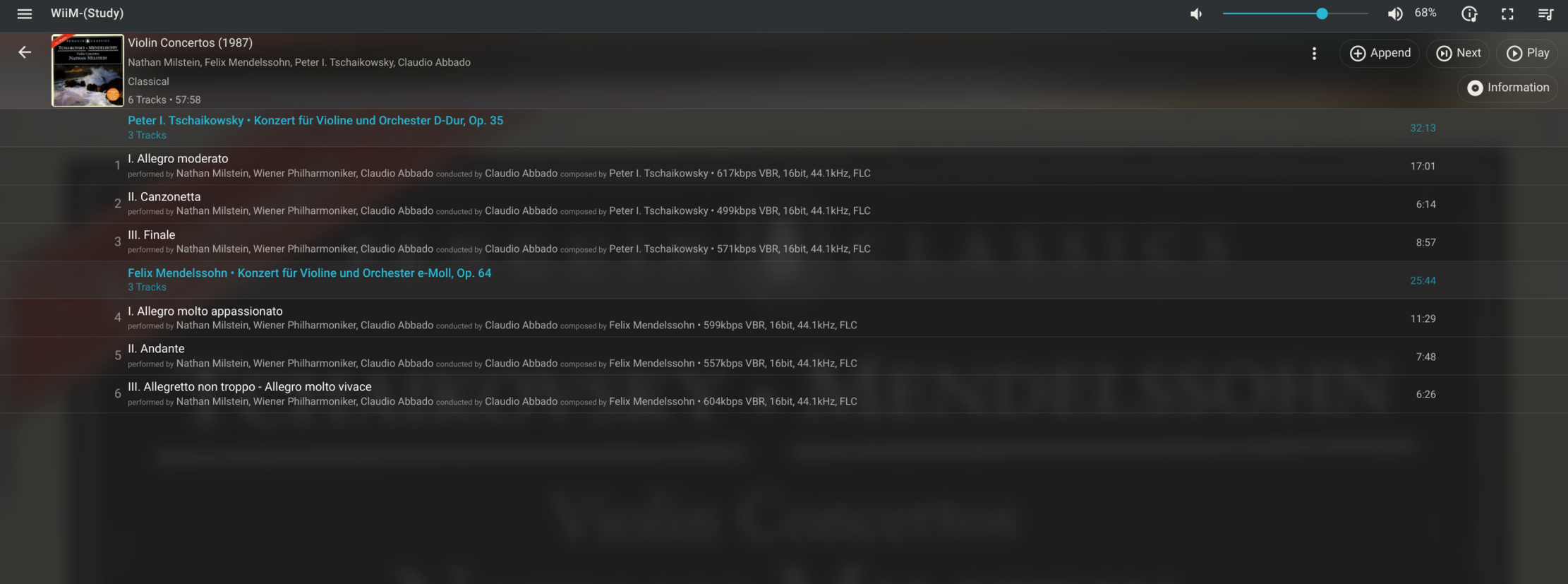
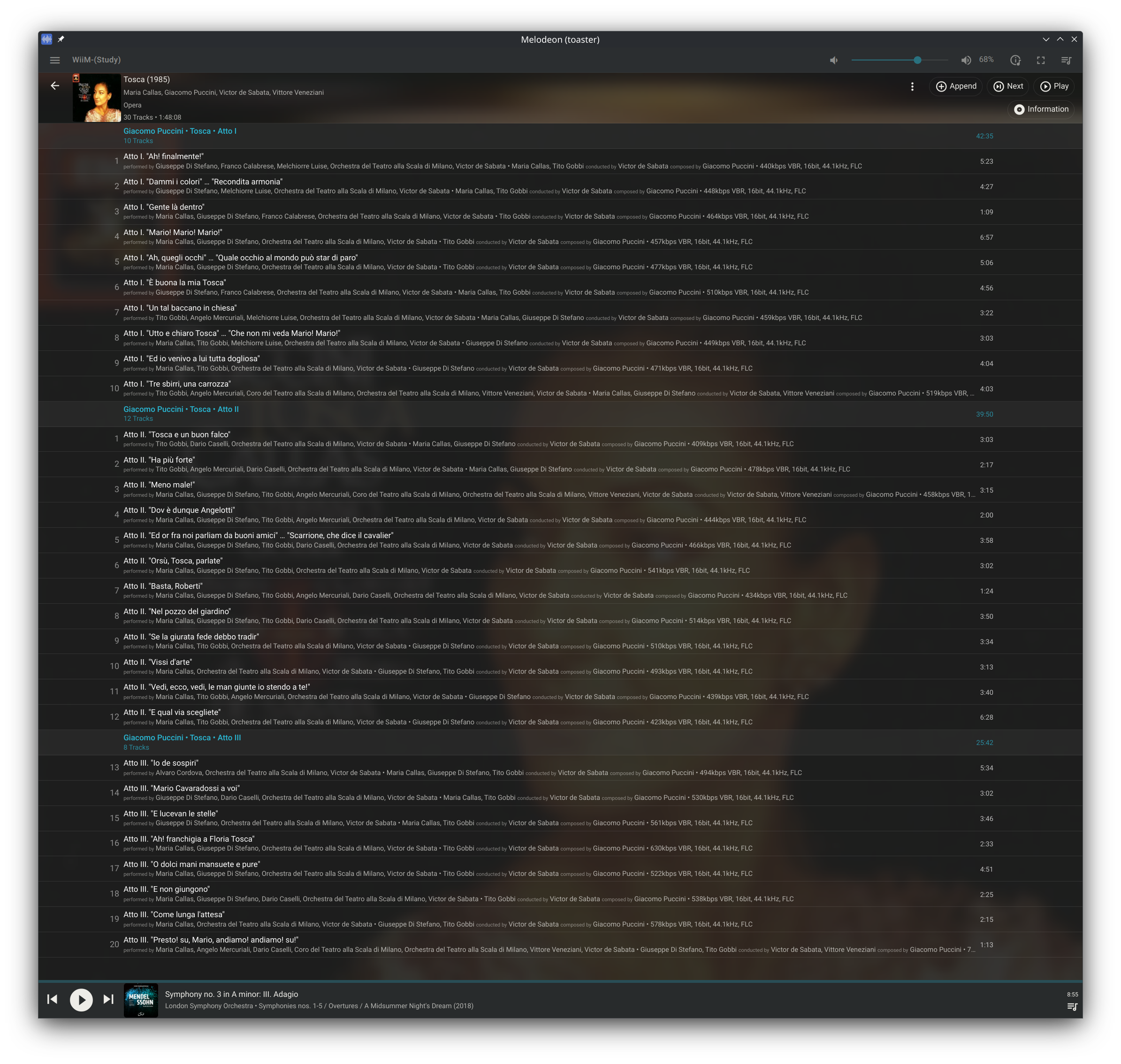
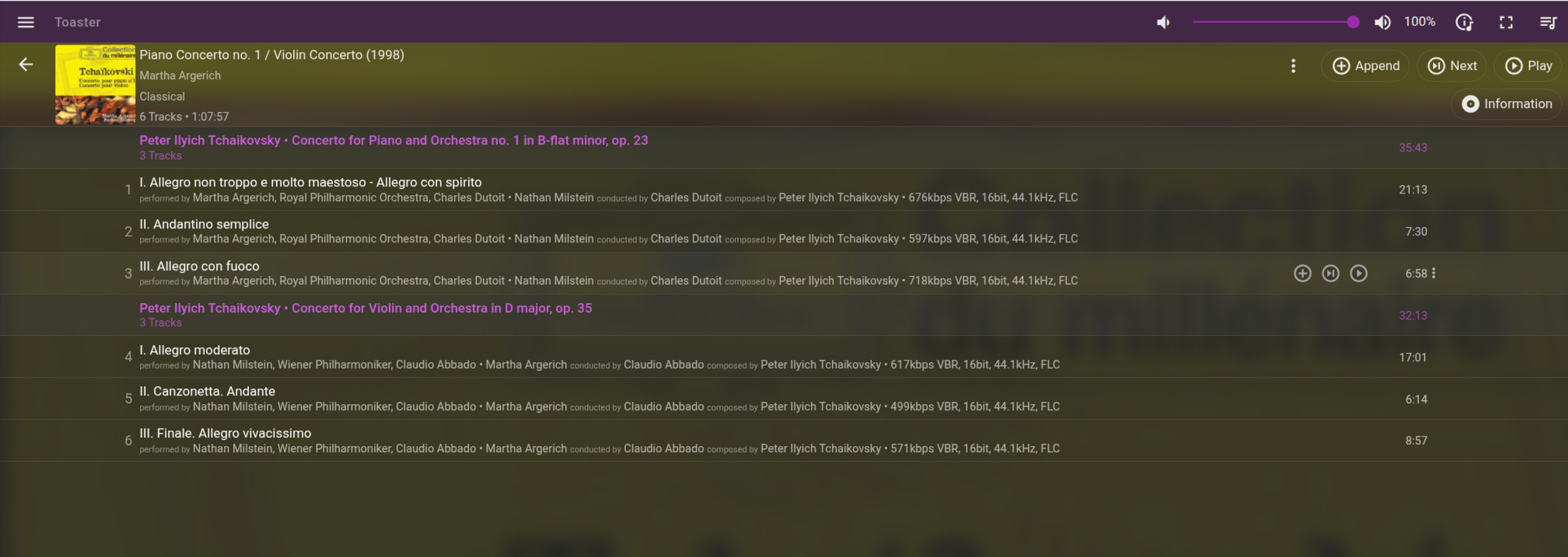
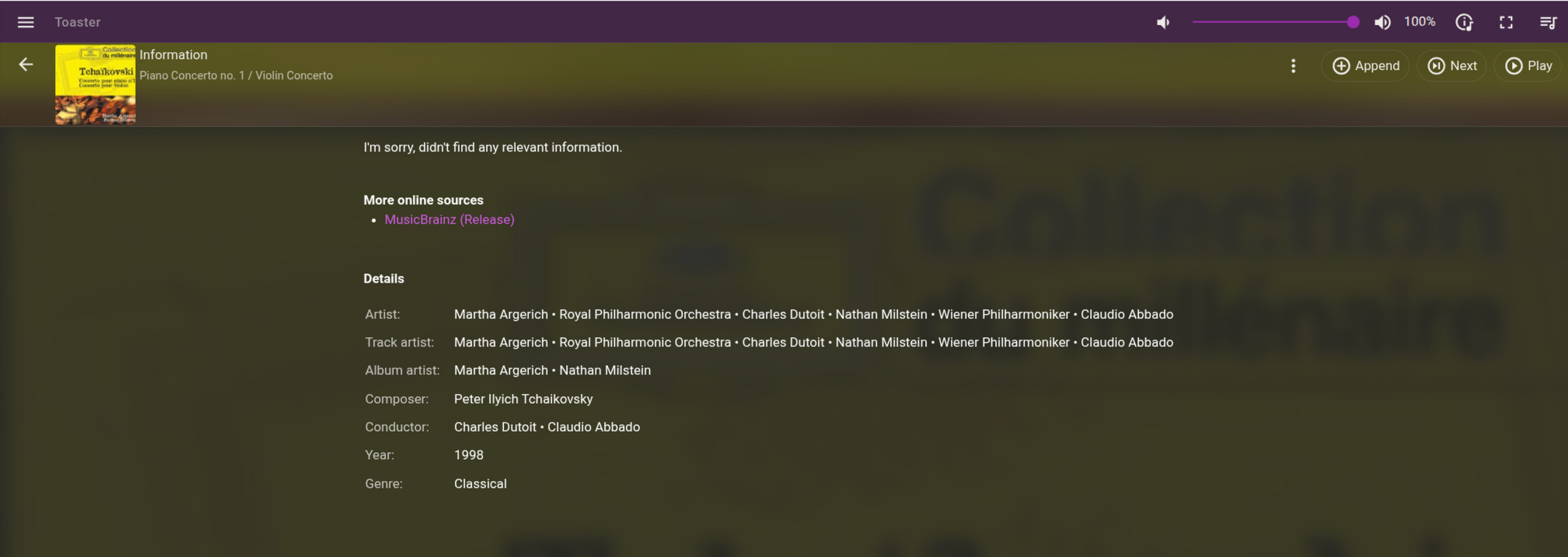
Thank you again for your assistance with this. I think this will be a boon for many Lyrion users. I am attaching a couple of screenshots showing what LMS can show for an album with correct tagging:

Screenshot_20260202_183509 Screenshot_20260202_181244

Regarding 2, I asume you mean clear the Grouping tag. And tag can be cleared with script

e.g

grouping=''

I have raised an issue to add Fix Songs Lyrion Music Server profile but since I don’t use Lyrion and you do I think the best way to get this done is for you to send me your support files when you are happy with your profile and then I can use that as a basis for the new profile, @Optimal-Procedure885 may also have some thoughts on this.

Is there a quick way to list exactly what settings I have changed from the default?