SongKong Jaikoz

SongKong and Jaikoz Music Tagger Community Forum

SongKong Fix Songs Stalled

Hi, I think you may have inadvertently paused the task, we monitor the status of all threads every 5 minutes and at 1.38 am on August 27th there were a number of threads at

Pause.checkInUninterruptibly
27/08/2026 01.38.16:BST:MonitorExecutors:writeToBothLogs:SEVERE: ----Worker:57
27/08/2026 01.38.16:BST:MonitorExecutors:writeToBothLogs:SEVERE: java.base@21.0.4/jdk.internal.misc.Unsafe.park(Native Method)
27/08/2026 01.38.16:BST:MonitorExecutors:writeToBothLogs:SEVERE: java.base@21.0.4/java.util.concurrent.locks.LockSupport.park(LockSupport.java:371)
27/08/2026 01.38.16:BST:MonitorExecutors:writeToBothLogs:SEVERE: java.base@21.0.4/java.util.concurrent.locks.AbstractQueuedSynchronizer$ConditionNode.block(AbstractQueuedSynchronizer.java:519)
27/08/2026 01.38.16:BST:MonitorExecutors:writeToBothLogs:SEVERE: java.base@21.0.4/java.util.concurrent.ForkJoinPool.unmanagedBlock(ForkJoinPool.java:3780)
27/08/2026 01.38.16:BST:MonitorExecutors:writeToBothLogs:SEVERE: java.base@21.0.4/java.util.concurrent.ForkJoinPool.managedBlock(ForkJoinPool.java:3725)
27/08/2026 01.38.16:BST:MonitorExecutors:writeToBothLogs:SEVERE: java.base@21.0.4/java.util.concurrent.locks.AbstractQueuedSynchronizer$ConditionObject.awaitUninterruptibly(AbstractQueuedSynchronizer.java:1660)
27/08/2026 01.38.16:BST:MonitorExecutors:writeToBothLogs:SEVERE: app//com.jthink.songkong.analyse.toplevelanalyzer.Pause.checkInUninterruptibly(Pause.java:71)
27/08/2026 01.38.16:BST:MonitorExecutors:writeToBothLogs:SEVERE: app//com.jthink.songkong.cmdline.SongKong.checkIn(SongKong.java:1708)
27/08/2026 01.38.16:BST:MonitorExecutors:writeToBothLogs:SEVERE: app//com.jthink.songkong.cache.MusicBrainzReleaseCache.addFromWeb(MusicBrainzReleaseCache.java:88)
27/08/2026 01.38.16:BST:MonitorExecutors:writeToBothLogs:SEVERE: app//com.jthink.songkong.cache.MusicBrainzReleaseCache.addFromWeb(MusicBrainzReleaseCache.java:36)
27/08/2026 01.38.16:BST:MonitorExecutors:writeToBothLogs:SEVERE: app//com.jthink.songkong.cache.AlbunackCache.getOrAdd(AlbunackCache.java:236)
27/08/2026 01.38.16:BST:MonitorExecutors:writeToBothLogs:SEVERE: app//com.jthink.songkong.analyse.analyser.task.RecordingOnlyMatcher.findMostPopularReleaseId(RecordingOnlyMatcher.java:177)
27/08/2026 01.38.16:BST:MonitorExecutors:writeToBothLogs:SEVERE: app//com.jthink.songkong.analyse.analyser.task.RecordingOnlyMatcher.findAcousticPairsForSongs(RecordingOnlyMatcher.java:342)
27/08/2026 01.38.16:BST:MonitorExecutors:writeToBothLogs:SEVERE: app//com.jthink.songkong.analyse.analyser.task.RecordingOnlyMatcher.matchSongsToAcoustIdPairs(RecordingOnlyMatcher.java:118)
27/08/2026 01.38.16:BST:MonitorExecutors:writeToBothLogs:SEVERE: app//com.jthink.songkong.analyse.analyser.task.RecordingOnlyMatcher.matchRecordingsOnlyByAcoustid(RecordingOnlyMatcher.java:510)
27/08/2026 01.38.16:BST:MonitorExecutors:writeToBothLogs:SEVERE: app//com.jthink.songkong.analyse.analyser.task.AbstractMusicBrainzGroupMatcher.matchSongs(AbstractMusicBrainzGroupMatcher.java:151)
27/08/2026 01.38.16:BST:MonitorExecutors:writeToBothLogs:SEVERE: app//com.jthink.songkong.analyse.analyser.task.MusicBrainzSongGroupMatcher1.doTask(MusicBrainzSongGroupMatcher1.java:817)
27/08/2026 01.38.16:BST:MonitorExecutors:writeToBothLogs:SEVERE: app//com.jthink.songkong.analyse.analyser.task.MusicBrainzSongGroupMatcher.call(MusicBrainzSongGroupMatcher.java:536)
27/08/2026 01.38.16:BST:MonitorExecutors:writeToBothLogs:SEVERE: app//com.jthink.songkong.analyse.analyser.task.MusicBrainzSongGroupMatcher1.call(MusicBrainzSongGroupMatcher1.java:109)
27/08/2026 01.38.16:BST:MonitorExecutors:writeToBothLogs:SEVERE: app//com.jthink.songkong.analyse.analyser.task.MusicBrainzSongGroupMatcher1.call(MusicBrainzSongGroupMatcher1.java:62)
27/08/2026 01.38.16:BST:MonitorExecutors:writeToBothLogs:SEVERE: java.base@21.0.4/java.util.concurrent.FutureTask.run(FutureTask.java:317)

and this code is only called when paused

          public void checkInUninterruptibly() {
            if (isPaused) {
                pauseLock.lock();
                try {
                    while (isPaused)
                        unpaused.awaitUninterruptibly();
                } finally {
                    pauseLock.unlock();
                }
            }
        }

at 6.18 pm we are still in the same situation

27/08/2026 18.18.35:BST:MonitorExecutors:writeToBothLogs:SEVERE: ----Worker:62
27/08/2026 18.18.35:BST:MonitorExecutors:writeToBothLogs:SEVERE: java.base@21.0.4/jdk.internal.misc.Unsafe.park(Native Method)
27/08/2026 18.18.35:BST:MonitorExecutors:writeToBothLogs:SEVERE: java.base@21.0.4/java.util.concurrent.locks.LockSupport.park(LockSupport.java:371)
27/08/2026 18.18.35:BST:MonitorExecutors:writeToBothLogs:SEVERE: java.base@21.0.4/java.util.concurrent.locks.AbstractQueuedSynchronizer$ConditionNode.block(AbstractQueuedSynchronizer.java:519)
27/08/2026 18.18.35:BST:MonitorExecutors:writeToBothLogs:SEVERE: java.base@21.0.4/java.util.concurrent.ForkJoinPool.unmanagedBlock(ForkJoinPool.java:3780)
27/08/2026 18.18.35:BST:MonitorExecutors:writeToBothLogs:SEVERE: java.base@21.0.4/java.util.concurrent.ForkJoinPool.managedBlock(ForkJoinPool.java:3725)
27/08/2026 18.18.35:BST:MonitorExecutors:writeToBothLogs:SEVERE: java.base@21.0.4/java.util.concurrent.locks.AbstractQueuedSynchronizer$ConditionObject.awaitUninterruptibly(AbstractQueuedSynchronizer.java:1660)
27/08/2026 18.18.35:BST:MonitorExecutors:writeToBothLogs:SEVERE: app//com.jthink.songkong.analyse.toplevelanalyzer.Pause.checkInUninterruptibly(Pause.java:71)
27/08/2026 18.18.35:BST:MonitorExecutors:writeToBothLogs:SEVERE: app//com.jthink.songkong.cmdline.SongKong.checkIn(SongKong.java:1708)
27/08/2026 18.18.35:BST:MonitorExecutors:writeToBothLogs:SEVERE: app//com.jthink.songkong.cache.MusicBrainzArtistCache.addFromWeb(MusicBrainzArtistCache.java:63)
27/08/2026 18.18.35:BST:MonitorExecutors:writeToBothLogs:SEVERE: app//com.jthink.songkong.cache.MusicBrainzArtistCache.addFromWeb(MusicBrainzArtistCache.java:20)
27/08/2026 18.18.35:BST:MonitorExecutors:writeToBothLogs:SEVERE: app//com.jthink.songkong.cache.AlbunackCache.getOrAdd(AlbunackCache.java:236)
27/08/2026 18.18.35:BST:MonitorExecutors:writeToBothLogs:SEVERE: app//com.jthink.songkong.musicbrainzhelper.MusicBrainzEntityConverter.convertArtist(MusicBrainzEntityConverter.java:100)
27/08/2026 18.18.35:BST:MonitorExecutors:writeToBothLogs:SEVERE: app//com.jthink.songkong.musicbrainzhelper.MusicBrainzEntityConverter.convertRelease(MusicBrainzEntityConverter.java:297)
27/08/2026 18.18.35:BST:MonitorExecutors:writeToBothLogs:SEVERE: app//com.jthink.songkong.cache.MusicBrainzReleaseCache.addFromWeb(MusicBrainzReleaseCache.java:107)
27/08/2026 18.18.35:BST:MonitorExecutors:writeToBothLogs:SEVERE: app//com.jthink.songkong.cache.MusicBrainzReleaseCache.addFromWeb(MusicBrainzReleaseCache.java:36)
27/08/2026 18.18.35:BST:MonitorExecutors:writeToBothLogs:SEVERE: app//com.jthink.songkong.cache.AlbunackCache.getOrAdd(AlbunackCache.java:236)
27/08/2026 18.18.35:BST:MonitorExecutors:writeToBothLogs:SEVERE: app//com.jthink.songkong.analyse.analyser.task.RecordingOnlyMatcher.findMostPopularReleaseId(RecordingOnlyMatcher.java:177)
27/08/2026 18.18.35:BST:MonitorExecutors:writeToBothLogs:SEVERE: app//com.jthink.songkong.analyse.analyser.task.RecordingOnlyMatcher.findAcousticPairsForSongs(RecordingOnlyMatcher.java:342)
27/08/2026 18.18.35:BST:MonitorExecutors:writeToBothLogs:SEVERE: app//com.jthink.songkong.analyse.analyser.task.RecordingOnlyMatcher.matchSongsToAcoustIdPairs(RecordingOnlyMatcher.java:118)
27/08/2026 18.18.35:BST:MonitorExecutors:writeToBothLogs:SEVERE: app//com.jthink.songkong.analyse.analyser.task.RecordingOnlyMatcher.matchRecordingsOnlyByAcoustid(RecordingOnlyMatcher.java:510)
27/08/2026 18.18.35:BST:MonitorExecutors:writeToBothLogs:SEVERE: app//com.jthink.songkong.analyse.analyser.task.SongPrematcherMatcher.call(SongPrematcherMatcher.java:99)
27/08/2026 18.18.35:BST:MonitorExecutors:writeToBothLogs:SEVERE: app//com.jthink.songkong.analyse.analyser.task.SongPrematcherMatcher.call(SongPrematcherMatcher.java:33)
27/08/2026 18.18.35:BST:MonitorExecutors:writeToBothLogs:SEVERE: java.base@21.0.4/java.util.concurrent.FutureTask.run(FutureTask.java:317)
27/08/2026 18.18.35:BST:MonitorExecutors:writeToBothLogs:SEVERE: app//com.jthink.songkong.analyse.analyser.analyserservice.MainAnalyserService$EnsureIncreaseCountIfRunOnCallingThread.rejectedExecution(MainAnalyserService.java:140)
27/08/2026 18.18.35:BST:MonitorExecutors:writeToBothLogs:SEVERE: java.base@21.0.4/java.util.concurrent.ThreadPoolExecutor.reject(ThreadPoolExecutor.java:841)
27/08/2026 18.18.35:BST:MonitorExecutors:writeToBothLogs:SEVERE: java.base@21.0.4/java.util.concurrent.ThreadPoolExecutor.execute(ThreadPoolExecutor.java:1376)
27/08/2026 18.18.35:BST:MonitorExecutors:writeToBothLogs:SEVERE: java.base@21.0.4/java.util.concurrent.AbstractExecutorService.submit(AbstractExecutorService.java:145)
27/08/2026 18.18.35:BST:MonitorExecutors:writeToBothLogs:SEVERE: app//com.jthink.songkong.analyse.analyser.analyserservice.MainAnalyserService.submit(MainAnalyserService.java:262)
27/08/2026 18.18.35:BST:MonitorExecutors:writeToBothLogs:SEVERE: app//com.jthink.songkong.analyse.analyser.task.StartMatcher.processFolderWithPoorMetadata(StartMatcher.java:412)
27/08/2026 18.18.35:BST:MonitorExecutors:writeToBothLogs:SEVERE: app//com.jthink.songkong.analyse.analyser.task.StartMatcher.rematch(StartMatcher.java:101)
27/08/2026 18.18.35:BST:MonitorExecutors:writeToBothLogs:SEVERE: app//com.jthink.songkong.analyse.analyser.task.StartMatcher.call(StartMatcher.java:260)
27/08/2026 18.18.35:BST:MonitorExecutors:writeToBothLogs:SEVERE: app//com.jthink.songkong.analyse.analyser.task.StartMatcher.call(StartMatcher.java:40)
27/08/2026 18.18.35:BST:MonitorExecutors:writeToBothLogs:SEVERE: java.base@21.0.4/java.util.concurrent.FutureTask.run(FutureTask.java:317)
27/08/2026 18.18.35:BST:MonitorExecutors:writeToBothLogs:SEVERE: java.base@21.0.4/java.util.concurrent.ThreadPoolExecutor.runWorker(ThreadPoolExecutor.java:1144)
27/08/2026 18.18.35:BST:MonitorExecutors:writeToBothLogs:SEVERE: java.base@21.0.4/java.util.concurrent.ThreadPoolExecutor$Worker.run(ThreadPoolExecutor.java:642)
27/08/2026 18.18.35:BST:MonitorExecutors:writeToBothLogs:SEVERE: java.base@21.0.4/java.lang.Thread.runWith(Thread.java:1596)
27/08/2026 18.18.35:BST:MonitorExecutors:writeToBothLogs:SEVERE: java.base@21.0.4/java.lang.Thread.run(Thread.java:1583)

So the the solution is to just retry

However, before you do that I notice an error with the Status Report task you ran beforehand. Some sections have not been created but I cannot find the error because the subsequent Fix Songs task used up the total log space and wiped the Status Report information from the logs.

Could you please re-run Status Report task first and then immediately afterwards run Create Support Files again so I can resolve this problem.
Status Report run again and files uploaded

Thankyou, apologies this was a red herring. The support files including reports get sent to me but not the html style sheets because they are always the same, however my support infrastructure was using the old Bootstrap 4 stylesheets from SongKong 12.7 instead of the new Bootstrap 5 stylesheets from SongKong 12.8 to view the report, this was causing the reports to break. Now I have updated to the correct stylesheets your reports work correctly.

So there is no issue with the reports, and I think the issue with Fix Songs was simply that you inadvertently paused it.

Very possible since I was up during the night and did check the FixSongs progress so I may have accidentally paused although I don’t remember actually doing anything except looking at the Progress window - I think I only hovered the mouse to see various bits and pieces
Anyway I will re-run FixSongs and leave well alone and if all goes well I will be licensing the product to apply the fixes
Many thanks for your quick and competent support

1 Like

FixSongs now completed but with an end task by SongKong due to unreported error
Am uploading the Support Files

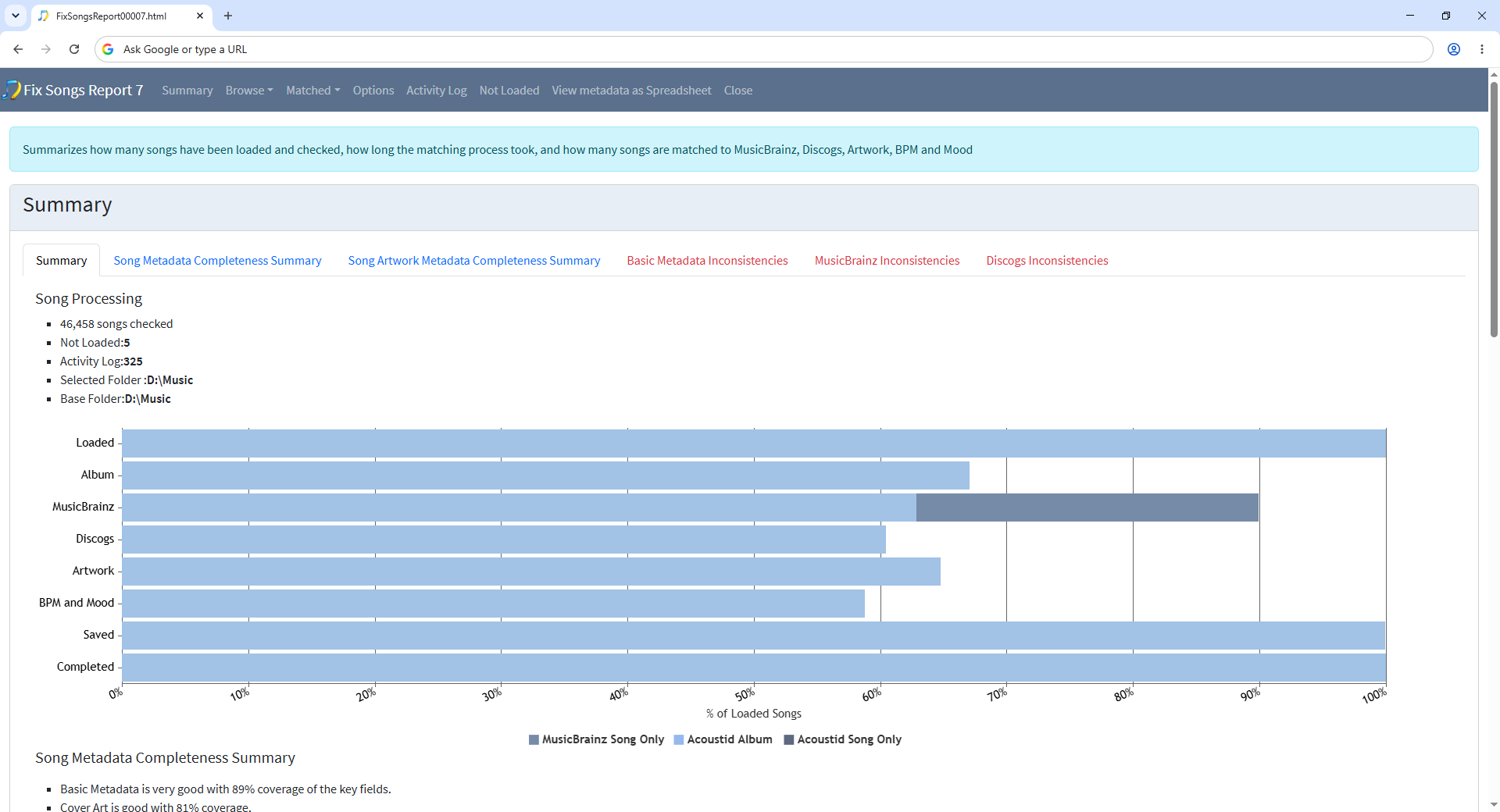
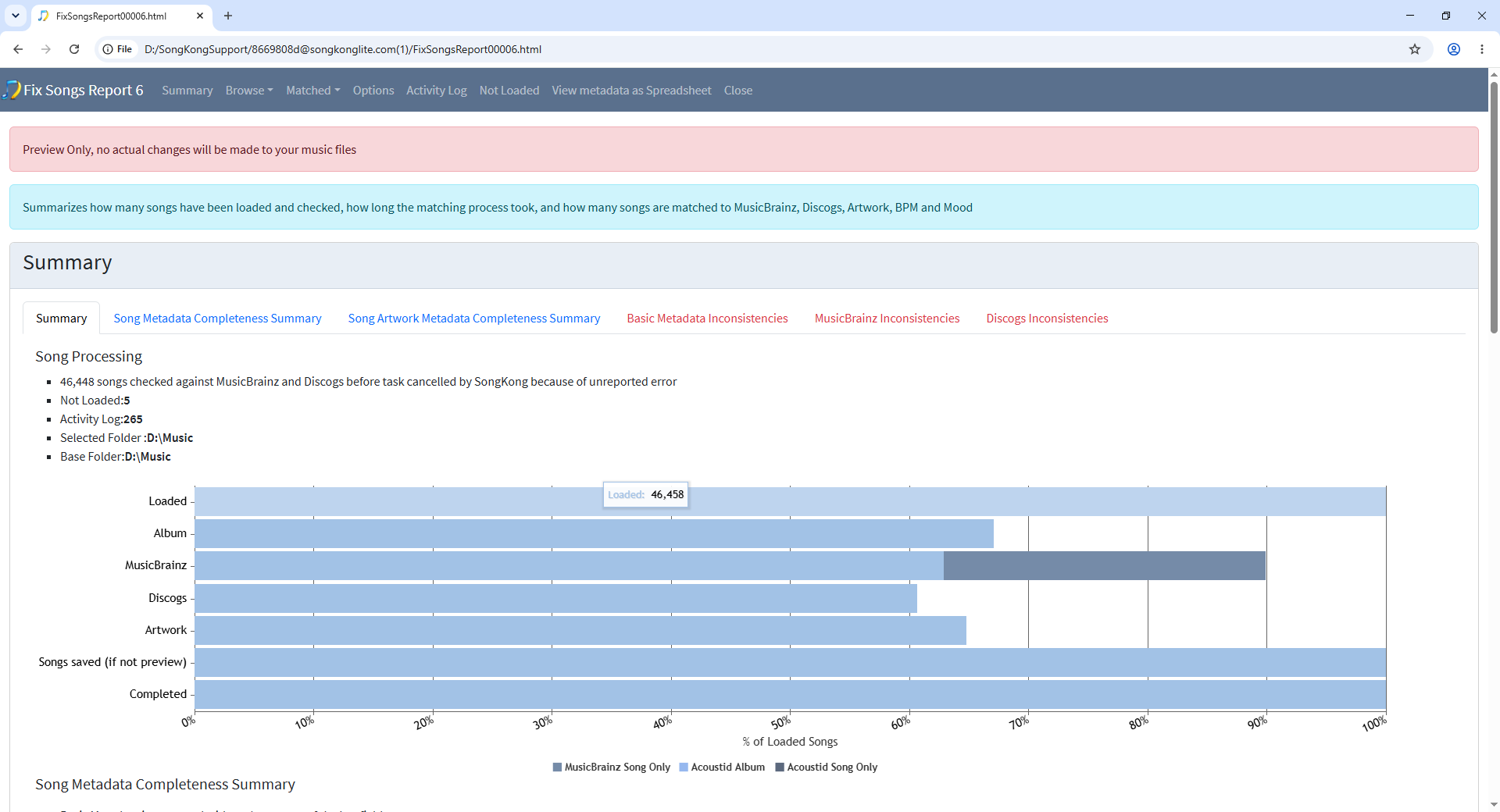
Thanks, if you hover over the bars in the summary barchart you can see that 46,458 songs were loaded but only 46,448 completed.

image

This discrepancy of 10 songs is why it reports

checked against MusicBrainz and Discogs before task cancelled by SongKong because of unreported error

So it is not a major problem the other 46,448 songs have been processed without problem

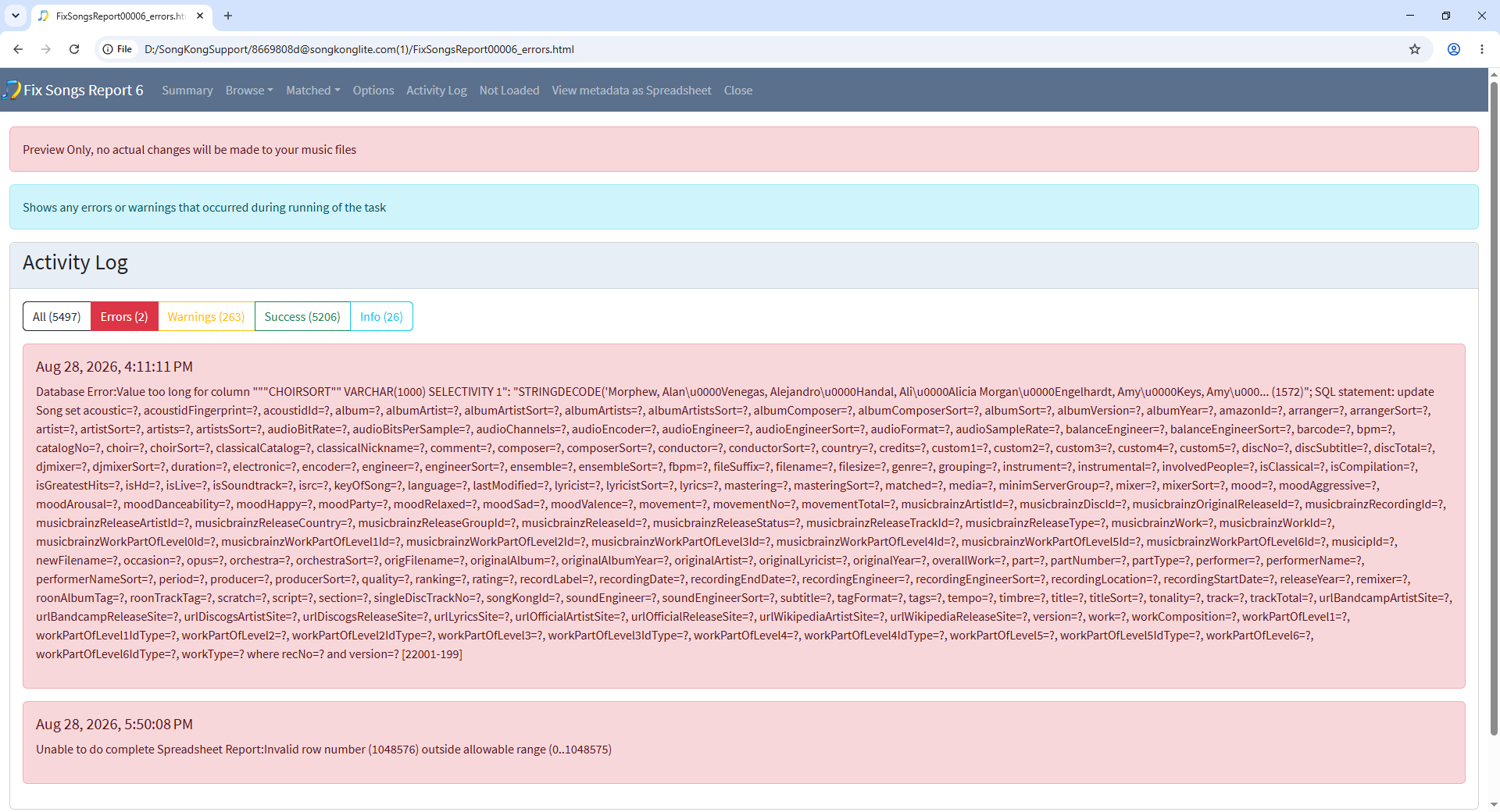
If we look at the Activity Log we see the problem

image

And on further delving I found that when updating the Discogs Release https://www.discogs.com/release/1686999-Neil-Young-Living-With-War it is failing because this has a very long value for Choir and when we calculate the choirsort field value we are not accounting for this value so it is too large for database field. Have raised a bug for this issue https://jthink.atlassian.net/browse/SONGKONG-3036, and also a bug for the separate spreadsheet error https://jthink.atlassian.net/browse/SONGKONG-3035, these will both be fixed for next release.

Thanks Paul
Can you shed some light on the 263 Warnings in the Activity Log?
Most seem to be either “Error reading” or “Error decoding” the audio source to get an acoustic id
What does this mean?
I’m going to go ahead and buy a license and run the FixSongs action for real although I will take a back up of my collection first
Couple of further questions…
Can you suggest a good tool (a player probably) that will allow me to interrogate the collection pre-FixSongs and then post-FixSongs to try and get an understanding of what tags\metadata have been changed\added\removed - something that will show me visually rather than a log file?
Finally the SongKong Appdata is currently at 13.8 Gb with the DB taking 10Gb of this
Not an issue right now but could I move that AppData from C: to another (bigger) local disk if I wanted to?

Acoustid is one mechanism we use for identifying songs based on their actual music, these warnings occur when Acoustid cannot parse the file, this maybe due to minor issues with the how the audio is encoded or it may be due to bugs in the Acoustid software, i cannot tell which since Acoustid is provided by a 3rd party. But it need not concern you as we have multiple ways to identify songs.

Within the SongKong report you can see data in a variety of ways, better than any player, for you what would be the ideal way to view the data ?

Here are a few examples from your Fix Songs report

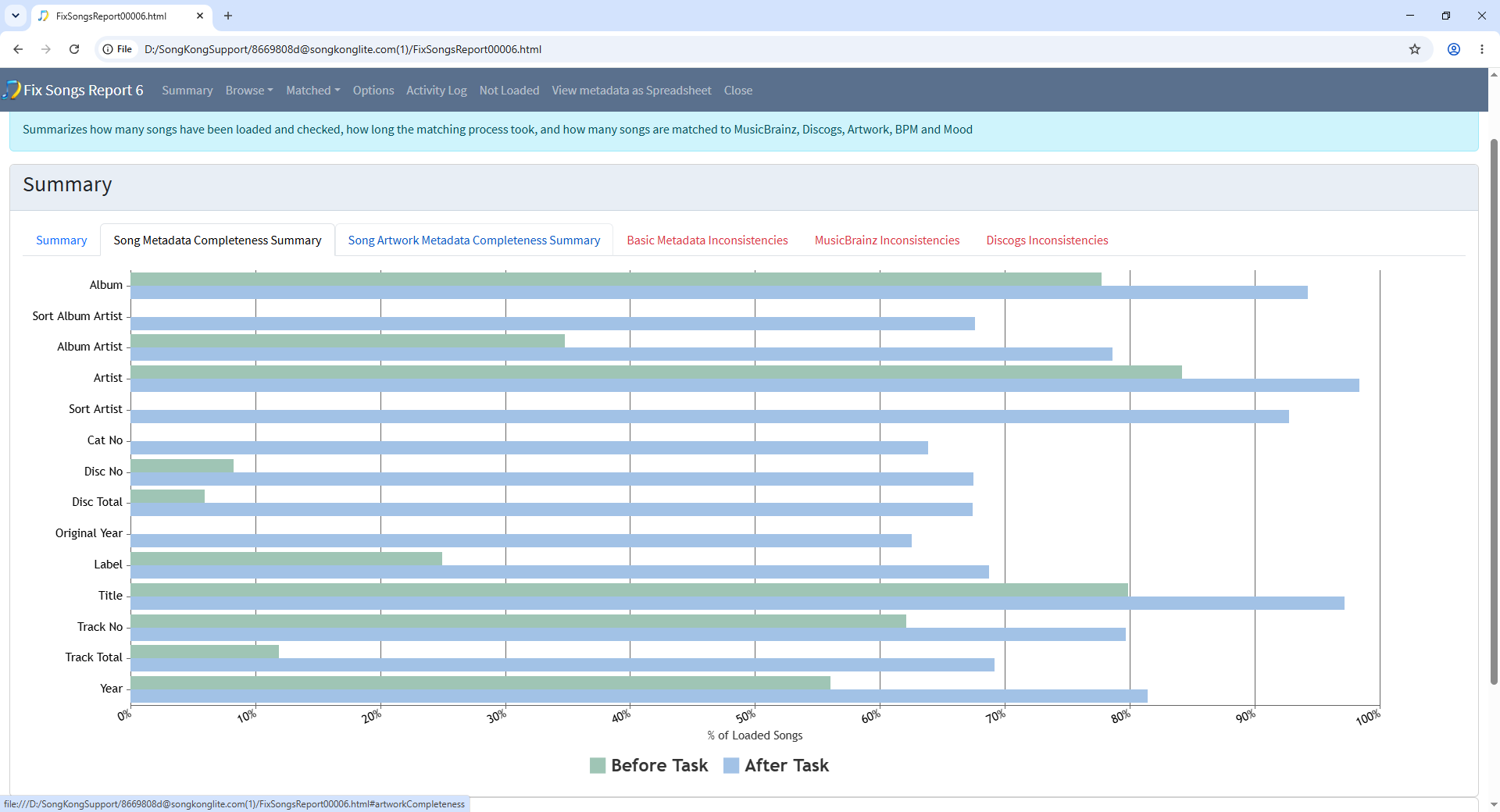
Metadata Completeness Before and After

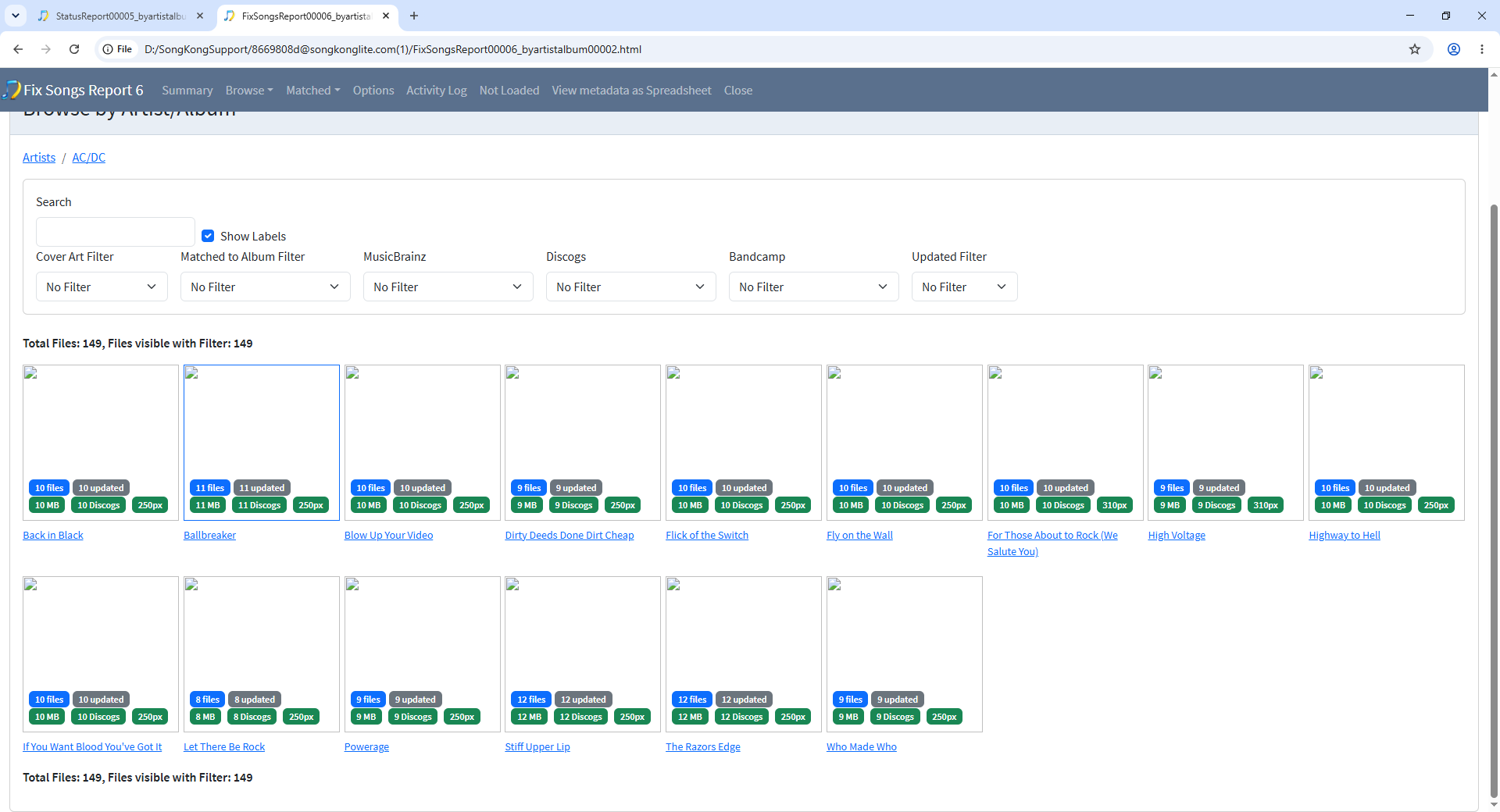
Browse by Artist/Album

image

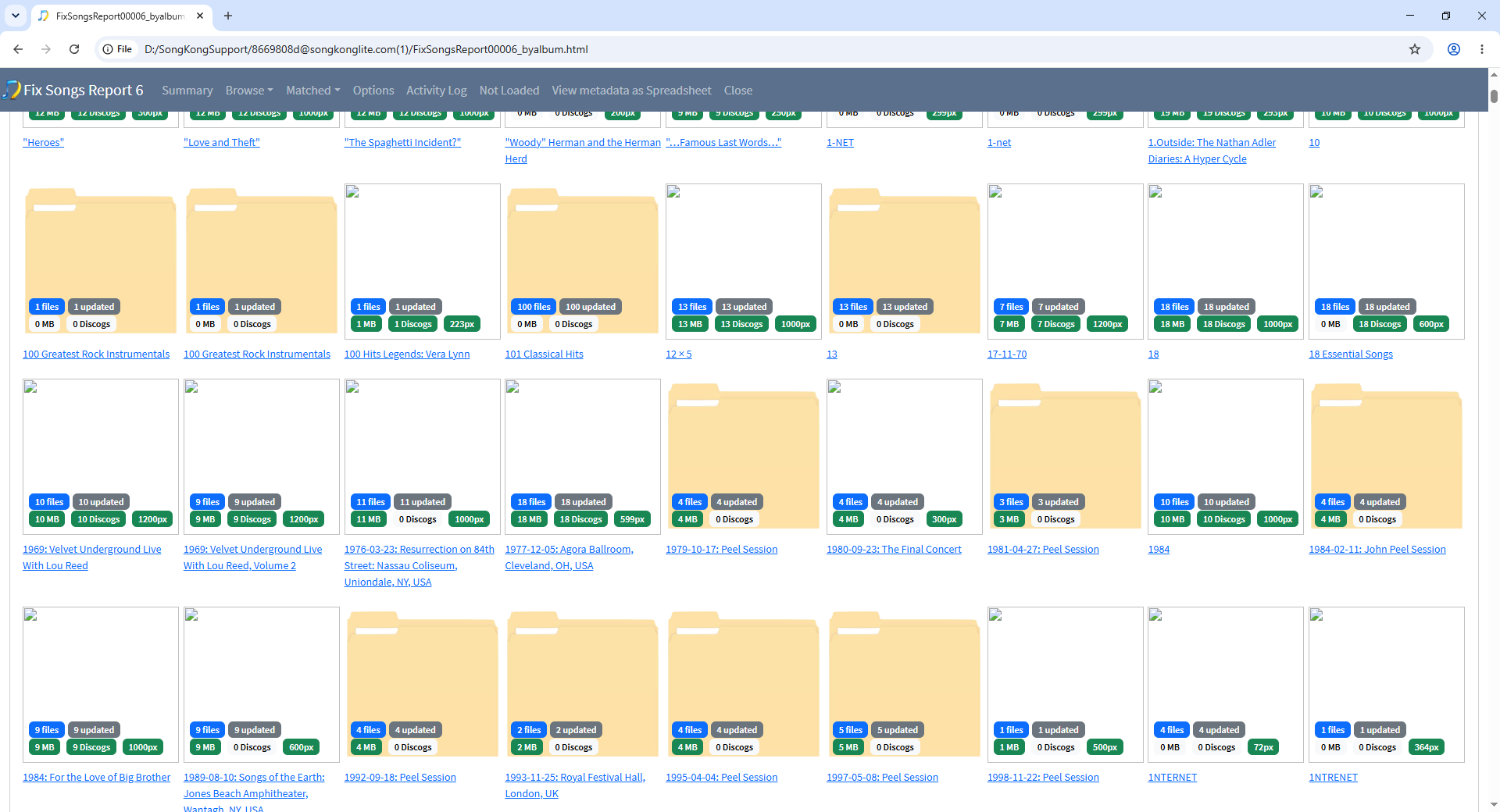
Browse By Album

Album Level Summary

image

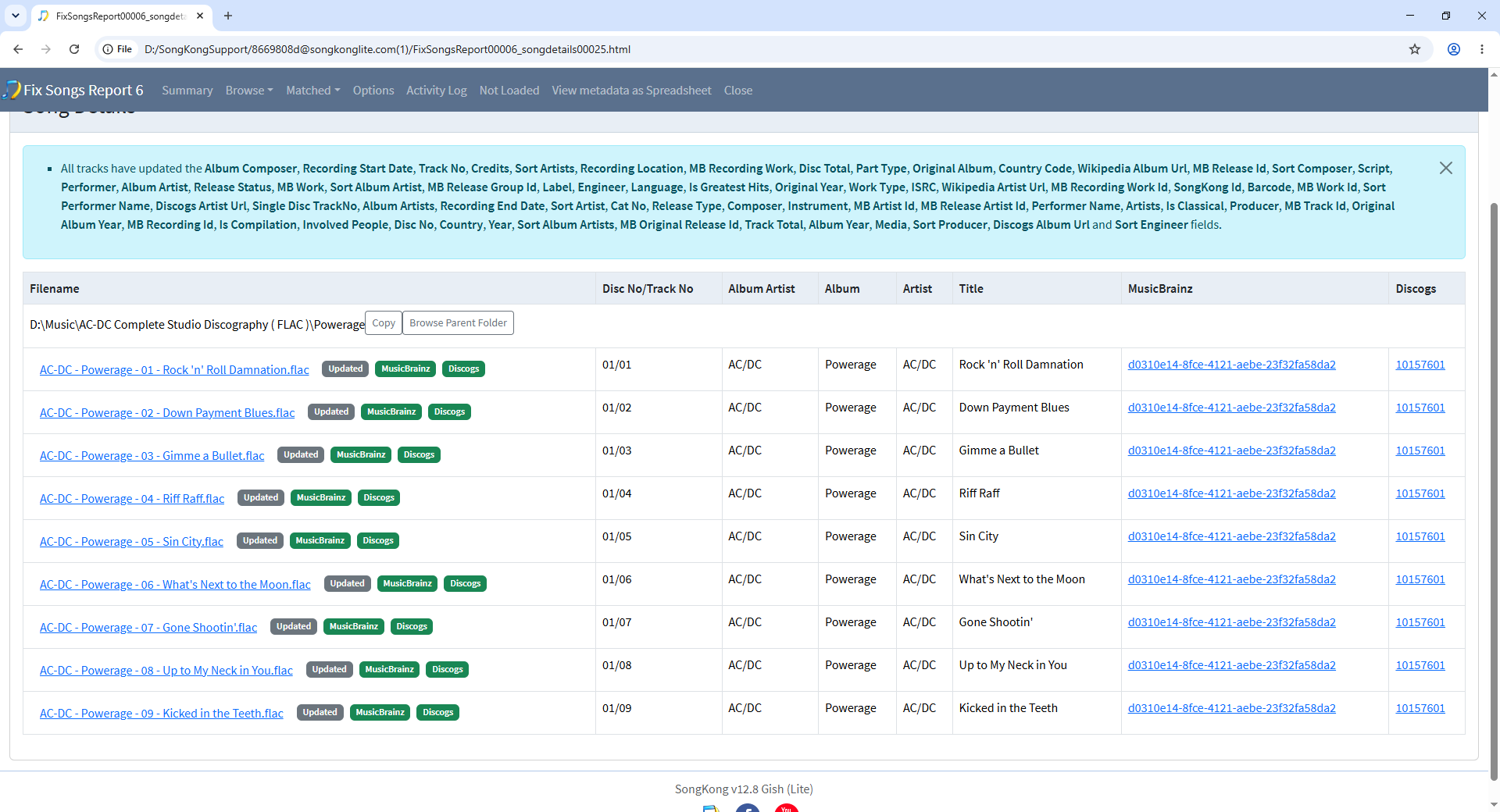
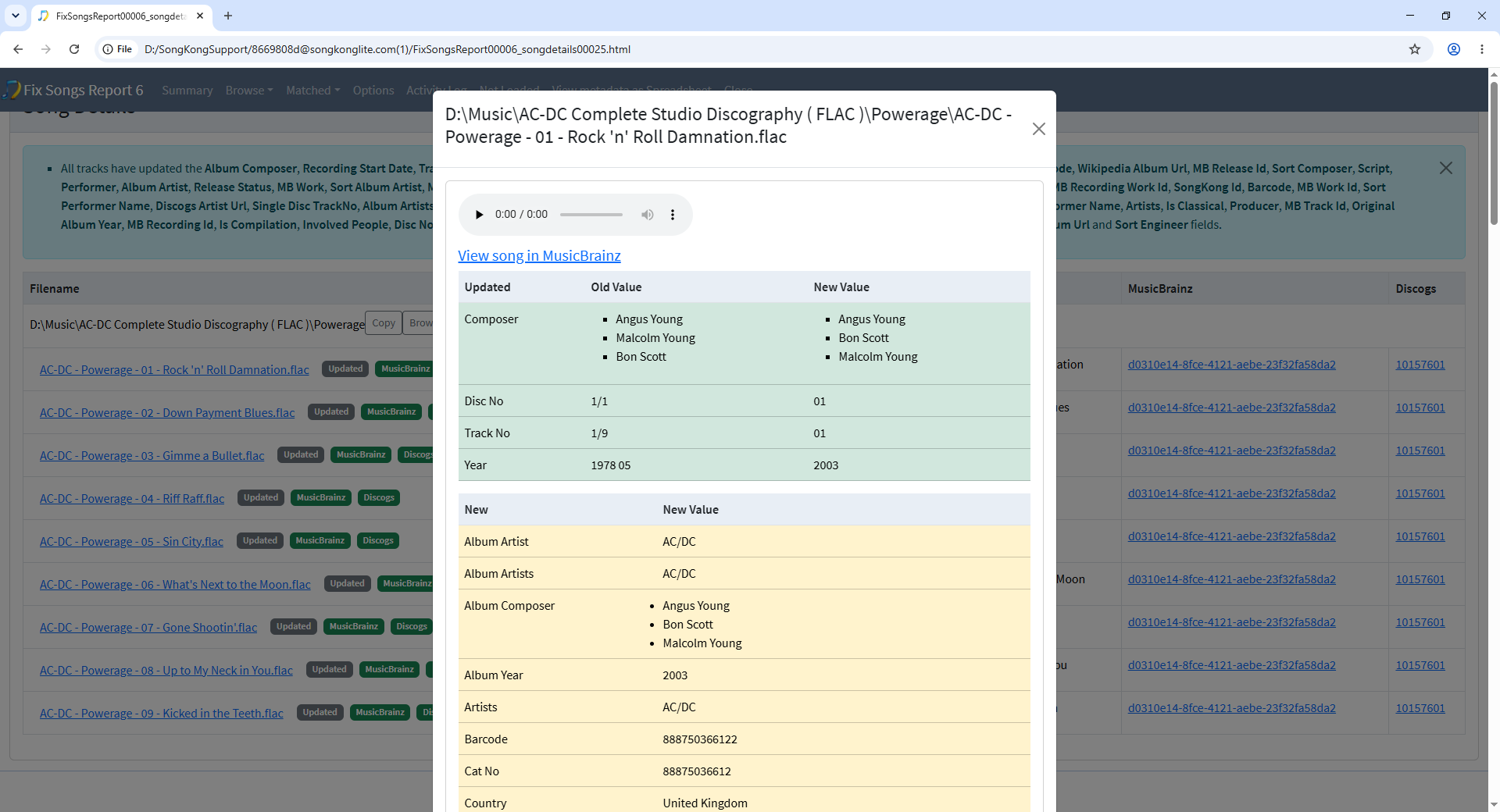
Individual Song Changes

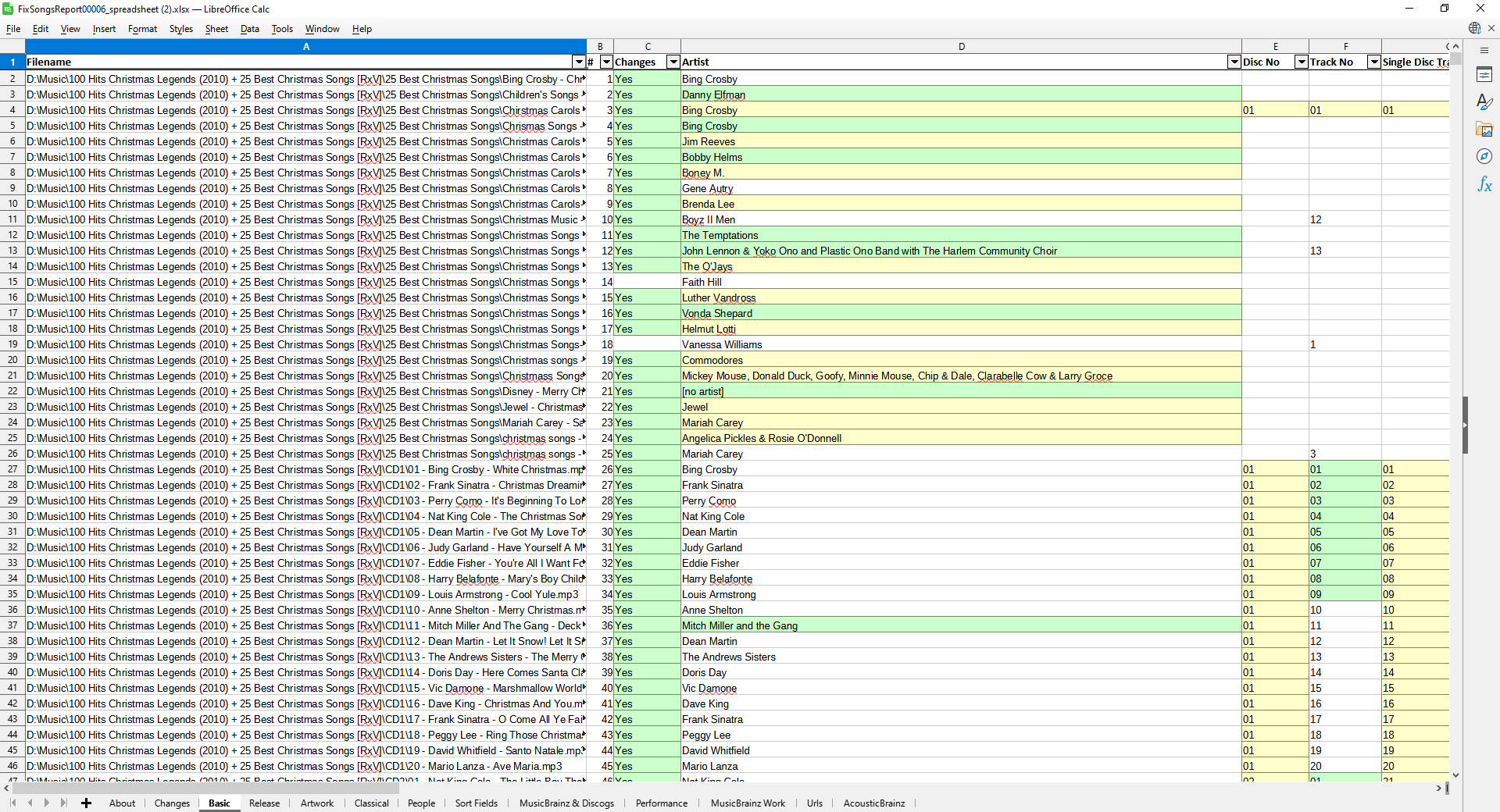
View As Spreadsheet

Spreadsheet View

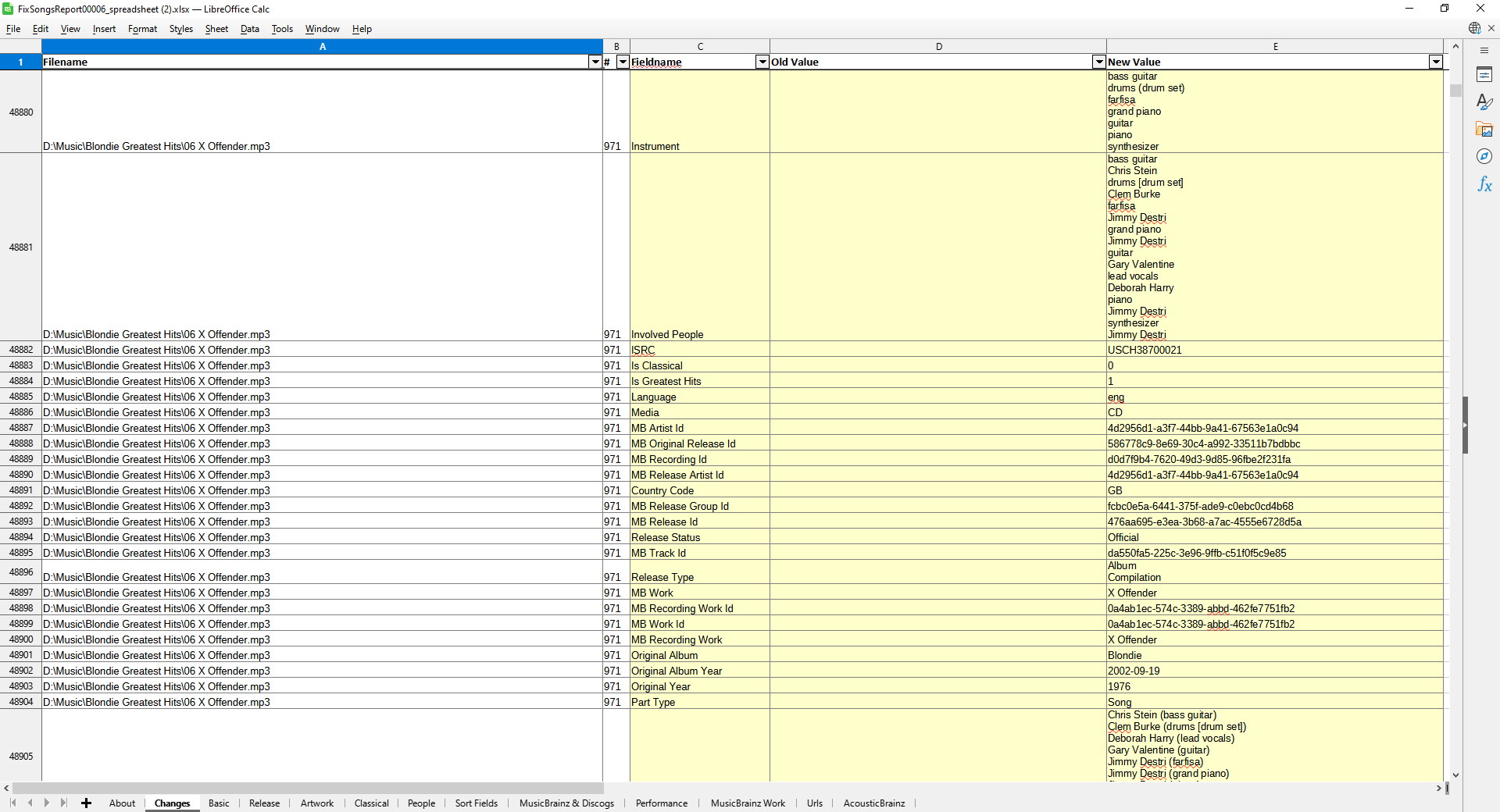
Changes song by song

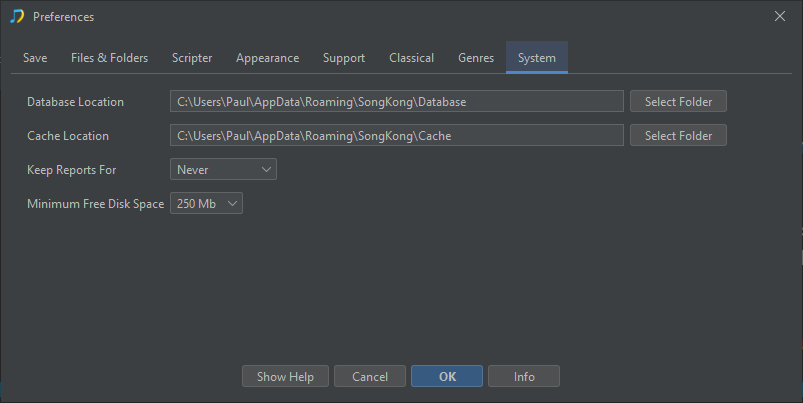
Yes, they can be set in Preferences:System:Database Location and Cache Location

Amazing!
I’ll put some time in to going through some of the report files especially the spreadsheet

Is there a way to track cover art also?
I think that’s what I meant when asking about a way to see changes visually
Eg. This song or album had no cover art or it had this cover art and now it will have this cover art

Found it I think…

byalbum.html and byartistalbum.html

So now deciding between Standard and Premium licences
What is the “Artist Art” item and what does “Auto Edit” offer in Premium?
Also is there a new version imminent and will I need tp buy the Upgrade option as well or only need this after a year?

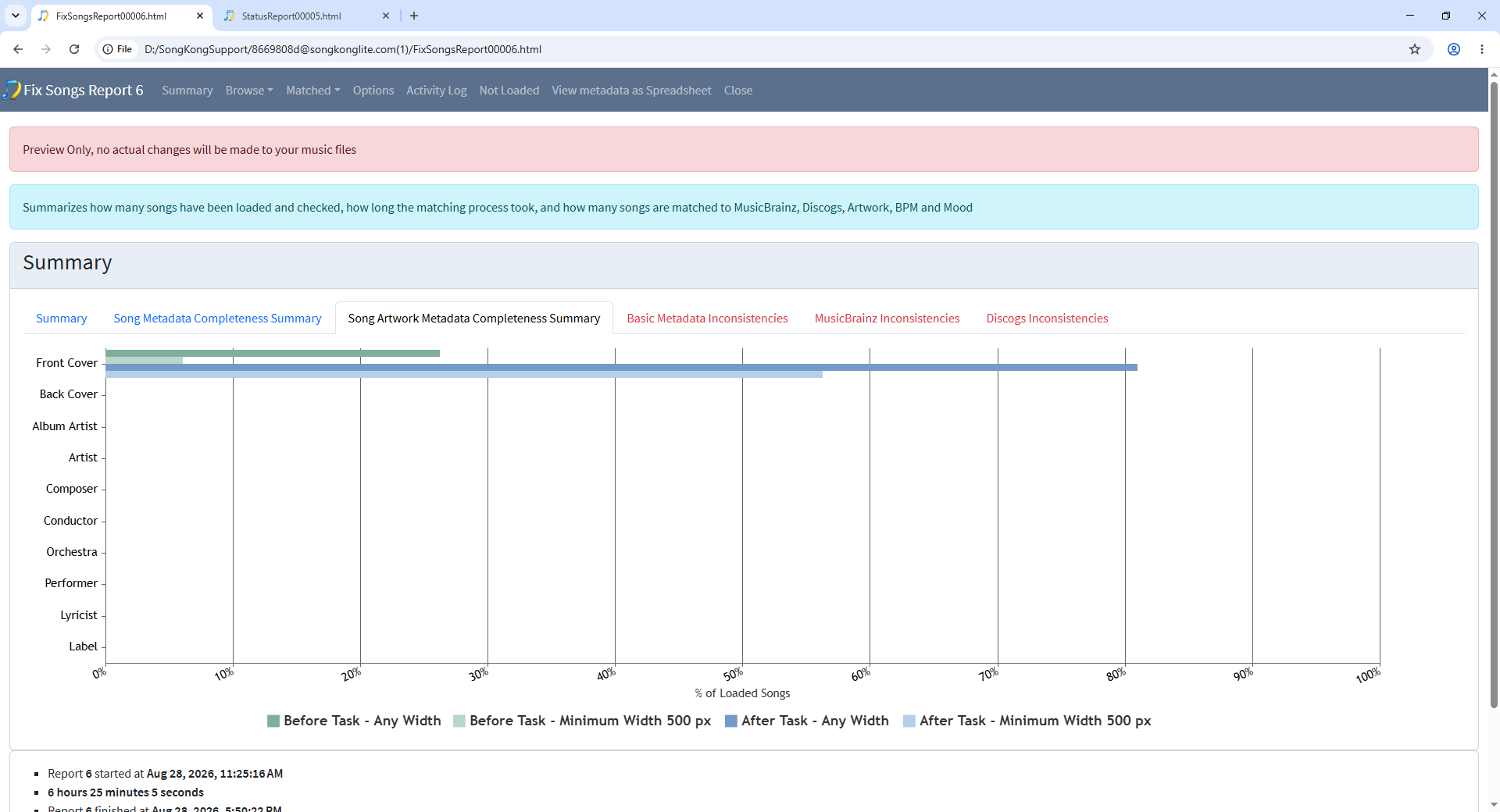
Yes, for a summary the Song Artwork Completeness tab of the Summary shows you before (green) and after (blue for added artwork) , by default it just adds front cover artwork but with Premium license the other types can be added as well.

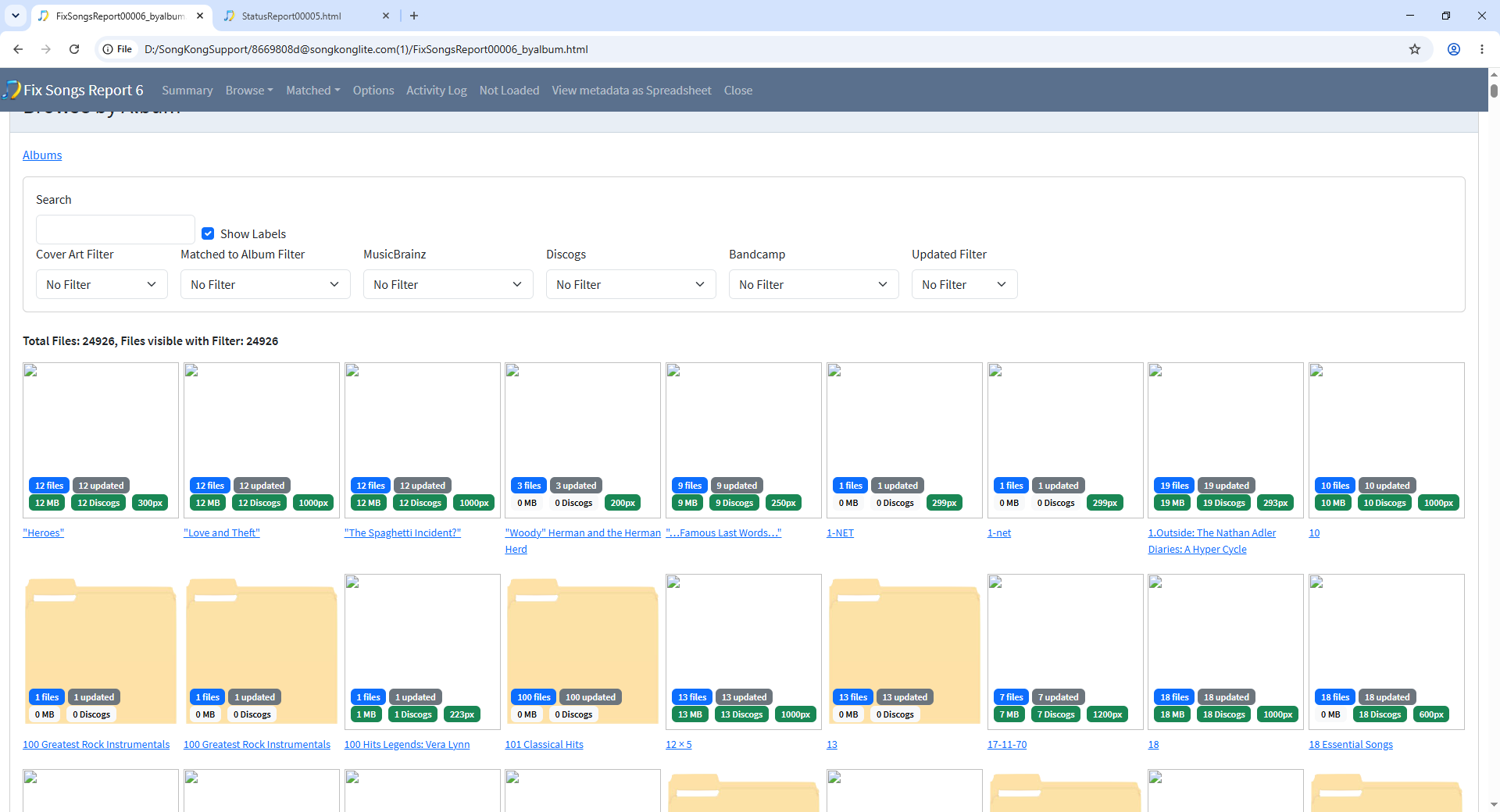
In the Browse By Album screen. the ones with folder icon have no artwork, the ones with artwork are shown as white on my screen because when you upload support files it doesn’t upload the images as well, but when you view the report you will see album covers.

image

and you can use the Cover Art Filter to only show albums with artwork

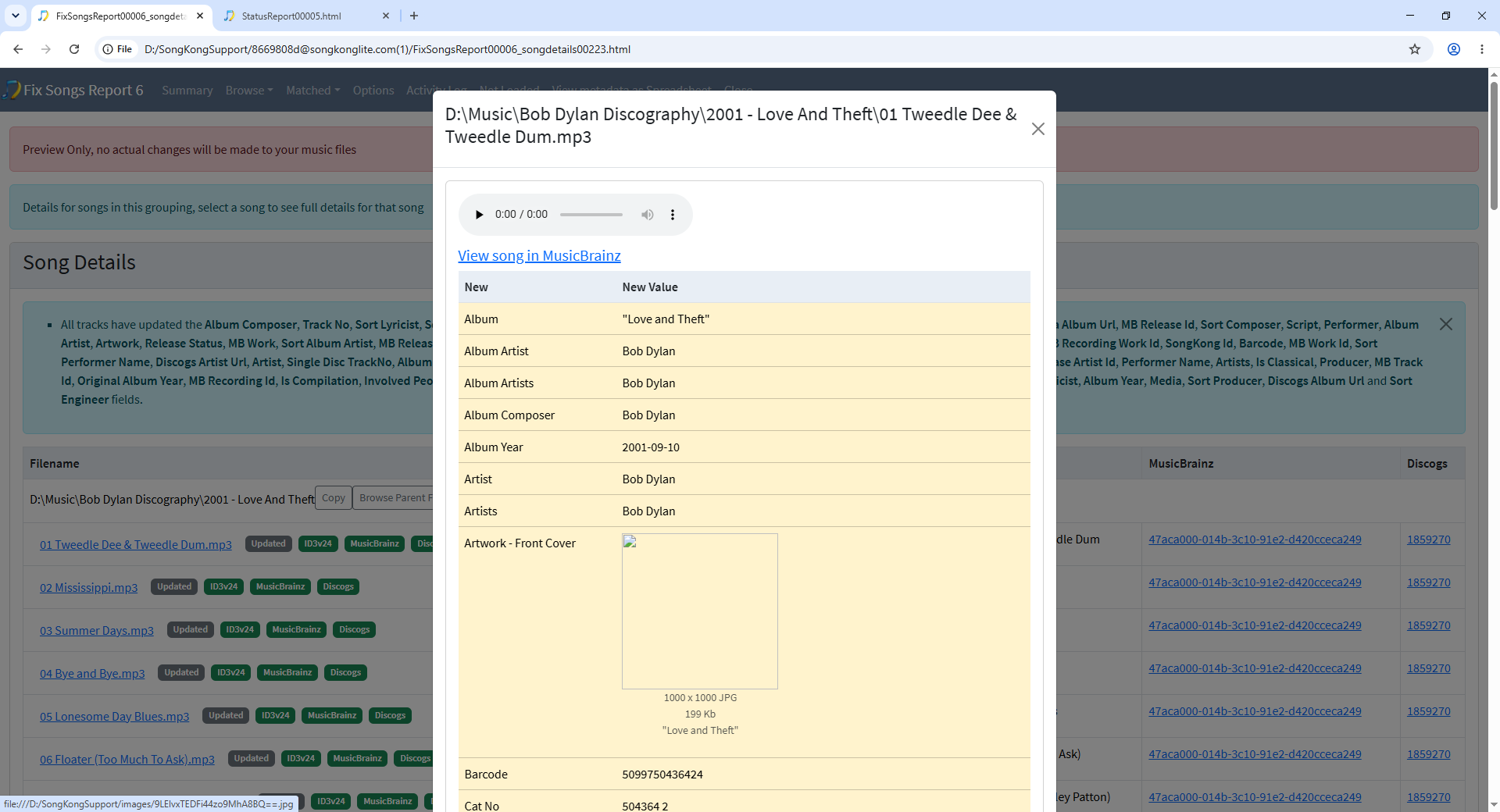
Drill down to songs with artwork added and they will be shown in the list like anything else.

image

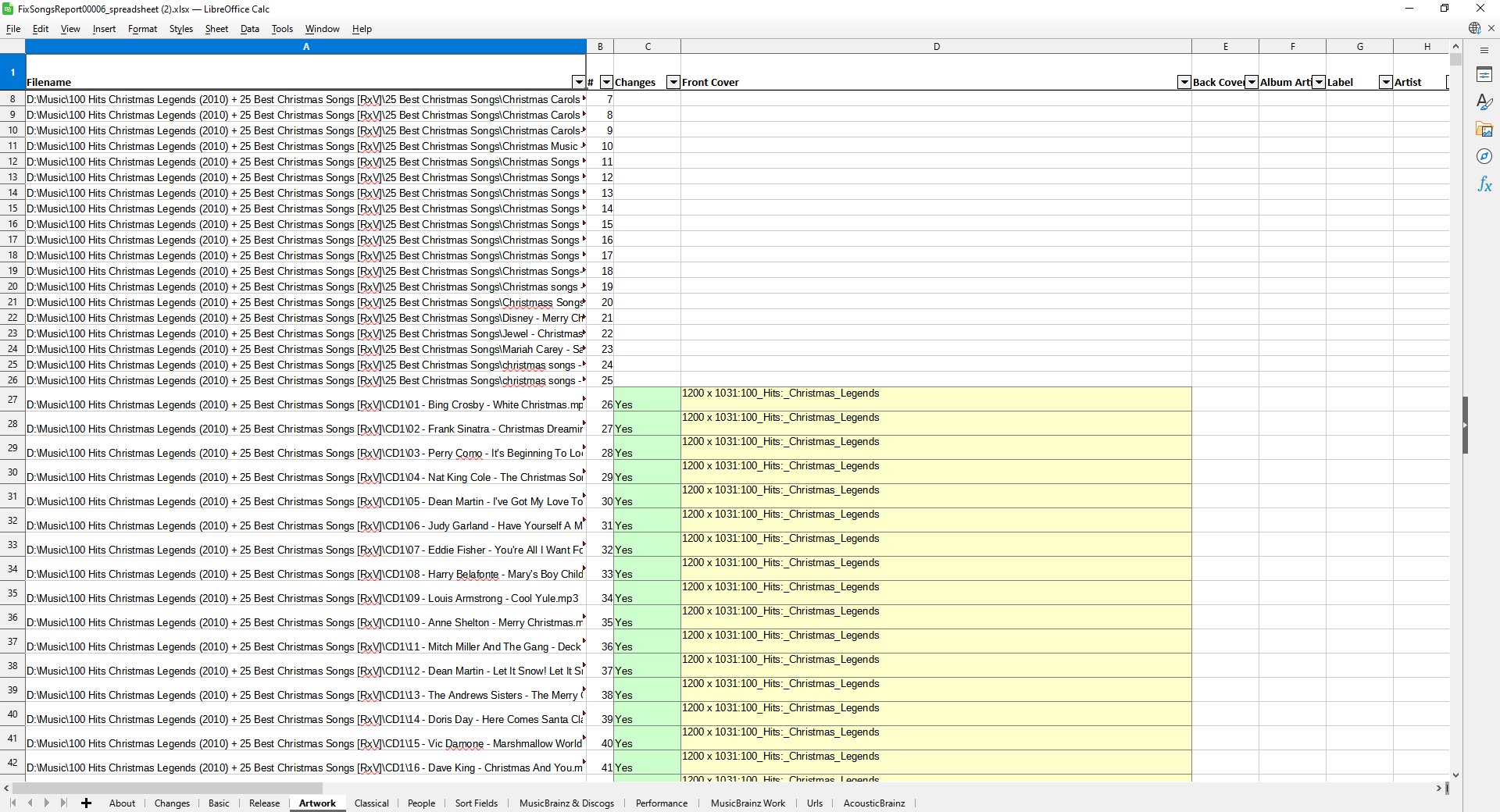
Spreadasheet also shows when artwork has been added or modified, doesn’t show the images themselves but their dimensions on the Artwork tab

Hi, you just access them from the Browse menu of the report.

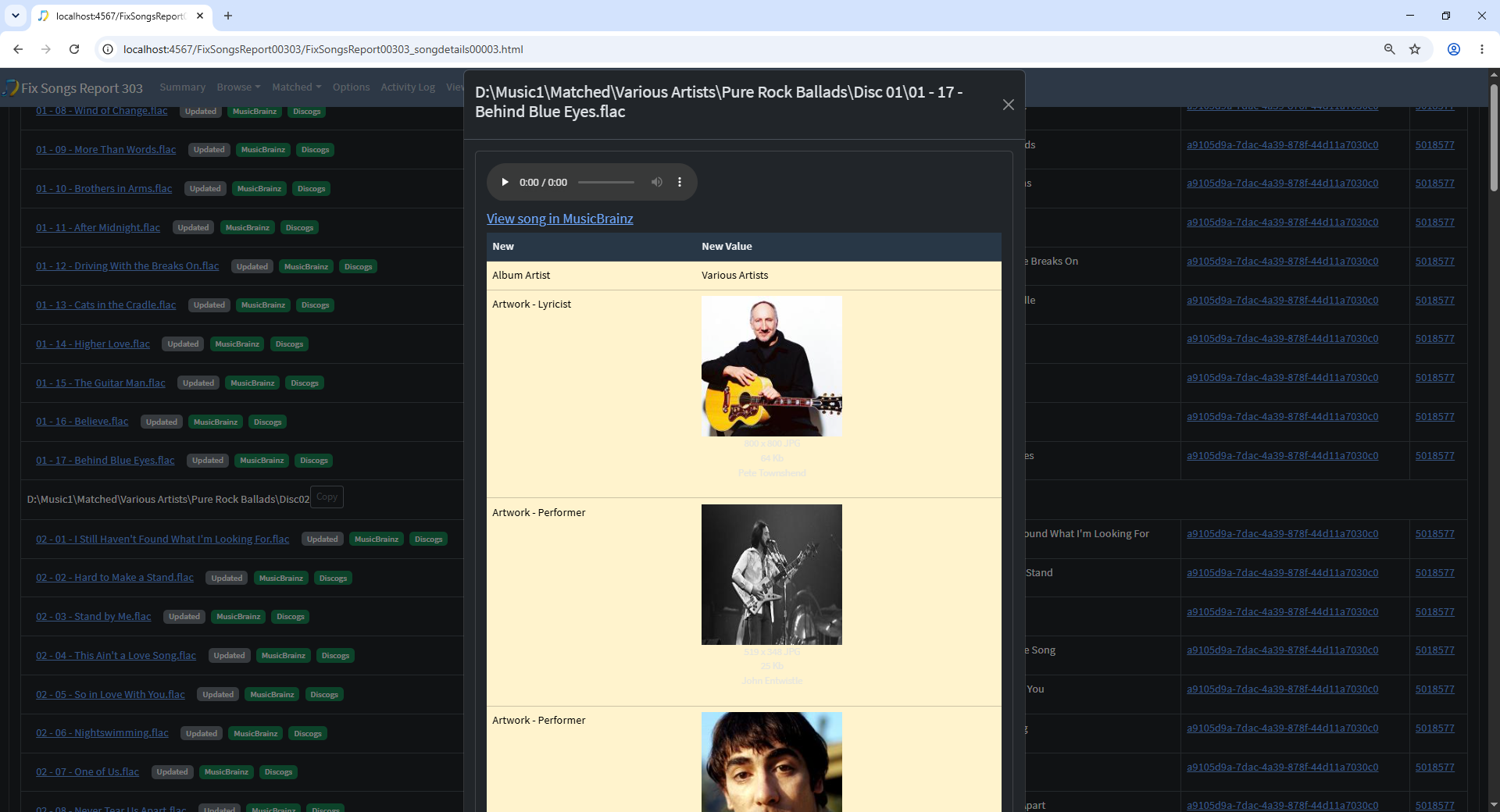
Artist artwork can find images of Album Artist, Track Artists, Performers, Composers, Record labels ectera

image

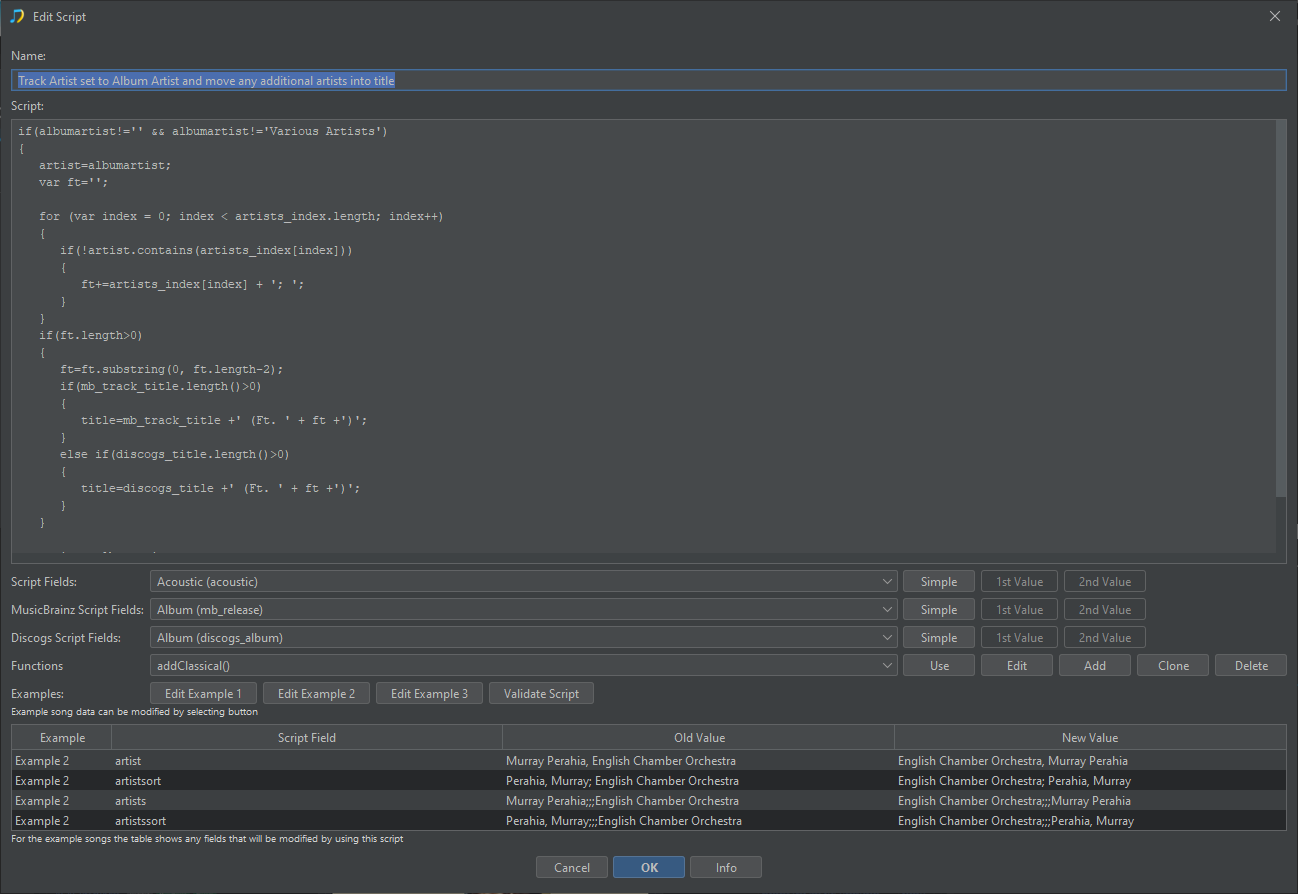
Auto Edit (and Scripter) allow you to set values of fields based on the value of others fields.

We release new versions about once a month, probably be a new release in two weeks, but you are covered for the first year of releases anyway.

Cool have gone with a Premium license
Thanks again

1 Like

Hi Paul
Ran FixSongs with Premium license in place and Preview UNTICKED (Report 7)
The Activity Log for this does not have the CHOIRSORT error seen in Report 6
The spreadsheet invalid row number error is still present but that is expected until new release
There are only 2 additional errors…

No mime type found for cover art for D:
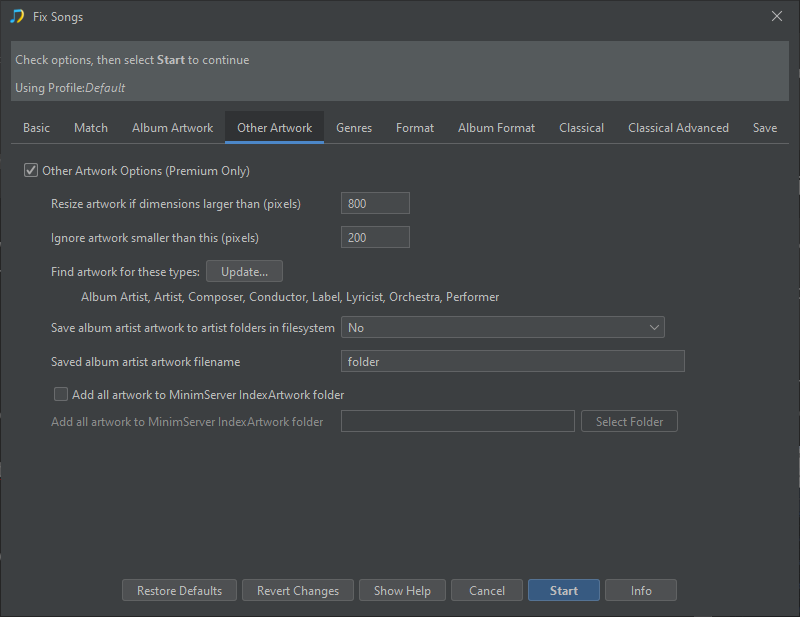
That is on me I think - Under “Other Artwork” I ticked the box to “Add all artwork to MinimServer IndexArtwork folder” BUT I specified D:\ as the location, thinking that a folder would be created
No folder was created so all the artwork .JPGs are sitting in the root of D:
Can I just create a folder and put them all in or will that affect how SongKong tracks these?

The other is specific to one album where SongKong cannot modify any of the .mp3s because of read-only flags
Presumably I can clear the read-only attribute on these files and re-run FixSongs just on that album folder to resolve?

Report 7 Support Files sent

Hi, it didn’t occur this time because this time Fix Songs matched to a different version of Living with War on Discogs, https://www.discogs.com/release/17350156 instead of https://www.discogs.com/release/1686999 and this version does not have the long choir credit

Probably because first time round you had Preferred Country set to United Kingdom, second time round it was set to United Kingdom, United States so that will affect the scoring of both MusicBrainz and Discogs potential releases. We always match to MusicBrainz first and if that has a direct link to a Discogs release then we use that instead of searching independently for a Discogs release.

Worth noting that if you run Fix Songs again with preview disabled after running with preview enabled the results are going to be very similar but not identical because matching each group is independent so the order of matching can change and there may be changes on Acoustid/MusicBrainz/Discogs between runs.

But you can get identical results by first running task in preview mode than using the Apply Preview task afterwards, this just makes the preview changes stored in the database from the last task into permanent changes.

Yes thats fine. SongKong does not track these anyway, it only tracks music files and the metadata stored directly within the music files which is the primary location for the artwork.

Yes, that is correct.

All good now
Fixed the read-only files
Put all the Cover art in a folder
On cover art…

How would I address those items with no cover art?
Go out and find relevant cover art images manually, download to somewhere locally and then look at manual editing\auto-editing\scripting?

Ant tips or best practices?

Hi, if you look at the summary for your Fix Songs task, we can see a big chunk of the MusicBrainz matches bar are dark blue rather than light blue, this indicates they are matched song only instead of matching the album. This is the core of the issue because cover art images are linked to an album, and if the songs have not been matched to an album we dont get coverart.

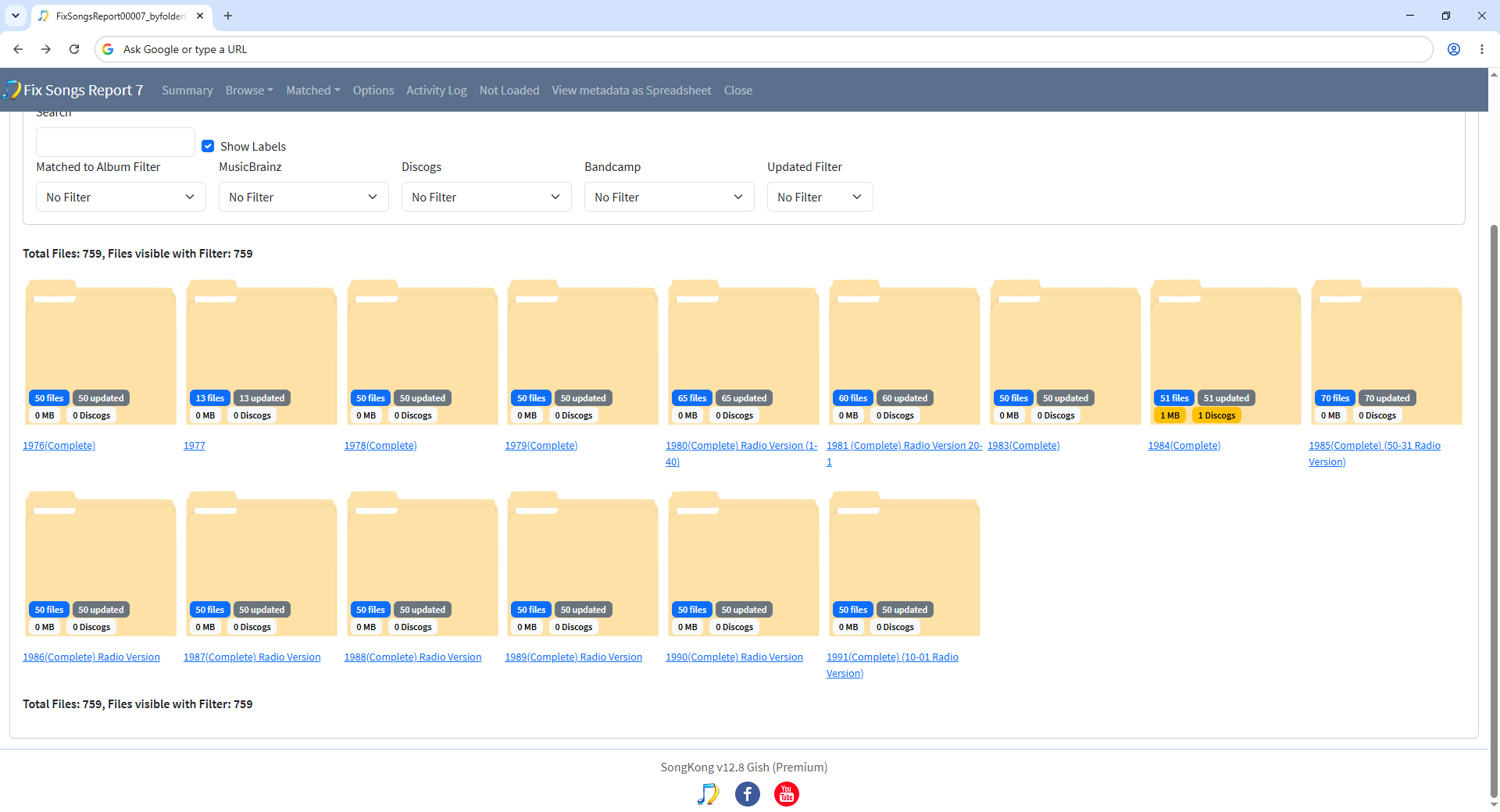
The reason you have quite a high proportion of song only matches is because only some of your songs are grouped into album folders, a sizeable minority are grouped into playlist folders such as the John Peel Festive Fifty folders. These are DJ Curated collections but they were not released as an album, therefore when you browse by folder and look at the MB Release and Discogs release counts they are zero

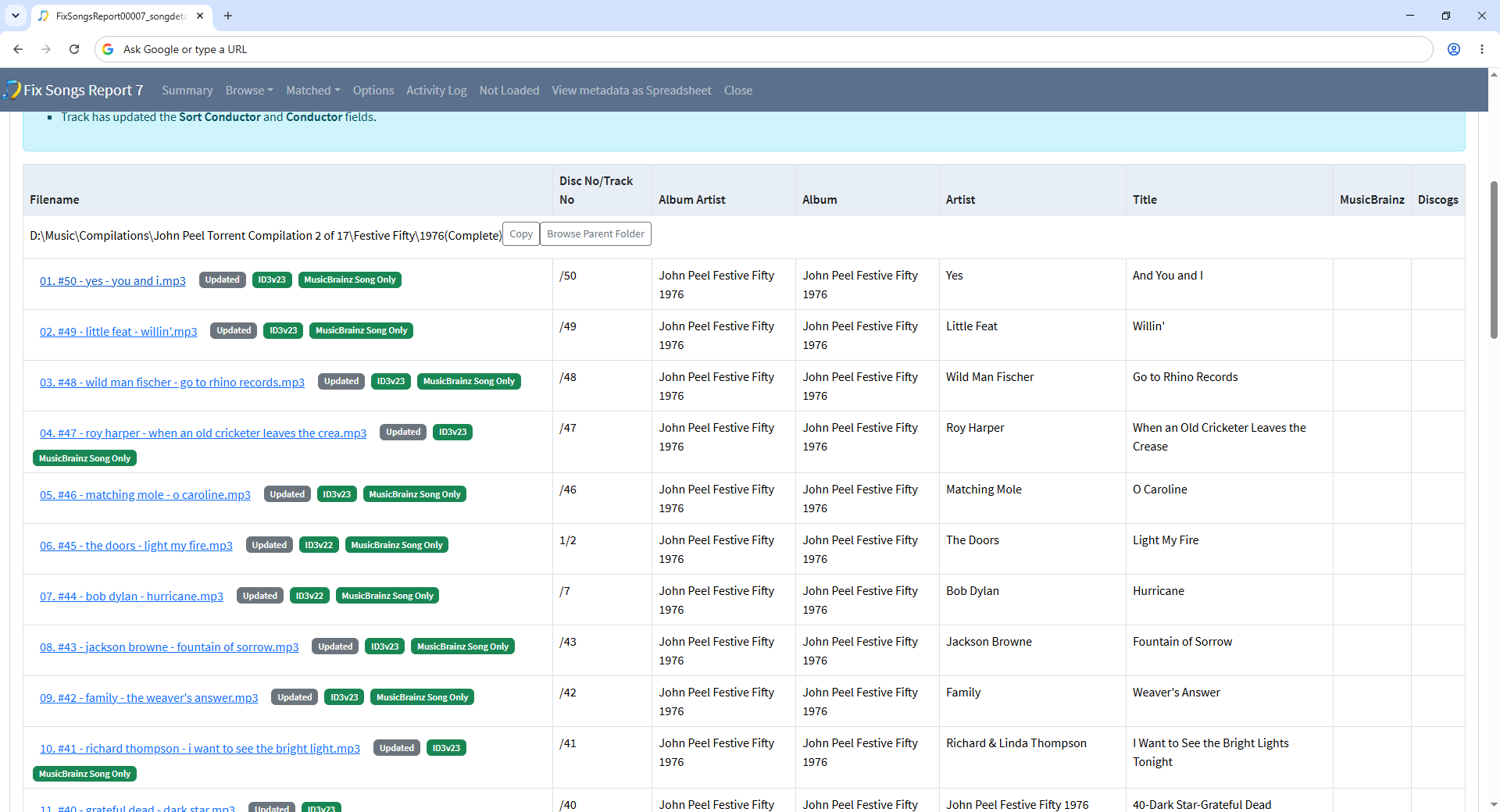
and if you click on a particular folder you see most songs are matched but MusicBrainz Song Only

So, what is the solution

If they were custom playlists i.e a list of songs that you like then I would say they really should be organised into music album folders and then just use playlists to create the list. But since these are well know professional curated lists/collections I can see the argument for keeping these organised as if they are actual albums even though they are not.

What you could try is just

  • Select the the D:\Music\Compilations\John Peel Torrent Compilations 2 folder
  • Select Fix Songs task
  • Select the Add Artwork Only profile
  • Select Clone and enter name such as Art Artwork Only - Playlists and then OK
  • Select Start to select this new profile
  • Uncheck on the Basic tab Only allow match if all songs in grouping match to one album option
  • Select Start

This will allow SongKong to match songs in the same folder to different albums, and get the artwork for that album. But because using the Add Artwork Only profile fields such as Album will not be changed to actual album the song was found on, instead they keep their psuedo album name e.g John Peel Festive Fifty 1976, if that is what you want?

But you should only uncheck the Only allow match if all songs in grouping match to one album option on playlists not use it as the default because it allows real albums to get broken up if SongKong can match some of the songs but not all to the same album

For artwork missing from regular albums it is worth re-running the regular Fix Songs task because it can sometimes find more matches using the information added in the first run. Otherwise Match to One Album can be used one album at time to find matches that maybe Fix Songs found but not with sufficient confidence to apply them automatically, also the the Manual Edit section provides an option to add artwork from a google image search.

Hi Paul
Using the Add Artwortk Only profile as you suggested has pulled in artwork for individual songs as expected
I do have a couple more questions and then I will try and stop pestering you since I’m probably in danger of starting to obsess about metadata that no one but me will ever look at!
Firstly some songs have pulled in Front Cover artwork that I would not expect
Example:
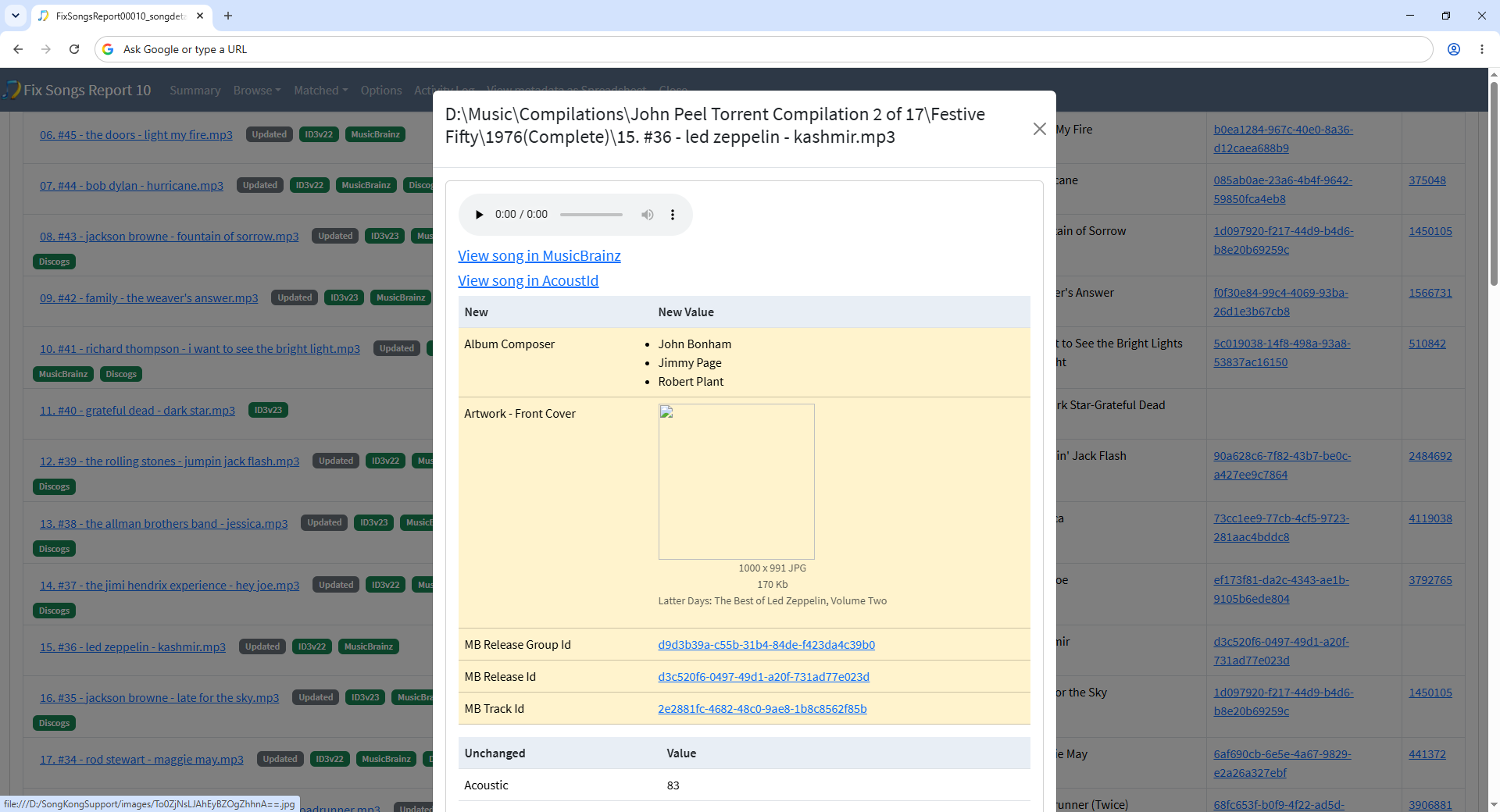
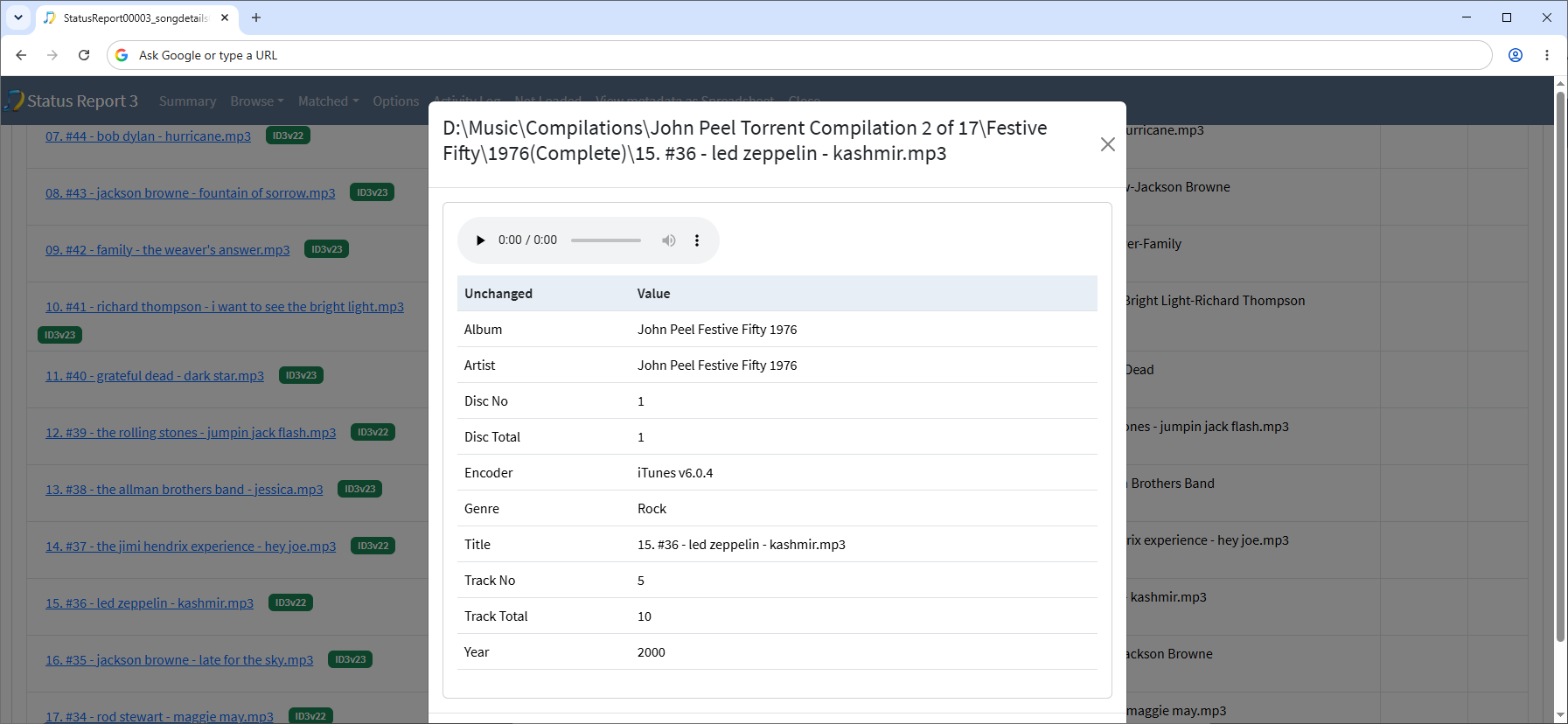
D:\Music\Compilations\John Peel Torrent Compilation 2 of 17\Festive Fifty\1976(Complete)\15. #36 - led zeppelin - kashmir.mp3
The Front Cover artwork for this song is "Latter Days: The Best of Led Zeppelin Volume Two but I would have expected this to be “Physical Graffiti”
This would also explain why the year entry on this song is 2000 and not 1975
Same for 19. #32 - bob marley - no woman no cry.mp3 which has been cover arted to “songs of Freedom” which was released in 1992 although the song Year data is 2002
I know this song has featured on many albums and releases but since this particular recording is part of a collection named “1976” I would have expected an earlier release to be tagged
I did tick “Use original release date” under Album Format but we’re not actually fixing albums here are we?

Then some songs are missing Year data
Examples:
D:\Music\Compilations\John Peel Torrent Compilation 2 of 17\Festive Fifty\1976(Complete)\01. #50 - yes - you and i.mp3 (Name should be “and you and i.mp3” is correctly cover arted to the Yessongs album since it’s a live version and NOT the versiuon from the Close to The Edge album
However the Year field is empty for this song?
Same for 22. #29 - the who - won’t get fooled again.mp3

As I say I may be getting bogged down a bit - could be the source material is mis-named, could be the way MB links songs to releases?

Uploading Support Files anyway - Reports 10 and 11 (although I think SongKong is compressing and sending all reports)

So because this collection is not actually a real album we are only trying to match one song at a time to an album, and of course most songs are now available on many albums, and if it is the right version of the song then that is a valid match, however we do prefer to try and match to original albums rather than compilations

I have looked at your log files and i can see it matching to both this album and versions of Physical Graffitti, but unfortunately there is not enough debugging info to see why it is matching to do this release. But please realize there is not much for SongKong to go on for these collections except Acoustid since the existing metadata is wrong for finding album match (e.g album = John Peel Festive Fifty 1976, and albumartist = John Peel Festive Fifty 1976)

For the Bob Marley song, the acoustid links to https://acoustid.org/track/7076d84e-9128-478b-9e1b-0566a7bb0fa0 and because your song track length is 7:12 the best match for the linked mb songs by track length is this recording https://musicbrainz.org/recording/fc6b9cfe-9b03-4dbb-a5b1-e4d0229a2ec8 and this is only found on the Songs of Freedom album. It does seem that the mb recordings id linked to this acoustid are a bit messed up as it seems to be matching to both live and non live versions. It can be a problem with super popular songs that there are links to incorrect versions, but usually these can be filtered out because we are matching whole albums not just single songs.

So your ‘album name’ is John Peel Festive Fifty 1976 but this is just a pseudo album name that doesnt exist, so there is no match to the correct album with 1976 in title so it is irrelevant. We dont parse album names to try and work out the release year.

Correct, we are matching to an album but only updating the Album Artwork (and Id) fields

By Default the Add Artwork only profile does only that, add artwork. It doesn’t add other metadata except key identifiers such as MB Release Id and MB Release Group Id required for smooth running of SongKong.

and due to a minor bug the Album Composer because this field was added to SongKong after I created the Add Artwork Only profile and is not listed in the Never modify these fields option.

So actually this is not really the reason for the Year field being wrong, the Year was already set to 2000 before using SongKong as can be seen by looking at your original Status Report

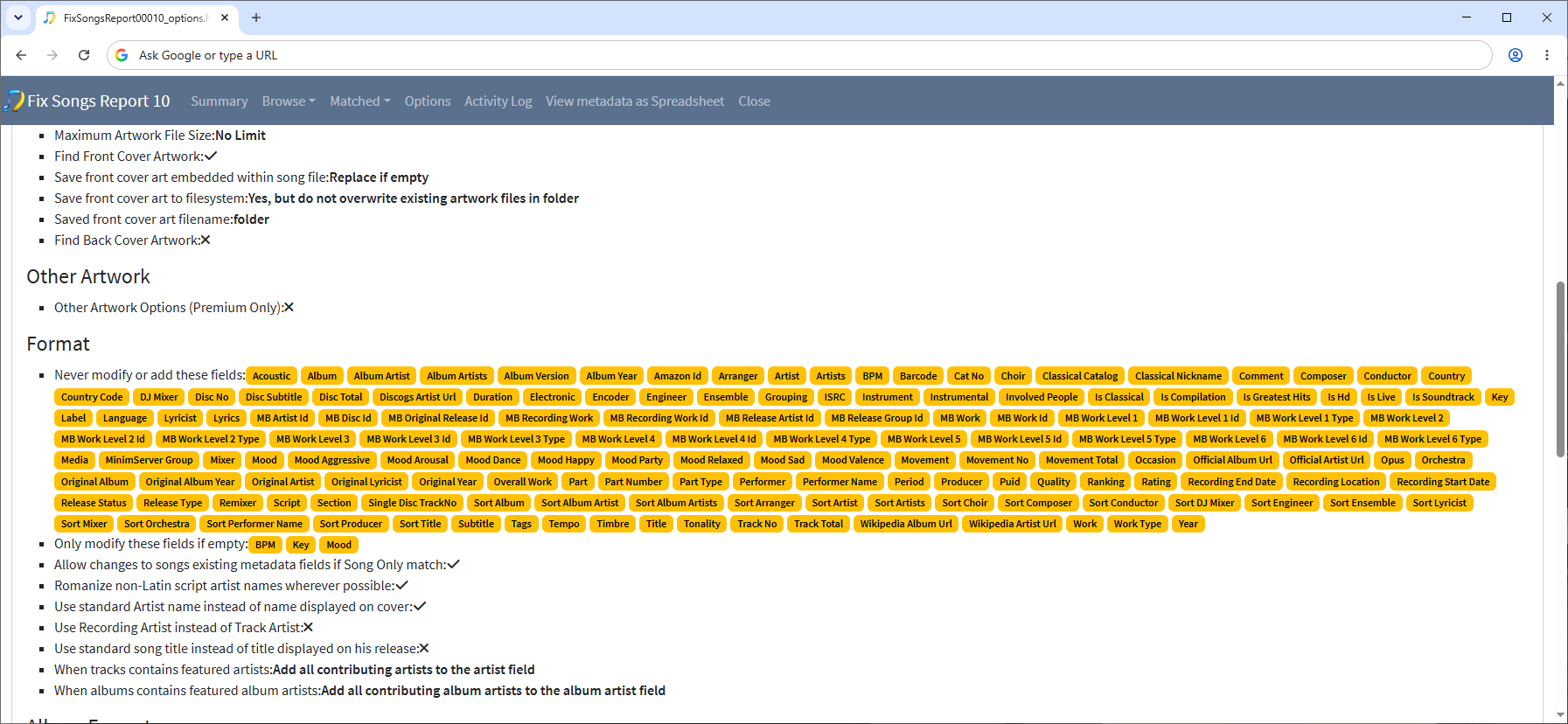
Likewise we are not adding Year field as part of Add Artwork Only profile but you can modify your profile to allow this (and other) fields to be added by removing them from Never modify or add these fields on the Format tab

SongKong uploads the last five reports of each task, we do have two issues related to this, one to allow deletion of individual reports, and one to inspect and modify support file before it is sent.

The spreadsheet and Choir bugs are now fixed in SognKong 12.9