SongKong Jaikoz

SongKong and Jaikoz Music Tagger Community Forum

Remove folders after deleting duplicates

hello,

im new to songkong and wanted to ask if deleting empty folders was implemented now?
as now i have so many folders, where i selected it should move everything to a new folder,
but it really didnt, it let some files like jpgs in the original folder, made a new one and moved
the soundfiles and now i have two folders.

  • one with a jpg only
  • one with songs

i didnt find it in the features, so im curious if i missed something…
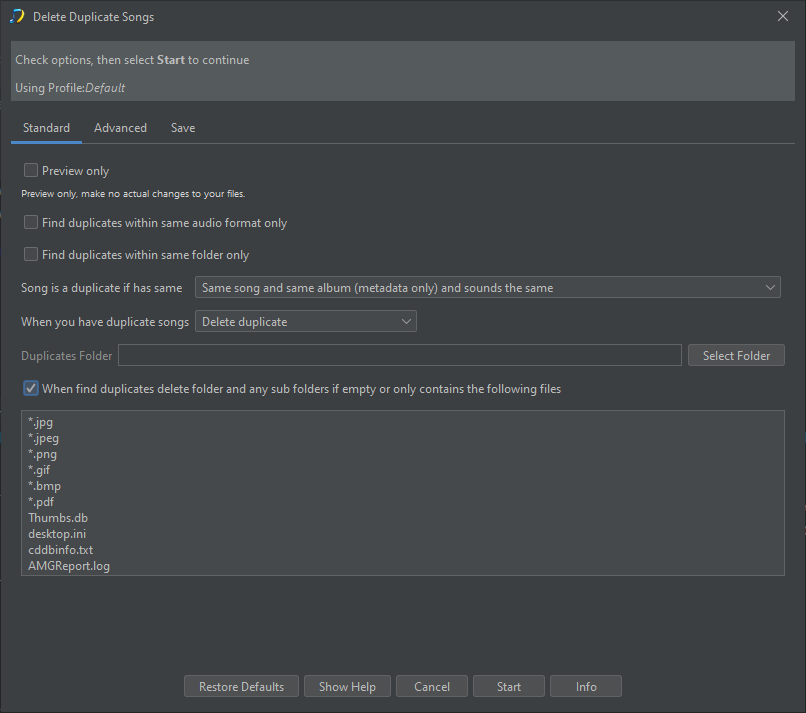
So when you run Delete Duplicates did you enable When find duplicates delete folder and any sub folders if empty or only contains the following files, you can check by looking at the report created

ok but this only works when you do it the first time, if you already moved, there is no way you can overturn that - you have to manually delete, right?

Yes, correct, but going forward this option should be enabled then it will work as expected.

To resolve current situation probably need to use a file management tool to delete empty folders, depending on what os you are using.

Do have an issue to provide task that can delete empty/empty except for certain files task but it not done yet - https://jthink.atlassian.net/browse/SONGKONG-2363

thanks for the answer.

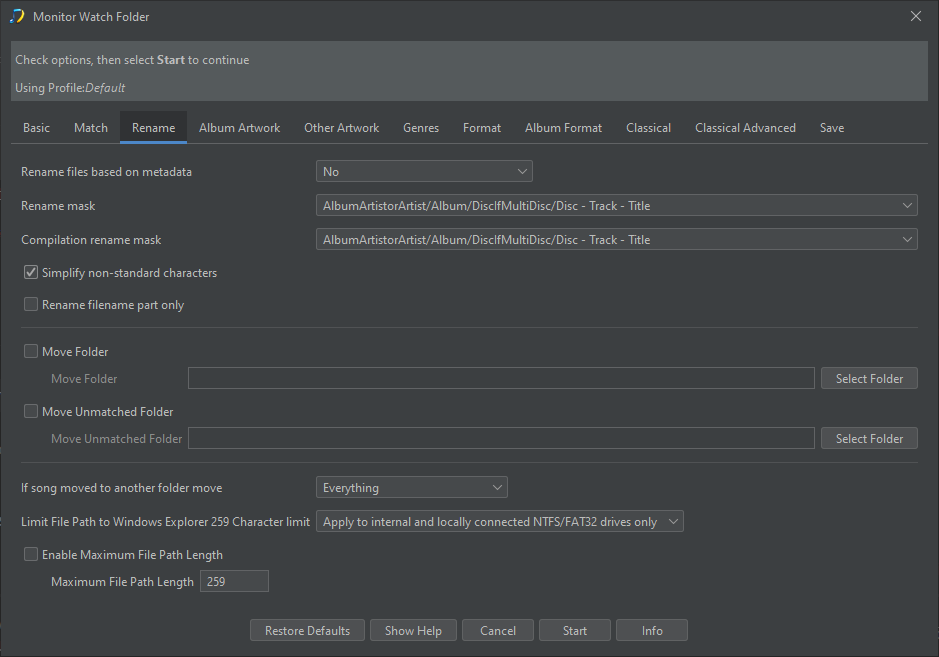
but did i get it right, that the option of deleting empty folders isn’t available for monitor watch folders?

Sorry I thought you were using Delete Duplicates task, if you rename files with Monitor Watch Folder and you have If song moved to another folder move set to Everything then if renaming files causes folder to become empty it should immediately be deleted.

image

But if some files remain then it will not be deleted, and you dont have the option to specify a list of files that can be ignored and delete folder anyway like you can with Delete Duplicates.