Hi paultaylor
Thank you very much for your reply and your recommendations. I’d prefer to take a slightly less drastic approach than the one you suggest, since many albums in my digital music collection already appear correctly in Roon. My preferred method is therefore to remove only those albums that cause issues in Roon due to problematic and/or incomplete tags, and then retag them with SongKong outside of my Roon music library. I should probably mention that I’m using SongKong Premium.
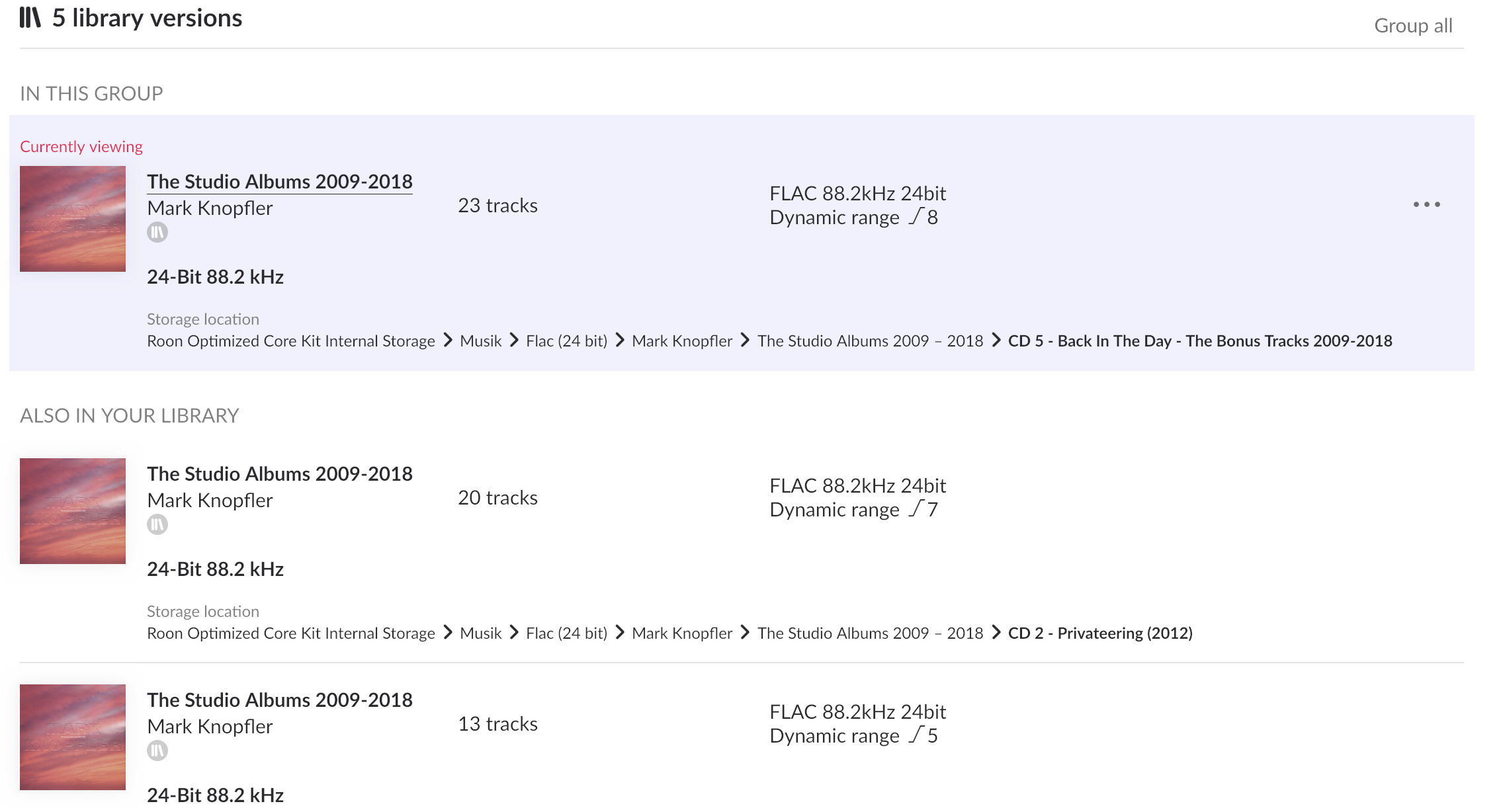
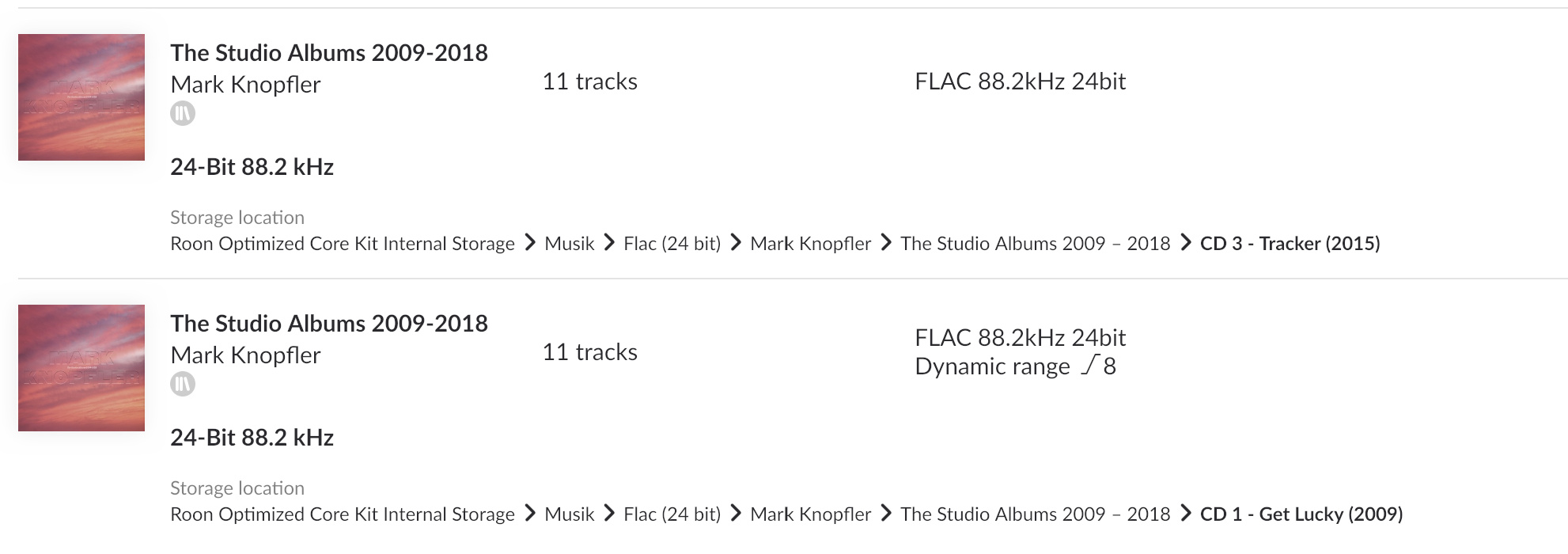
Before posting my original message here on the forum, I actually tried to get Copilot to guide me through tagging the Mark Knopfler compilation The Studio Albums 2009–2018 in SongKong Premium. I have purchased this compilation from Qobuz and added it to my digital music collection in Roon. Unfortunately, Roon displays my downloaded version of the compilation incorrectly — as several separate albums instead of one unified box set.
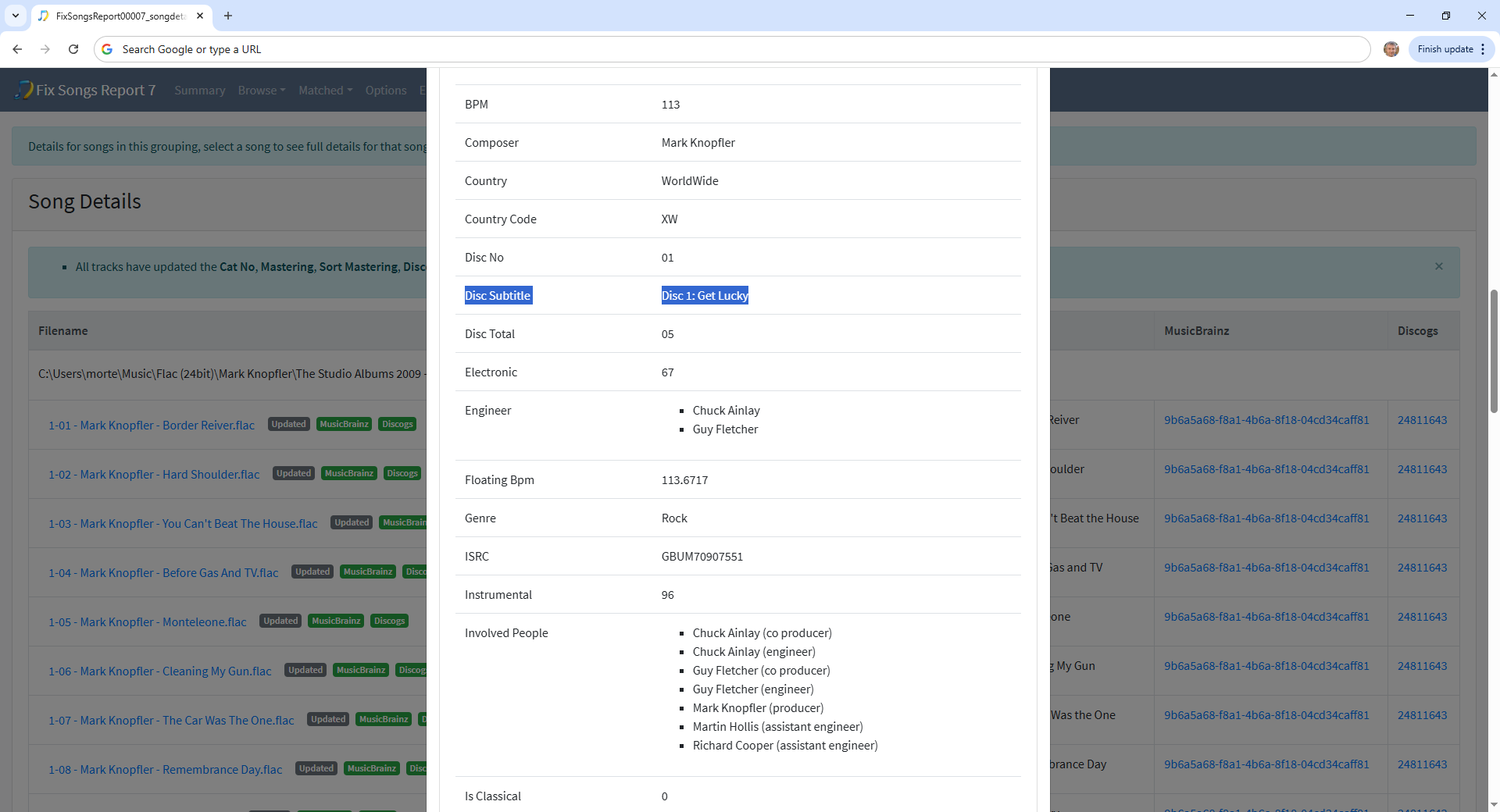
I asked Copilot to guide me through the correct tagging process in SongKong Premium to make The Studio Albums 2009–2018 appear as a single compilation in Roon. However, I wasn’t successful, even though I used the Roon profile and enabled “Search for MusicBrainz match” in SongKong. I’d be very interested to hear if you can point me to something specific I should look for in the FixSongs report after running SongKong, to verify that I’ve achieved the desired result and don’t need to make further changes.
When I get compilations like The Studio Albums 2009–2018 displayed in Roon, I’d ideally like them to appear like this:
The compilation should show up as Mark Knopfler – The Studio Albums 2009–2018, a box set consisting of five CDs, with the compilation’s artwork applied to all five discs. I should then be able to select between the CDs, so I can — for example — go directly to CD 3. Ideally, the individual CDs in the dropdown menu should be labeled with CD number, album title, and release year in parentheses. Below is an example of how I’d like it to appear:
CD 1 – Get Lucky (2009)
CD 2 – Privateering (2012)
CD 3 – Tracker (2015)
CD 4 – Down The Road Wherever (2018)
CD 5 – Back In The Day – The Bonus Tracks (2009–2018)
It would be fantastic if you could guide me through how to achieve this kind of compilation display in Roon. If it’s not possible to show album titles and years in parentheses under CD 1–CD 5, I can live with the compilation simply appearing as one unified box set, where I can select between CD 1 to CD 5.
Thanks in advance for your help!
Best regards
Sybrandt