SongKong Jaikoz

SongKong and Jaikoz Music Tagger Community Forum

Moving Lyric Files naming issues

Hoping this is just user error, but looking for guidance

Current issue, when using Rename Files function in a folder that has .lrc files it will move the lrc file but it won’t rename it to match the renamed song

the… LRC files already share the same name as the .flac files before the rename and there seems to be a setting to only move files matching the songs filename which does work for moving the .lrc files but I don’t see an option to also rename the lyric files to match the new naming convention
Hi, you are correct that whilst associated files can be moved to same directory as moved music files they are not renamed to match the files new name if renamed. Interesting idea I have never considered but not sure that it is that viable to do?

Yea the issue I am having is Navidrome is expecting to see a .lrc file that matches the name of the song and that breaks after the rename

Is there a way I can get SongKong to move the file to a new folder rename mask but just not rename the actual track?

That would probably work well enough since navidrome cares more about tags than file organization

Something like AlbumbArtist/Album/“don’t do anything here”

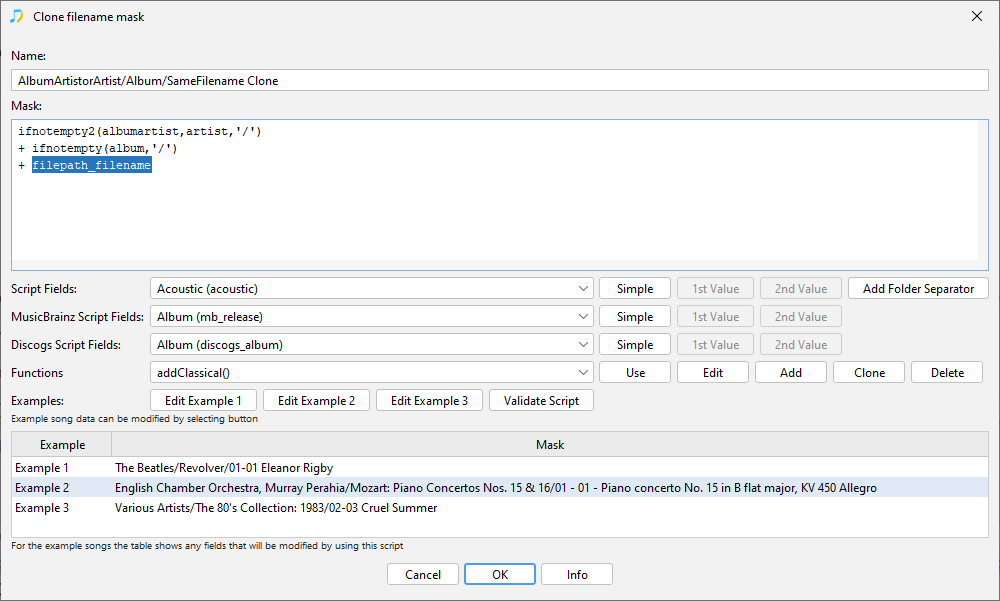
Yes, you can do that my using the filepath_filename script field in your mask

e.g

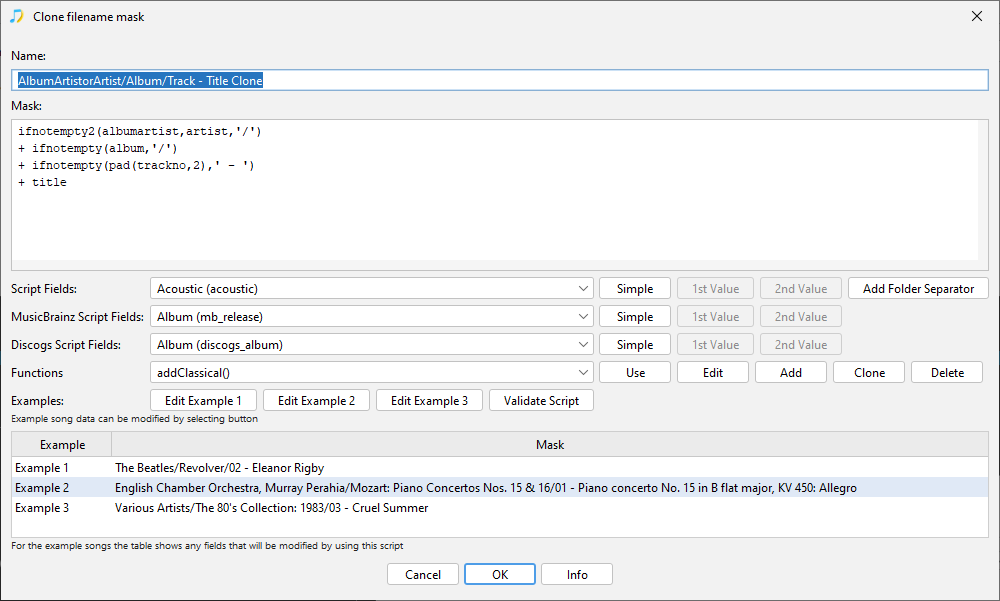
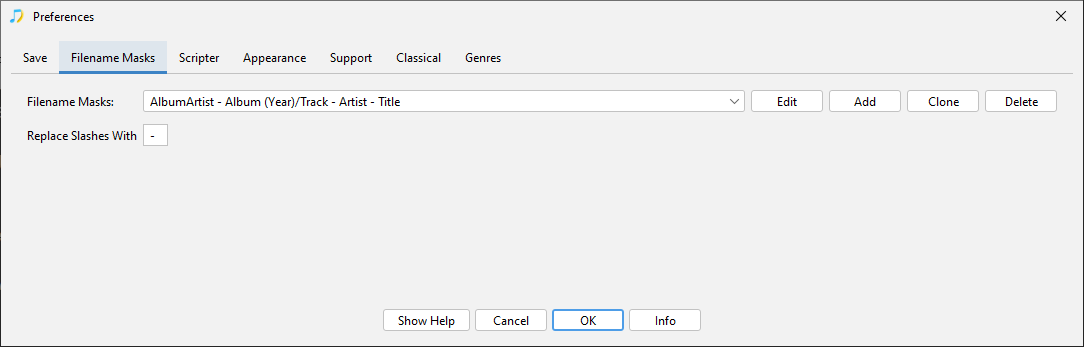
Go to Preferences:Filename Masks

image

Select a filename mask that is correct for the folder part

Use Clone to make a copy of it

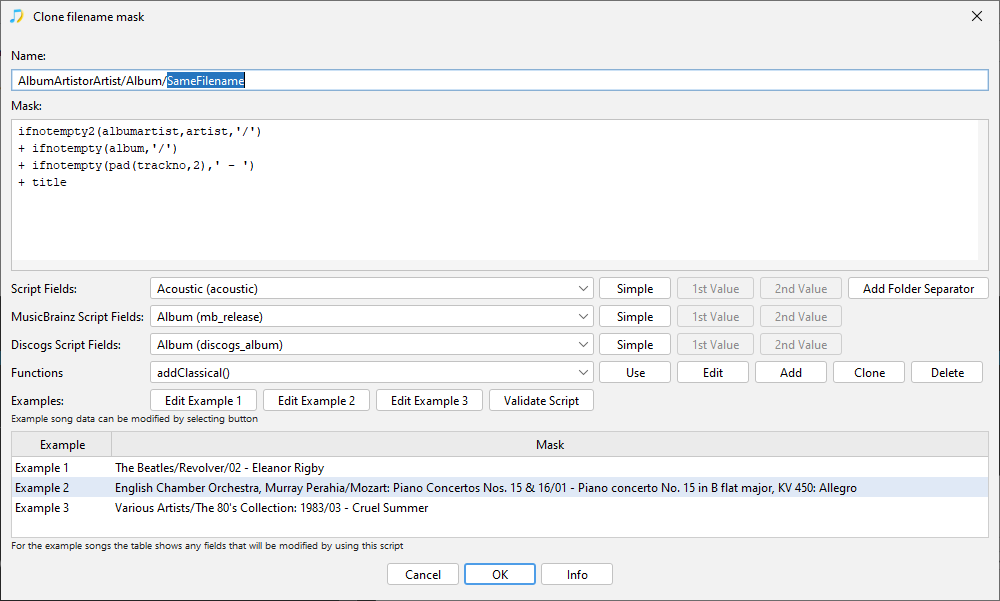
Enter a new Name, so it is clear that filename part is not going to be modified.

image

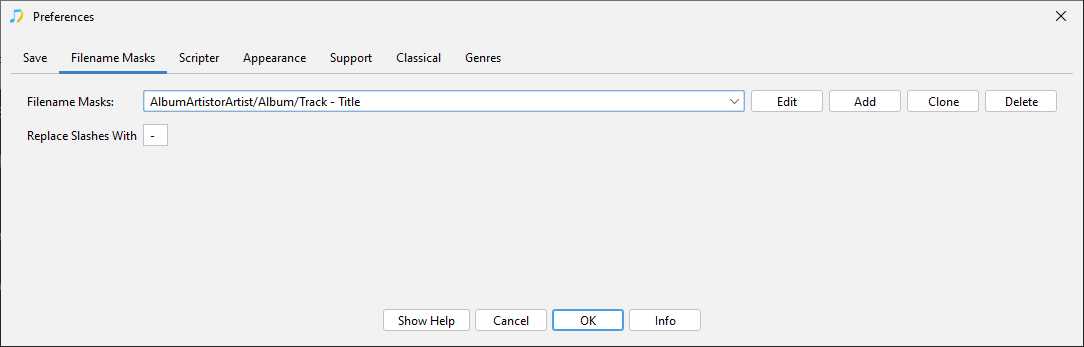
Replace the part of the mask that modifies the filename with the filepath_filename script field.

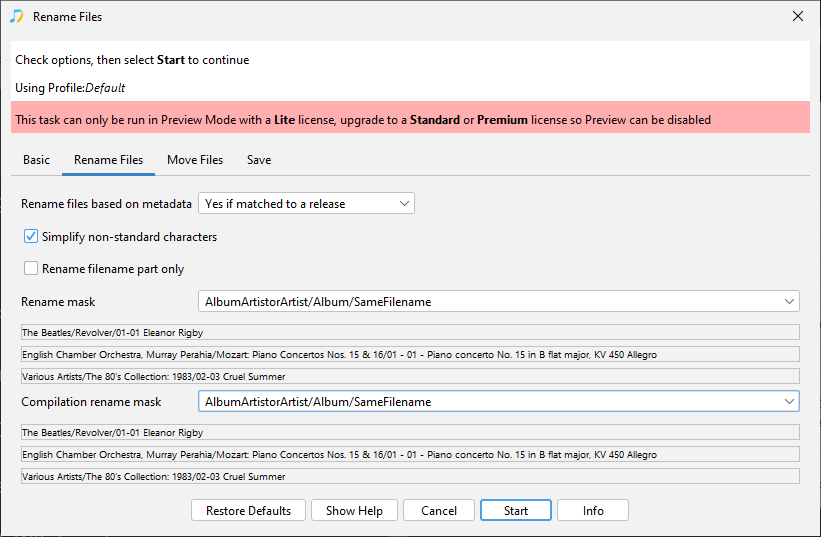
Make sure you use this new rename mask when you run your Rename Files task

e.g