Getting there slowly. You should have received my support file for the whole collection so please let me know if you do not have it.
It seems that there is no delete for a whole album so have deleted manually.
I am working through this very very slowly as I learn more about the details but I have one album which, after having cleaned up the duplicate tracks I have an album it which there is a conflict between MusicBrainz and Discogs over two tracks but the Fix Songs does not give me what I hoped.
Three different tracks have been given the same track number, of which one I believe is correct, one is a duplicate with different tagging and one is an odd track I do not recognise.
I am not sure if I should try and upload in this thread or start a new topic.
I hope the files reach you but please tell me what I should do to make your job easier if I have it wrong.
Best wishes for Christmas and the New Year,
Budge.
Help needed to correct my mistakes please
Can you tell me what is the problematic folder that you are discussing because currently you are talking in abstract terms rather than a particular issue that I can show you how to fix.
OK I have spent while on this and have tried all the options I could think of but I still have the album with the numbering of each track scrambled so that the later tracks have an earlier number.
These are examples of the first few track files:-
01 - Juditha Triumphans, RV 644: No. 1. Coro: Arma, caedes, vindictae.flac
01 - Juditha Triumphans, RV 644: No. 30b. Recitativo: Nox in umbra dum surgit (Holofernes).flac
024 - Juditha Triumphans, RV 644: No. 24. Recitativo: Venio Juditha (Abra).flac
02 - Juditha Triumphans, RV 644: No. 2. Recitativo: Felix et fausta dies (Holofernes).flac
02 - Juditha Triumphans, RV 644: No. 31. Aria: Nox obscura tenebrosa (Holofernes).flac
03 - Juditha Triumphans, RV 644: No. 32. Recitativo: Belligerae meae sorti (Holofernes, Juditha).flac
03 - Juditha Triumphans, RV 644: No. 3. Aria: Nil arma, nil bella (Holofernes).flac
04 - Juditha Triumphans, RV 644: No. 33. Aria: Transit aetas, volant anni (Juditha).flac
04 - Juditha Triumphans, RV 644: No. 4. Recitativo: Mi Dux, Domine mi (Vagaus, Holofernes).flac
Re-numbering or re-tagging everything including deleting many criteria using MetaGrater has failed. I am stuck now. Any help would be appreciated.
What folder are the files in?
The files are in alastair@HP-Z640-1:~/working_music/Oratorio/Vivaldi, Antonio (1678 - 1741)/Vivaldi - Juditha Triumphans, RV644 (Vittorio Negri)>
I can add ls -a detail if you wish or upload the files for this one album.
This is my testing album so I can run whatever you suggest.
Can you just rerun Create Support Files so I can see your latest attempts, and I will take a look tomorrow
Many thanks for the reply. I have sent the Support files, I hope the right way.
Hi, I think there is a bit of bit of a misunderstanding here between metadata and filenames.
If we look at FixSongsReport0248, we see the metadata is actually 100% correct, the album is already fully matched to the MusicBrainz album with correct metadata for all tracks
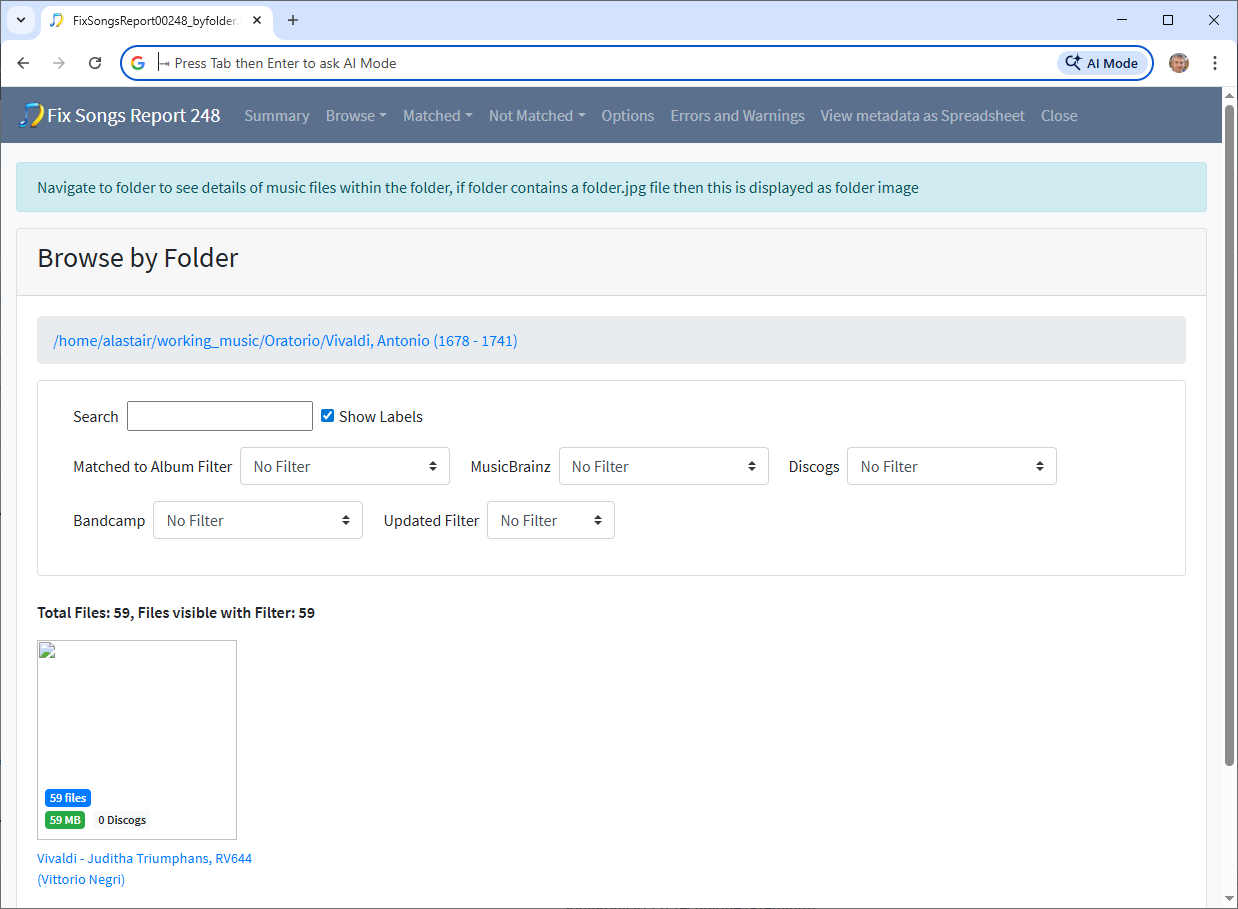
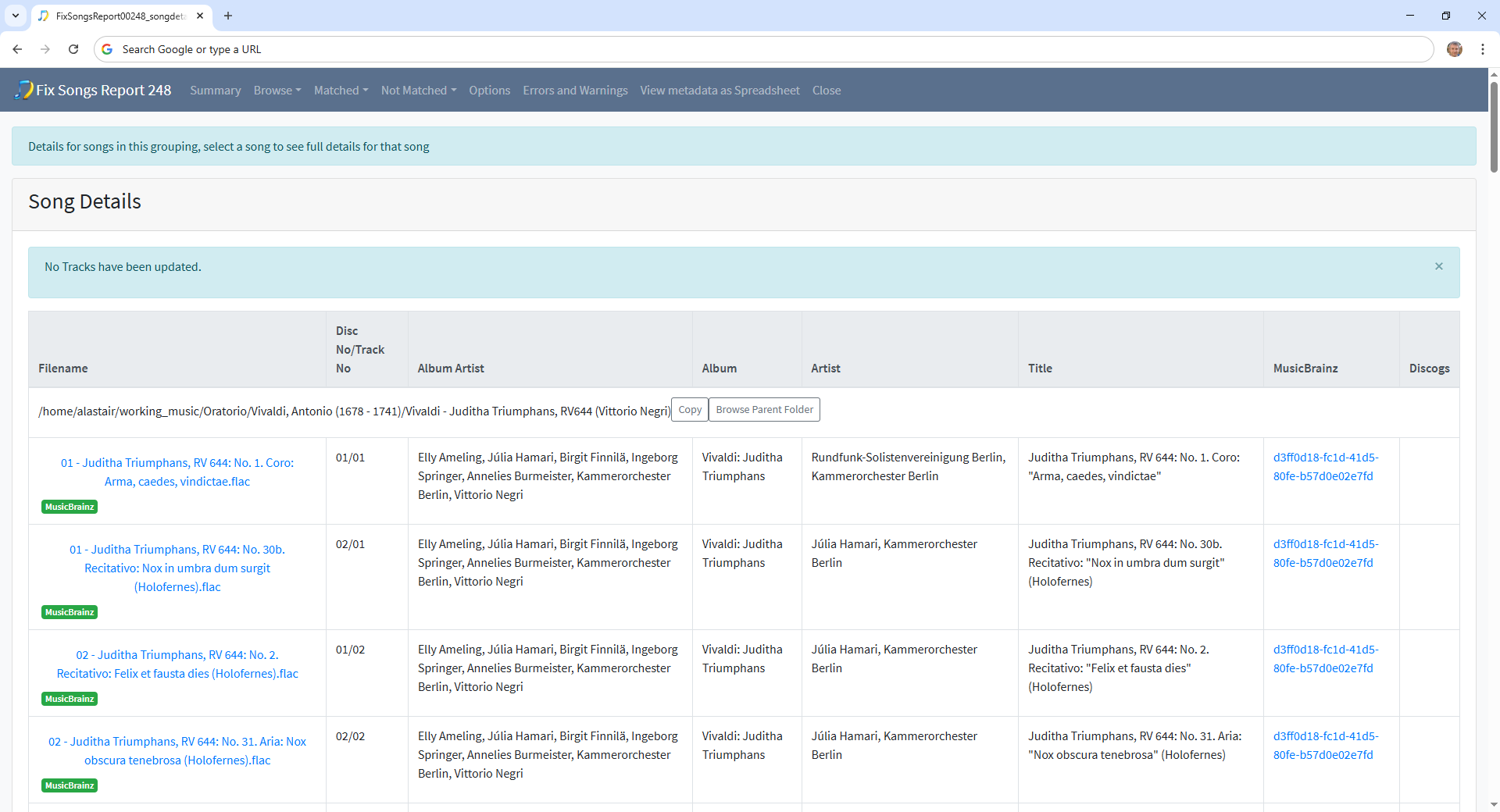
The problem is simply that is a 2 CD release and the filename does not include the disc no only the track no and therefore you see multiple files with the same trackno. So all you needed to do was run the Rename Files task with a suitable mask to fix the filename.
But instead you deleted various fields such as title and trackno then eventually with FixSongsReport0256 nearly got back to your starting point, but it hasn’t matched one track properly.
What you need to do is first fix metadata:
- Select Fix Songs task
- Modify For songs already fully matched to the new default Rematch if only Partial Match
- Select Start (to sort out the one file that has no title)
Then rerun Rename Files so includes discno or singledisctrackno:
I noticed in your last Rename Files report RenameFiles00195 you used a custom rename mask called Genre/Composer/Album/Track - Title so what you want to do is modify this mask to include either include discno as well as trackno, or use singledisctrackno which treats the tracks as if on a single disc so in this case would label 1-59
- Select Preferences
- Select Filename masks tab and find the Genre/Composer/Album/Track - Title mask
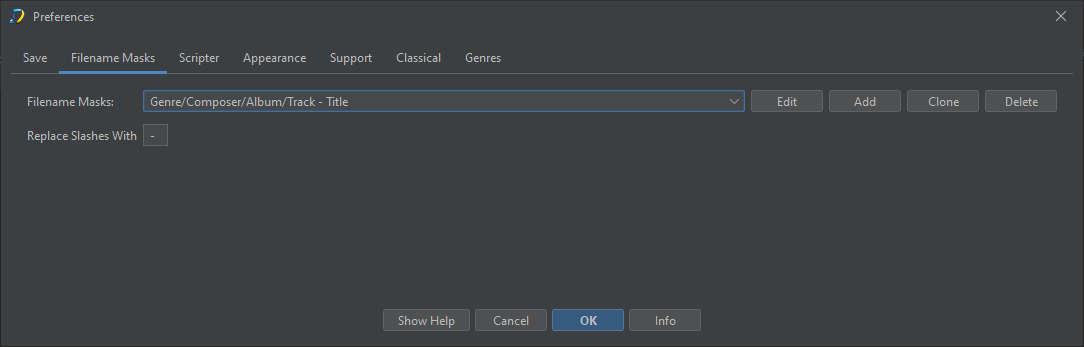
- Select Edit
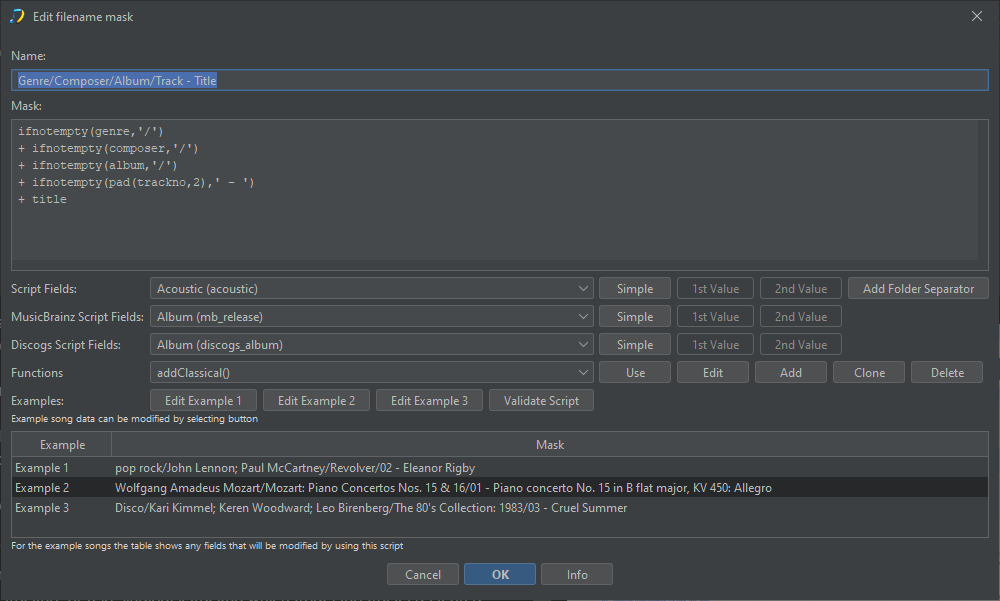
Now modify from
ifnotempty(genre,'/')
+ ifnotempty(composer,'/')
+ ifnotempty(album,'/')
+ ifnotempty(pad(trackno,2),' - ')
+ title
to either
ifnotempty(genre,'/')
+ ifnotempty(composer,'/')
+ ifnotempty(album,'/')
+ ifnotempty(pad(discno,2),' - ')
+ ifnotempty(pad(trackno,2),' - ')
+ title
or
ifnotempty(genre,'/')
+ ifnotempty(composer,'/')
+ ifnotempty(album,'/')
+ ifnotempty(pad(singledisctrackno,2),' - ')
+ title
-
Now select OK to save changes to mask
-
Now run Rename Files task
Many thanks and now I am beginning to understand a bit more. I had struggled with the numbering from a very long time ago. The issue had been that I need the tracks to play in sequence without interruption and I had always had file numbers from 1 to whatever, in very rare cases over 99. If I adopt the “singledisctrackno” I assume this will give me what I want and more important, now I know what it actually means, that SK can deal with this without any interference from me.
Will now persevere with your advice.
Very many thanks for your help.
Budge
Only one follow-up: I thought the Preferences, once set, would remain for all SongKong use and fix songs but I am finding that the preferences I set using your advice and which I assumed would be good for all my classical works seem to be ephemeral and keep reverting to AlbumArtists - Album (Year)/Track - Artist - Title.
Why does this happen please?
Preferences:Filename masks lists all the rename masks available in alphabetical order, so it will always show AlbumArtists - Album (Year)/Track - Artist - Title because this is the first one in list, but this doesnt mean this is the one you are using.
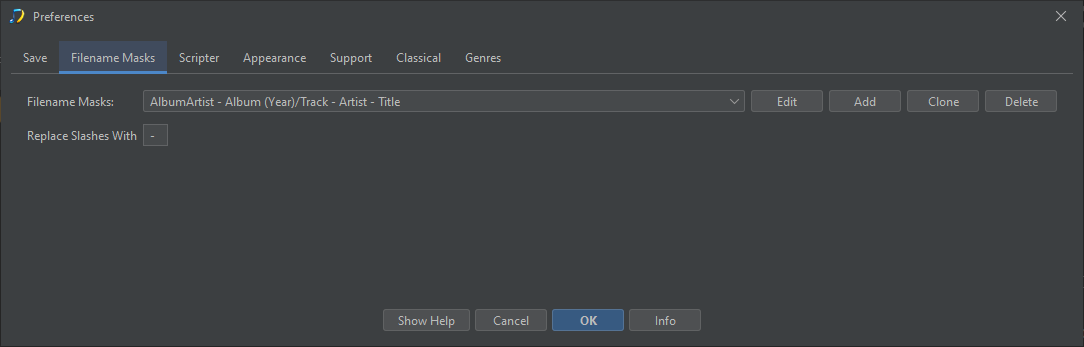
You may be using more than one because Rename Files can select from multiple profiles, and different profiles may use different rename masks. So the rename mask you are using when you run Rename Files is the one you have selected in the Rename Filename mask and/or Compilation Rename File mask selected for that profile.
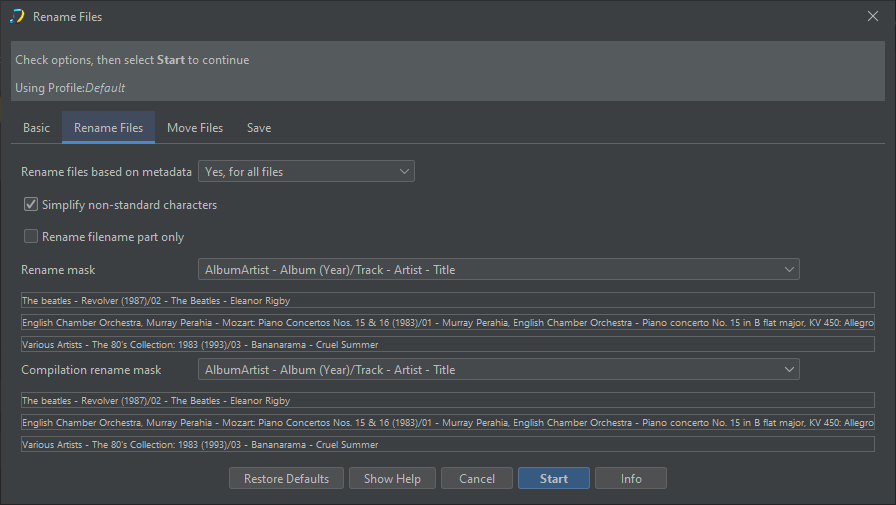
Have you tried running a Rename Files task yet, if you switch to the Options tab of the report you should see it is not using the AlbumArtists - Album (Year)/Track - Artist - Title mask.
Hi Simon, so sorry I am making hard work of this but I cannot reconcile what I see in my file manager once I have run the various command and why the files are different.
After your earlier advice I did as you suggested, I ran fix songs with the default profile and your detailed amendments. I then ran Rename files with (singledisctrackno,2) edit and this gave me largely what I wanted. The only problem was the artwork used was the re-edition front cover but I have the original so changed the artwork to what I have.
This gives me filenames which are correct although I am still not sure about keeping the album name, as in 01 - Juditha Triumphans, RV 644: No. 1. Coro: Arma, caedes, vindictae in front of the track details.
I had assumed that with the above configuration I would get the same result from the next run but now I do not have the album name in the file title.
I do like to know the album title when listening but this makes the tag very long and not always visible in control point or renderer. I would appreciate your view on best practice.
Also in the file name edit extra line you suggested, what is the ‘2’ for. What will the tagging do if there are 3 disks?
Hi (Simon is MinimServer this is Paul), your mask does not use the album in the filename it only uses the title, but some of your albums have been matched to MusicBrainz and this usually uses Work:Movement as title e.g https://musicbrainz.org/release/d3ff0d18-fc1d-41d5-80fe-b57d0e02e7fd/disc/1#3b12ec2a-3640-4676-aebc-873c9adc61d8
Whereas and some of your albums have only been matched to Discogs and this only shows the movement as title e.g https://www.discogs.com/release/20746816-CPE-Bach-Barbara-Schlick-Lena-Lootens-Hein-Meens-Stephen-Varcoe-Corona-Cappella-Coloniensis-William-?redirected=true
So this accounts for the difference, the MusicBrainz matched albums show work:movement and work is often same as album, the Discogs only matches only show title. The structure of the Discogs database is simpler and does not have separate Work entities so does not support all the classical features that are available within SongKong when match to MusicBrainz which is the primary data source.
But you could possibly use Scripter or Manual Edit to add album to title if that is what you want to do.
Padding so you get 01, 02 rather than 1, 2, nothing to do with number of discs.
Hi Paul, Please forgive me using wrong name; you can tell I am confused!
Many thanks for the explanation and I understand the differences you have explained. You tell me SK is using Discogs in some cases, is that because the album does not exist in MusicBrainz?
I am now working very slowly through my Oratorio composers and am now having modest success with a need to edit a couple of filenames manually. However another question has popped up.
In a few cases I am getting two identical files so one has a (1) added, which is what I see often when using file manager. Using SK delete duplicates does not work in this case. Should I delete manually? Is there a way to prevent these unwanted duplicates?
I have sent today’s Report FYI.
Yes, most probably it doesnt exist, but it may be it does exist but is not yet in our cache very which is a few months behind, or it does exist but differences in metatata prevented a match.
Delete Duplicates can use multiple ways to find duplicates based on your settings. Now looking at your reports you have configured Song is a duplicate if has same to Same song and same album (metadata only) which is an okay default, but you may get better results if make use of MusicBrainz Ids and change it to something else. But is up to you to iunderstand the options and select the ones that works for your definition of a duplicate.
Of course you can just manually delete if you already know it is a duplicate
Also you have Find duplicates within same folder only enabled, so if Rename Files has put copies in different folders then this will prevent removal of duplicates because they are not in same folder so you may want to change this.
On closer inspection I am still getting anomalies and have had to go back to an earlier Album (Caldara) because although the MusicBrainz report tells me all is well, I am getting several inconsistencies with file names. Among the problems, the first four and now three tracks are named differently and omit the composer’s name. I have run renaming but this has not worked.
I am no longer confident that I have all the tracks in the album and am having to go to track lists from Presto or others when I can find them.
Will I find this report in the last support files you sent me or not?
Hi, thanks for support files
I had a look and all files do have the composer field completed
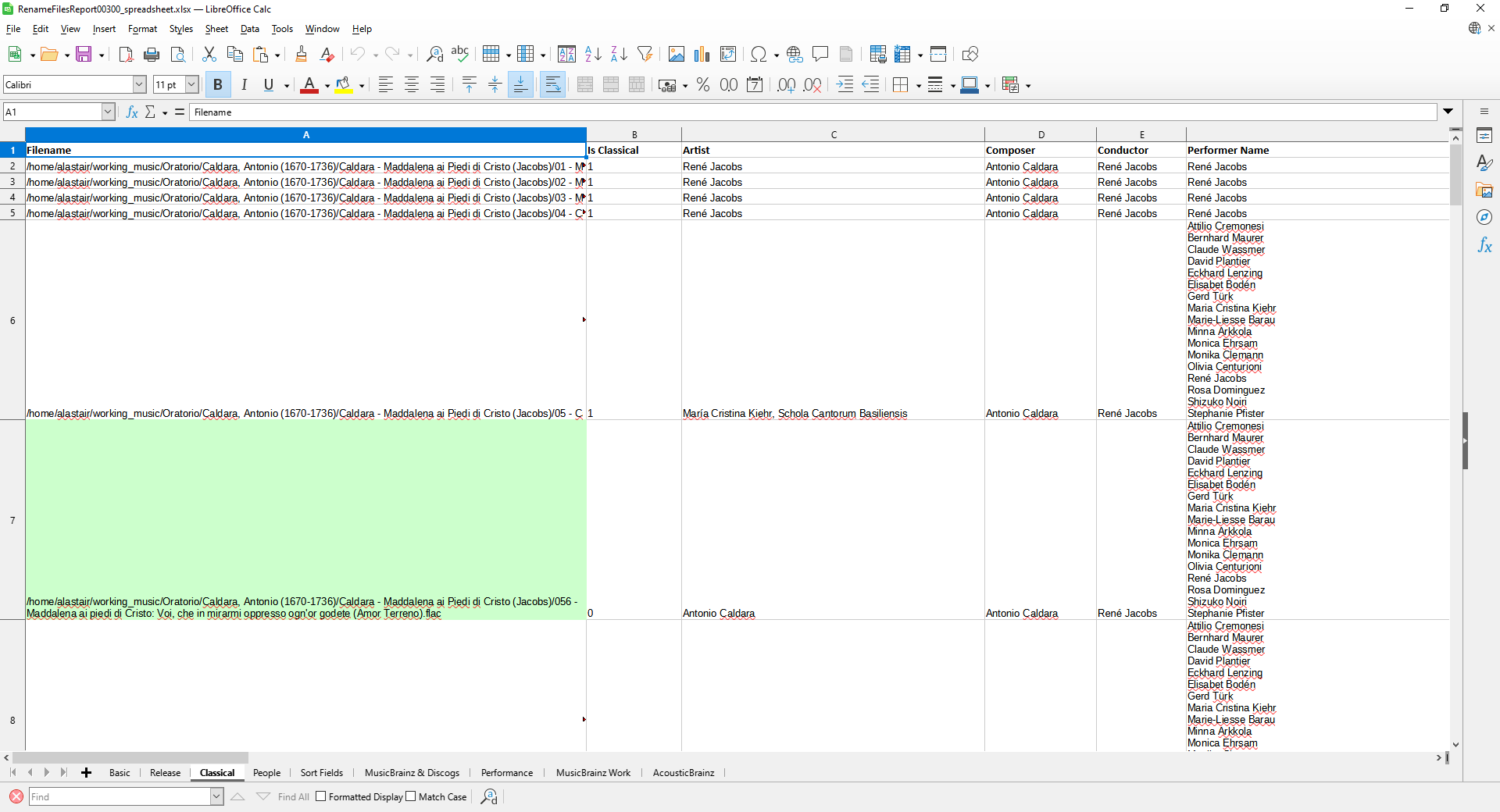
The issue is that the title of the first three tracks do not include the composer
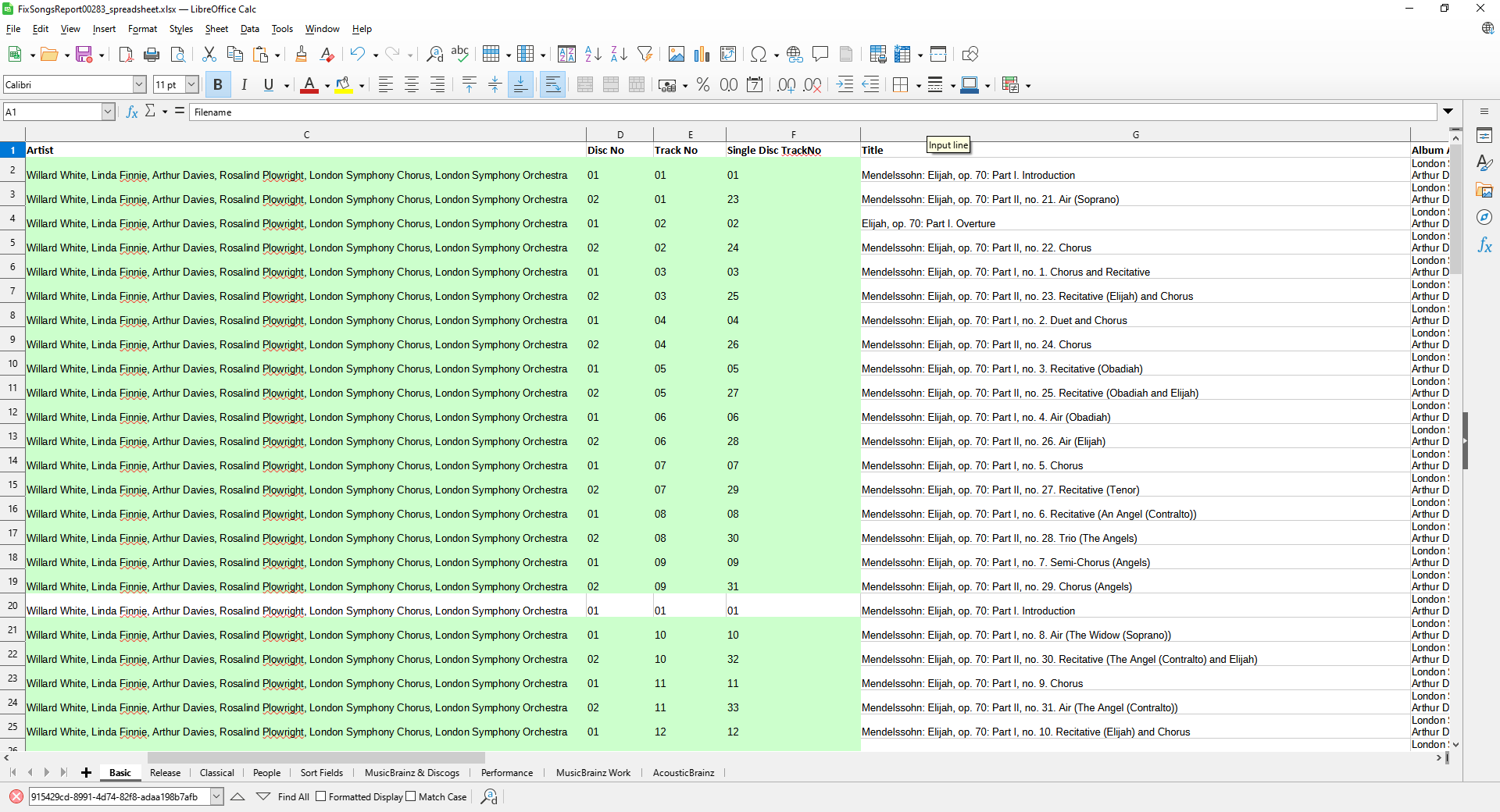
The reason is because you have Add Composer to start of MinimServer Group, this is used by MinimServer for playing Classical Works enabled. So when the work is part of a multivalue work we add the Composer to the MinimServer Group because this field is used by Minimserver to group up tracks so at the work level when playing songs you can see the Composer
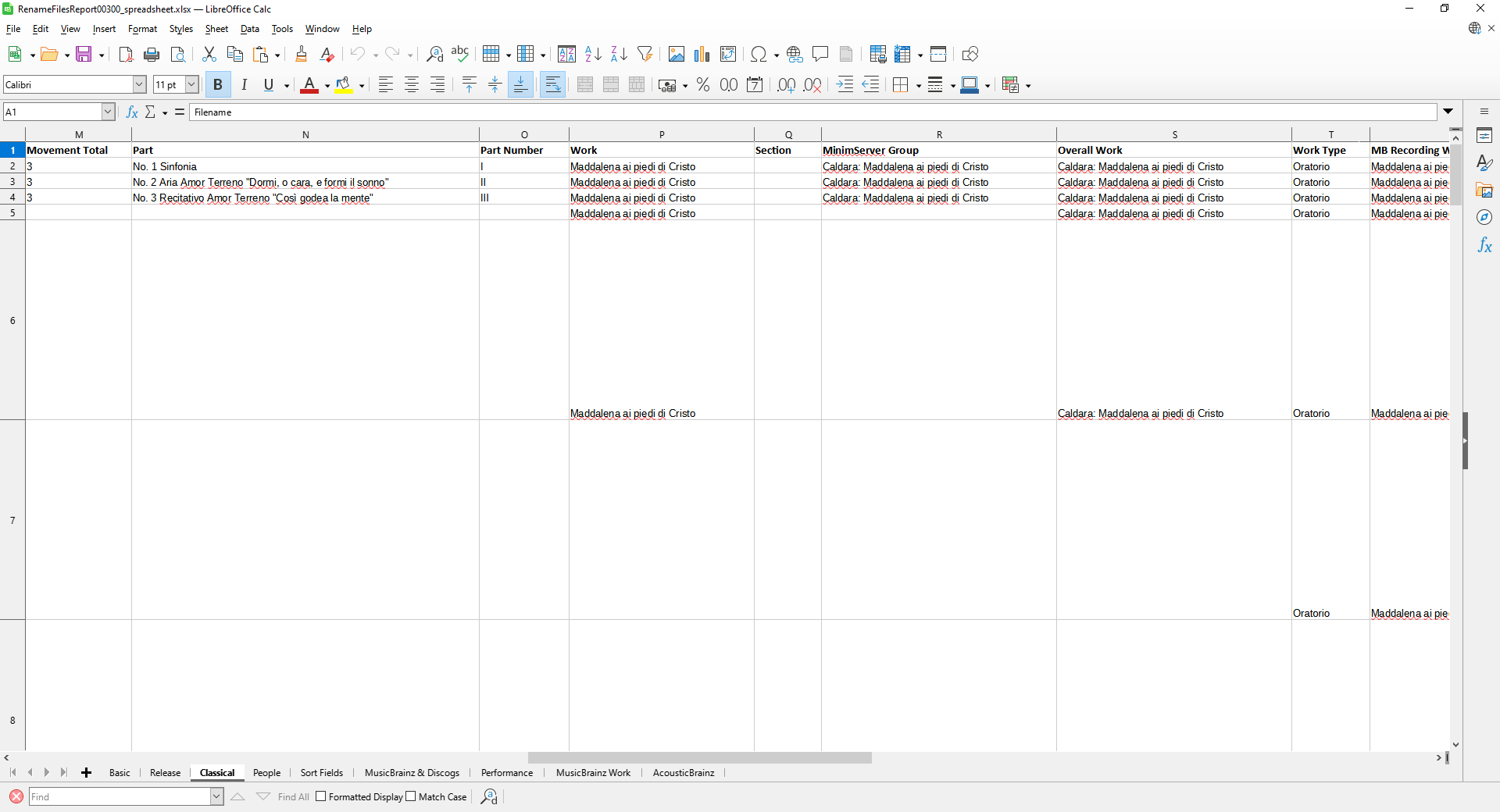
Additionally when there is a single level work we add the composer directly to the title as requested by Simon from MinimServer, because the track is not part of a larger work there is nowhere else to add the composer so it is visible when playing in MinimServer, all the other tracks are not linked to a named movement that is part of work so that is why the composer is added fot these tracks.
See this section of the MinimServer tutorial for more details
So to summarize the norm is the first three tracks where there is no composer in title
So then your Rename Files task that uses the title field as part of the rename mask shows composer in some files but not others. But I don’t know why you didn’t think it had not matched correctly since the report shows it has and why does it really matter if the composer is not in filename?
Could write a more complex rename files script that adds the composer field to filename if the composer cannot be found in the title field but is it really neccessary?
Hi Paul, many thanks for your reply and please forgive my delayed response. Had a serious dose of flu/covid, in spite of jabs, and have slept for last couple of weeks. Just trying to pick up thread now.
In pursuit of a “tidy” directory I had been thrown by the apparently arbitrary difference in the naming of the first three files. I have read your explanation but there are two things which are not clear to me. The first is are my settings correct, in spite of the apparent anomaly over the first three files in an album or should I change them. Do I need the Group setting and how is it used?
The second point concerns your statement “Additionally when there is a single level work we add the composer directly to the title, as requested by Simon from MinimServer.”
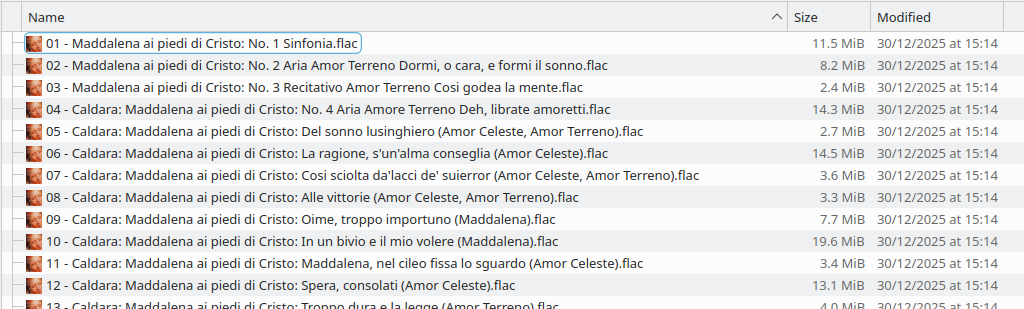
I have some difficulty reconciling this with my directory titles which actually omits the composer’s name in the first three files. See screenshot.
Please see this Tutorial 23: Showing Composer in Group name for how groups are used.
Because the first three tracks are not single level works, they are works that are part of a larger work.
The difference can be seen more clearly in MusicBrainz, if we look at the release
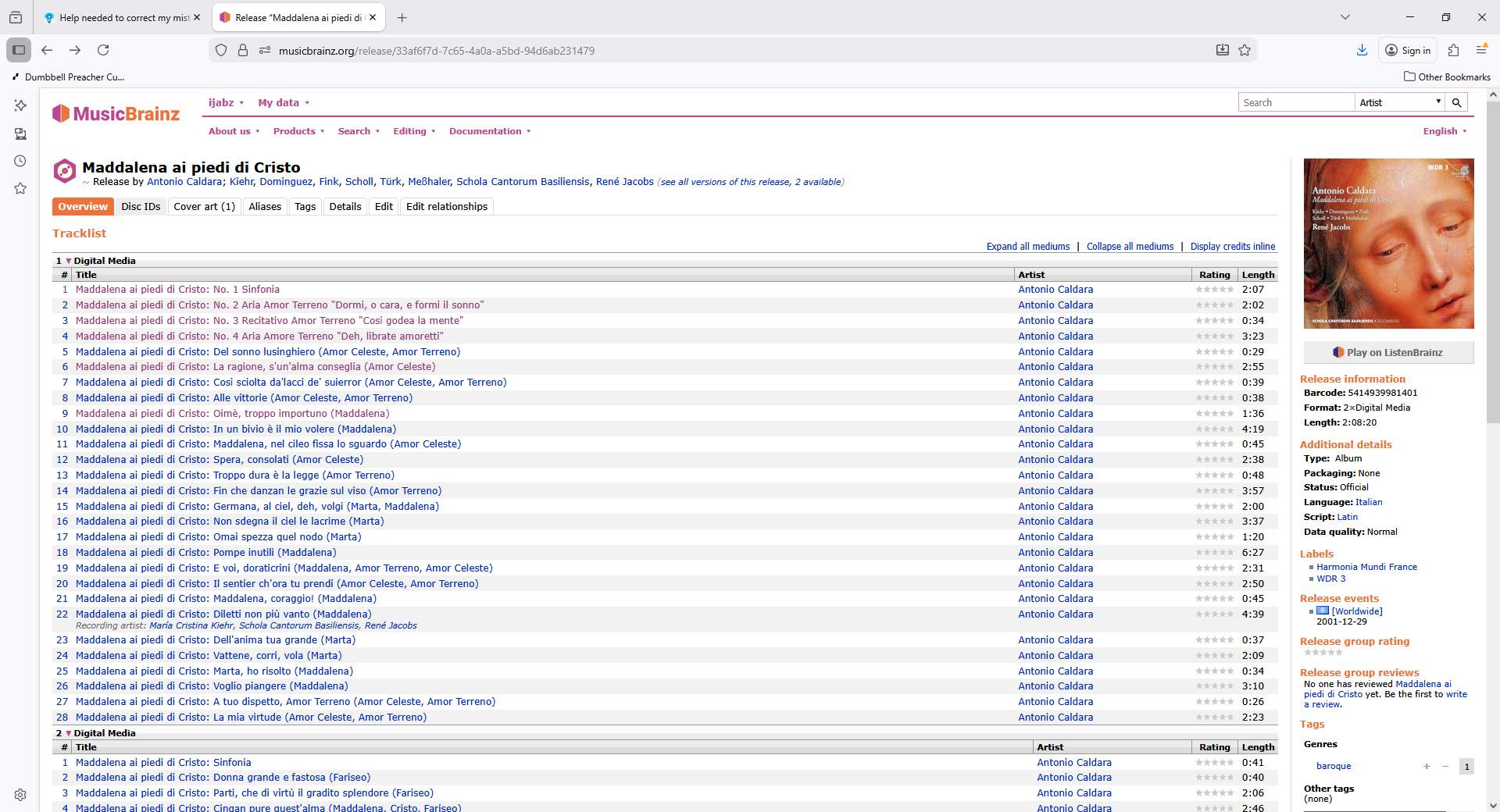
Then select the first track we see the Related Work is Maddalena ai piedi di Cristo: Sinfonia and this is part of Maddalena ai piedi di Cristo
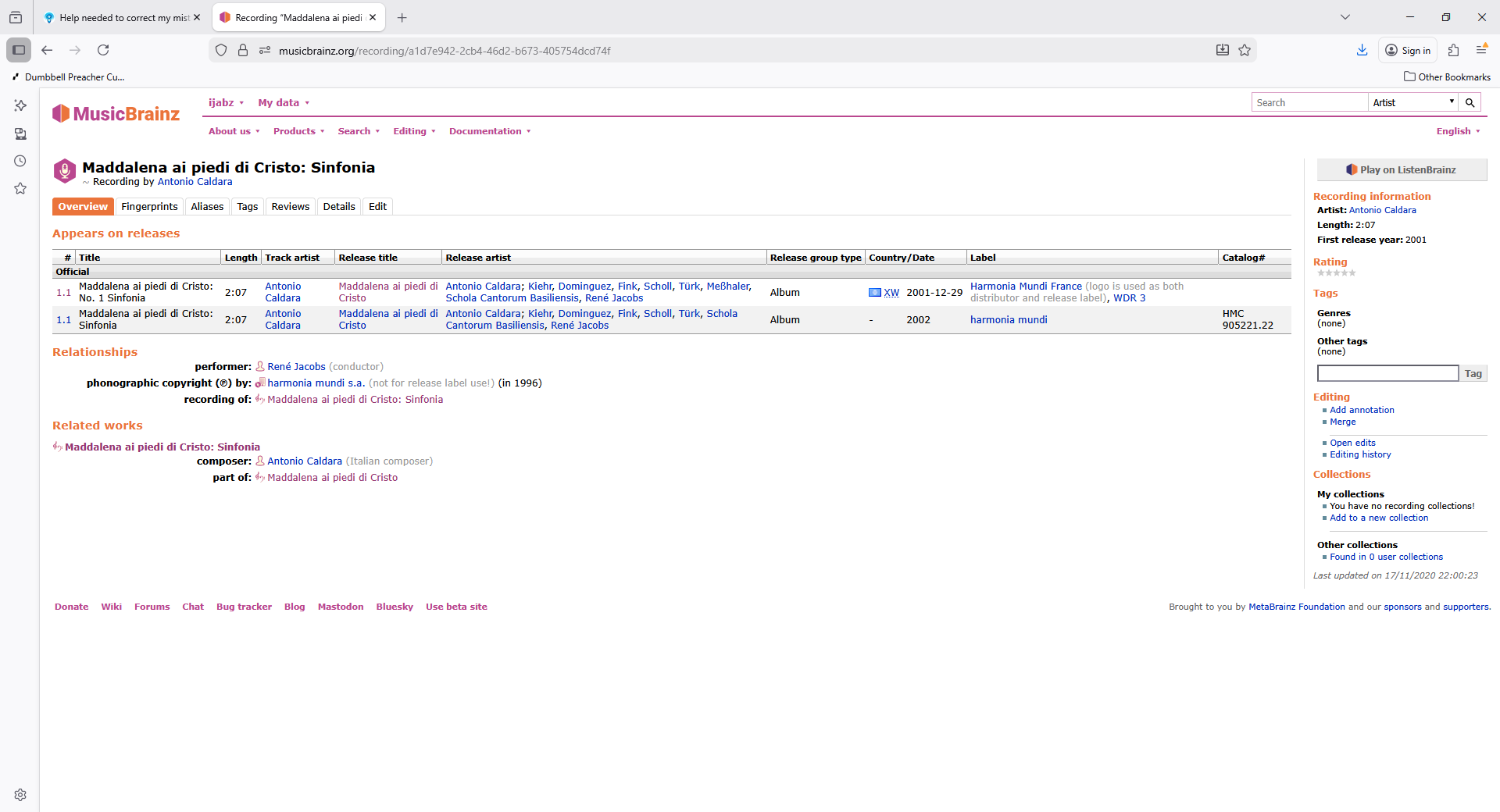
Look at the second track and it follows the same pattern we see the Related Work is Maddalena ai piedi di Cristo: No. 2 Aria Amor Terreno "Dormi, o cara, e formi il sonno and this is also part of Maddalena ai piedi di Cristo
But from track 4 onwards we see a different pattern, they all link directly to Maddalena ai piedi di Cristo
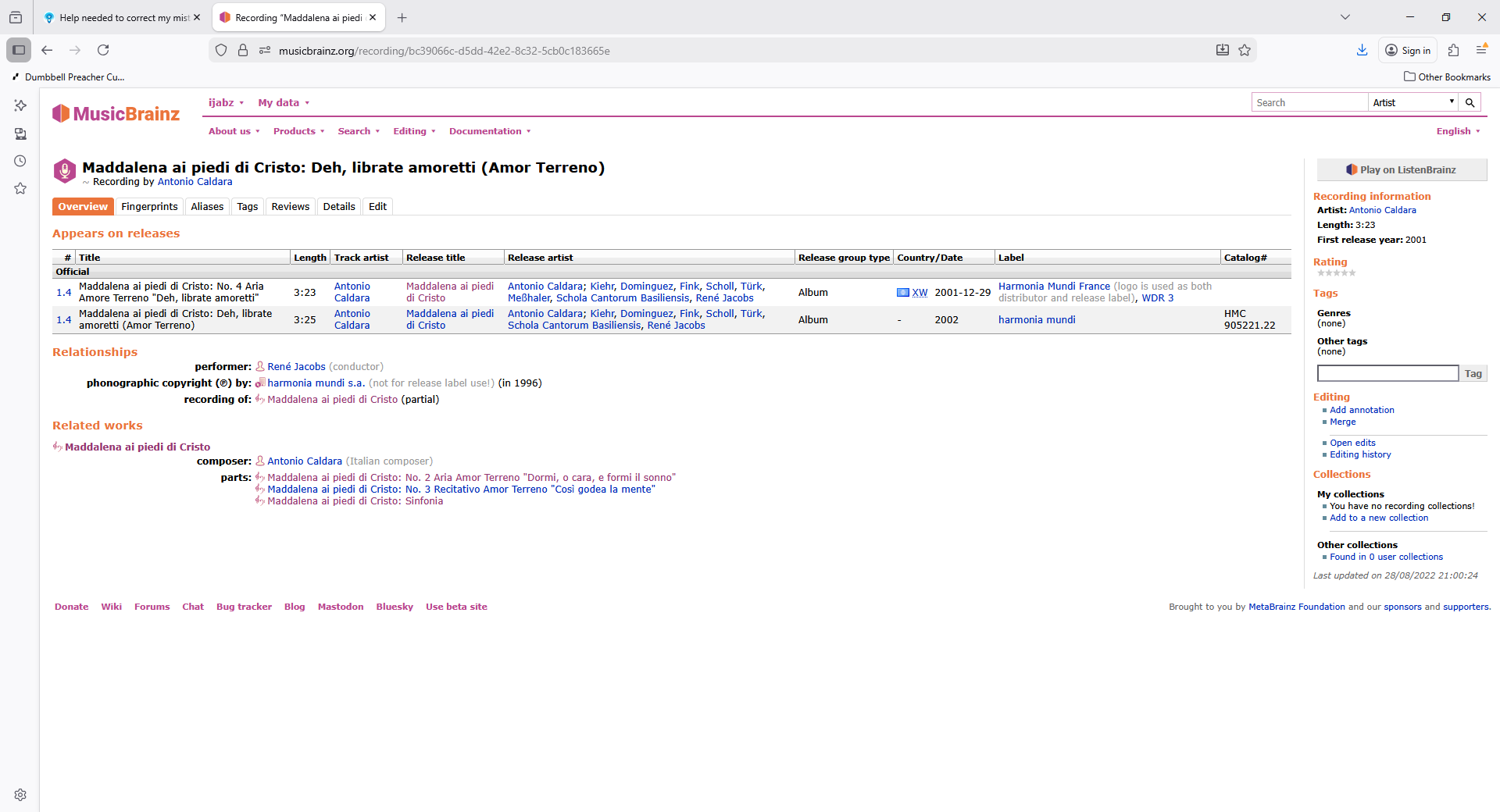
This seems potentially incorrect to me because it means all recordings are linked to same work rather than a movement within the work, but Im not a Classical Music buff so maybe you can clear that up for me?
But the point is that for the first three tracks (the usual case) the composer is added to the Group not the Title. The anomally is the other tracks are not part of a group so the composer is added directly to title
If you want consistency in filenaming it may be best to disable Add Composer to start of MinimServer Group, this is used by MinimServer for playing Classical Works and then you should get consistency in the filenames.however then you lose that potentially very useful functionality within MinimServer