SongKong Jaikoz

SongKong and Jaikoz Music Tagger Community Forum

Handling disc numbers in album name

Still iterating and becoming familiar with metadata changes that SongKong seeks to make. I have what looks to be an unrecognised 2cd album where the album is currently tagged as The Australian Revolution (Disc 1) and The Australian Revolution (Disc 2). All files are in a single folder and named 1-01, 2-01 etc. and there are no discnumber tags present.

SongKong hasn’t recognised the album (there are no MBID’s for MB Release Id and MB Release Group Id when viewing as a Spreadsheet). All to be expected, however, could I suggest an enhancement:

Where all tracks are in a single folder, and album names are appended with (Disc 1), (Disc 2) etc. why not assign discnumber accordingly (if not already present) and drop the (Disc x) from the album name, effectively cleaning things up a little even though the album was not identified?

Edit: I found the album on MusicBrainz: https://musicbrainz.org/release/003bee34-99c1-4c68-aabd-09fa00eb42b0, Last updated: 2025-02-01 21:52 UTC so unsure why SK didn’t identify it.

Check the Activity Log tab of your previous run because we have added some informational messages when we find a potential release but ultimately decide to reject it, not all cases are covered but it might be there.

Regarding original suggestion I would say in general it is a bit dangerous to try and modify existing metadata based on interpreting what existing data means but without an online match to verify against. We do this for unmatched albums that have value for artist but not album artist and albumartist to albumartists but that is about it and sometimes that doesn’t go right - Inconsistent formatting of tag metadata?

Also, it’s quite common to have Disc no in the album field and although not really right some media players (such as MinimServer) can parse that extra info and recognize both discs are same album.

There’s unfortunately nothing in the Activity Log regarding that album.

If you run Create Support Files I can look into logs.

Done and sent earlier this AM.

For some reasons there are no log files, all I can think is that they were in memory buffer and not written to file yet, could you simply rerun Create Support Files again.

Done.

image

On another note, one of the reported items was metadata inconsistencies in Album name. (Disc 1), (Disc 2) appended to the end of the album name.

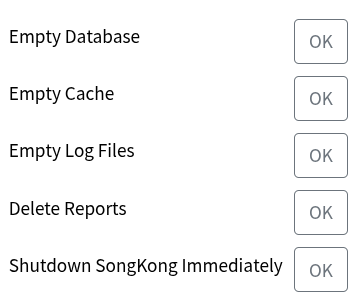
After sending the support files I removed (Disc 1), (Disc 2) from the album name, ran all of the items below:
image

Then restarted SK and had it analyse the album again. It reported the same story regarding metadata inconsistencies in Album name (which was no longer the case and I also confirmed there were only vorbiscomments embedded in the file.

I then stopped SK, went into filesystem and deleted Cache and Database as well as Logs/*, restarted SK and ran Fix again. This time it didn’t report inconsistencies in album title. So somehow hitting those buttons above isn’t quite doing what one would expect.

Thanks the logs files have the info this time (and I fixed issue for that).

Okay looking at the logs SongKong does find the correct album, however the problem comes when it attempts to score the album. It notes that the album being matched is multidisc but all the files we are matching are in one folder, and because there are no discnos at all in the metadata it assumes we are just trying to match disc one of the release and this causes it to fail.

We can improve this but I think that is basically the issue - if you manually add values to Discno fields and then retry it should match, or you could wait for next version of SongKong and retry.

Okay, not sure why that would be the case will have a think.

So I think the non matching issue is fixed in new release