SongKong Jaikoz

SongKong and Jaikoz Music Tagger Community Forum

Fill Work/parts tags classical

I am new to this. I use Roon and usually find good displays as long as I can identify the album. Some of those I cannot identify bother me. I have at present what seems a simple problem. I don’t want the BWV 1007 in front of the movement. I have set all I can within Roon. The album is not in Musicbrainz or Discogs. It is in Allmusic and Roon obviously uses that–I can tell because of the squiggle between 1007 and the part number.
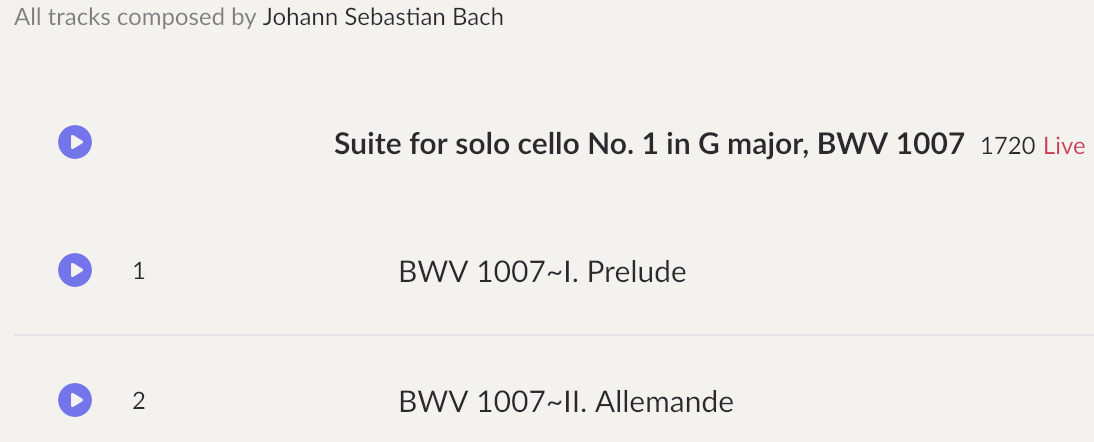

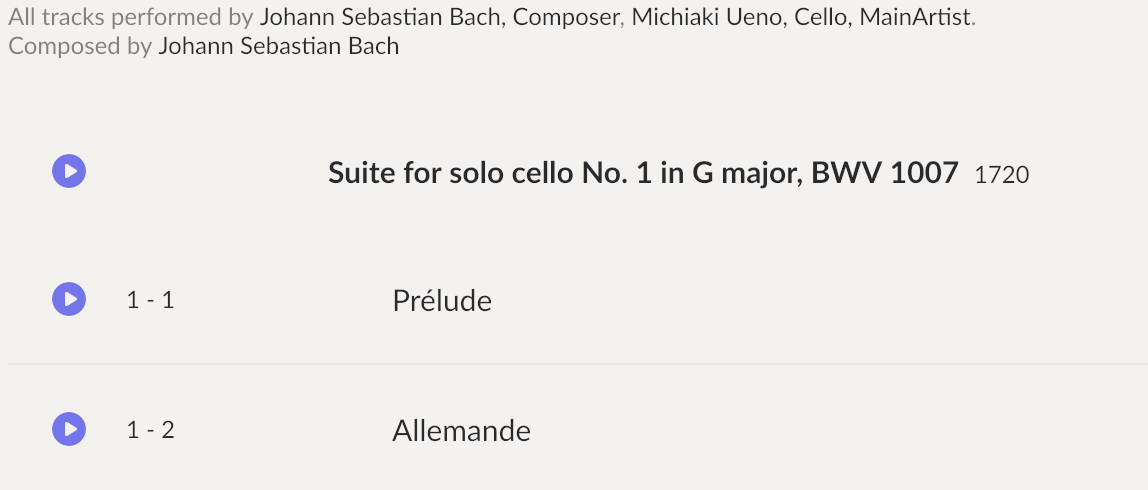
How do I get it to look like other albums of the same music? I have really tried hard with Songkong but have not yet achieved anything at all. With a different album with a similar problem I fixed this by erasing the colons and substituting a hyphen but it didn’t work in this one. I can see a page with movement and part but I can’t populate that page. It would be nice if the second album didn’t say it was performed by Bach as well. Screenshot 2026-09-14 at 10.03.41 AM
Bit difficult to say without seeing the metadata in your files, could you please run a Status Report on the folder containing this album and then run Create Support Files to upload the report.

It took me some time to figure out how to do it. I have now. I hope I did it right. I downloaded a clean file and ran the report on that.
I do have a license but it is under my Paypal email account which I don’t see much, and I am using a forwarding address on the forum to my main email account.

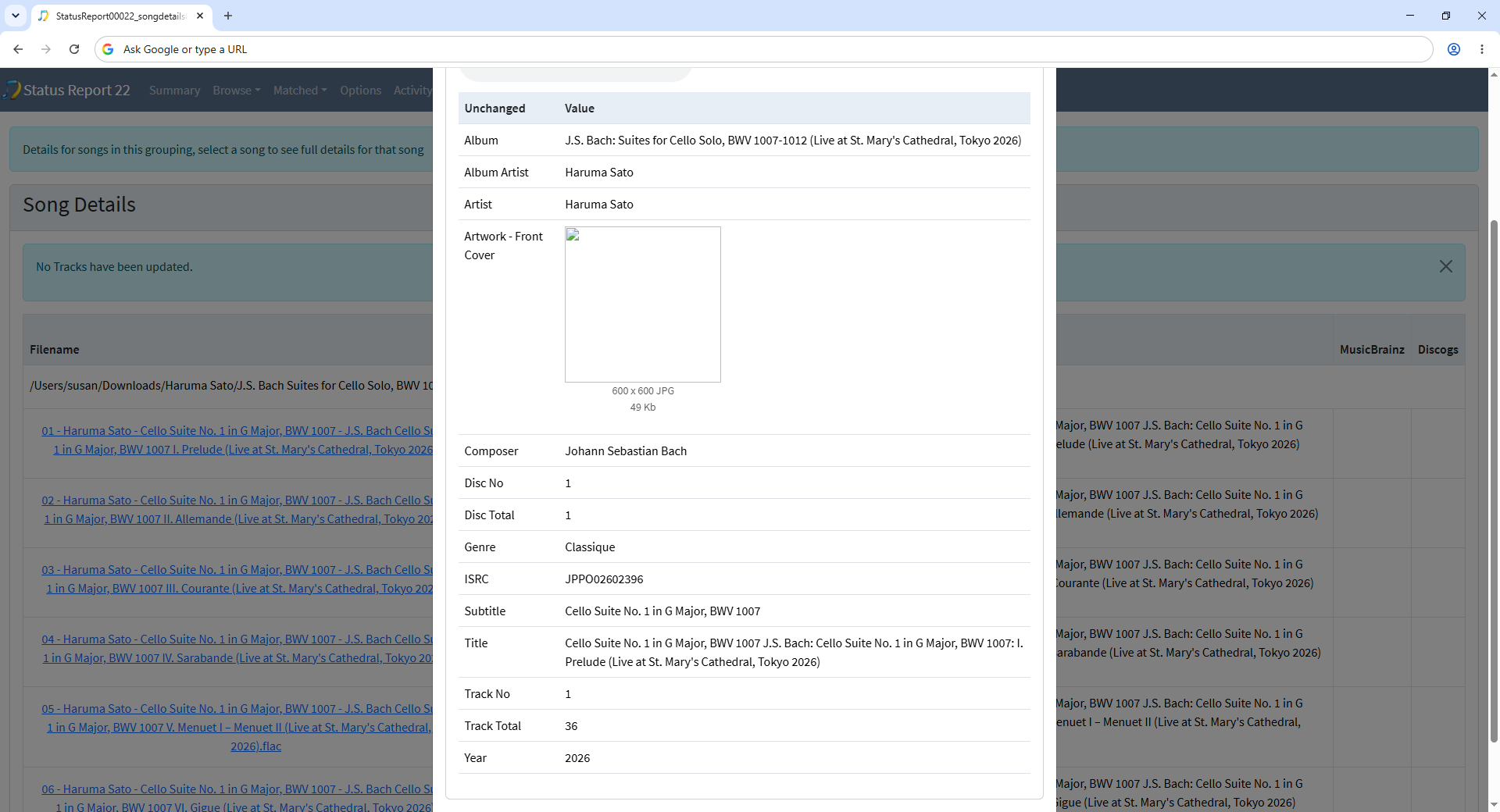
Thanks I received the support files, the existing metadata is very basic with no Work or Movement fields.

image

So, probably the solution is first to try Match to One Album task to see if a match can be found in MusicBrainz or Discogs and if not to use Manual Edit to add the Work and Movement fields manually and then tell Roon to prefer file metadata so that it uses them.

Thank you, there is no match in MusicBrainz or Discogs and I have tried to use Manual Edit. I have set Roon to prefer the file metadata for track and group both on import and in the file edit menu. However, I don’t understand how to use Manual Edit to add the Work and Movement files. I can see the page where they are but it is blank. Do I then copy and paste somehow? I don’t know exactly what part I copy and paste. I will see what I can do and then get back to you.

Hi, they are blank because the fields currently have no value, just simply enter the values into the fields like a spreadsheet and then select Save to save the changes.

Okay, what is the “value”. I have no relationship to Excel. Is there a model somewhere that explains what to do with an album like this. I do pretty well just using Roon with an album entered in Musicbrainz. But I don’t know what indication is telling what to do what. I don’t want to take up your time. I did look at a video but it wasn’t useful. A link to one that is useful would be great.

This is nothing to do with Excel, do you understand the concept of Works and Movements in Classical music or not?

Please see the section Tagging Multi-Part Works from Roon here

Yes of course I understand Works and Movements! You said to enter values into fields like a spreedsheet. I only know “spreadsheet” from Excel.

Yes, I have already read the Tagging Multi-Part Works from Roon. I cannot figure out the relationship of that to the files I have or how to enter them in Songkong on the spreadsheet.

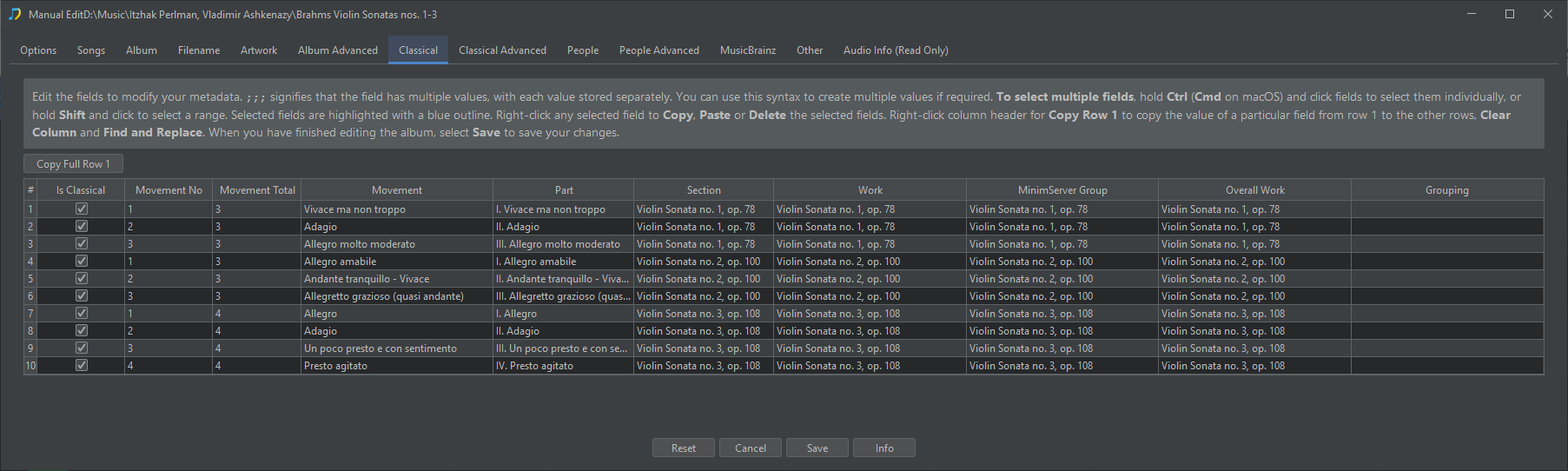
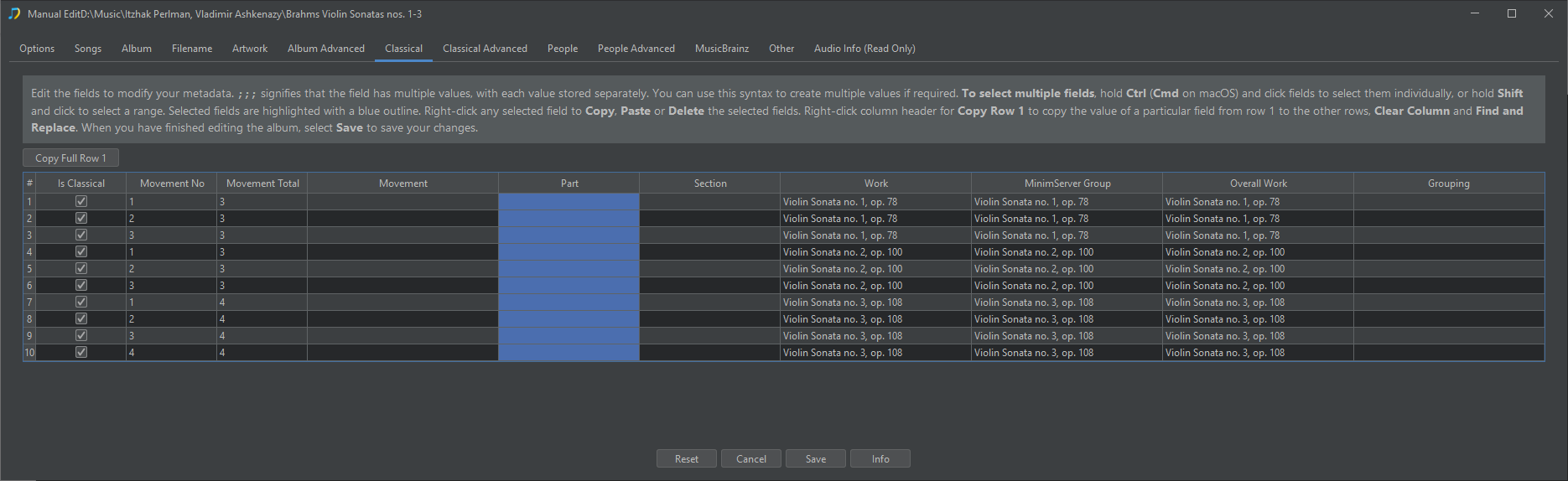
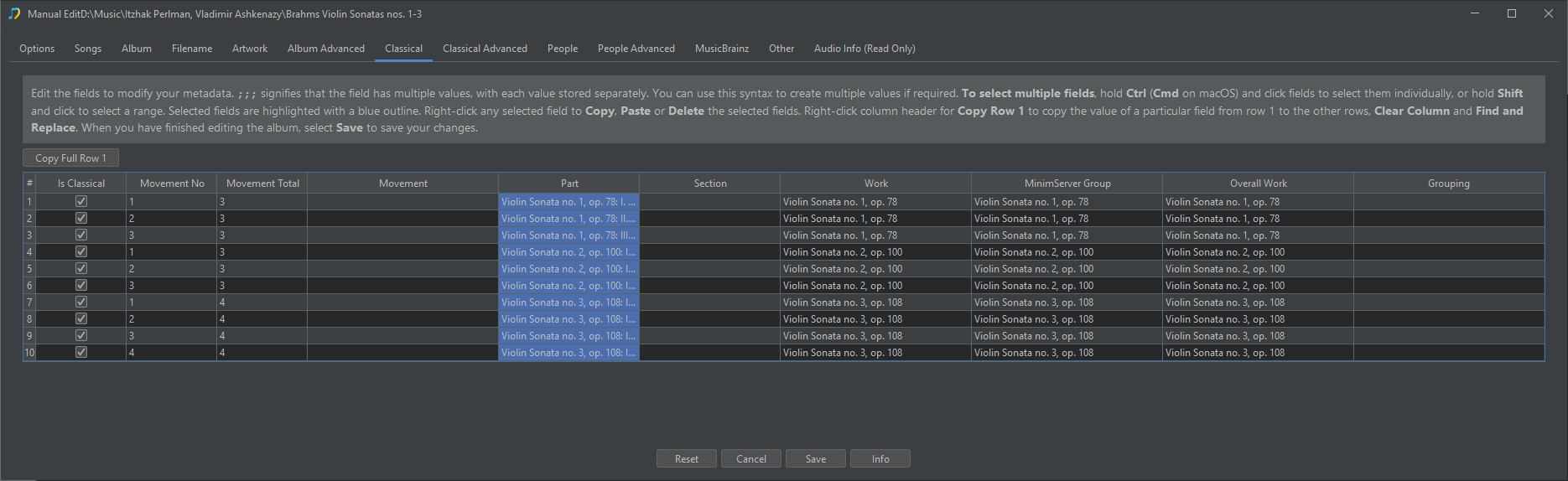
Each row represents one song, the key fields are Part and Work, if you look at the screenshot below you can see some songs share the same value for Work but different values for Part. This example release has three works, the first work has three parts, the second work has three parts and the third work has four parts.

image

So you just need to enter the correct values into the Part and Work fields, simply select the field you want to edit and start typing. Then when you have finished entering the details select Save to save the changes.

Then Roon should pickup this information, but you may need to ask Roon to refresh details for this folder.

Is there a way to have the “songs” page and the “classical” page open at the same time? I did an album but it would make it easier.

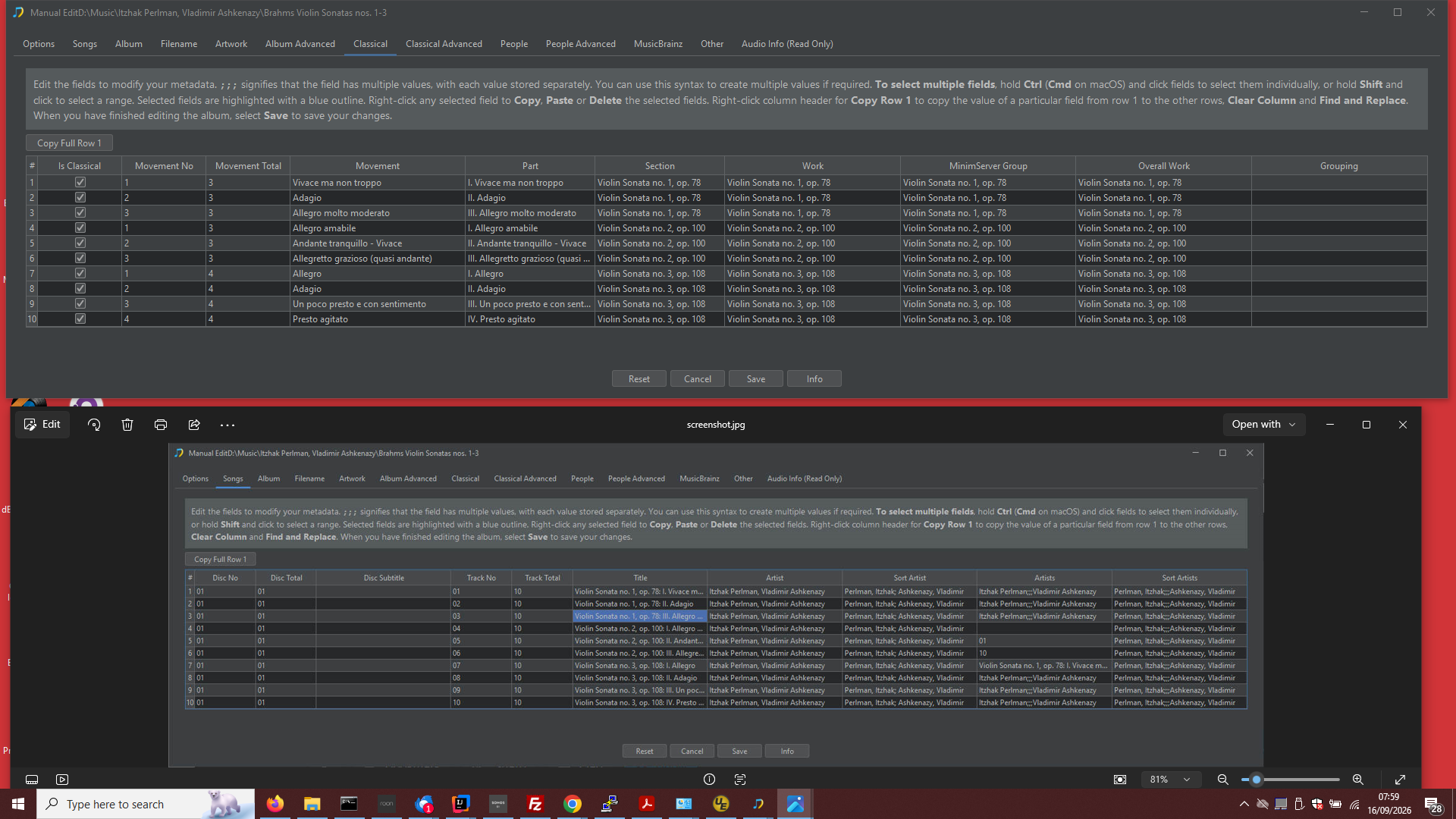
No, the reason we have tabs is because there is not enough space to show everything at the same time. But if you just want to see certain song information whilst your edit information on the Classical tab you could do something like:

  • Go to Songs tab
  • Take Screenshot
  • Open screenshot and position it next to Manual Edit window
  • Switch back to Classical tab

e.g

If you want to use information from another tab then you have Copy and Paste

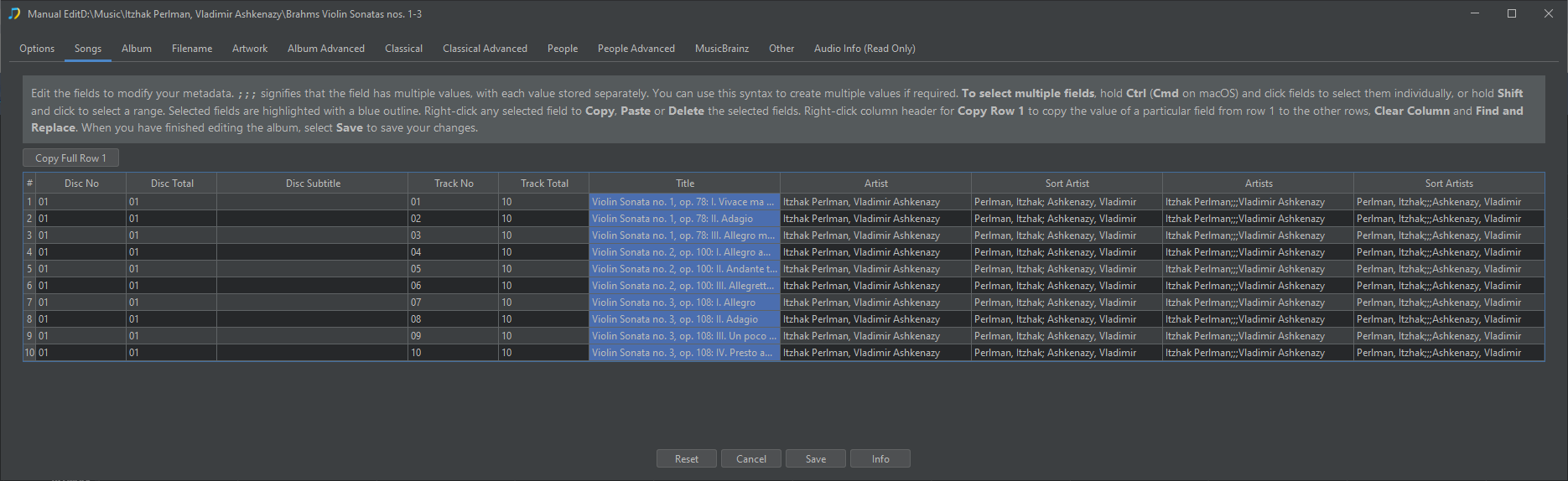
For example, if you want copy values from the Title field to the Part field for each song you can do the following:

Select Title fields, Right Click and select Copy

image

Switch tab and select all fields in Part Column

and select Paste

image