SongKong Jaikoz

SongKong and Jaikoz Music Tagger Community Forum

Can SongKong handle this specific case

I’ve been testing out the lite version of SongKong and it’s more powerful than any tool out there. Unfortunately, I have a very specific use case. First off, I need fields, say the producer field to output the names if there are multiple producers like this: \John Smith\Alice Smith\Mark Smith

And for the involved people i have a set of roles all of which SongKong can find to be put in the following format where there role comes first: Executive Producer\John Smith\Producer\Alice Smith. This isn’t that important as I could also do it manually.

I know this is an edge case situation. It would also be amazing if it could put the individual in alphabetical order by last name

Not sure if the scripts can handle this. Thank you.

In the first you want fields such as the producer field to convert multiple vales into a single value separated by backslash?

This can certainly be done with Scripter

How involvedpeople field is actually written is different for ID3 formats to OggVirbis format but we present it in the same in the UI so I’m wondering if you are just asking for it to be written in the ID3 format?

Ordering the fields by last name could certainly be done by Scripter task

e.g here is a solution for first question

function makeSingleValue(singleValue, multiValue)
{
  var tmpSingleValue='';
  if(multiValue.length>1)
  {
     for (var index = 0; index < multiValue.length; index++) 
     {
        tmpSingleValue+=multiValue[index] + '\\';
     } 
     if(tmpSingleValue.length>0)
     {
        tmpSingleValue=tmpSingleValue.substring(0, tmpSingleValue.length - 1);
     }
     return tmpSingleValue;
   }
   return singleValue;
}
producer=makeSingleValue(producer,producer_index);

Thanks so much for the reply Paul.

Thank you for the script for and yes for my first question that is correct. I also have both FLAC and MP3 files and have setup all the fields in mp3tags. My goals are the following:

  1. Put \ to separate multiple individuals in a specific role like producer.
  2. Put the individuals in each field in alphabetical order using their last name, but have names appear as First Name and then Last Name.
  3. For involved people I have a number of fields I’d like captured in a specific order also following the alphabetical rule.

I was able to ask Claude to create a script to handle all three for me. Would this script be correct for my use case? And thank you so much!

Here is the script:

//1. HELPER: Safely convert SongKong's multi-value index to a JS Array
function getJSArray(fieldName) {
    var jsArray = [];
    try {
        var multi = eval(fieldName + "_index");
        if (multi && multi.length > 0) {
            for (var i = 0; i < multi.length; i++) {
                jsArray.push(multi[i]);
            }
        }
    } catch (e) {}
    return jsArray;
}

// 2. HELPER: Alphabetize by Last Name and Join with literal \\
function formatAndSort(fieldName) {
    var multiValue = getJSArray(fieldName);
    if (multiValue.length === 0) return '';
    if (multiValue.length === 1) return multiValue[0];

    multiValue.sort(function(a, b) {
        var nameA = a.trim().split(' ');
        var nameB = b.trim().split(' ');
        var lastA = nameA[nameA.length - 1].toLowerCase();
        var lastB = nameB[nameB.length - 1].toLowerCase();
        return lastA.localeCompare(lastB);
    });

    // Use four slashes to result in two literal slashes
    return multiValue.join('\\\\');
}

// 3. HELPER: Create the "Role\\Person" repeated format
function makeRepeatedRole(roleLabel, fieldName) {
    var arr = getJSArray(fieldName);
    if (arr.length === 0) return '';
    
    arr.sort(function(a, b) {
        var nameA = a.trim().split(' ');
        var nameB = b.trim().split(' ');
        return nameA[nameA.length - 1].toLowerCase().localeCompare(nameB[nameB.length - 1].toLowerCase());
    });

    var parts = [];
    for (var i = 0; i < arr.length; i++) {
        // Double backslash between Role and Person
        parts.push(roleLabel + '\\\\' + arr[i]);
    }
    // Double backslash between entries
    return parts.join('\\\\');
}

// --- STEP 1: Process Fields ---
executiveproducer = formatAndSort('executiveproducer');
producer = formatAndSort('producer');
coproducer = formatAndSort('coproducer');
composer = formatAndSort('composer');
arranger = formatAndSort('arranger');
songwriter = formatAndSort('songwriter');
lyricist = formatAndSort('lyricist');
engineer = formatAndSort('engineer');
mixer = formatAndSort('mixer');
masterer = formatAndSort('masterer');
conductor = formatAndSort('conductor');
artdirection = formatAndSort('artdirection');
design = formatAndSort('design');
photography = formatAndSort('photography');
coverpainting = formatAndSort('coverpainting');
anr = formatAndSort('anr');
booking = formatAndSort('booking');
management = formatAndSort('management');
marketing = formatAndSort('marketing');
legal = formatAndSort('legal');

// --- STEP 2: Build Involved People Hierarchy ---
var hierarchy = [
    ['Executive Producer', 'executiveproducer'], ['Producer', 'producer'],
    ['Co-Producer', 'coproducer'], ['Composer', 'composer'],
    ['Arranger', 'arranger'], ['Songwriter', 'songwriter'],
    ['Lyricist', 'lyricist'], ['Recording Engineer', 'engineer'],
    ['Mixing Engineer', 'mixer'], ['Mastering Engineer', 'masterer'],
    ['Conductor', 'conductor'], ['Art Direction', 'artdirection'],
    ['Design', 'design'], ['Photography', 'photography'],
    ['Album Cover Painting', 'coverpainting'], ['A&R', 'anr'],
    ['Booking', 'booking'], ['Management', 'management'],
    ['Marketing', 'marketing'], ['Legal', 'legal']
];

var finalFull = '';
for (var j = 0; j < hierarchy.length; j++) {
    var entry = makeRepeatedRole(hierarchy[j][0], hierarchy[j][1]);
    if (entry !== '') {
        if (finalFull !== '') finalFull += '\\\\';
        finalFull += entry;
    }
}

involvedpeople = finalFull;
comment = finalFull;

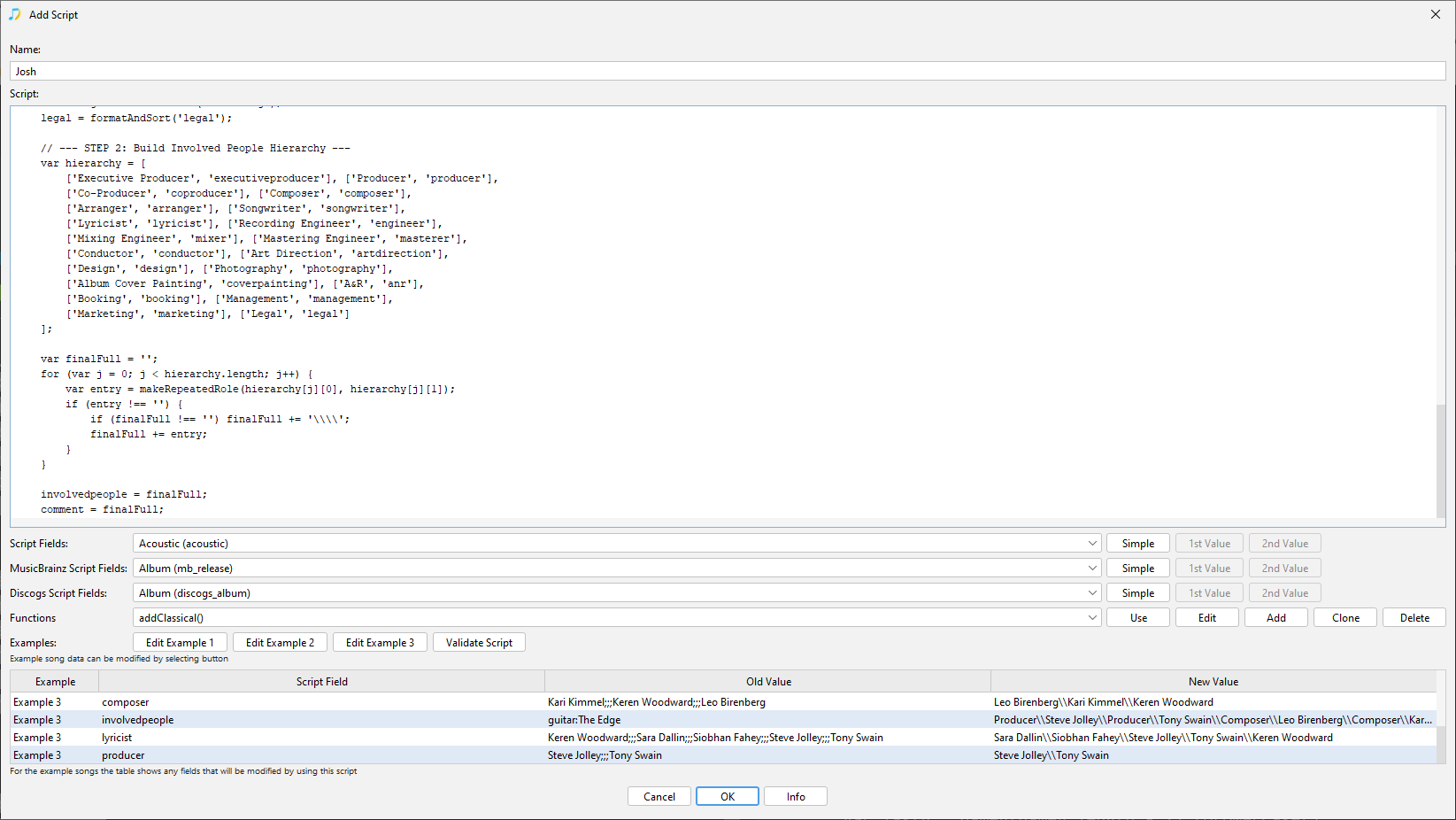
Hi, it seems to work, have you tried it within Preferences:Scripter ?

image

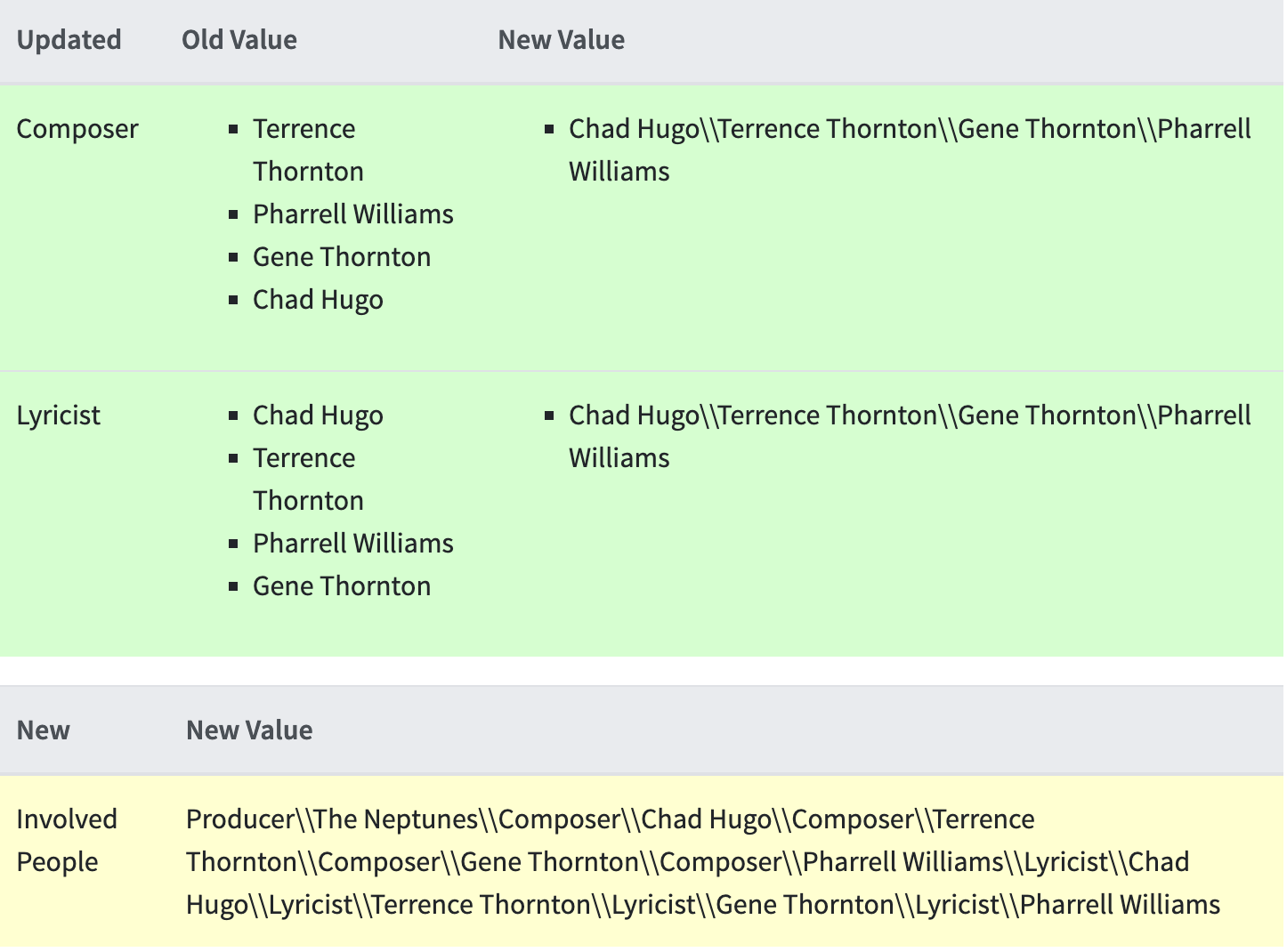
I did and it came very close. Sadly, it only pulled in a few roles after running the script and stripped other roles I was hoping to gather like the mixer for example or engineer which SongKong was able to pull after running the initial fix songs option prior to running the script. I’m sure I’m missing something with the script. I’d honestly gladly pay someone to help me achieve what I’m going for as it would save me so much time. Screenshot 2026-05-05 at 10.39.52

Can you run Create Support Files please and point me towards the file that is not getting the information you expected please.

Thanks. I sent it over although I wasn’t sure how to point you towards the file that is not getting the information. I’m using the script I noted above:

//1. HELPER: Safely convert SongKong’s multi-value index to a JS Array
function getJSArray(fieldName) {
var jsArray = [];
try {
var multi = eval(fieldName + “_index”);
if (multi && multi.length > 0) {
for (var i = 0; i < multi.length; i++) {
jsArray.push(multi[i]);
}
}
} catch (e) {}
return jsArray;
}

// 2. HELPER: Alphabetize by Last Name and Join with literal \
function formatAndSort(fieldName) {
var multiValue = getJSArray(fieldName);
if (multiValue.length === 0) return ‘’;
if (multiValue.length === 1) return multiValue[0];

multiValue.sort(function(a, b) {
    var nameA = a.trim().split(' ');
    var nameB = b.trim().split(' ');
    var lastA = nameA[nameA.length - 1].toLowerCase();
    var lastB = nameB[nameB.length - 1].toLowerCase();
    return lastA.localeCompare(lastB);
});

// Use four slashes to result in two literal slashes
return multiValue.join('\\\\');

}

// 3. HELPER: Create the “Role\Person” repeated format
function makeRepeatedRole(roleLabel, fieldName) {
var arr = getJSArray(fieldName);
if (arr.length === 0) return ‘’;

arr.sort(function(a, b) {
    var nameA = a.trim().split(' ');
    var nameB = b.trim().split(' ');
    return nameA[nameA.length - 1].toLowerCase().localeCompare(nameB[nameB.length - 1].toLowerCase());
});

var parts = [];
for (var i = 0; i < arr.length; i++) {
    // Double backslash between Role and Person
    parts.push(roleLabel + '\\\\' + arr[i]);
}
// Double backslash between entries
return parts.join('\\\\');

}

// — STEP 1: Process Fields —
executiveproducer = formatAndSort(‘executiveproducer’);
producer = formatAndSort(‘producer’);
coproducer = formatAndSort(‘coproducer’);
composer = formatAndSort(‘composer’);
arranger = formatAndSort(‘arranger’);
songwriter = formatAndSort(‘songwriter’);
lyricist = formatAndSort(‘lyricist’);
engineer = formatAndSort(‘engineer’);
mixer = formatAndSort(‘mixer’);
masterer = formatAndSort(‘masterer’);
conductor = formatAndSort(‘conductor’);
artdirection = formatAndSort(‘artdirection’);
design = formatAndSort(‘design’);
photography = formatAndSort(‘photography’);
coverpainting = formatAndSort(‘coverpainting’);
anr = formatAndSort(‘anr’);
booking = formatAndSort(‘booking’);
management = formatAndSort(‘management’);
marketing = formatAndSort(‘marketing’);
legal = formatAndSort(‘legal’);

// — STEP 2: Build Involved People Hierarchy —
var hierarchy = [
[‘Executive Producer’, ‘executiveproducer’], [‘Producer’, ‘producer’],
[‘Co-Producer’, ‘coproducer’], [‘Composer’, ‘composer’],
[‘Arranger’, ‘arranger’], [‘Songwriter’, ‘songwriter’],
[‘Lyricist’, ‘lyricist’], [‘Recording Engineer’, ‘engineer’],
[‘Mixing Engineer’, ‘mixer’], [‘Mastering Engineer’, ‘masterer’],
[‘Conductor’, ‘conductor’], [‘Art Direction’, ‘artdirection’],
[‘Design’, ‘design’], [‘Photography’, ‘photography’],
[‘Album Cover Painting’, ‘coverpainting’], [‘A&R’, ‘anr’],
[‘Booking’, ‘booking’], [‘Management’, ‘management’],
[‘Marketing’, ‘marketing’], [‘Legal’, ‘legal’]
];

var finalFull = ‘’;
for (var j = 0; j < hierarchy.length; j++) {
var entry = makeRepeatedRole(hierarchy[j][0], hierarchy[j][1]);
if (entry !== ‘’) {
if (finalFull !== ‘’) finalFull += ‘\\’;
finalFull += entry;
}
}

involvedpeople = finalFull;
comment = finalFull;

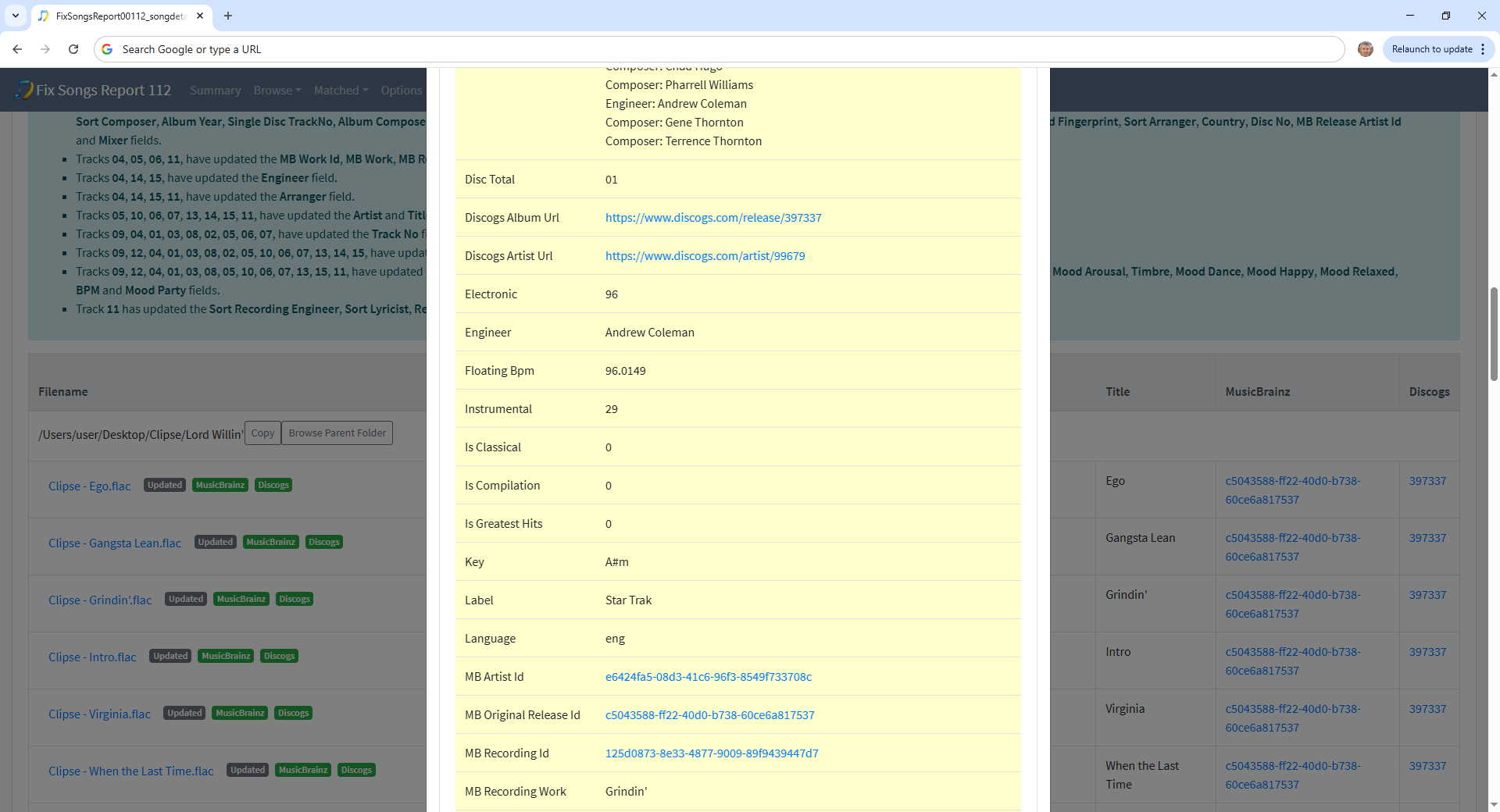
Here is a screenshot after running fix my files and then the script. After running it script it doesn’t include many fields such as the engineers, producers, etc.
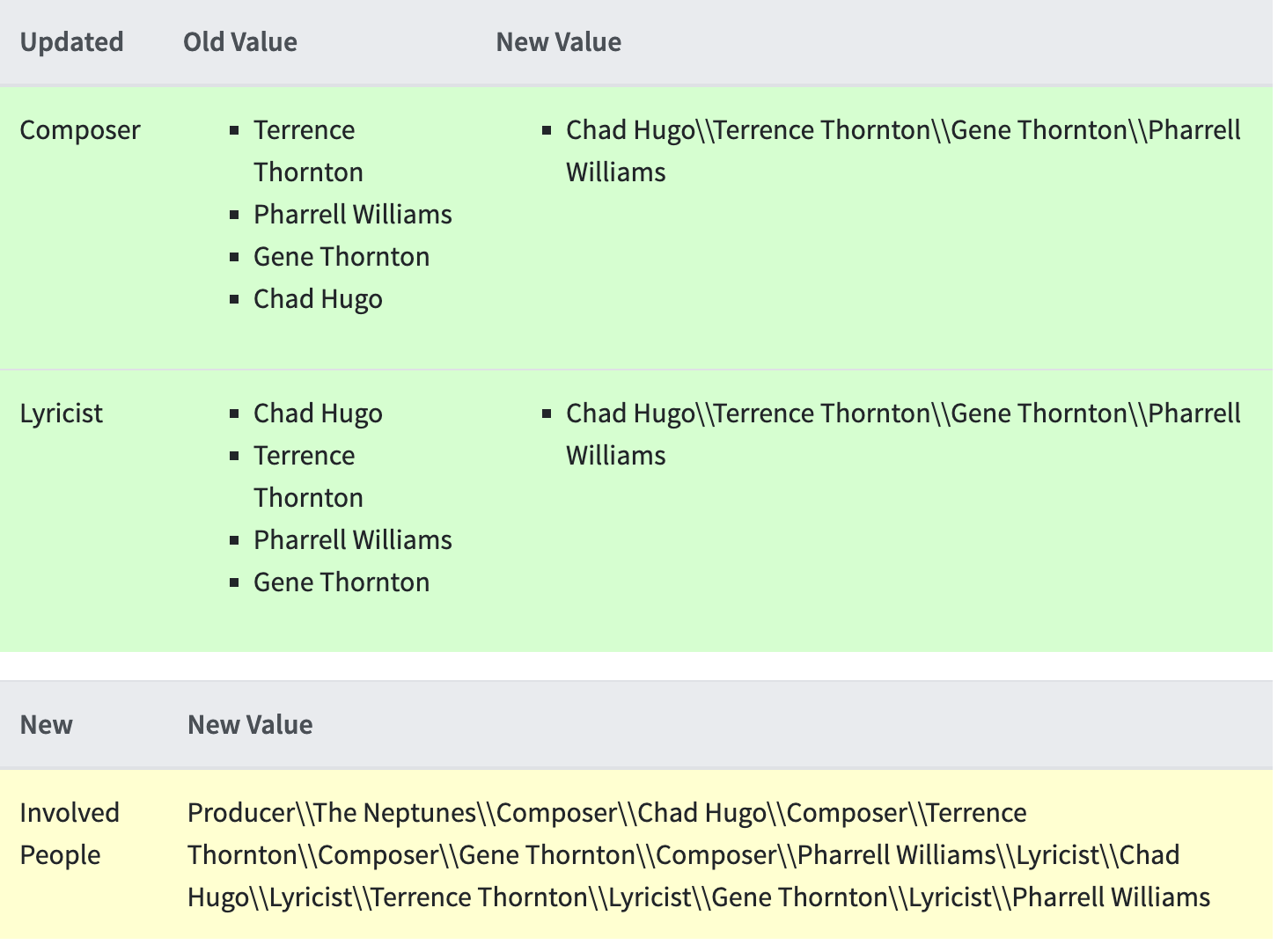
Can you just tel me the name of the file here please.

Okay I guess it is /Users/user/Desktop/Clipse/Lord Willin’/Clipse - Grindin’.flac

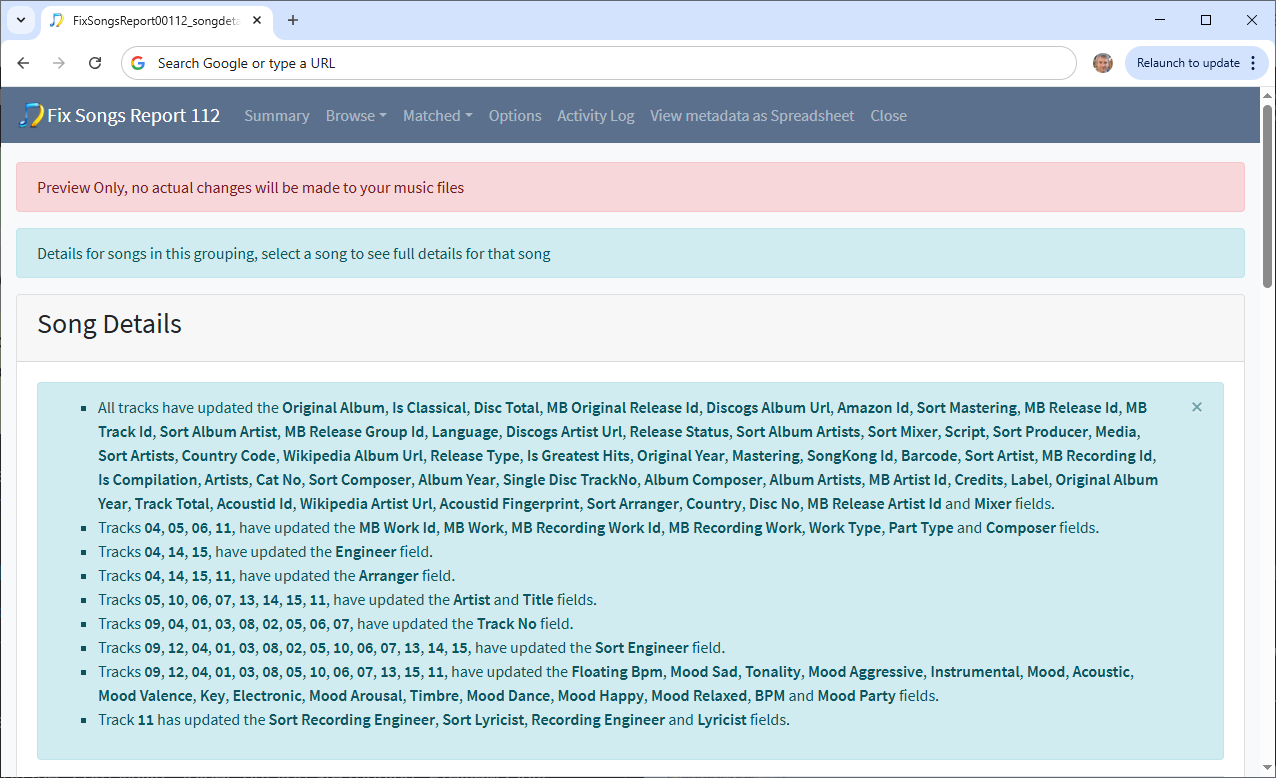
I see the issue, you ran Fix Songs on the Lord Willin’ folder, but you are running Preview Only therefore although fields like Engineer were added

They were not actually saved to the file

Therefore when you run Scripter afterwards it is working from the values actually in the file and the newly added fields like Engineer and Mixer arer not in the file so that is why you don’t see them. You can manually edit the file if you want to test how the script works with such values.

Ah, makes complete sense. I wanted to ensure the output would be exactly like I wanted it prior to purchasing so I wouldn’t run into an issue where I bought it and it didn’t work as expected. Really appreciate all of your help and explaining things to me. I’ll be purchasing it shortly.

1 Like