Got it. TBH I already know the option and used it for some releases. One thing I noticed now: the Match To On Album task does not save folder.jpg. After the metadata gets saved to the files and i run fix songs for this release, then the folder.jpg is saved. Is this by design? 
Albunack has been updated with latest data
Since the update, I’ve noticed that the Grouping field which I have mapped to Genre on Discogs isn’t pulling anything through. Seems to work if you manually match to discogs but not if you run the main “autocorrect songs” menu item. I “think” it might be when it finds the Musicbrainz release and that has a discogs relation, but I’m not 100% sure. Everything else including my mapping of Discogs Style to the Genre field is working as expected.
Edit. Just manually matched to a discogs record and it didn’t pull through the genre to grouping.
Looks okay to me, can you give me a Discogs Release Id where this is happening.
I manually tagged a bunch. Next one I see, I’ll note it here for you.
OK here’s a bunch. Looks like they matched with musicbrainz and pulled through the discogs ID. None have pulled through the discogs genre which does exist:
https://www.discogs.com/release/15213018
https://www.discogs.com/release/15202839
https://www.discogs.com/release/10191391
https://www.discogs.com/release/18833698
https://www.discogs.com/release/19935067
I’ve also seen some pulling through to the wrong field, and even a weird one where the album artist and album artist sort had “alt.rock, indie…”!!
Had a look at the first one:
Discogs Genre is Folk, World, & Country
Discogs Style is Country
I configured Genre field to get value from Discogs Style and Grouping to get value from Discogs Genre and used Match to Specified Discogs Id it added Country to Genre field but not Folk, World, & Country to Grouping field. This is because Folk, World, & Country is not in in my Preferences:Correct Genres List
Once I added it to Preferences:Correct Genres List
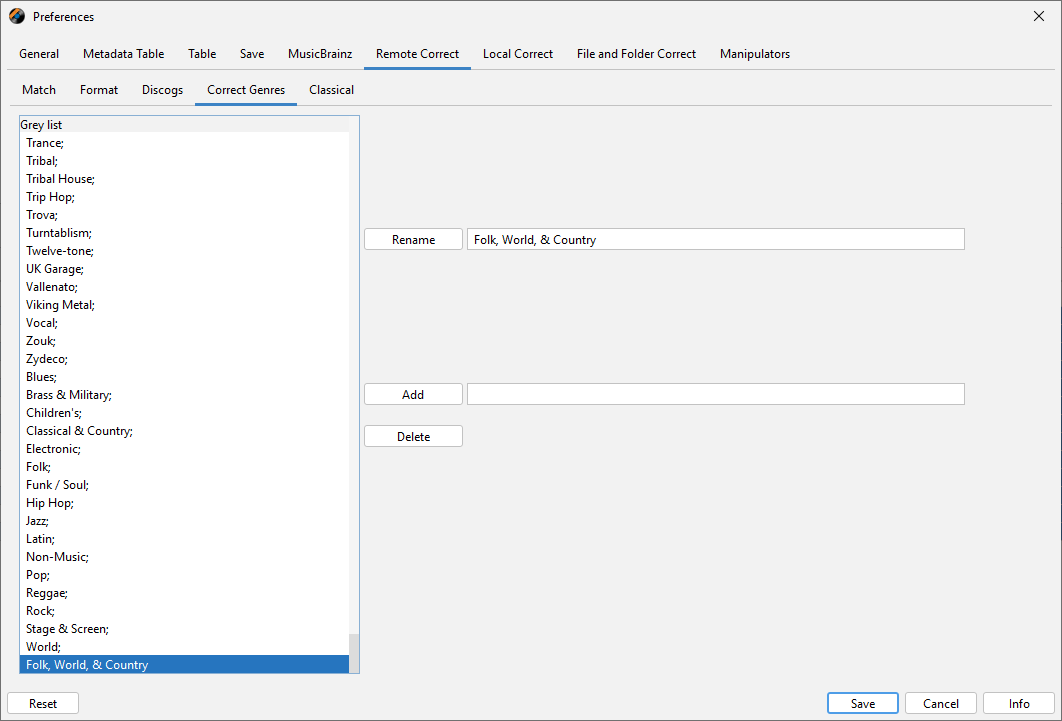
Then reran Match to Specified Discogs Id and Folk, World, & Country was added to grouping
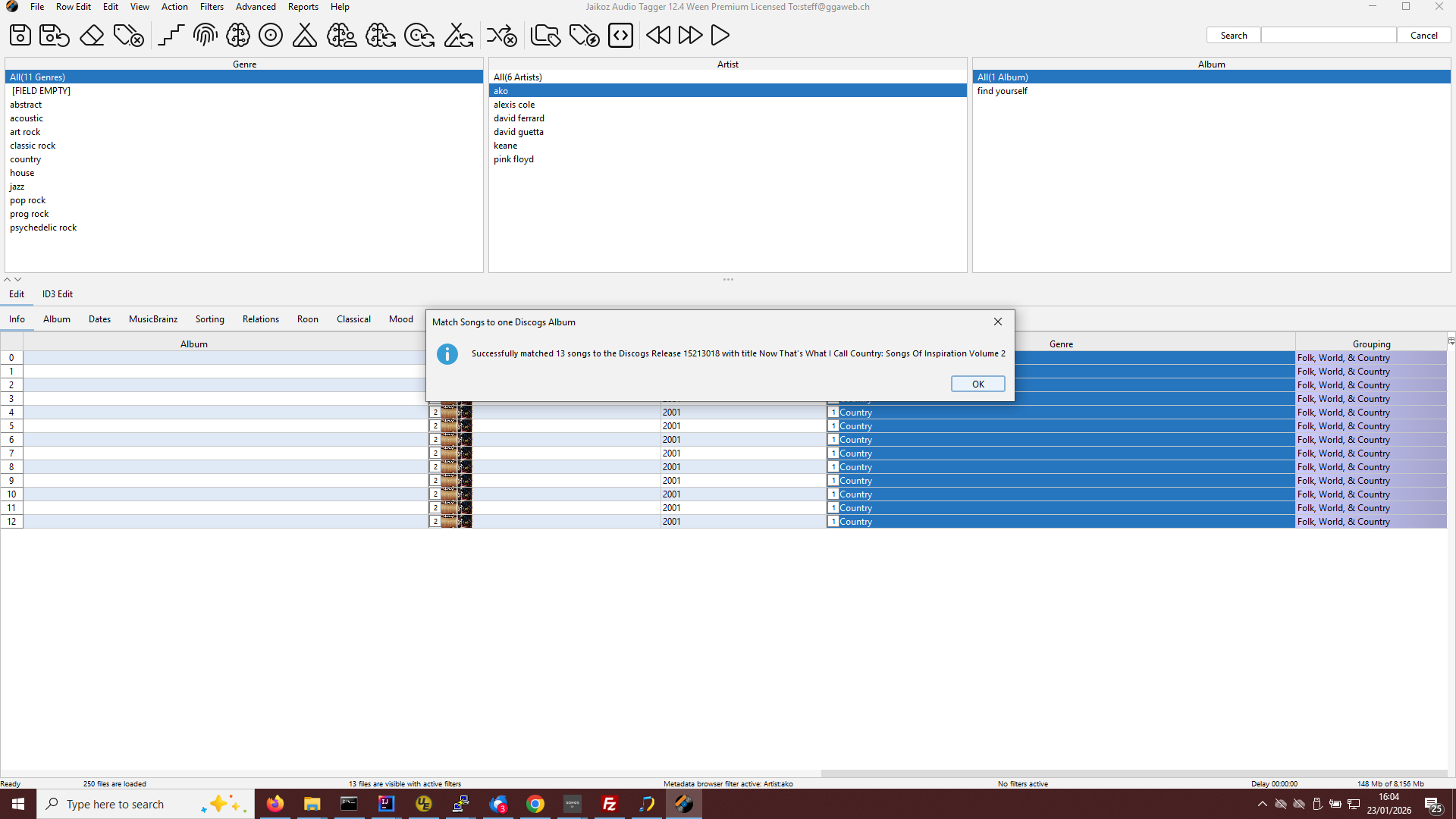
So the issue is simply that Genres/Styles are only added if they are in your Preferences:Correct Genres List
And I tried the others which mostly had genre of Pop and they all worked for me withoutr modification to settings required.
Didn’t realise I had to add both genre and style into correct genre! I’d only been adding style. Working now, thanks.
1 Like
hi Paul,
how often is the Discogs data updated or synchronized? The last Discogs update was on December 31, 2025, correct?
Yes correct. The database has to be recreated from scratch each time and takes about a week. So the plan is to update every two months.
hi Paul,
There are still quite a few Discogs entries missing from late 2025. When is the database scheduled to be updated?
regards
Bit behind because I thought I needed some Albunack code changes for this issue but I don’t - kicked it off now, takes about a week.
Sorry for delay there was some issues with latest Discogs dump that I haven’t had time to address, looking at it now.
If at all possible could you submit the Disc IDs to MusicBrainz?
I have a similar set and updating the IDs there was helpful with tagging.
Albunack now updated
MusicBrainz Data:25/04/2026
Acoustid Data:29/04/2026
Discogs Data:30/03/2026
Paul, don’t forget to update Albunack
I shall start it once I have new SongKong release done.
Wasn’t forgotten, in fact the reports were updated to 27/07/2026 a while ago.
https://www.albunack.net/reports.jsp
but there was an issue with the Acoustid feed that prevented rebuilding of the indexes.
That has now been resolved so expect the indexes to be updated in a couple of days
Albunack now updated
MusicBrainz Data :31/07/2026
Acoustid Data :27/07/2026
Discogs Data :31/07/2026